Repository navigation
App Workspaces
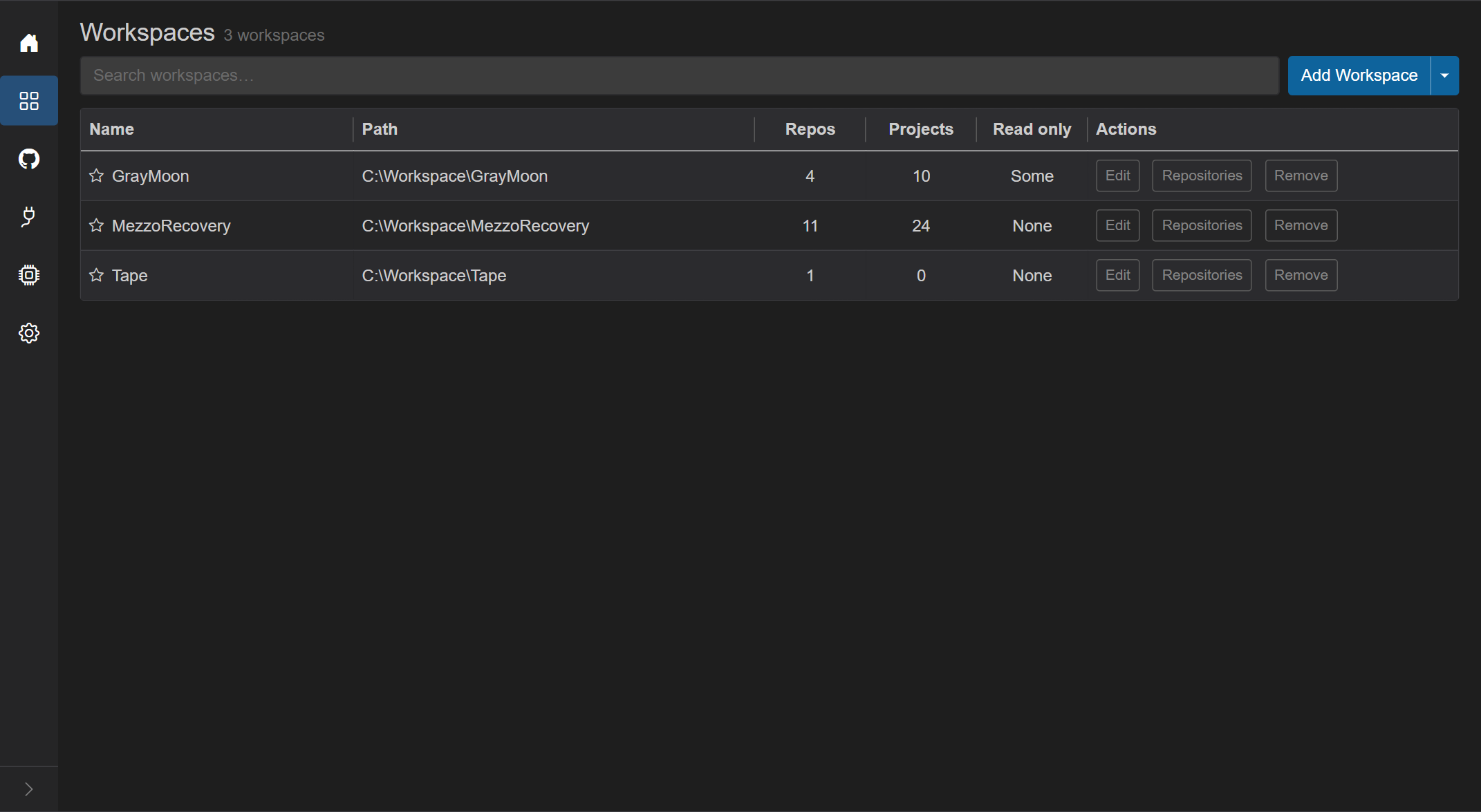
List of all workspaces. Opening a workspace name switches the sidebar to the workspace pages.
- Title: Workspaces
- Subtitle count:
N workspace(s)orN workspace(s) foundwhen a search is active;0 workspaceswhen empty. - Filter search - placeholder "Search workspaces…". Disabled when there are no workspaces.
- Add Workspace (blue) - opens the Add Workspace modal. It creates a new workspace in a folder that does not exist yet or is empty. Creating a workspace requires a connected Worker and a configured workspace root path (Settings).
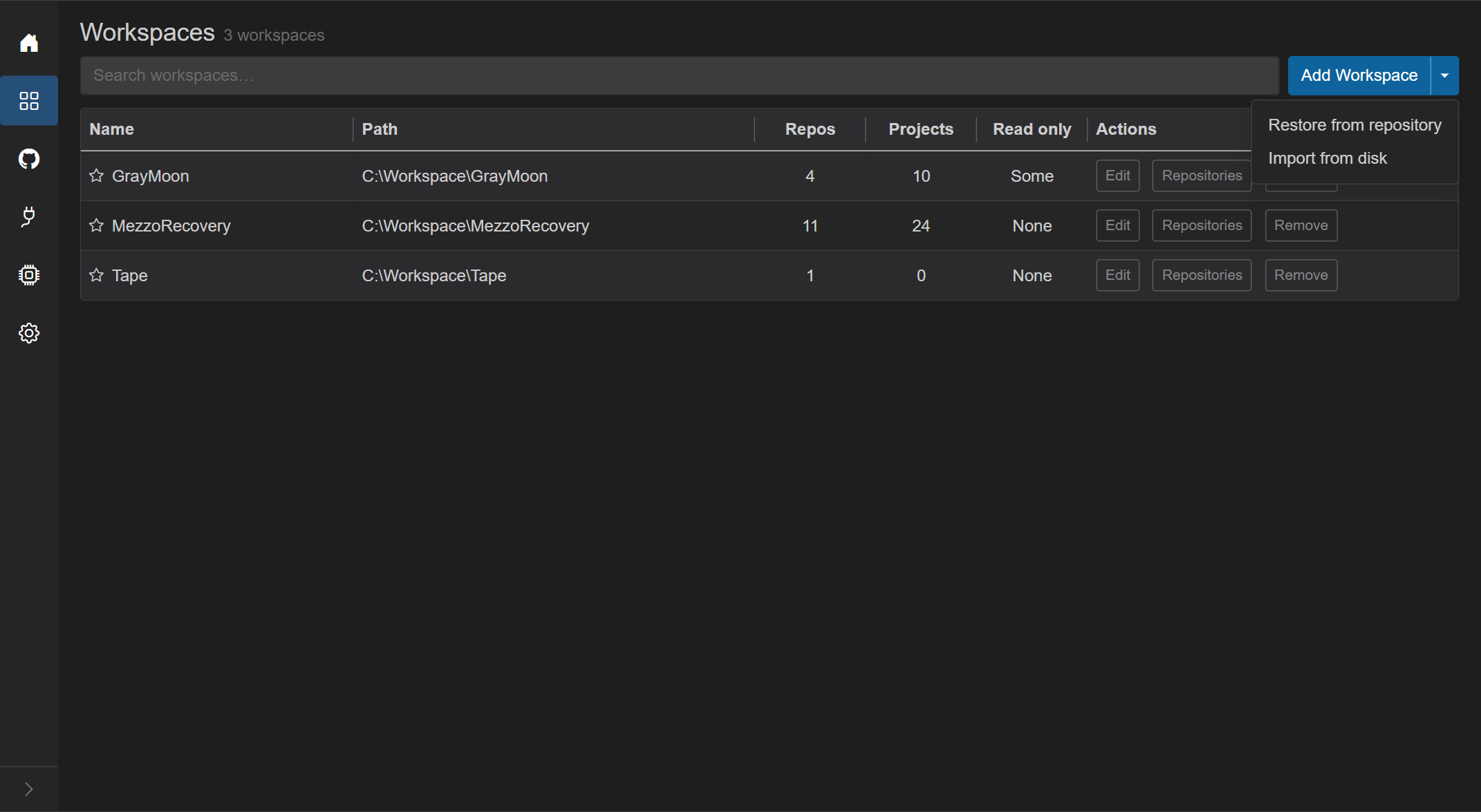
- The arrow next to Add Workspace opens a menu with the two other ways in:
-
Restore from repository - opens Restore Workspace. Use this when a repository already contains
graymoon.jsonand nothing is on this computer yet. - Import from disk - opens Import Workspace. Use this when the folder with the repositories is already on this computer.
-
Restore from repository - opens Restore Workspace. Use this when a repository already contains
Escape or a click outside closes the menu.
| Folder before | Definition comes from | Clones | |
|---|---|---|---|
| Add Workspace | none, or empty | the dialog | the Workspace repository if you chose one; the others at the first Sync |
| Import from disk | exists, with repositories | the folder's graymoon.json, or the dialog when it has none |
only repositories that are missing on disk |
| Restore from repository | none, or empty | the remote repository | everything |
Plain terms match name, path, repo count, and project count.
Field prefix:
-
path:- match only the displayed filesystem path.
See Shared chrome for and / or / coloring.
Empty match: "No workspaces match your search."
Never-created: "No workspaces found. Add your first workspace to get started."
Load failure: red alert with triangle icon.
| Column | What it shows | Interaction |
|---|---|---|
| Name | Star, workspace name (link), optional Default badge | Star toggles default. Name opens /workspaces/{id}
|
| Path | Absolute folder: {root}\{WorkspaceName} (or the workspace's own root) |
Display only; truncated with ellipsis |
| Repos | Count of linked repositories | Display only |
| Projects | Sum of .csproj project counts across those repos |
Display only |
| Read only | Whether repositories of the workspace are read only, for example None or Some | Display only |
| Actions | Edit, Repositories, Remove | See below |
Columns are resizable.
- Hollow star: not default. Click to make this workspace the default (and clear any previous default).
- Filled star + blue Default badge: this is the default. Click the star to unset it.
- Tooltip: "Toggle default workspace".
- Default workspace is the one Home redirects to on first visit of a tab.
- Edit - opens Edit Workspace modal (same fields as Add). Rename and root changes stay disabled while the workspace still has Features.
- Remove - confirmation titled Remove Workspace: "Remove workspace {name}?" and "Only the GrayMoon workspace is removed. Repositories and folders on disk stay. GrayMoon removes the Git hooks it installed in them." Buttons: Cancel, Remove (red, spinner while removing). Escape cancels, Enter confirms. See Removing a workspace.
- Repositories - opens the select-repositories modal for that workspace (not the nested Repositories page). Title: "Select repositories for {name}".
- Title: Add Workspace or Edit Workspace.
- Tabs: Details, Type, Options, Repo, Lock. The name and location are on Details.
- Workspace Name (required, focused on open). Typing updates the path live.
- Workspace Location (read-only) - computed from Settings root path + name.
- Add only: if that folder already exists and is not empty, the modal shows "This folder already exists and is not empty. Use Import from disk to add it as a Workspace." and Save stays disabled. A folder that could not be checked blocks Save as well. Use Import from disk for a folder that is already there.
- Red error if Worker is offline ("Worker is not available. Please start the GrayMoon Worker to add workspaces.") or root path is missing ("Workspace root path is not configured. Go to Settings...").
- Save is disabled while the Worker is disconnected (create only), while saving, or while the directory check is in flight.
- Escape cancels, Enter saves.
Remove takes the workspace out of GrayMoon and removes the Git hooks GrayMoon installed in its repositories. Repositories, folders, branches and files on disk stay. A hook of your own that GrayMoon had replaced is put back, and a message says for which repositories.
- The Worker must be running, because it removes the hooks. When it is not, the dialog says "The GrayMoon Worker is not running. Start it to remove this workspace: it has to remove the Git hooks from the repositories." and Remove is disabled.
- A workspace that still has Features cannot be removed. The dialog names them; remove the Features first.
- If a hook cannot be removed in one of the repositories, nothing is removed. The dialog stays open and names the repository and the file.
After the removal, a commit in one of those folders no longer reaches GrayMoon, and the folders can be moved or deleted. The same clean-up runs when you remove one repository from a workspace or switch the Workspace repository off.
Opened from the row Repositories button, or from the nested workspace Repositories subtitle count.
- Header: selected count "N selected".
- Switch: Selected only - hide unselected rows.
-
Filter search - "Search repositories…" (same fields as the catalog: name, owner, topics, connector;
topic:prefix). - Fetch - refreshes from GitHub connectors. Shows the loading overlay ("Fetching repositories..." / "Fetched N repositories") with Abort. Requires at least one connector.
- Grid: checkbox (including header select-all of the filtered set), Repository, Owner, Topics (topic badges), Connector.
- Empty states: no connectors, nothing fetched yet, or no search matches.
- Rename warnings if GitHub renamed repos during fetch.
- Save requires at least one selected repository.
- Escape closes.
Clicking the workspace name (not the Repositories action button) goes to /workspaces/{id} and swaps the sidebar to Home / Repositories / Changes / Projects / Packages / Files / Deps / Actions. The top bar then shows the workspace name. See workspace/repositories.md.
Add Workspace asks for a type. .NET Dependency discovers projects, calculates levels, and shows version, Update, and Push Updated. Basic is git only. Calculate versions with GitVersion applies to a .NET Dependency workspace. GitHub Actions turns the Actions page on or off.
The workspace name stays on this computer. A different name alone does not rewrite graymoon.json.
When the workspace has Features, Remove is disabled and the dialog asks you to remove the Features first.
The workspace folder can itself be a Git repository. On Repositories its row is in the Workspace group. graymoon.json in that folder is the definition: repositories, profile, and version files. When the file and the database differ, the page offers Write Workspace definition to disk or Dismiss. Import from disk keeps the graymoon.json of an existing folder and imports its versionFiles.