Repository navigation
Layout
GrayMoon's chrome is three bands: the left sidebar, the top bar, and the main page. Collapsing the sidebar (and, in GrayMoon Desktop, hiding the top bar) is how you give the grid more horizontal space.
Always present. Expanded it is a labeled nav (~180px). Collapsed it is icons only (~3.5rem), with the same routes and the same active highlight.
-
Brand (expanded only) - moon icon + "GrayMoon". Clicking it goes to Home (
/). Hidden when collapsed. - Nav items - first-level pages, or workspace pages once you open a workspace. See Shared chrome for the two item sets.
-
Toggle - chevron at the bottom of the sidebar (
Toggle sidebar). Click to collapse to icons; click again to expand. The chevron flips direction when collapsed. The choice is stored asSidebar.Collapsedand survives reload.
On MezzoRecovery Repositories, collapsing the sidebar leaves the 11-repo grid (search, Fetch, Level groups, all badge columns) on almost the full width:
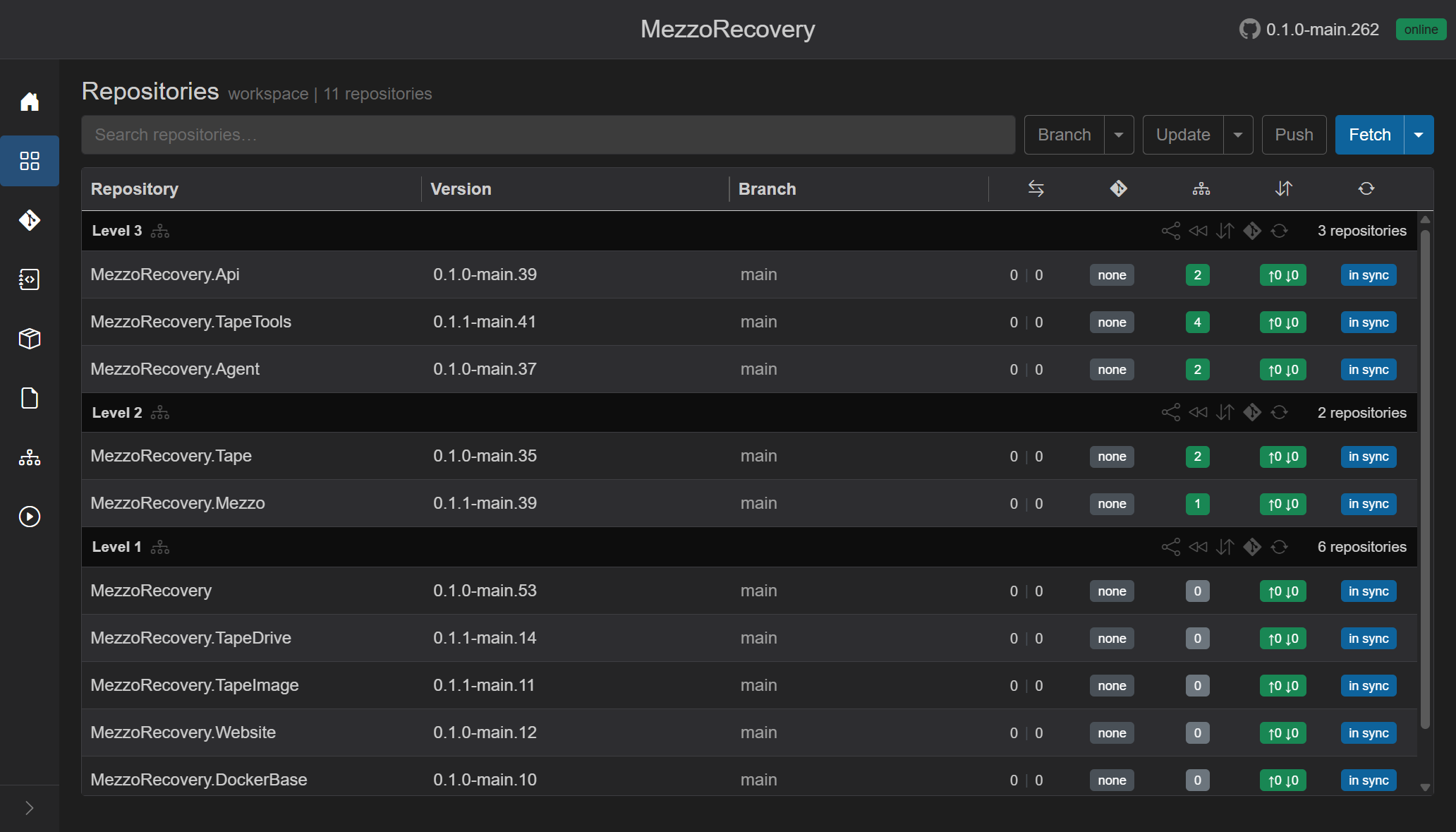
Hover a collapsed icon for the same tooltip / aria name as the expanded label (Repositories, Changes, Deps, ...).
The top bar sits above the main page (not inside the sidebar):
-
Workspace title (workspace pages only) - large clickable name. Goes to
/workspaces. -
GitHub icon -
https://github.com/Jandini/GrayMoon(new tab). -
App version - for example
0.1.1-main.117. -
Worker badge -
online/running/offline/ ... (Shared chrome).
Hiding this entire top bar is a GrayMoon Desktop feature (tray toggle). It is not in the web UX. When Desktop hides it, the page uses page--topbar-hidden so the sidebar brand row is also CSS-hidden and the grid uses the leftover height.
Same MezzoRecovery Repositories page with the sidebar collapsed and the top bar hidden - no workspace name, GitHub link, version, or worker badge in a header strip. The grid starts at the top of the window:

GrayMoon Desktop is a window wrapper around the same web UI - not a separate product surface. It starts its own App on this machine (it never connects to a Docker App), hosts it in a native window, and adds:
- Tray icon - easier access to GrayMoon without hunting a browser tab.
- Hide top bar - reclaim vertical space for the grid (tray toggle). Same UI as the browser; only the chrome changes.
Home with the top bar visible (GitHub link, App version, worker badge):

Same Home with the top bar hidden - more work screen:

Repositories in the Desktop window (collapsed sidebar) looks the same as the browser App:

In Desktop the title-bar system menu has Check for updates..., Show title / Hide title, About, and Exit.