Repository navigation
Workspace Changes
Combined git status for every repository in the workspace: one tree, one commit box, one Monaco diff. Stage, unstage, and commit without opening each repo in a separate IDE window.
Visual Studio's Git Changes window stops at 25 repositories in a solution. GrayMoon does not have that cap. The page is the workspace: MezzoRecovery is 11 repos here; a larger workspace is the same UI.
Updates are watcher-driven. The browser does not poll. The Worker watches working trees and pushes snapshots to the App; this page re-reads the persisted projection. You can edit in Cursor, Visual Studio, VS Code, or git on the CLI. GrayMoon stays current. Commit wherever is comfortable - the notification card and Repositories grid pick up outgoing commits through git hooks even when this tree is empty.
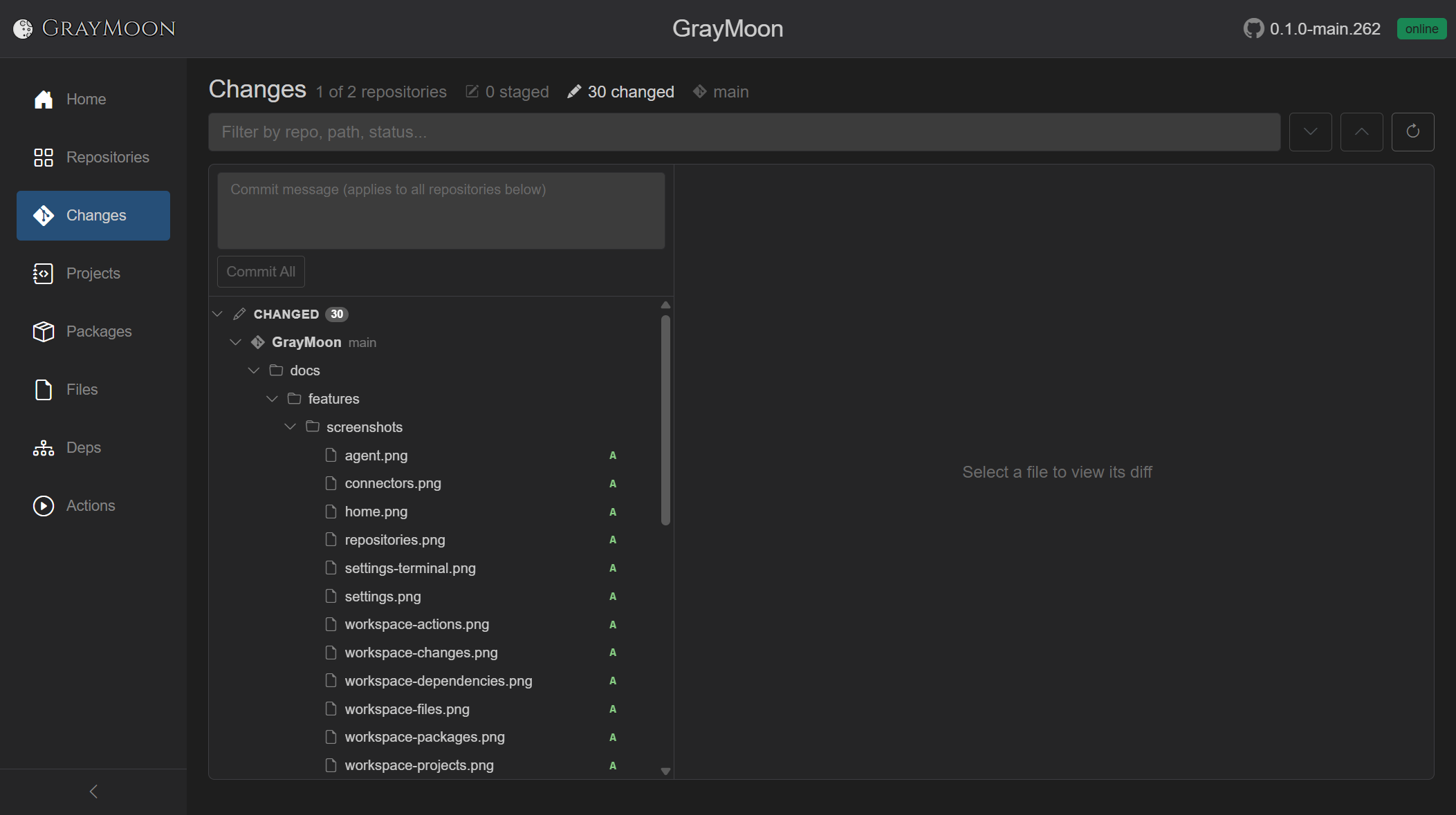
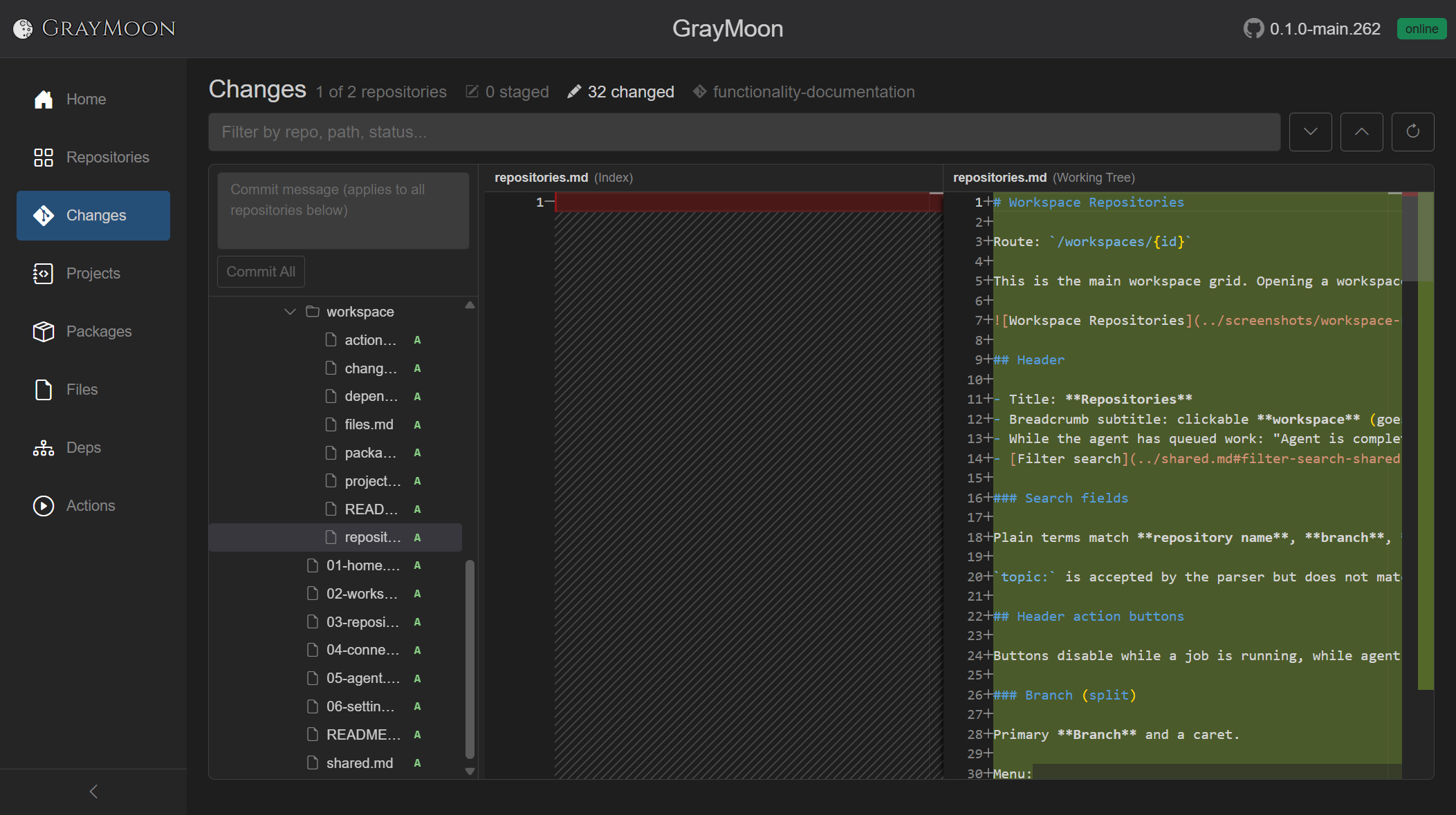
The two-repo GrayMoon workspace looks like this (new markdown file selected):
The walkthrough below is MezzoRecovery (a real multi-repo project, 11 repos) on new-branch-demo after New Branch and Update Only / Push Only. Working trees started clean.
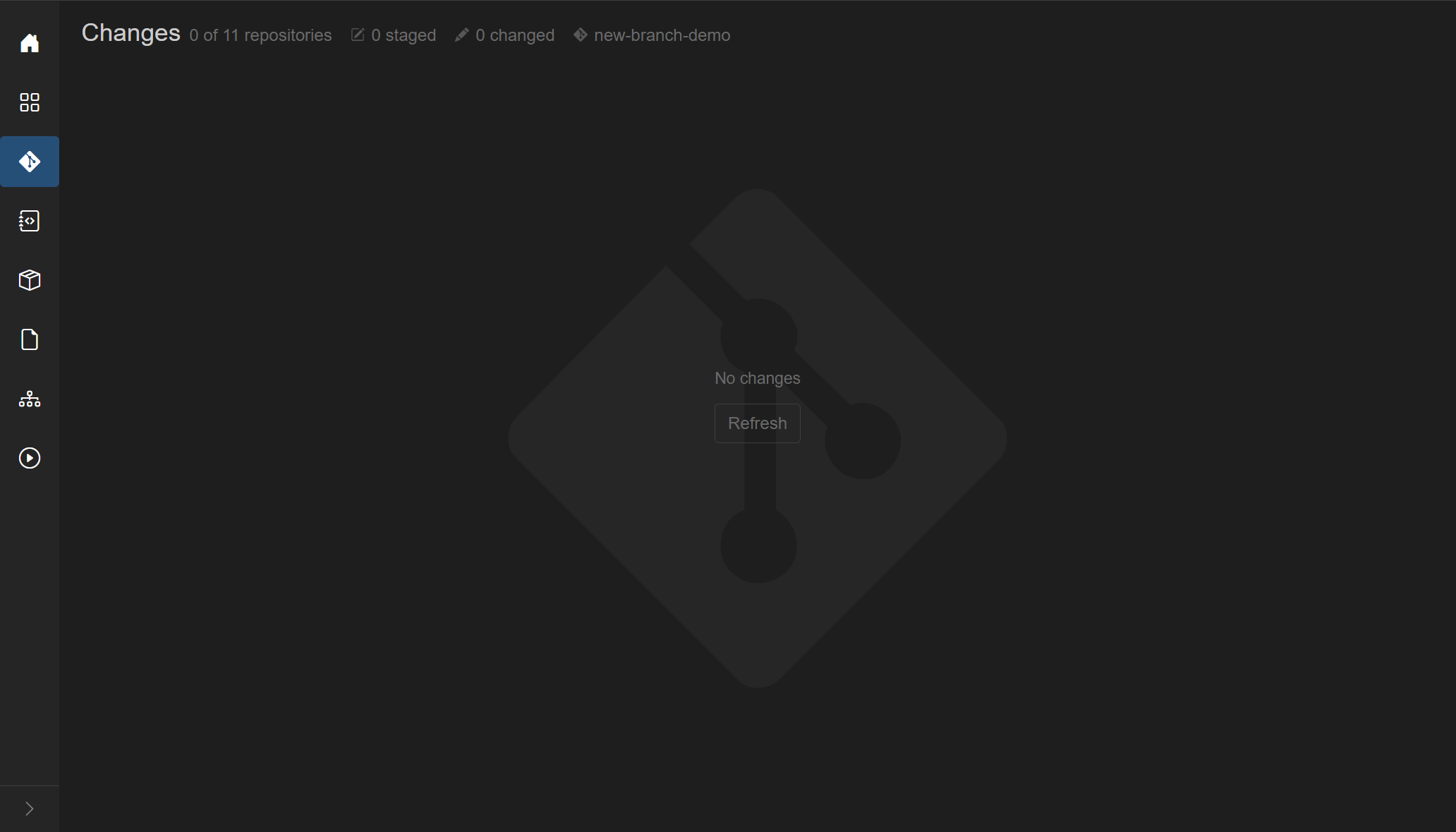
Empty: No changes, Refresh, header 0 of 11 repositories, 0 staged, 0 changed, branch new-branch-demo.
A one-line comment was added to MezzoRecovery.Api Program.cs on disk (the same kind of small edit an AI or a teammate would leave). The watcher picked it up: header 1 of 11 repositories, 1 changed. Click the file for a side-by-side diff (Index vs Working Tree). Status letter M.

A second comment in MezzoRecovery.Agent Program.cs. Header 2 of 11. Same commit box still applies to every repo in the tree. You do not switch windows to compare the two edits.

Three more comment-only edits (TapeTools Program.cs, Tape TapeCloneService.cs, Mezzo MezzoServiceFactory.cs) plus a second file in Api (AgentHub.cs). Header 5 of 11 repositories, 6 changed. One place to review AI-generated (or any) comments across the graph.

That is the point of this page: the workspace is the review surface, not 5 (or 50) separate Git Changes windows.
Each row has + (stage) or - (unstage): file, folder, whole repository, or the entire Changed / Staged section.
Staging only MezzoRecovery.Api Program.cs splits the tree: STAGED (1) and CHANGED (5). The primary button becomes Commit Staged. Api still has AgentHub.cs unstaged. Diff labels for a staged file are (HEAD) vs (Index).
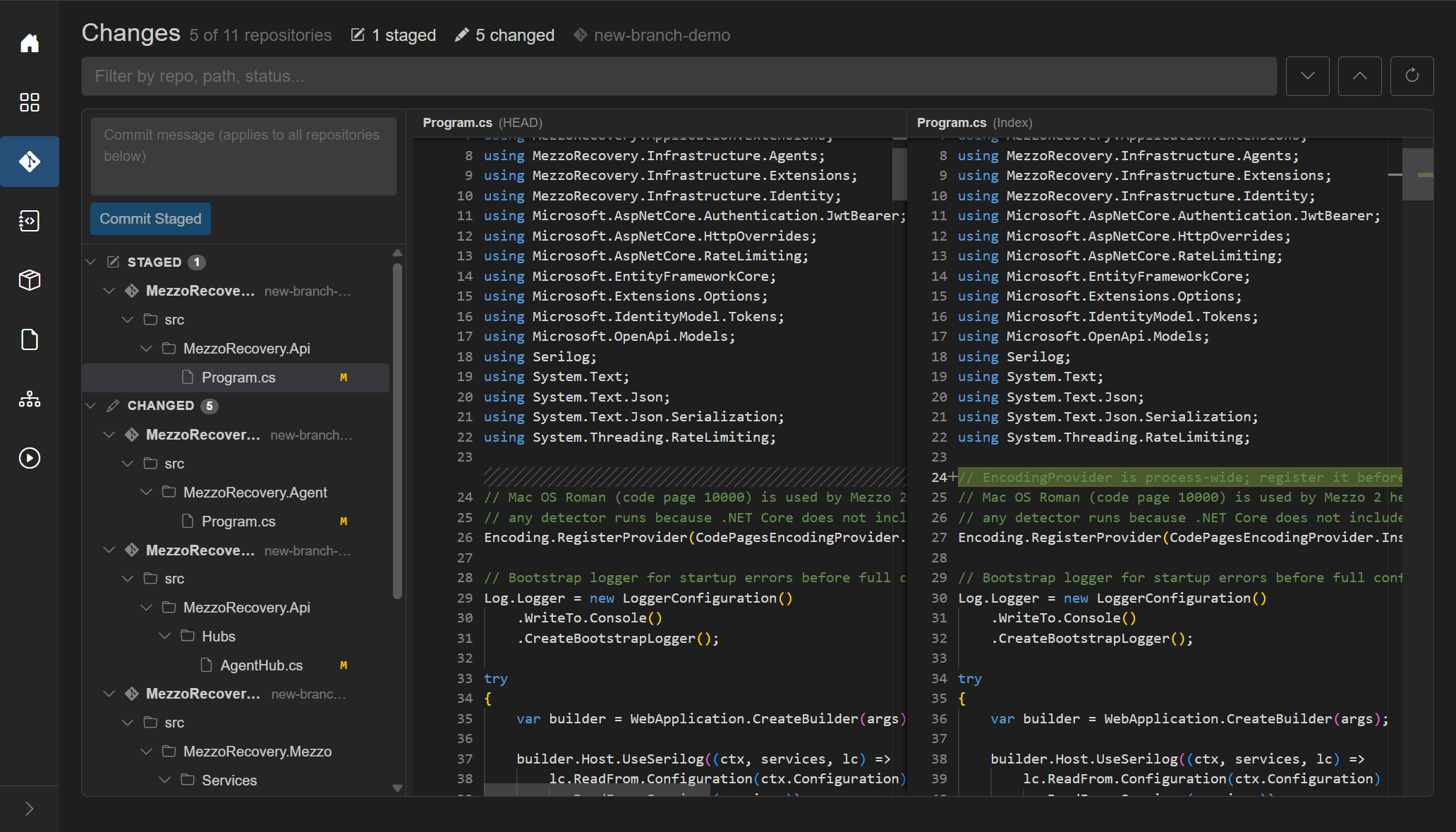
- on that file puts it back. Header returns to 0 staged, 6 changed, button Commit All.
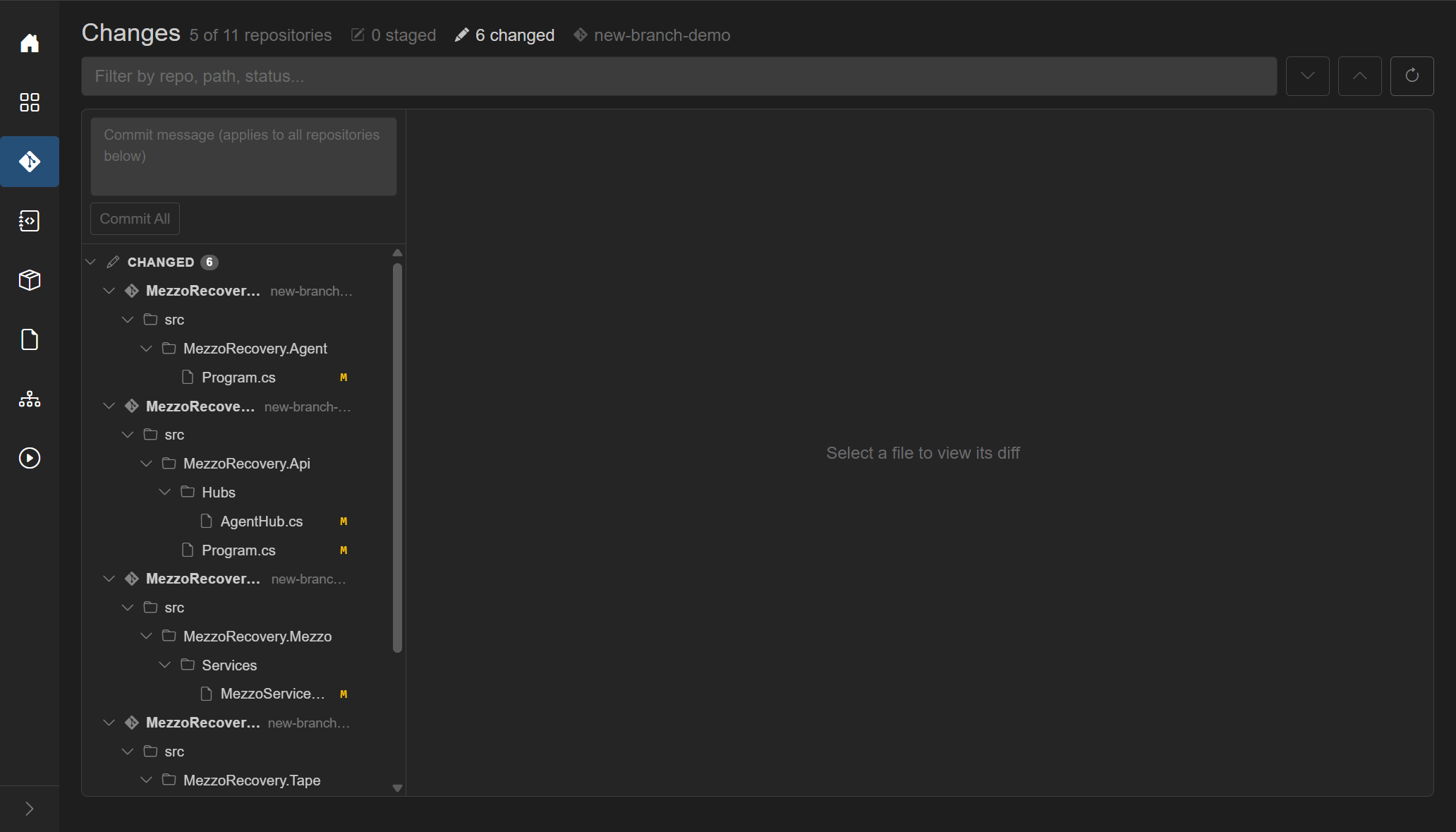
Staging two whole repos (Agent and Tape) is the same + on the repository rows. 2 staged, 4 changed, Commit Staged again. Unstaged files are left alone when you commit staged.
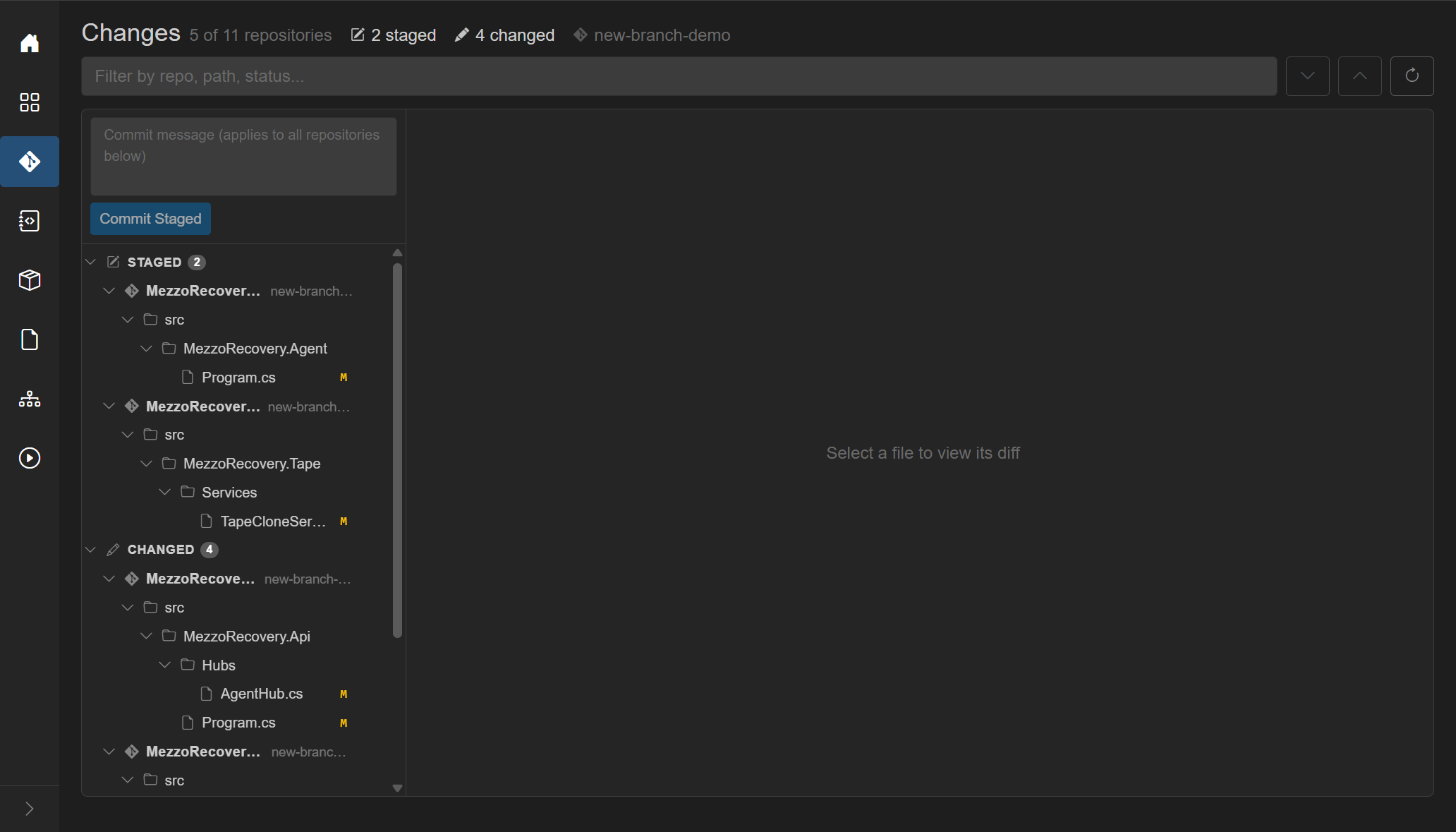
One message box at the top of the left pane. Placeholder: Commit message (applies to all repositories below). The same text is used for each git commit, in parallel. Draft is remembered if you leave the page.
- Commit All - when nothing is staged. Stages everything then commits in each repo that has changes.
- Commit Staged (blue) - when any repo has staged files. Only staged paths are committed.
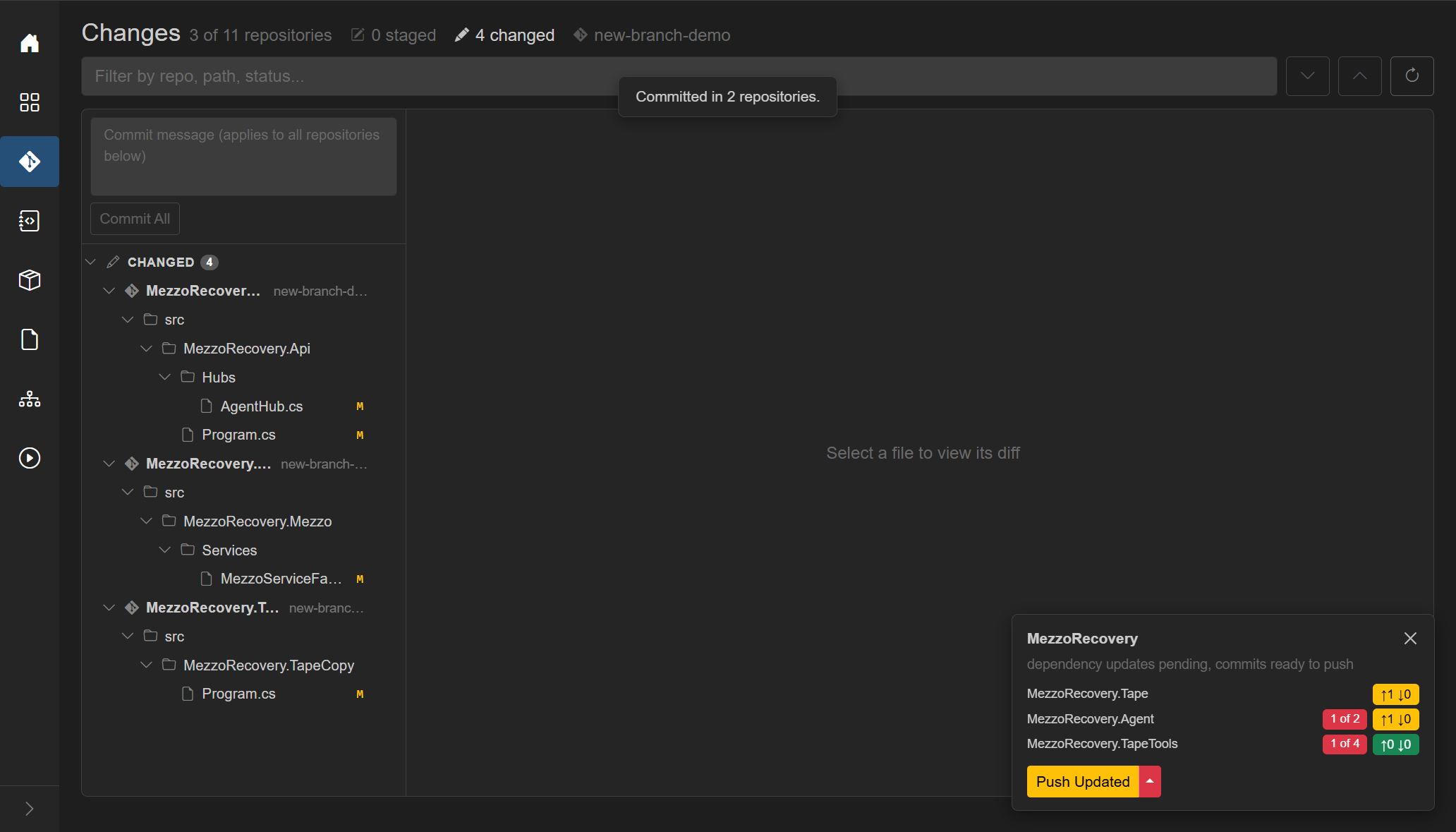
Commit Staged with chore: document agent formatter and tape clone logging committed Agent and Tape. Toast Committed in 2 repositories. Remaining three repos stayed in CHANGED. The floating card appeared at once: commits ready to push (and, because those commits moved GitVersion on package repos, some consumers also show unmatched N of M).
Commit All on the rest (chore: document host startup, hub policy, and format detection) cleared the tree: No changes, 0 of 11. Outgoing commits do not live in this tree. They live on the card.
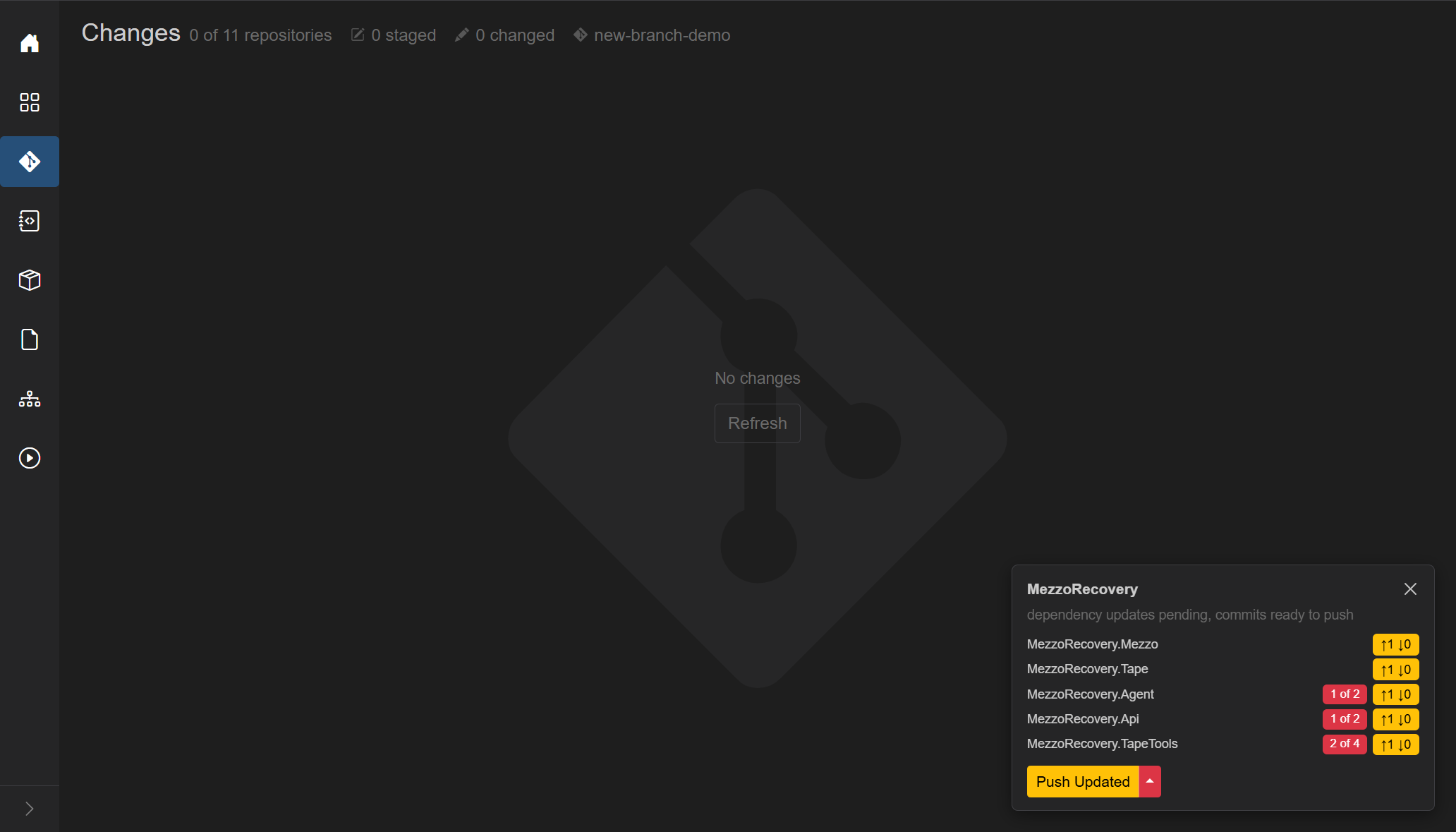
GrayMoon is tracking. You could have made those same commits in Visual Studio or git commit in a terminal. Hooks (post-commit, and pre-push later) update the Worker; the card and the Repositories grid stay honest. This page is optional, not a gate.
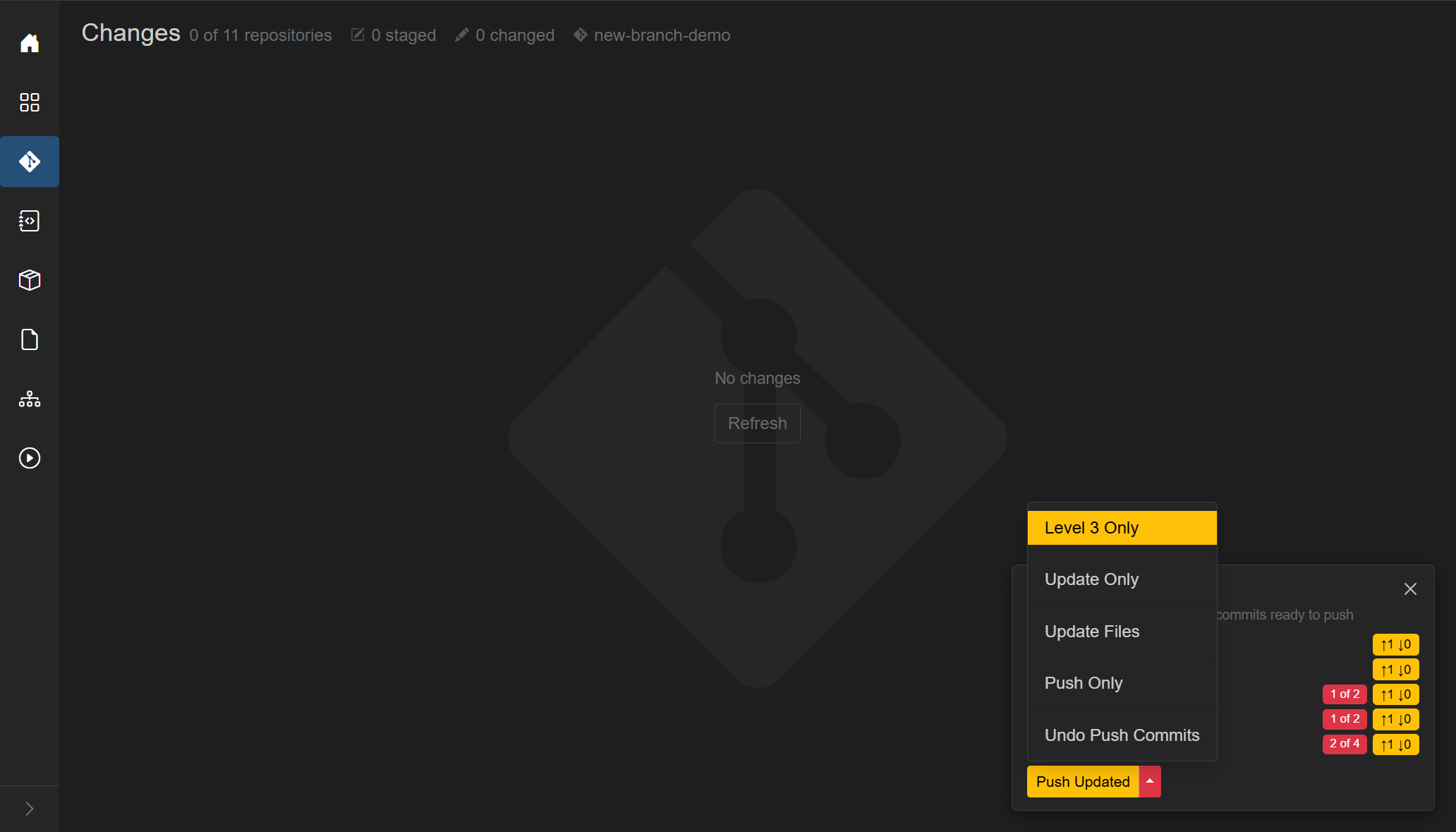
The card on Changes is the same workspace action notification as on Worker and other non-Repositories pages. After the comment commits it listed Mezzo, Tape, Agent, Api, TapeTools with yellow ↑1 ↓0. Some rows also had red unmatched-dep badges: a commit in a package repo bumps GitVersion, so consumers look out of date until Update. That is expected, not a failed commit.
The card primary was yellow Push Updated (unmatched deps + outgoing, no incoming). This run used the caret Push Only: push the comment commits without another .csproj rewrite. Combined Push Updated is documented on Repositories and will be shown as one click later.
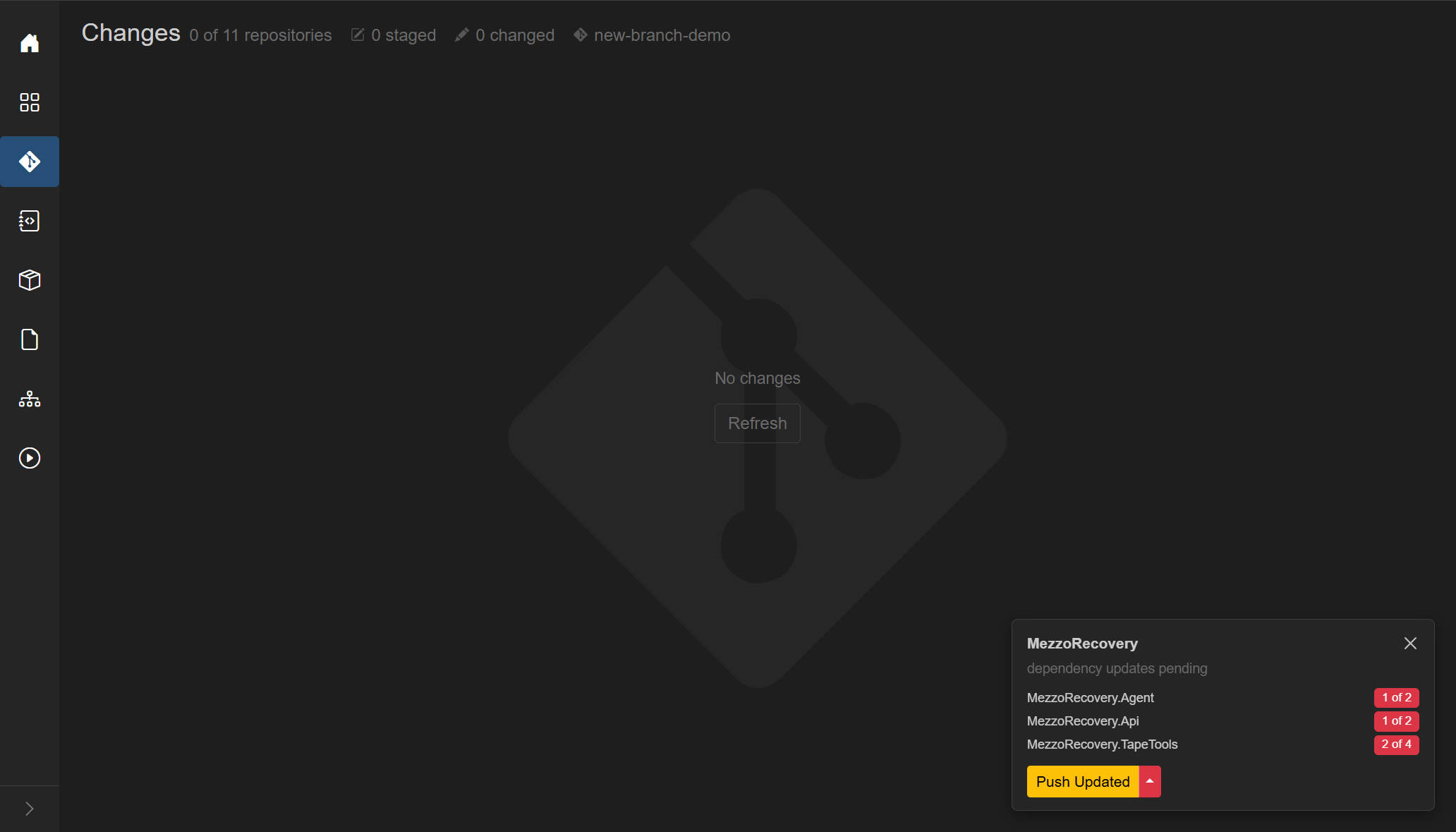
After Push Only, every ↑1 dropped off. The working tree was already empty. The card shrank to dependency updates pending on the consumers (Agent, Api, TapeTools). Those badges stay until an Update (or until the next demo drops these branches).
- Title: Changes
- Summary (when the view has loaded):
-
N of M repositories- how many repos currently have changes - staged count (pencil-square icon) - emphasized when > 0
- changed (unstaged) count (pencil icon) - emphasized when > 0
- branch label (git icon): the common branch name,
multipleif repos disagree, or-. Tooltip listsbranch: countper group
-
- Empty summary: "No changed repositories."
When any repo has changes, extra header controls appear:
- Filter search - "Filter by repo, path, status..."
- Next change / Previous change (chevrons) - jump hunks in the Monaco diff. Disabled until a diffable file is selected.
- Refresh - rescan every repository in the workspace (tooltip explains this).
Plain terms match repository name, path, and original path (renames).
Field prefixes:
-
repo:- repository name -
status:-modified,added,deleted,renamed,copied,untracked,conflict/unmerged,typechanged -
staged:-true/false -
ext:- file extension (cs,.csboth work)
No matches: "No changes match the current filter."
Large muted git icon, No changes, and Refresh.
While a refresh of an empty workspace is running: spinner, status text such as "Refreshing repositories...", and Abort.
Draggable splitter.
See Commit across repositories for the shared message box and Commit All / Commit Staged.
Tree rows (indent by depth):
| Kind | Icon | Extra | Actions |
|---|---|---|---|
| Repository | git | branch name | +/- stage or unstage the whole repo |
| Section | pencil-square (Staged) or pencil (Changed) | count badge | +/- stage/unstage all in that section |
| Folder | folder | +/- stage/unstage the folder | |
| File | file | status letter; rename shows <- old path
|
+/- stage or unstage that file |
Status letters: A added/untracked, M modified, D deleted, R renamed, C copied, T type changed, U conflict/unmerged. Color classes: added, deleted, renamed, modified, conflict.
Click a file to select it (highlight). Click a folder/repo/section to expand/collapse.
While a file/folder mutation runs, that row's +/- becomes a spinner. Repo-wide stage/unstage uses the page loading overlay instead.
Optional offline notice banner if the worker is unreachable.
- Placeholder: "Select a file to view its diff" or "Loading diff..."
- Monaco side-by-side for text: labels (HEAD) vs (Index) when staged, or (Index) vs (Working Tree) when unstaged.
- Non-Monaco states: "Binary file changed" (with byte sizes), "File is too large to diff automatically.", "File encoding is not supported for preview."
One message box at the top of the left pane commits every repository that currently has matching changes. You do not pick repos one by one.
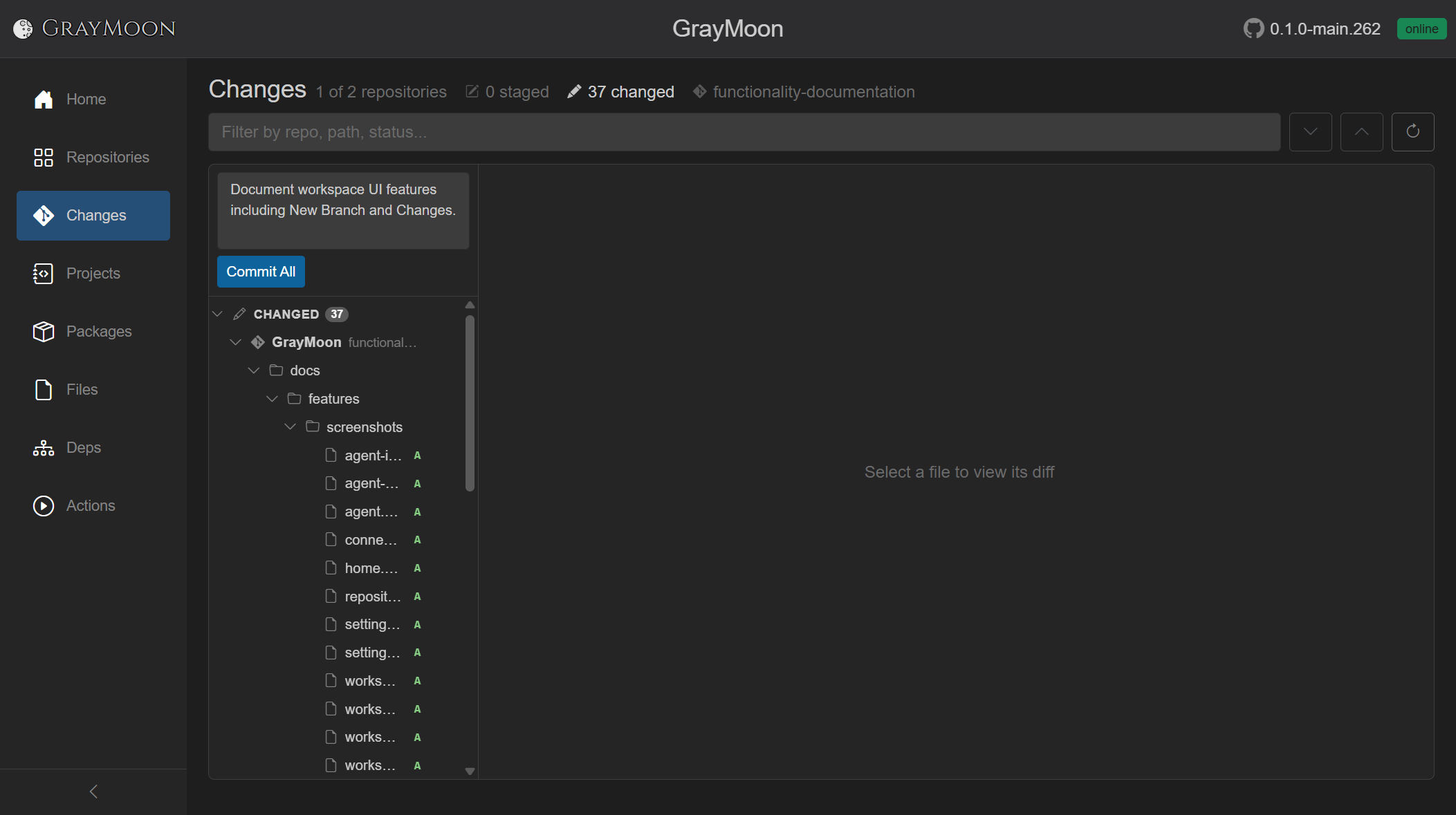
- Commit message textarea (max 10000 chars, no spellcheck). Placeholder: "Commit message (applies to all repositories below)". The draft is remembered if you leave the page and come back.
- Commit All - shown when nothing is staged. Outline until a message is typed, then solid primary. Tooltip: "Stages all changes then creates one commit in each repository using the same message." Disabled while a job runs or the message is empty.
- Commit Staged (blue) - replaces Commit All when any repo has staged files. Tooltip: "Creates one commit in each staged repository using the same message." Unstaged files in those repos are left uncommitted.
Repos with no matching changes are skipped. Overlay progress is Committing in N repositories... (or a single repo name when N is 1), then Committed k of N repositories.... A toast reports how many succeeded; failures are listed by repo name.
If any target repo is on its default branch, a warning lists those repos before anything is written: committing would go straight to the protected default branch. Proceed continues; Cancel aborts.
The worker must be online. Empty message shows the error toast "Enter a commit message."
When every repo is clean, the page shows No changes. Outgoing (unpushed) commits do not appear in this tree; they show on the floating notification card. The header still says 0 of 2 repositories because the working trees are clean - the Worker is separately tracking the unpushed commit on GrayMoon (↑1 ↓0). Push on the card applies to every listed repo in that workspace.
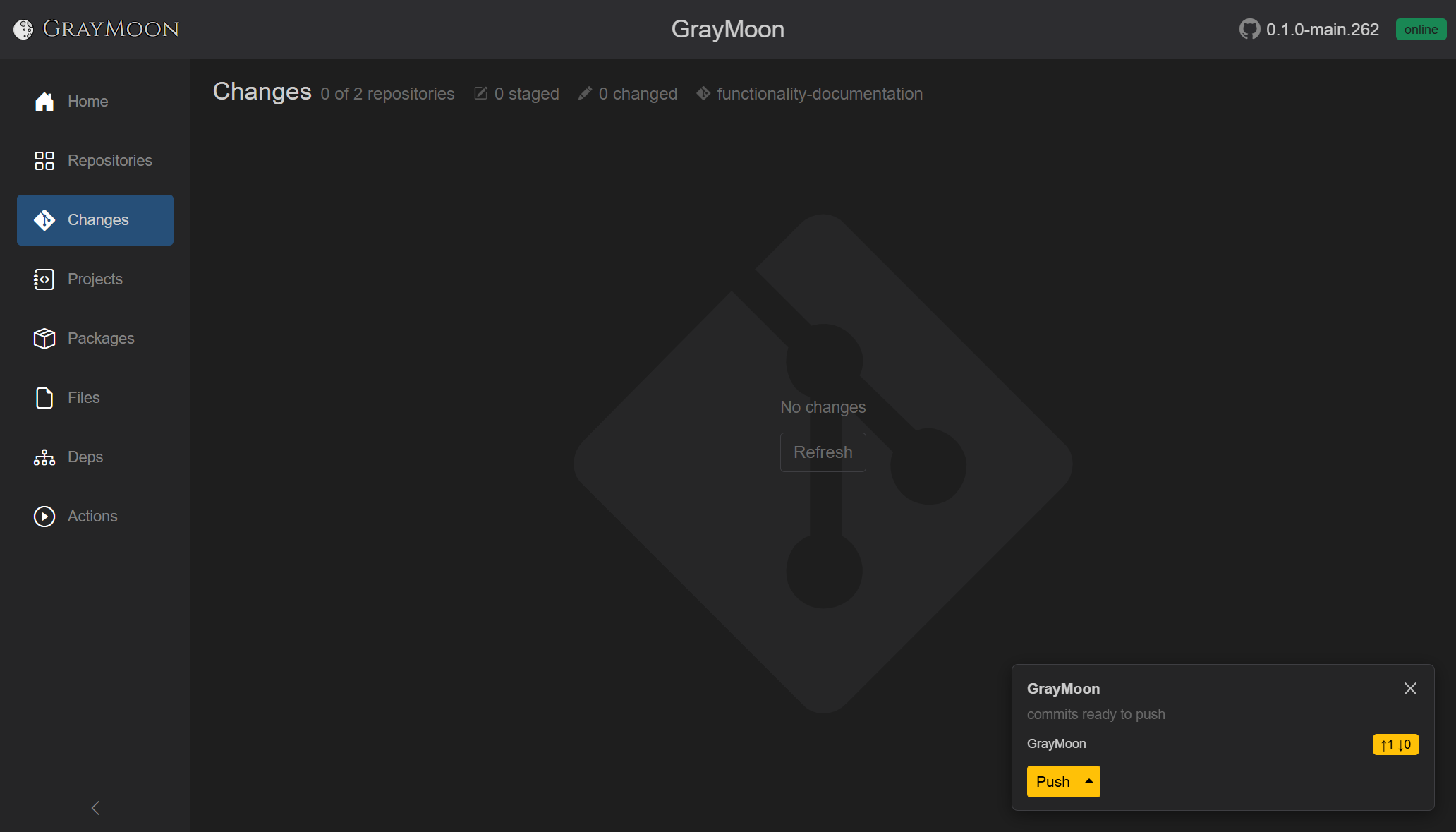
The same card appears on Worker and other pages. If the commit is pushed outside GrayMoon, the Worker updates the counts and the card goes away.
An open Changes page keeps its workspace active, so edits, staging, and commits are noticed without leaving the page. A full status scan runs about every 5 minutes.
When a context has more than about 1,500 changed paths, Changes opens with the Staged and Changed sections expanded and each repository collapsed. Expanding a repository or folder loads the first page of that level.
A Markdown file can show Source or Preview. Preview has Changes, After, and Before. An added file offers only After. Find on the page includes Mermaid labels in Preview. A {STAGE_NUMBER}-style brace is kept as text.
The commit control is Commit Staged or Commit All, then the AI provider, then a chevron. Generate commit message starts ticked. Push committed starts unticked. See AI commit and pull request text.