Repository navigation
Lunaqlo Support
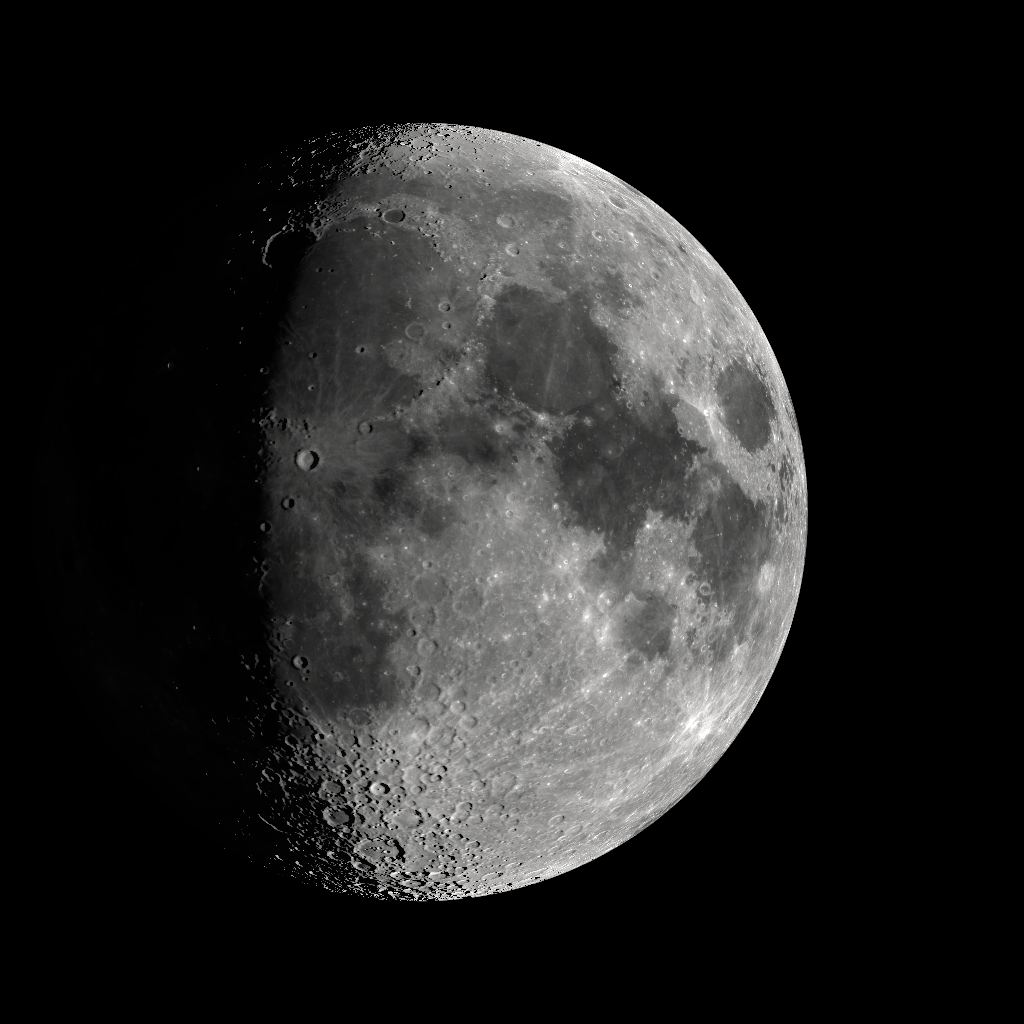
The moon as it is right now, and the time. Nothing else. An app for iPhone and iPad.
The moon is not a photograph. It is drawn each time from a single set of NASA lunar data — the LROC albedo mosaic and LOLA topography — mapped onto a sphere and lit from wherever the sun actually is at that moment. Craters catch the light along the terminator. The phase changes continuously, because the light does, not because an image was swapped.
- The moon, rendered in real time from NASA lunar data
- The time, in a thin quiet face below it
- No date, no notifications, no interface. Tap once and two controls fade in; leave it alone and they fade out again
- Stays on, with burn-in protection, so it works as a shelf or bedside piece
- Brightness, adjustable without touching your system setting
No. The moon and the time are free, with no limits and no ads. A one-time purchase ("Unlock everything") adds three moon finishes, five clock typefaces, and control over whether the clock is shown and where it sits. It's a single purchase, not a subscription, and there is nothing further to buy.
Open Settings and tap any locked row to bring up the purchase screen, then tap "Restore purchase". This re-checks your Apple Account for a previous purchase. The purchase is tied to your Apple Account, so it carries over automatically when you reinstall the app or set it up on another device signed in with the same account.
That's intentional — at rest there is nothing on screen but the moon and the time. Tap anywhere and two icons fade in: brightness on the left, settings on the right. Leave it alone for a few seconds and they fade out again.
Yes. The position of the sun and the moon is computed on the device from standard astronomical algorithms, so the phase, the tilt of the terminator and the libration — the slight rocking that shows a little around the edges over a month — all match the real moon. No network connection is used.
It doesn't need to, and not asking for it is deliberate. The moon is drawn with north up and the light coming from the side. Your location would change how tilted the moon looks in your sky, but not the phase itself, and asking for location on an app you leave on a shelf is not a trade worth making.
That's intentional, so it can be used as an ambient or bedside display. The whole image drifts very slowly — a few pixels over several minutes — to protect OLED screens from burn-in. You can turn "Keep the screen on" off in Settings, and the screen goes back to normal as soon as you leave the app.
Not at the moment. The clock is 24-hour with a leading zero so that the digits never shift sideways when the time changes, which matters for something you leave in view. If you'd like a 12-hour option, please say so in Issues.
Lunaqlo has no accounts and never asks for your location. Basic usage reporting — which screens are opened, and how often — is sent to Firebase Analytics, with no advertising identifier and nothing that identifies you. You can turn it off under Settings → Privacy → Share usage data. Your settings are stored only on your device, and your purchase is verified directly with Apple through StoreKit, so the developer never sees your personal data.
The CGI Moon Kit from the NASA/GSFC Scientific Visualization Studio, which is in the public domain. Reflectance comes from the LRO / LROC WAC albedo mosaic, relief from LRO / LOLA topography. There is a note about this in the app under Settings → About the lunar imagery.
Please report bugs and requests through Issues.
It helps if you include:
- Your device (e.g. iPhone 15 Pro) and iOS version
- What you did, and what happened