Repository navigation
Pataqlo Support
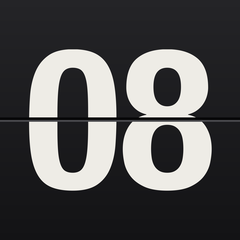
A flip clock, drawn as a solid. An app for iPhone and iPad.
Every card has real thickness and catches the light along its edge. The leaf turns on an axle at the seam the way the real thing does, falls under gravity, and settles with a small bounce — and no two flips are quite the same.
- Twelve hours or twenty-four, following what your device already does
- Nothing else on screen. Tap once and a single control fades in; leave it alone and it fades out again
- Stays on, so it works on a shelf or a bedside table
- A quiet clack as each card lands, if you want it
No. The clock itself is free, with no limits and no ads. A one-time purchase ("Unlock everything") adds five typefaces, three finishes, free choice of colour for the cards, the digits and the background, seconds, and a 12/24-hour override. It's a single purchase, not a subscription, and there is nothing further to buy.
It isn't fixed either way — it follows your device. If your iPhone shows a 12-hour clock, so does Pataqlo. The purchase lets you override that, in either direction, which is useful if you want the opposite of what your region defaults to.
Open Settings and tap any locked row to bring up the purchase screen, then tap "Restore purchase". This re-checks your Apple Account for a previous purchase. The purchase is tied to your Apple Account, so it carries over automatically when you reinstall the app or set it up on another device signed in with the same account.
That's intentional. Tap anywhere and one icon fades in at the bottom; leave it alone for a few seconds and it fades out again. The first few times you open the app it appears on its own, until you have used it once.
Yes. The sound is off by default, so if it is on, you turned it on. It plays even when the ring switch is silent — a clock that quietly stopped making the sound you asked for would look broken. It never interrupts music or a podcast; it mixes with whatever is playing.
That's intentional, so it can be used as a bedside or shelf clock. You can turn "Keep the screen on" off in Settings, and the screen goes back to normal as soon as you leave the app.
The clock is drawn on the GPU, but only when something moves. Between flips it drops to a few frames a second. Even so, if you leave it running all night, keep the device on a charger.
The cards are lit, so a very dark colour still catches a little light — that is what makes them look like objects rather than a flat picture. If you want them darker, the purchase lets you pick any colour, including one darker than the default.
No. Pataqlo has no accounts, never asks for your location, and collects nothing that identifies you. It does not connect to the network at all. Your settings are stored only on your device, and your purchase is verified directly with Apple through StoreKit.
All five ship with iOS; none are bundled with the app. They were chosen because they hold up on a flip card: heavy, with digits of even height and plainly cut ends.
Please report bugs and requests through Issues.
It helps if you include:
- Your device (e.g. iPhone 15 Pro) and iOS version
- What you did, and what happened