Repository navigation
Decoding and confidence
🌐 English · Русский
Install 0.5.1 and get the sample files.
Some letters look alike, especially on blurry scans. A language model uses word patterns to help choose between possible readings.
It's already on. You don't need another setting for normal use.
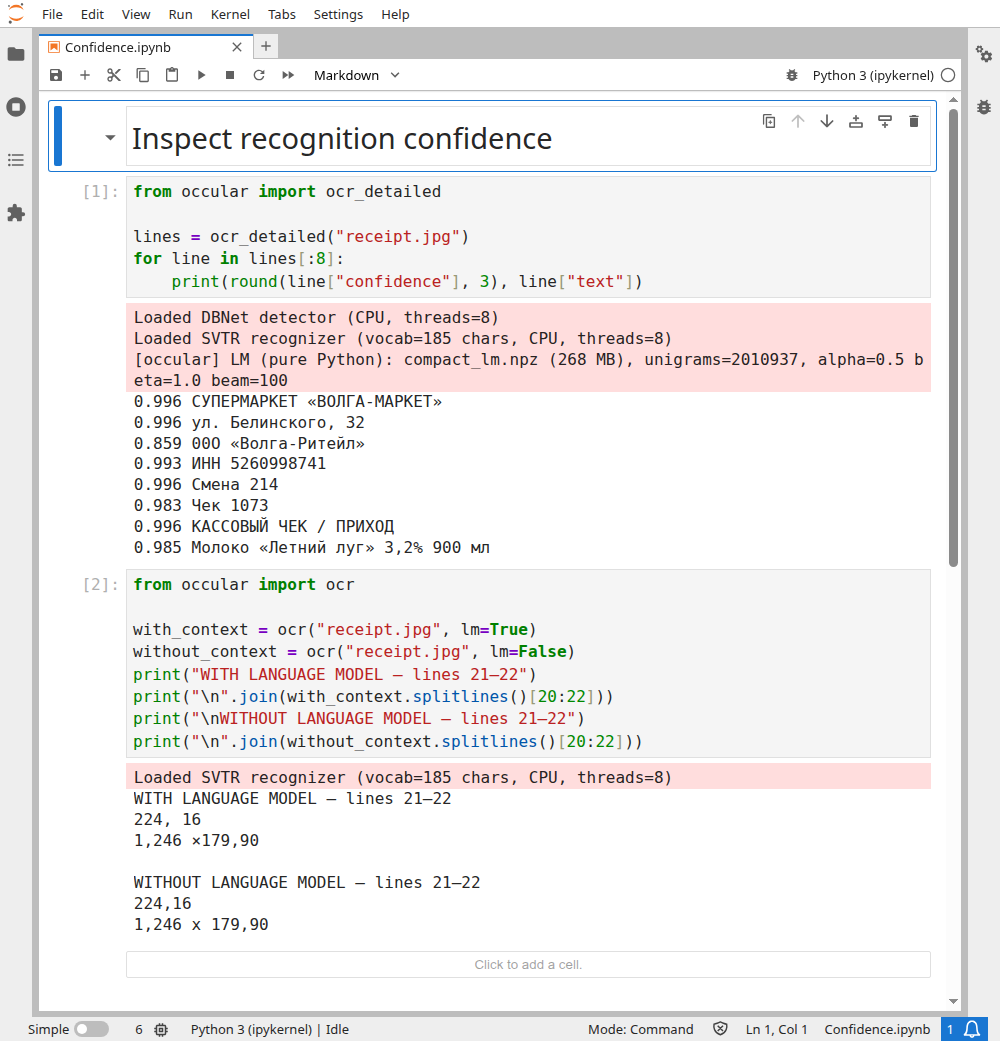
Use confidence to choose lines for manual review. This prints the first eight line scores, selected explicitly:
from occular import ocr_detailed

lines = ocr_detailed("receipt.jpg")
for line in lines[:8]:
    print(round(line["confidence"], 3), line["text"])
Actual output:
0.996 СУПЕРМАРКЕТ «ВОЛГА-МАРКЕТ»
0.996 ул. Белинского, 32
0.859 00О «Волга-Ритейл»
0.993 ИНН 5260998741
0.996 Смена 214
0.983 Чек 1073
0.996 КАССОВЫЙ ЧЕК / ПРИХОД
0.985 Молоко «Летний луг» 3,2% 900 мл
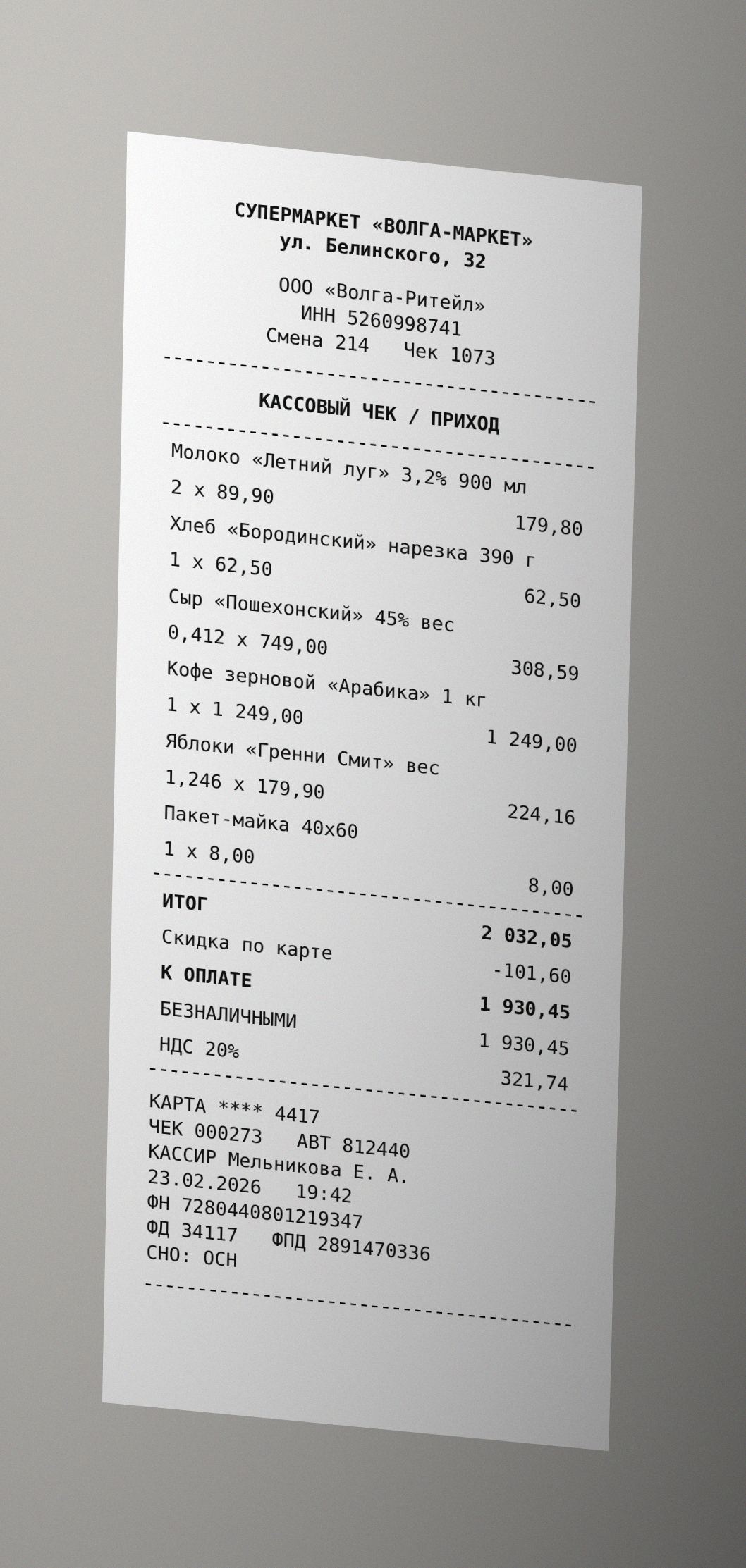
The 0.859 line contains 00О where the image says ООО. A higher score does not guarantee correctness, and this one example does not establish a useful universal threshold.
Open the real Jupyter run (all code visible)
Download notebook · receipt.jpg
For unusual names or identifiers, compare both modes on your own documents.
Turning the language model off can be faster, but may introduce more spelling errors. The first five receipt lines are identical in both modes, so the notebook explicitly selects lines 21–22, where the returned text changes:
from occular import ocr

with_context = ocr("receipt.jpg", lm=True)
without_context = ocr("receipt.jpg", lm=False)
print("WITH LANGUAGE MODEL — lines 21–22")
print("\n".join(with_context.splitlines()[20:22]))
print("\nWITHOUT LANGUAGE MODEL — lines 21–22")
print("\n".join(without_context.splitlines()[20:22]))
Actual selected output:
WITH LANGUAGE MODEL — lines 21–22
224, 16
1,246 ×179,90

WITHOUT LANGUAGE MODEL — lines 21–22
224,16
1,246 x 179,90
The LM changes spacing and x to × on this item. A change does not establish better accuracy; the source image uses × between quantity and price, but both outputs still contain spacing differences. Inspect identifiers and important numbers against the image in either mode.
It is a score indicating how strongly recognition supports a line. It can help decide what to review first:
from occular import ocr_detailed

for line in ocr_detailed("receipt.jpg"):
    if line["confidence"] < 0.8:
        print("Check this:", line["text"])
Here, 0.8 is just an example threshold. A score of 0.95 does not mean that 95% of the characters are correct. Even a confident line can contain a wrong digit.
Why do all my PDF lines have confidence 1.0?
Existing PDF text is extracted, not recognized. Its score is a placeholder. Check whether the page's method is "text" before using confidence to prioritize review.