Repository navigation
Recipes
🌐 English · Русский
Write image OCR lines and tables to JSON, or turn one table into a spreadsheet-friendly CSV. JSON preserves cell spans; CSV stores a rectangular grid.
Install 0.5.1 and get the sample files.
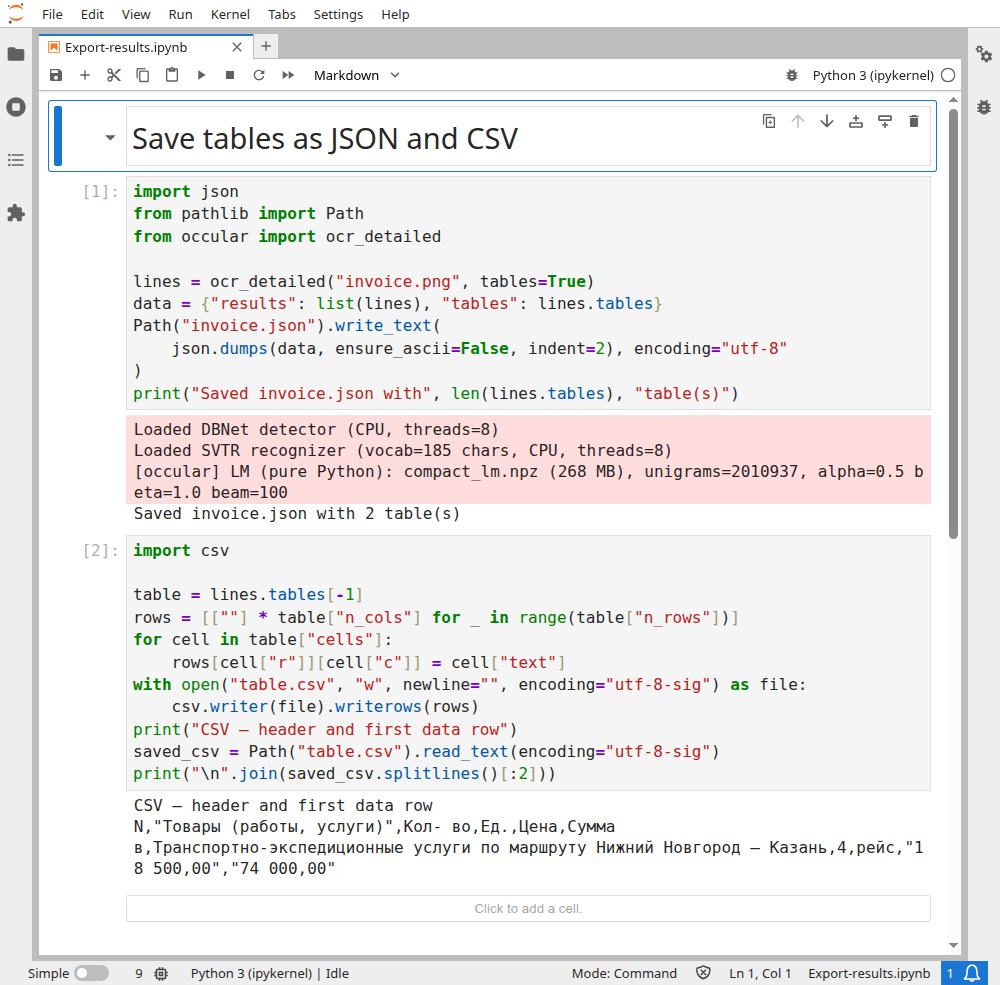
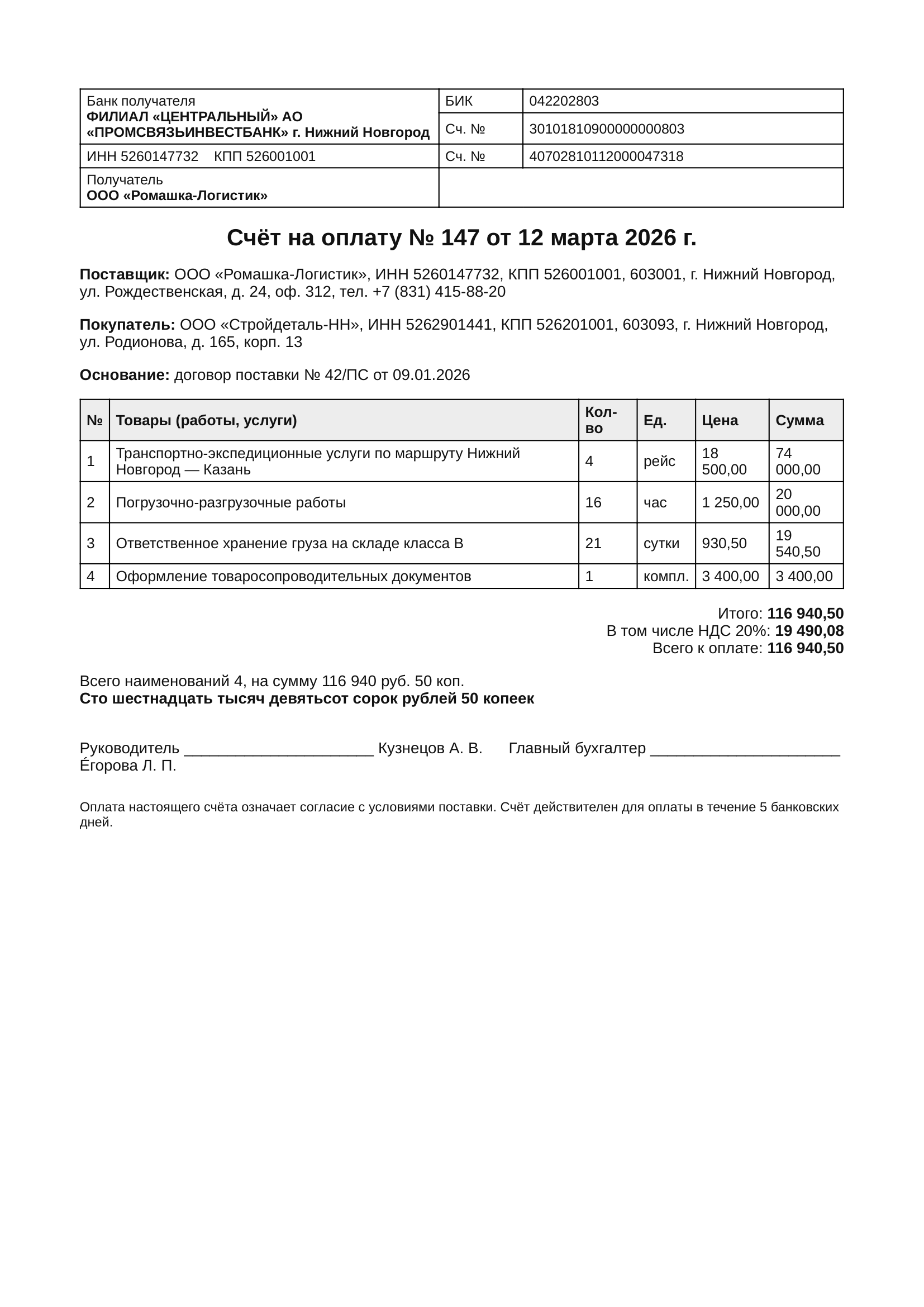
The notebook combines the two recipes below and prints the final invoice table's CSV. Selected actual rows (the header and first data row):
N,"Товары (работы, услуги)",Кол- во,Ед.,Цена,Сумма
в,Транспортно-экспедиционные услуги по маршруту Нижний Новгород — Казань,4,рейс,"18 500,00","74 000,00"
The row number is recognized as в, not 1; this error is preserved. This export uses default deskew; the table-overlay example disables it, so its readings can differ. The quoted commas are CSV escaping. Check text and numbers against the invoice before importing the file into accounting or another app.
Open the real Jupyter run (all code visible)
Download notebook · invoice.png
import json
from pathlib import Path
from occular import ocr_detailed

lines = ocr_detailed("invoice.png", tables=True)
data = {"results": list(lines), "tables": lines.tables}
Path("invoice.json").write_text(
    json.dumps(data, ensure_ascii=False, indent=2), encoding="utf-8"
)
Include tables explicitly: serializing just lines would drop the image result's table structure.
import csv
from occular import ocr_detailed

lines = ocr_detailed("invoice.png", tables=True)
for number, table in enumerate(lines.tables, start=1):
    rows = [[""] * table["n_cols"] for _ in range(table["n_rows"])]
    for cell in table["cells"]:
        rows[cell["r"]][cell["c"]] = cell["text"]
    with open(f"table-{number}.csv", "w", newline="", encoding="utf-8-sig") as f:
        csv.writer(f).writerows(rows)
You get one CSV per detected table. Merged-cell text goes in its top-left position. Keep JSON too if you need the merge information.
Version 0.5.1 applies orientation and dewarping through the image path. Render each page first, then read it as an image:
Show the PDF-to-images example
import tempfile
from pathlib import Path
try:
    import pymupdf
except ImportError:
    import fitz as pymupdf
from occular import OCRPipeline, Settings

reader = OCRPipeline(Settings(orientation=True, unwarp=True))
with pymupdf.open("photos.pdf") as doc:
    with tempfile.TemporaryDirectory() as folder:
        for number, page in enumerate(doc, start=1):
            image = Path(folder) / f"page-{number}.png"
            page.get_pixmap(dpi=300, colorspace=pymupdf.csRGB, alpha=False).save(str(image))
            print(reader.get_text(str(image)))
This prints the text. It doesn't create a new searchable PDF, and any returned boxes belong to the processed images.