Repository navigation
Layout and reading order
🌐 English · Русский
Install 0.5.1 and get the sample files.
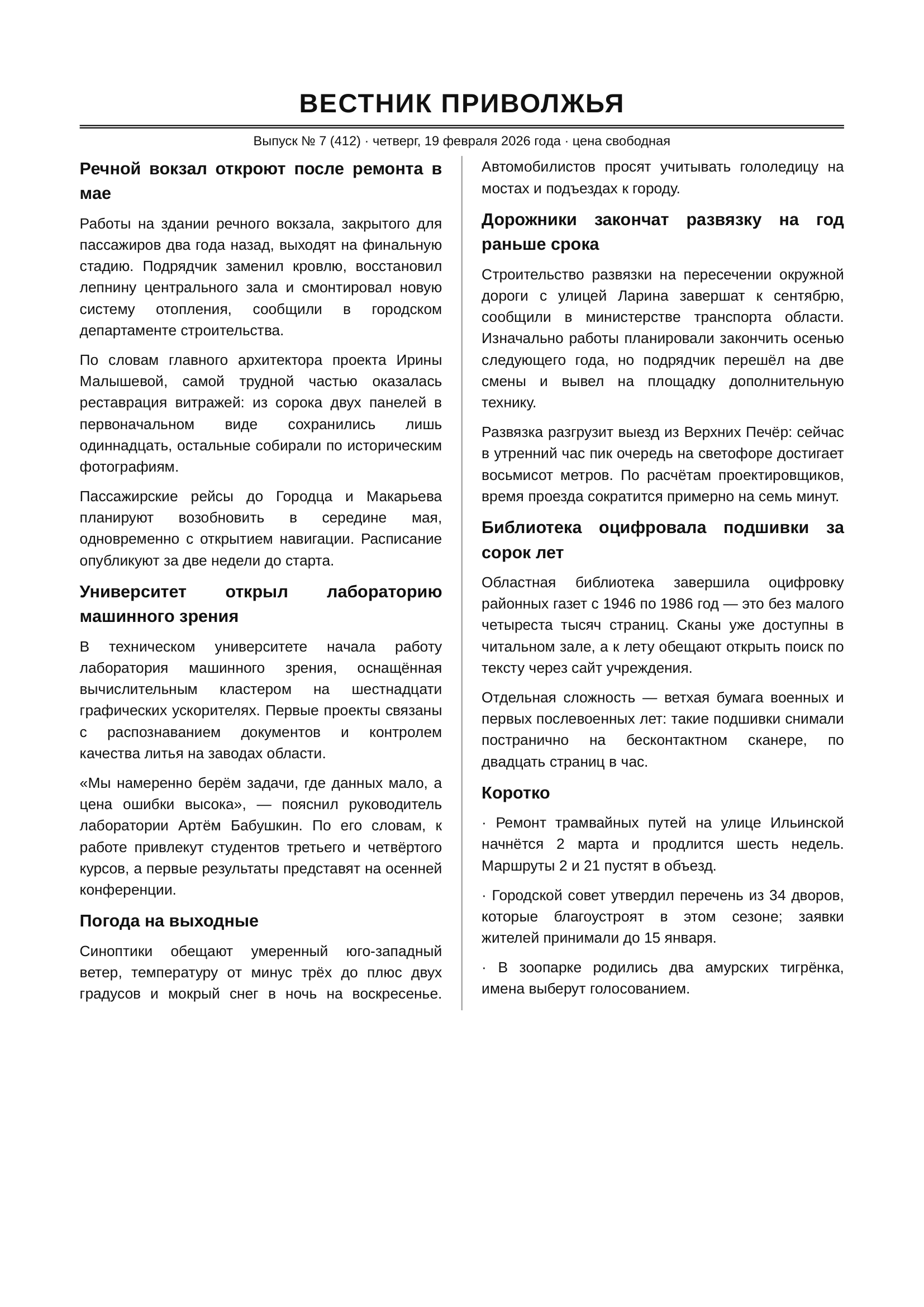
On a two-column page, reading straight across can mix unrelated sentences. Reading order tells Occular to finish one text block before moving to the next.
Correctly recognized words are still hard to read when lines alternate between unrelated columns. Here is the upper part of the input, shown at a readable scale:
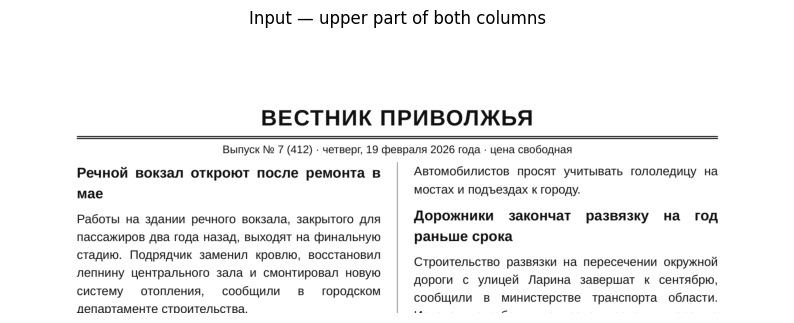
English key: the left headline says the river station will reopen in May; the right paragraph warns drivers about ice. In the output, Речной вокзал... is the station headline and мае means “in May”; Автомобилистов... begins the drivers' warning. The default should keep those stories separate.
This changes the sequence, using the same full input:
from occular import ocr

plain = ocr("columns.png", reading_order=False)
ordered = ocr("columns.png", reading_order=True)
print("TOP TO BOTTOM — first 8 lines")
print("\n".join(plain.splitlines()[:8]))
print("\nREADING ORDER — first 8 lines")
print("\n".join(ordered.splitlines()[:8]))
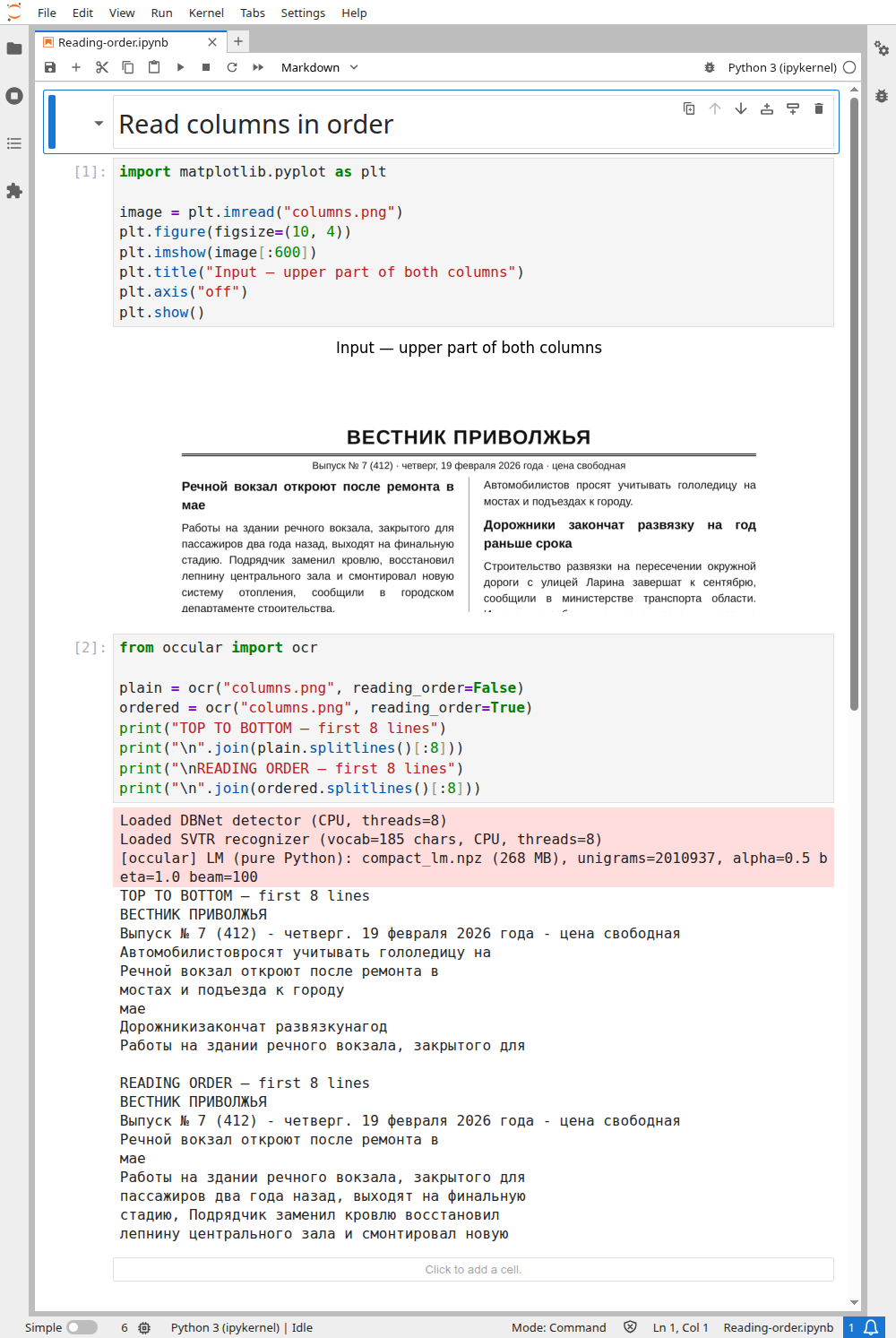
Actual excerpts (the first eight lines in each mode):
TOP TO BOTTOM — first 8 lines
ВЕСТНИК ПРИВОЛЖЬЯ
Выпуск № 7 (412) - четверг. 19 февраля 2026 года - цена свободная
Автомобилистовросят учитывать гололедицу на
Речной вокзал откроют после ремонта в
мостах и подъезда к городу
мае
Дорожникизакончат развязкунагод
Работы на здании речного вокзала, закрытого для

READING ORDER — first 8 lines
ВЕСТНИК ПРИВОЛЖЬЯ
Выпуск № 7 (412) - четверг. 19 февраля 2026 года - цена свободная
Речной вокзал откроют после ремонта в
мае
Работы на здании речного вокзала, закрытого для
пассажиров два года назад, выходят на финальную
стадию, Подрядчик заменил кровлю восстановил
лепнину центрального зала и смонтировал новую
Without ordering, the right-column warning interrupts the left-column station headline. With ordering, Речной вокзал... is followed by its continuation мае and the station article. Spelling errors remain: this feature arranges lines; it does not correct their words.
Open the real Jupyter run (all code visible)
Download notebook · columns.png
It's already on. Start with the normal call:
from occular import ocr

print(ocr("columns.png"))
The layout model finds page areas such as paragraphs and headings. Another model uses those areas to decide what should come next. Complex pages can still need checking.
Use this separately when you need region labels and locations:
from occular import LayoutDetector

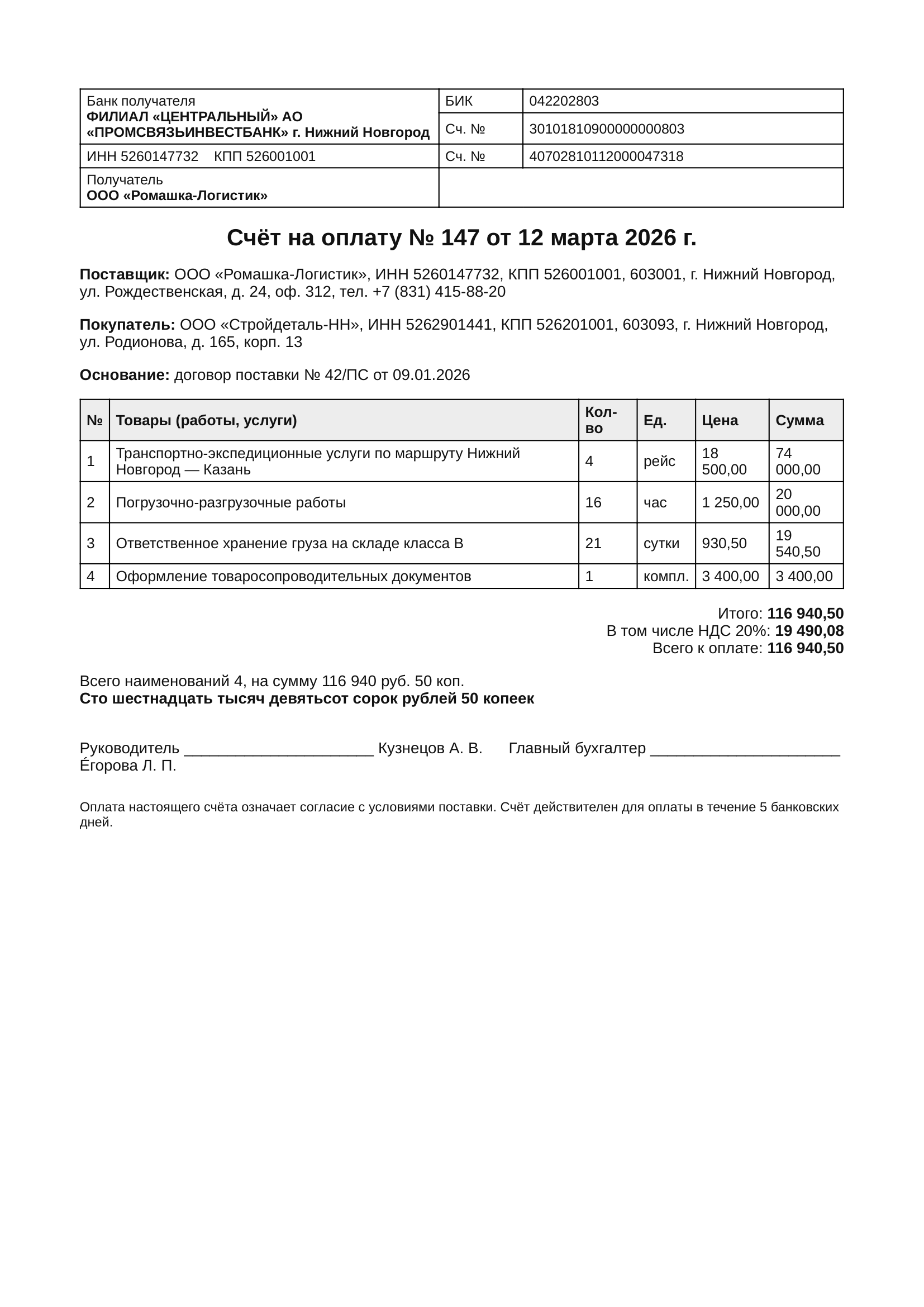
page = LayoutDetector().detect("invoice.png")
print("Image size:", page.width, page.height)
for region in page.regions[:5]:
    print(region.label, round(region.score, 2))
Actual output:
Image size: 1654 2339
Text 0.97
Text 0.96
Table 0.96
SectionHeader 0.94
Text 0.93
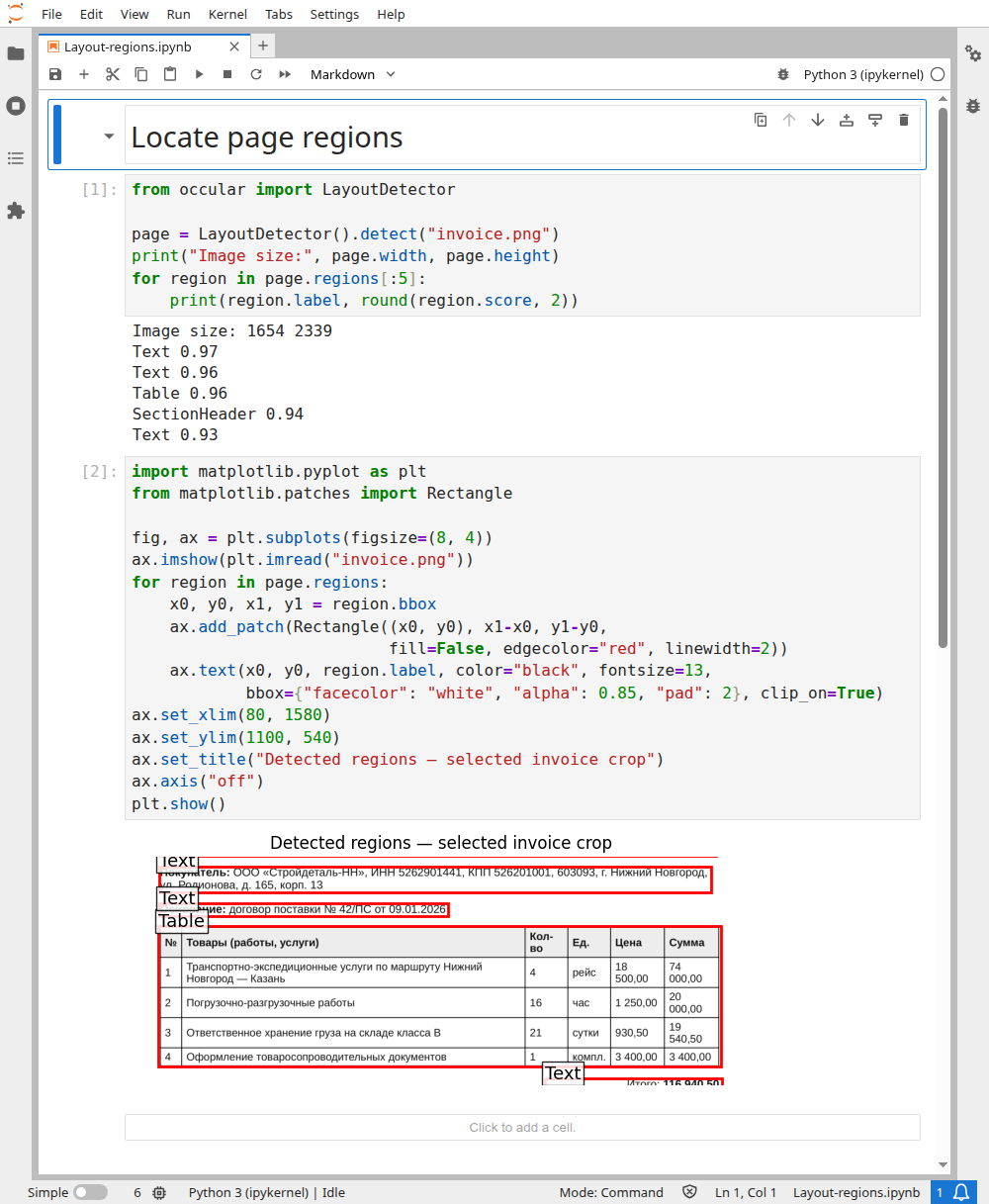
The notebook draws the returned regions with ordinary Matplotlib rectangles. This is a selected invoice crop; the larger labels identify the predicted areas:
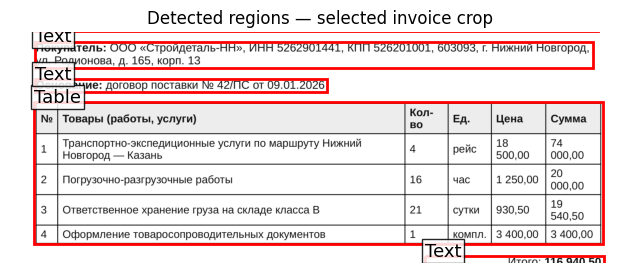
Direct layout detection returns regions sorted by confidence, not reading sequence. Boxes use (x1, y1, x2, y2) pixels of this exact input image; scores indicate detection confidence.
Open the real Jupyter run (all code visible)
Download notebook · invoice.png
For example, an area may be labeled Text, Table or Picture. Its box tells you where it is on the image.
Finding a Table area doesn't recover its cells. For that, turn on table recognition. Finding a Form area doesn't extract named form fields.
Compare with simple top-to-bottom output
from occular import ocr

print(ocr("columns.png", reading_order=False))
This changes the ordering stage. Layout labels do not tell OCR to skip pictures or remove text.
Existing-text PDF extraction bypasses layout-based OCR ordering. PDF behavior →