Repository navigation
Models and offline use
🌐 English · Русский
Install 0.5.1 and get the sample files.
Prepare a machine for offline OCR by downloading the models before you disconnect. Occular downloads the files it needs on first use and reuses them later. Turning on tables or another language can trigger an additional download.
To see what is available on your machine:
from occular import model_info

model_info()
This prints a report; it doesn't download missing files.
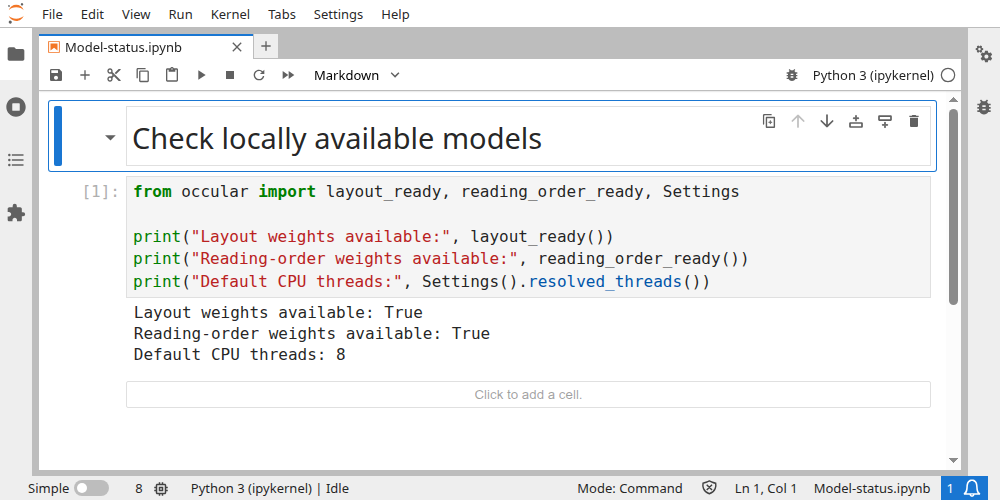
These checks inspect local layout/reading-order weights without downloading them:
from occular import layout_ready, reading_order_ready, Settings

print("Layout weights available:", layout_ready())
print("Reading-order weights available:", reading_order_ready())
print("Default CPU threads:", Settings().resolved_threads())
Actual output on the example machine:
Layout weights available: True
Reading-order weights available: True
Default CPU threads: 8
True means those required files were found, not that all optional models are installed or that inference succeeded. Run model_info() above to see the larger inventory. Paths, thread count and downloaded files differ by machine.
Open the real Jupyter run (all code visible)
- On a connected machine, run OCR with the settings and languages you will use.
- Copy its model cache and any local model folders to the target machine.
- Repeat your OCR test with networking unavailable before relying on it.
Test an actual scanned image. A PDF with selectable text might only exercise extraction and leave recognition models unprepared.
I need cache paths, environment variables or reproducible models
Models usually come from the Hugging Face cache. Package-local occular/weights/ files can take precedence. HF_HOME selects a cache root; HF_HUB_OFFLINE=1 disables Hub network requests.
Language models and UVDoc have separate lookup paths. Copying only the default detector and recognizer isn't enough for every optional feature.