Repository navigation
Python API
🌐 English · Русский
Use plain text for search/export, detailed lines for review or overlays, and a reusable pipeline for repeated work and PDF controls.
Install 0.5.1 and get the sample files.
This complete example prints three line records. Rounding affects only the display:
from occular import ocr_detailed

lines = ocr_detailed("receipt.jpg")
for line in lines[:3]:
    print(line["text"])
    print("Confidence:", round(line["confidence"], 3))
    corners = [[round(x, 1), round(y, 1)] for x, y in line["quad"]]
    print("Corners:", corners)
    print()
First record from the actual output:
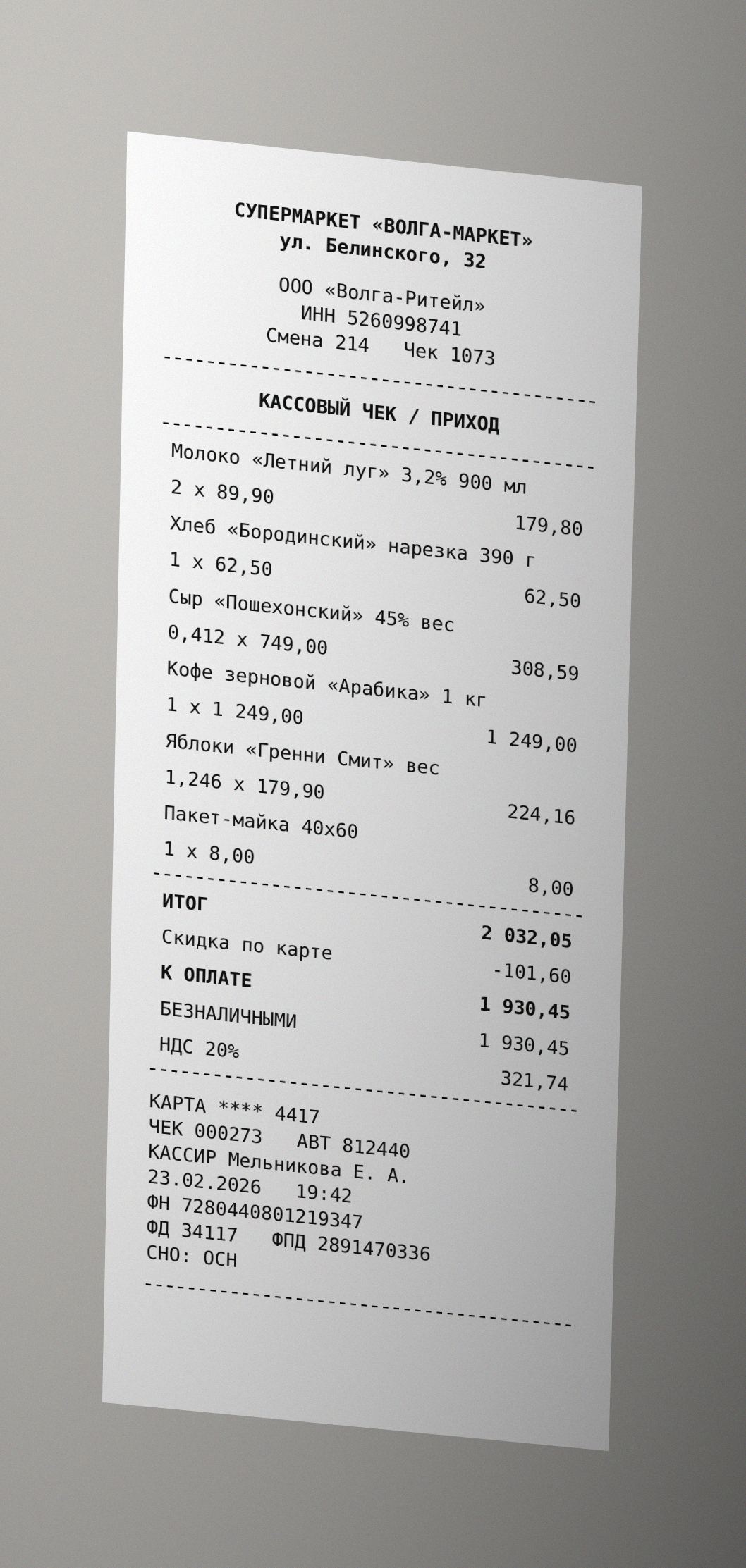
СУПЕРМАРКЕТ «ВОЛГА-МАРКЕТ»
Confidence: 0.996
Corners: [[248.6, 309.4], [674.5, 309.4], [674.5, 330.3], [248.6, 330.3]]
quad locates a line; confidence helps prioritize review, but is not a probability that its text is correct. Confidence limitations.
Open the real Jupyter run (all code visible)
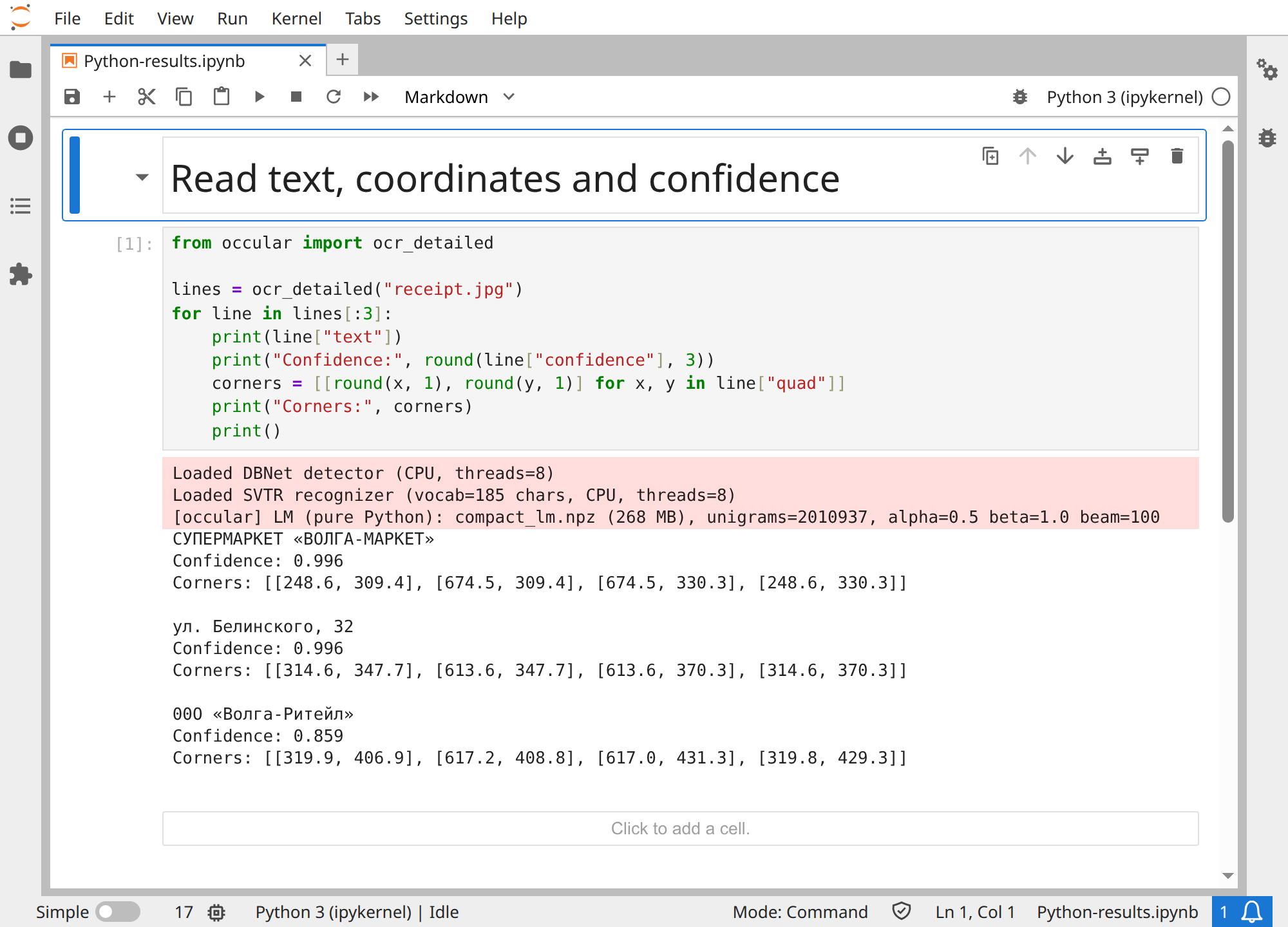
Download notebook · receipt.jpg
from occular import ocr

text = ocr("receipt.jpg")
An image returns one string. A PDF returns a list of strings, one per page.
from occular import ocr_detailed

for line in ocr_detailed("receipt.jpg"):
    print(line["text"])
    print(line["quad"])        # four corners of the text line
    print(line["confidence"])  # recognition score
quad is four [x, y] points. Image coordinates refer to the image after preprocessing. More about coordinates →
from occular import OCRPipeline, Settings

reader = OCRPipeline(Settings(tables=True))
lines = reader.process_image("invoice.png")
Create a pipeline once when processing many files. Use it for PDF controls too:
from occular import OCRPipeline

reader = OCRPipeline()
pages = reader.process_pdf("scan.pdf", dpi=300, force_ocr=True, workers=1)
Each page has page, method and results; with tables enabled it also has tables.
All settings and their defaults
| Setting | Default | Explanation |
|---|---|---|
deskew |
True |
Small-angle and line correction |
orientation |
False |
Turn an image page upright |
unwarp |
False |
Flatten a curved image page |
reading_order |
True |
Arrange columns and blocks |
tables |
False |
Recover table cells |
languages |
None |
Default Russian/English or another language |
lm |
True |
Use language context |
gpu |
False |
Request CUDA |
num_threads |
None |
Automatic, up to 8 available logical CPUs |
recognizer |
None |
Default svtr_lcnet; alternative svtr_t
|
detector |
None |
Default registered detector |
ocr() and ocr_detailed() accept the listed options except unwarp and detector. Use Settings with OCRPipeline for those.
dpi, force_ocr and workers belong to process_pdf(), not to Settings or ocr().
Helper APIs and optional result fields
Public helpers include LayoutDetector, LayoutRegion, LayoutResult, LAYOUT_LABELS, TableRecognizer, model_info, WEIGHTS_DIR, download_layout, layout_ready, download_reading_order, reading_order_ready, get_optimal_workers and Registry.
Optional line fields include orientation_deg, layout, layout_region, layout_label, table, cell and split. Use .get() when reading them: not every processing path adds every field.
reader.get_text(path) returns text using the configured pipeline. PDF options can be passed to it as keyword arguments.