Repository navigation
Troubleshooting
🌐 English · Русский
Install 0.5.1 and get the sample files.
Find the symptom closest to yours. Change one thing at a time so you can see what helped.
It probably contains an old OCR layer. Force fresh recognition →
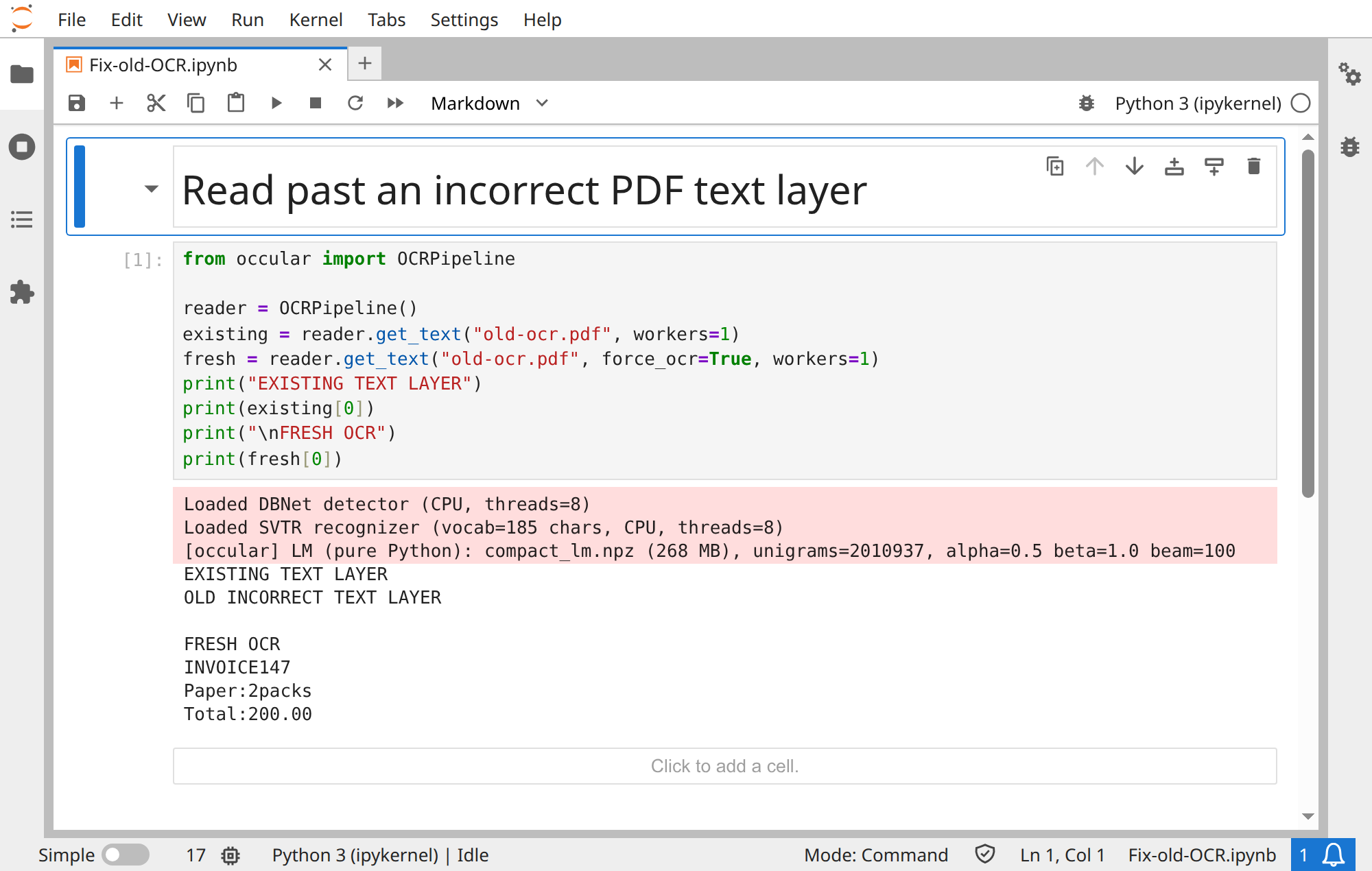
This synthetic PDF deliberately contains an incorrect hidden text layer. The page image says INVOICE 147, but extraction returns unrelated old text:
from occular import OCRPipeline

reader = OCRPipeline()
existing = reader.get_text("old-ocr.pdf", workers=1)
fresh = reader.get_text("old-ocr.pdf", force_ocr=True, workers=1)
print("EXISTING TEXT LAYER")
print(existing[0])
print("\nFRESH OCR")
print(fresh[0])
Actual output:
EXISTING TEXT LAYER
OLD INCORRECT TEXT LAYER

FRESH OCR
INVOICE147
Paper:2packs
Total:200.00
Fresh OCR reads the visible invoice and preserves its actual recognition errors (missing spaces). It returns data without modifying the PDF.
Open the real Jupyter run (all code visible)
Download notebook · old-ocr.pdf
Keep reading_order=True, which is the default. If this is a PDF, check whether you're extracting existing text rather than running OCR. Reading order explained →
Try orientation=True. For a tilted scan, deskew is already on. See the three page corrections →
Use tables=True. If you need cells in your app, read .tables for an image or page["tables"] for a PDF. Table example →
Check that the image is sharp and the language is correct. Compare lm=False or the larger recognizer="svtr_t" on a few examples. Read important numbers back against the source image.
The line may not have been detected. Inspect the original image for blur, very small text or poor contrast. With PDFs, also check for an incomplete existing text layer; forced OCR may help.
Boxes, confidence, speed or installation problems
- Boxes don't line up: preprocessing can move text; PDF extraction and OCR also use different units. Coordinate details.
- Every confidence is 1.0: existing PDF text uses a placeholder score. Confidence explained.
-
Slow or out of memory: try
workers=1, then increase gradually. Speed guide. - Missing models offline: run your actual settings once online and copy the complete required cache. Offline guide.
-
A setting is rejected: check the API page; PDF options belong to
process_pdf(). -
Installation/import failure: use a clean virtual environment and run
python -m pip check. Avoid mixing CPU/GPU ONNX Runtime packages or multiple OpenCV distributions.
Still stuck? Open an issue with a small reproducible example, your command/code and the error message. A synthetic or redacted sample helps show what you expected.