Repository navigation
PDFs and coordinates
🌐 English · Русский
Install 0.5.1 and get the sample files.
A PDF can hold selectable text, scanned images, or both. Occular chooses how to read each page:
- Text is already there? Extract it.
- The page is an image? Run OCR on it.
from occular import ocr

for text in ocr("text.pdf"):
    print(text)
You get one string per page.
The same synthetic page is supplied as selectable text and as a scan. Inspect each page's method to see the chosen path:
from occular import OCRPipeline

reader = OCRPipeline()
for filename in ["text.pdf", "scan.pdf"]:
    pages = reader.process_pdf(filename, workers=1)
    for page in pages:
        print(filename, "page", page["page"], "method:", page["method"])
        print(page["results"][0]["text"])
pages = reader.process_pdf("text.pdf", force_ocr=True, workers=1)
print("Forced recognition:", pages[0]["method"])
print(pages[0]["results"][0]["text"])Selected actual output (the title text after each method is omitted here):
text.pdf page 1 method: text
scan.pdf page 1 method: ocr
Forced recognition: ocr
text means extraction; ocr means recognition of rendered pixels. The notebook includes the returned title after each result.
Open the real Jupyter run (all code visible)
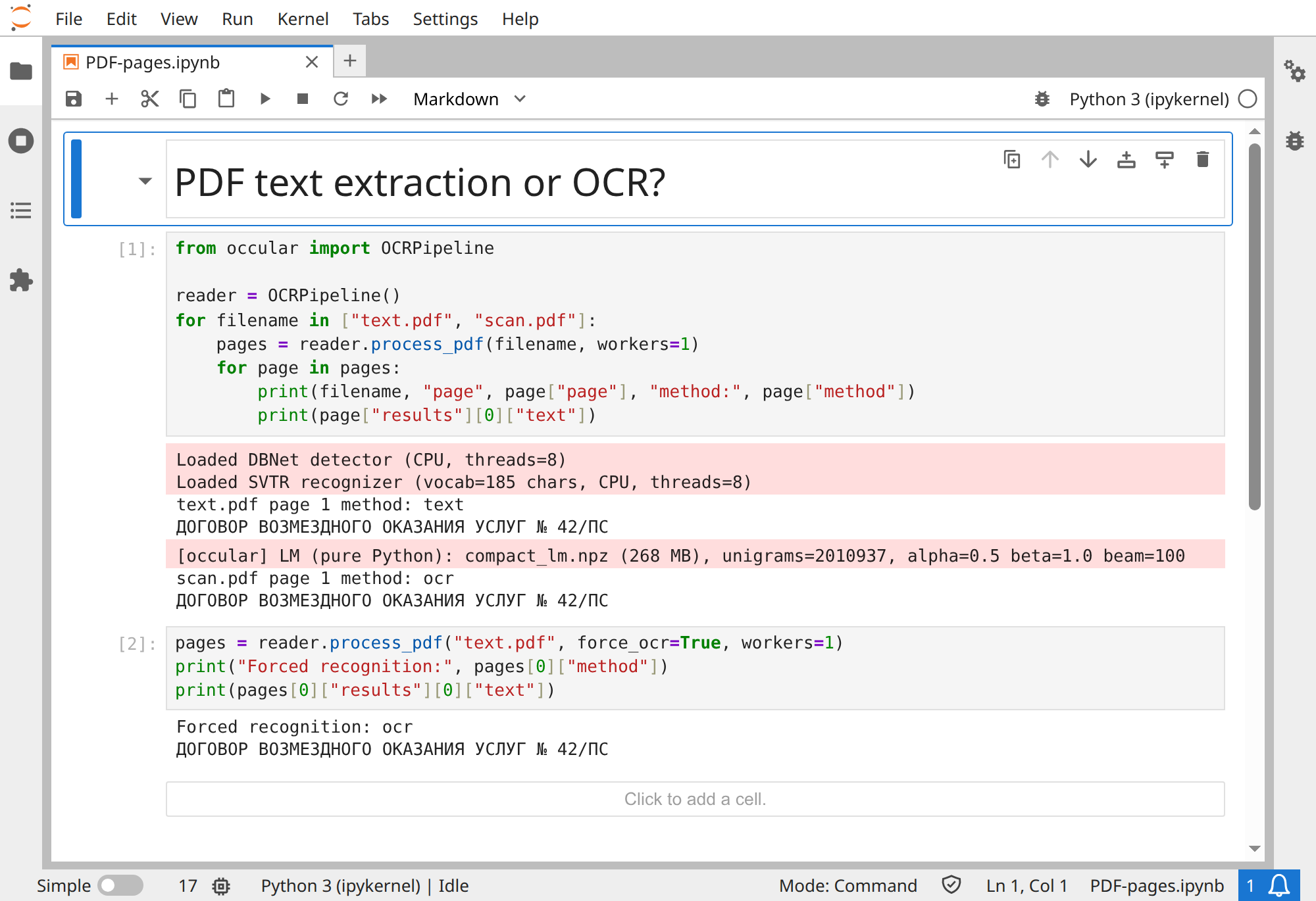
Download notebook · text.pdf · scan.pdf
An old OCR layer can contain mistakes. By default, Occular extracts that text rather than correcting it. To read the page image again:
from occular import OCRPipeline

reader = OCRPipeline()
pages = reader.process_pdf("old-ocr.pdf", force_ocr=True, workers=1)
for page in pages:
    for line in page["results"]:
        print(line["text"])
This returns fresh OCR results. It doesn't save a new searchable PDF.
process_pdf() also accepts workers and dpi. Start at 300 DPI and one worker; tune speed here.
I'm drawing boxes or debugging a partially scanned page
Check page["method"]: "text" means extraction; "ocr" means recognition of the rendered image.
Any nonempty extracted text can select the extraction path, even when the rest of the page is a scan. force_ocr=True is useful for those mixed pages too.
The coordinate units differ: extracted text uses PDF points; OCR uses processed-image pixels. Coordinate guide →
Version 0.5.1's PDF OCR path doesn't apply page orientation or dewarping. Use the image-page recipe when needed →