Repository navigation
Split albums
Home › Managing your collection · Album pages · Merge album fragments · Saving and recovery
Use Split album… when one native iBroadcast album contains tracks that should belong to separate album entries. Choose the tracks yourself, enter details for a new album and review before confirming. Tagcast never splits by year automatically, and your existing local music files are untouched.
Requires Tagcast 1.6.0 or later. The screenshots show the successfully tested pre-release build, whose badge still reads 1.5.5.
Before you start · 1. Inspect · 2. Select · 3. Review · 4. Read-back · If it fails
- Open an album containing 2–500 active tracks. Select at least one track to move and leave at least one in the original album.
- Turn off Combine Multi-Disc Album Sets in iBroadcast and reload Tagcast. See the multi-disc setting.
- In a displayed multi-disc set, choose one native source disc at a time.
- The new album keeps the source's primary album artist. Albums with additional album-artist credits are currently blocked; those credits must not be lost.
- Finish other uploads or library edits first. There is no automatic Undo.
This real-library example is Comment ça Va by The Shorts. Two uploads, with track years 1983 and 1991, appear as one 24-track album. Overlapping track numbers show Duplicated; this does not establish that the audio is identical.
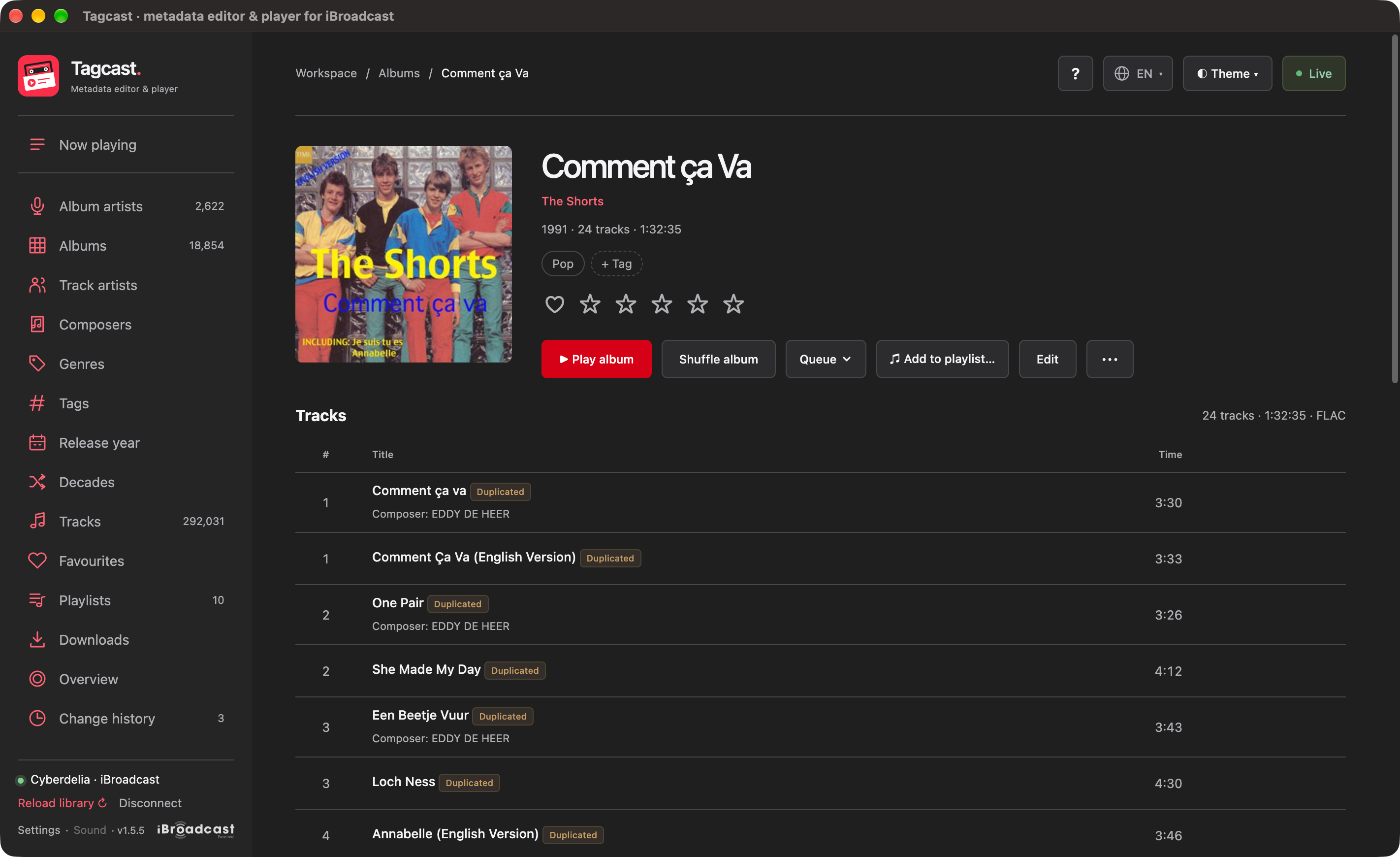
Open More album actions (⋯) → Split album…. The ordinary Edit tracks tab can show the different years, but splitting is a separate reviewed action.
Tick the tracks to move, checking their titles, numbers, years and upload dates. Enter the new album's title, release year and disc number. The title can stay the same when the entries represent separate releases.
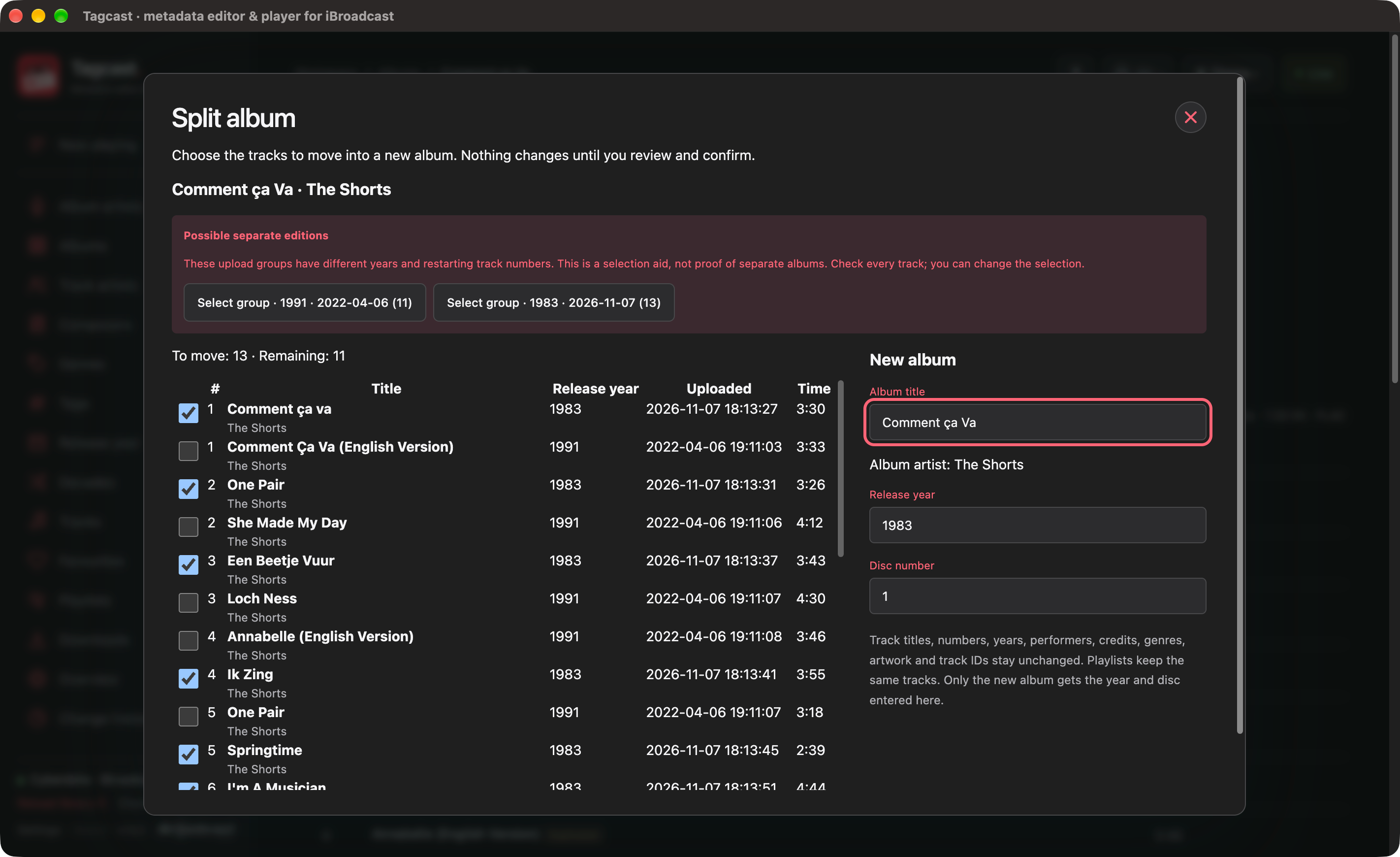
Possible separate editions appears only when the loaded metadata contains conservative upload-day/year groups with restarting track numbers. Nothing is preselected. A Select group button selects that group's tracks and fills the year; you can change both. A different year alone is not enough for a proposal. These are selection aids, not proof of separate releases or of the correct year.
In this example, the user explicitly selected the thirteen 1983 tracks and left the eleven 1991 tracks in the source album.
Choose Review split. Check the selected tracks, the remaining count and the new album details, then explicitly confirm. Opening, selecting or reviewing does not write anything to iBroadcast.
Track IDs, titles, numbers, individual track years, performers, credits, genres and artwork are preserved. Playlists keep referencing the same track IDs. Only the new album gets the entered album year and disc number. Its cover follows its tracks. The source's album rating and local favourite are not copied.
Tagcast creates the new album once, checks the source again, moves the selected tracks once and reads back both album memberships. Large libraries can take time. Closing the dialog after confirmation does not cancel an accepted request.
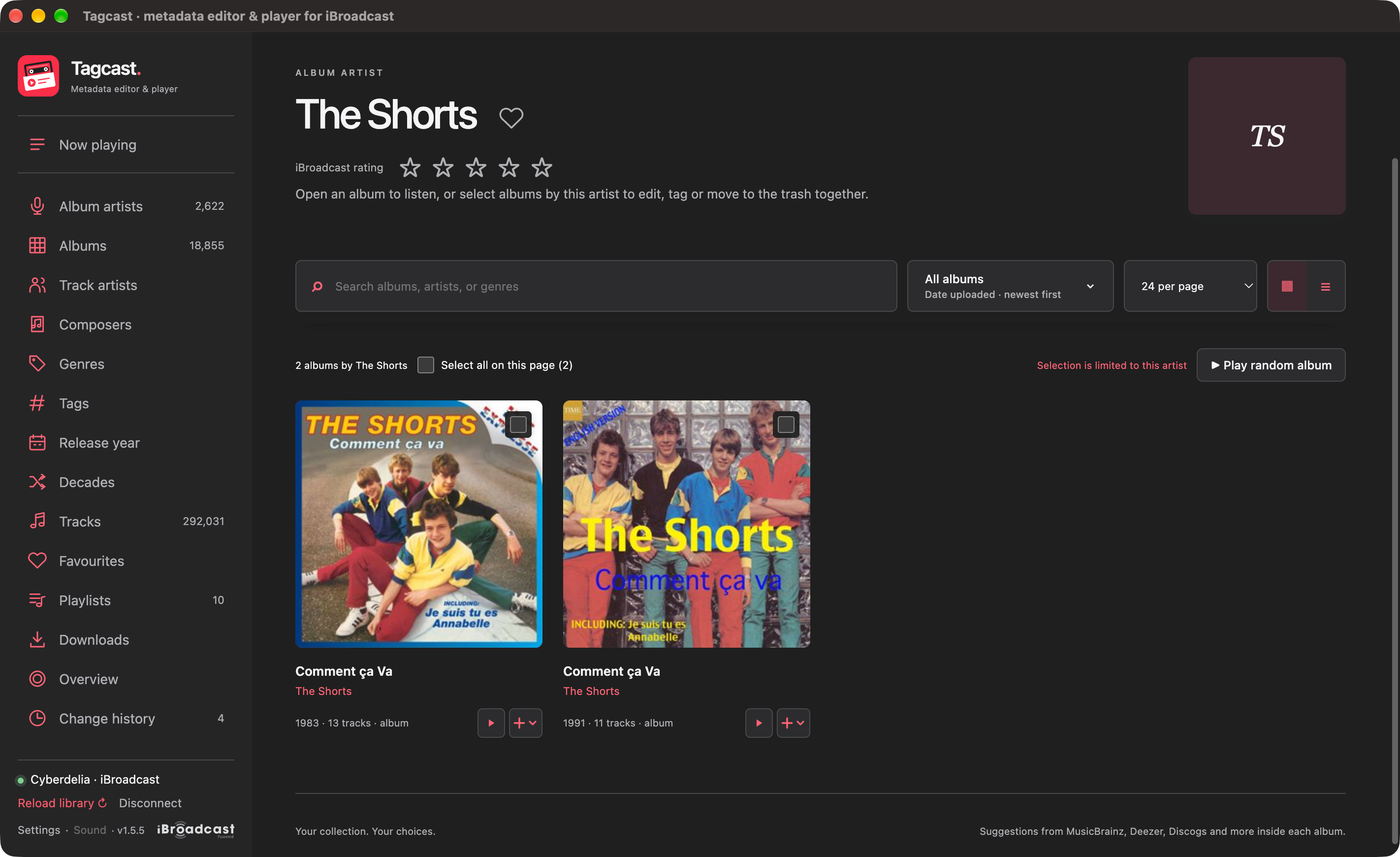
The project owner confirmed this corrected Apple Silicon test worked on 7 November 2026: 13 tracks in the 1983 album, 11 in the 1991 album. This demonstrates this example; it does not establish every album or platform. The five-image inventory retains the additional editor/progress captures, original filenames and checksums.
Creation and movement are separate operations, not a transaction. An error can leave an empty album or a partial move. Reload and inspect both albums in iBroadcast before making more changes. Tagcast never automatically retries an uncertain creation or move and does not offer metadata Undo for it.
Reviews expire after fifteen minutes and are not restored after restarting. Playback and the existing queue continue independently. See save recovery and the implementation and test evidence.