20254 April 2025
Article Type: Release Notes Audience: All Users Module: Platform Releases
As the old adage goes: April releases bring new features! This month's release is a smaller one, but there are several enhancements and one large feature we want to highlight this month.
The flagship feature this month is a new and improved API Explorer! For many years, we've leveraged an off-the-shelf open-source library called GraphiQL to drive our API explorer. While this library served us well, it left our hands tied when it came to specific advanced features we wanted to implement. The library was also based on the legacy CodeMirror code editor, which meant it was a roadblock in our goal to modernize our editor experience.
To that end, we've rebuilt the API Explorer from the ground up, leveraging the new Monaco editor! This new API Explorer fundamentally works the same as the old one; however, there are a few cosmetic changes, and quite a few feature improvements along the way.
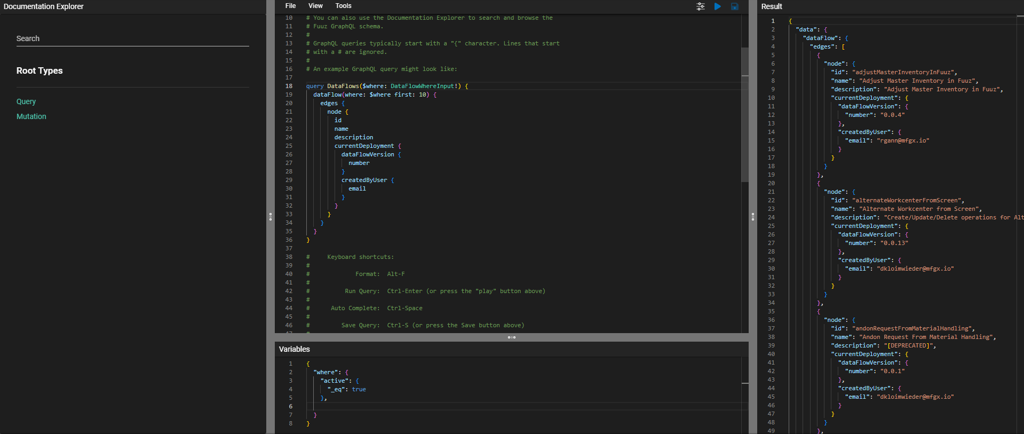
The most significant cosmetic change is simply that we've moved the Documentation Explorer panel from the right side of the screen to the left. This rearrangement better aligns the new API Explorer with the three-panel layout found in other editors, like the Transformation Explorer, and gives us space to add new features to the left-hand panel in future releases.
That documentation panel is itself improved as well. Styled to look like the old documentation panel, the new panel is again reimplemented from the ground up, allowing us to add better search features, more Fuuz-specific metadata and information, and improved navigation.
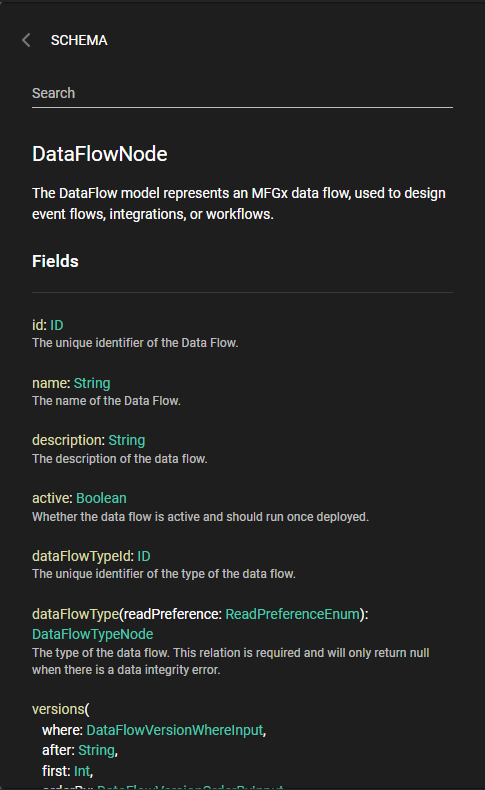
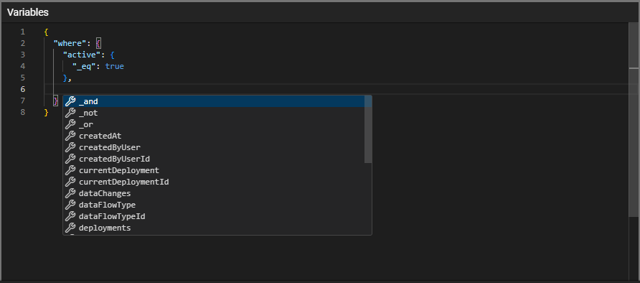
Among the other improvements coming with this new API Explorer is much better code hinting and autocompletion, courtesy of the Monaco editor. This code completion is available in both the GraphQL code editor itself where the UI will list available fields and their types as you edit, and in the Variables editor where the UI will list the variables defined in the query and the fields available on those variable types.

There are even more improvements on the way - for example, in a future release, we'll be revamping the Query Builder and Mutation Builder features to add support for variables and field-level arguments. Keep an eye out for those features in upcoming releases!
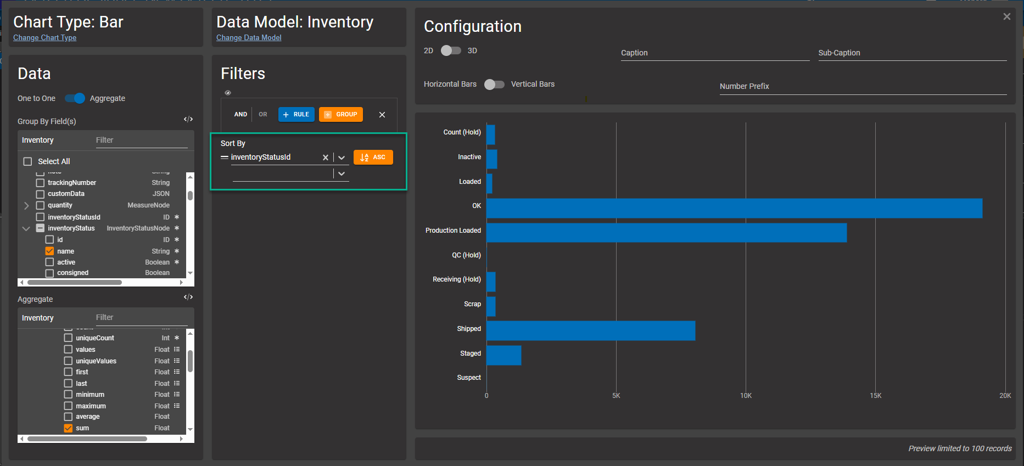
The April 2025 release includes a new feature in the Chart element: the ability to specify a sort order for the chart. This is particularly handy with bar charts, so you can order by a name, status, or other field.
The 2025.4 release also includes new configuration options for the Progress Bar screen element. The existing minimum and maximum fields now support dynamic values, allowing screen builders to wire them up to data coming back from the API - for example, the work order quantity.
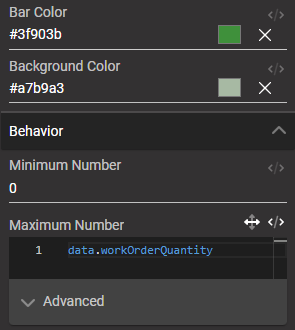
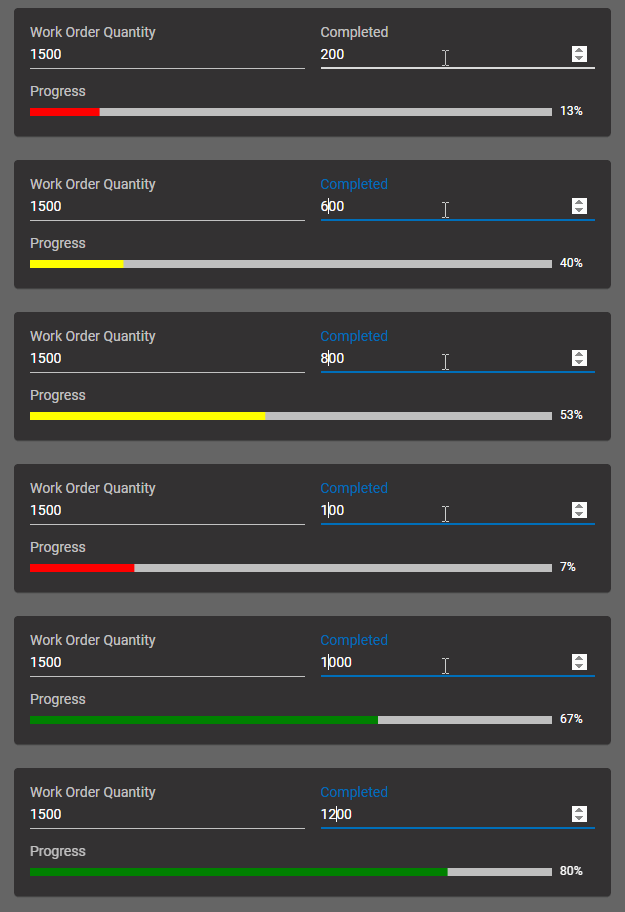
What's more, the Progress Bar now has two new configuration inputs for the bar and background colors. These inputs are also dynamic, allowing the bar color to change based on the progress - which can create a quick visual reference for whether the progress is "good" or "bad"!

Finally, in addition to the new API Explorer, this month's release includes a new generic Code Editor screen element. This element is designed to be used with languages such as SQL, XML, and Python, which are uncommon in the Fuuz platform itself, but may be used in integrations with external systems such as ODBC or AWS Lambda. This editor also includes a "Text" mode, which disables syntax highlighting and language features but retains the editor capabilities of Monaco for any language modes the element doesn't support.
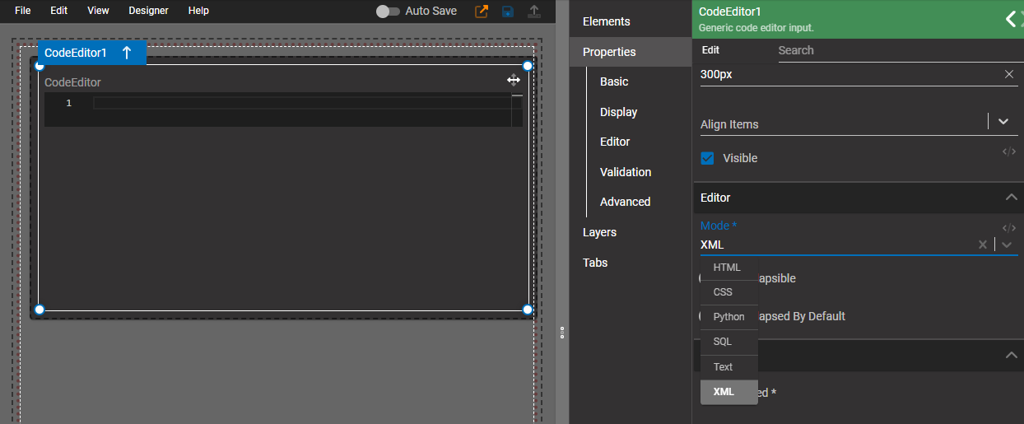
With the release of this code editor and the new Monaco-based API Explorer, the Fuuz platform has now transitioned all major code editors to the Monaco editor. With just a few more small cleanup tasks, we'll be able to completely remove the legacy CodeMirror-based editor, finalizing the modernization of our "pro-code" experience in the platform.
- Implemented a new and improved API Explorer utilizing the Monaco editor
- Added integration tests for expression fields
- Updated to cascade-delete user tenant and authentication event records when a tenant is deleted after deactivation
- Added Replication and App Management internal user records to better identify changes made by Fuuz automatically
- Converted several dozen internal libraries to Typescript
- Fixed a crash in the MySQL driver caused by zombie connections
- Fixed a crash caused by an incomplete service map
- Corrected search button style to correct applied height
- Added a new generic code editor element for less common languages like SQL and XML
- Optimized render performance of Monaco editor to improve user experience
- Added a tooltip to workspace panel items with more details on the app component
- Fixed a bug causing the "advanced mode" toggle on configuration inputs to shift left
- Added an Order By section to the Chart element configuration
- Updated Progress Bar screen element to allow transformable min and max values and to add bar and background color configuration options
Source: support.fuuz.com