Low Stock and Gauges
Gubbins can tell you, at a glance, when something is running low — with a coloured status on every item card and thresholds you control. This is the foundation of the Alerts and reorder features.
Where to find it: low-stock thresholds live in Settings → Inventory (and per item); the status shows on every item card.
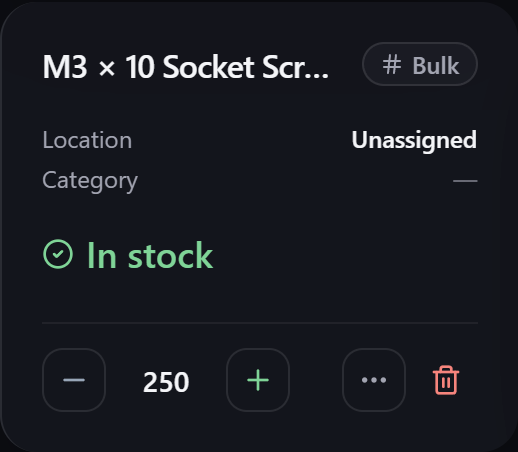
Every item card shows a stock status — In stock, Low stock, Out of stock — with a colour so a shelf that needs attention stands out without reading numbers.
For consumable items, the status is a fill gauge rather than a count, so you can see how much is left in a spool or bottle.
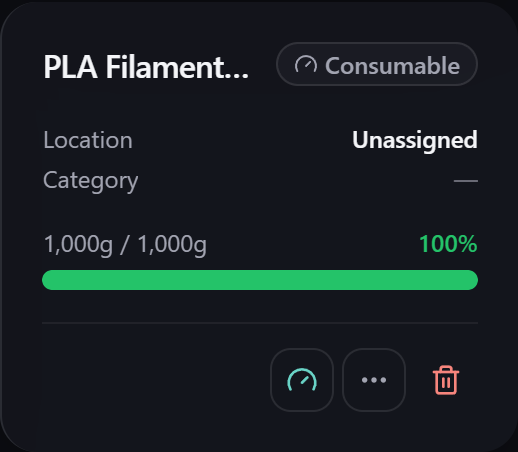
You keep that gauge up to date however suits the moment — record usage, weigh it in on a scale, top it up, or (when there's no scale to hand) just Estimate the level from Full to Empty. The gauge threshold below then flags it as low the same way, whichever method you used.
Weighing one in needs Gubbins to know the tare — what the empty spool or bottle itself weighs — so it can tell the container apart from what's in it. You can pick that from the container weights library instead of typing it each time.
Some materials cost you more than you actually use. Take 100 g of flour out of the bag and nearer 110 g really leaves it, once the dusting left on the board and in the bag is counted. Trimmings, spillage and offcuts all work the same way.
A consumable item can carry an optional attrition percentage to account for that. Set it
when you add the item, or later under Gauge setup on the item itself. At 10%, recording
100 used takes 110 off the gauge — and the dialog shows you both figures before you
confirm, so nothing changes behind your back:
Using 100g costs 110g (10g waste at 10%)
Leave the field blank — the default — and nothing changes: what you record used is exactly what comes off.
ℹ️ Note Attrition applies only when you record an amount used. A weigh-in already measures what is physically left, so the waste is in that reading — applying a rate on top would count it twice. Refills and estimates aren't draws either, so they're unaffected.
Each entry in the item's Activity Log records what you asked for alongside what actually left, so the waste is visible after the fact rather than silently folded into the total.
💡 Tip Not sure what rate to use? Leave it off at first. If cycle counts on an item keep coming up short by roughly the same proportion, that gap is your attrition rate — see Cycle counts & audit day.
A low-stock threshold is the quantity at or below which an item counts as "low". You can set:
- A default threshold applied across your inventory, and
- A per-item threshold for anything that needs a different trigger point.
There's also a separate gauge threshold for how empty a consumable can get before it's flagged.
💡 Tip Set thresholds where reordering actually makes sense — a fast-moving fastener might warrant a threshold of 100, while a spare you rarely need can sit at 1. Tune them in Settings → Inventory.
Once something crosses its threshold it appears in several places, so you notice however you work:
- The Low stock dashboard widget and the Alerts feed.
- The inventory status chips and searches (
qty<10, or "low stock" in plain English). - The reorder / shopping list, which turns low stock into things to buy.
- Optional OS reminder notifications on an installed app.
-
Container weights — the empty weight of the spool or jar a gauge's contents sit in.
-
Alerts — everything needing attention in one feed.
-
Reorder & shopping list — acting on low stock.
-
Tracking modes — how counts and gauges differ.