Natural Language Search
Don't want to learn any syntax? Ask in plain English. Type a request like "low stock screws in the garage" and Gubbins turns it into a real query and fills the visual builder for you — which you can then tweak.
Where to find it: the first box in the Visual search panel (Inventory → More → Visual search).
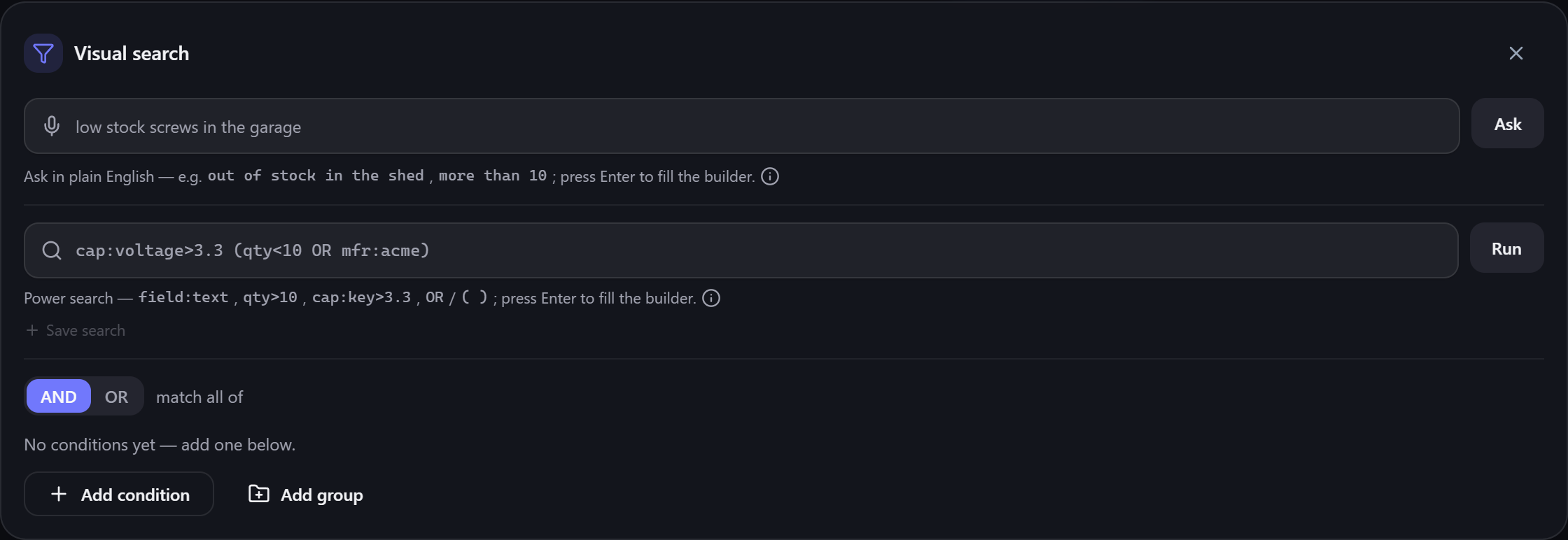
Type a phrase and press Enter. Gubbins recognises common ways of describing what you're looking for and combines them:
- Stock level — "out of stock", "none left", "low stock", "running low", "in stock", "available".
- Quantity comparisons — "more than 10", "fewer than 5", "at least 10", "exactly 3", "5 in stock" (digits or words both work).
- Location — "in the garage", "on shelf 2" (matched against your location names).
- Category — a category name mentioned in the phrase.
- Anything else — remaining words are matched across each item's name, description, manufacturer and notes — so a word that only appears in an item's description or notes still finds it. Every leftover word must appear somewhere on the item, but it can be in any of those fields.
So "low stock screws in the garage" becomes: items mentioning screw (in the name or any of their details), with a low quantity, located in the Garage.
💡 Tip Plain-English text matching is forgiving about wording. Plurals are folded to their singular ("batteries" also finds "battery"), and common British/American spellings are treated as the same word ("grey"/"gray", "aluminium"/"aluminum", "adapter"/"adaptor"). So you can describe things the way that comes naturally.
💡 Tip This is completely offline and rule-based — there's no AI service and nothing leaves your device. It simply recognises words and builds the same query the builder would.
After you press Enter, Gubbins shows what it understood, and the graphical builder fills in with the matching conditions — so you can see exactly how your phrase was interpreted and adjust any part of it.
Time- and loan-based ideas — expiring soon, on loan, overdue, warranty ending, maintenance due — aren't part of plain-English search, because they depend on today's date and your configured windows. Reach those through the status chips on the Inventory screen instead (see Alerts and Upcoming agenda).
ℹ️ Note If a phrase can't be interpreted, Gubbins says so gently rather than guessing — try rephrasing, or use the text syntax for full control.
- Visual query builder — refine what your phrase produced.
-
Text query syntax — precise control with
field:value. - Search overview — all the ways to find things.