Valuation and Spend
Two of the most useful questions about an inventory are "what's it all worth?" and "where's my money going?". Gubbins answers both.
Where to find it: the Reports screen.
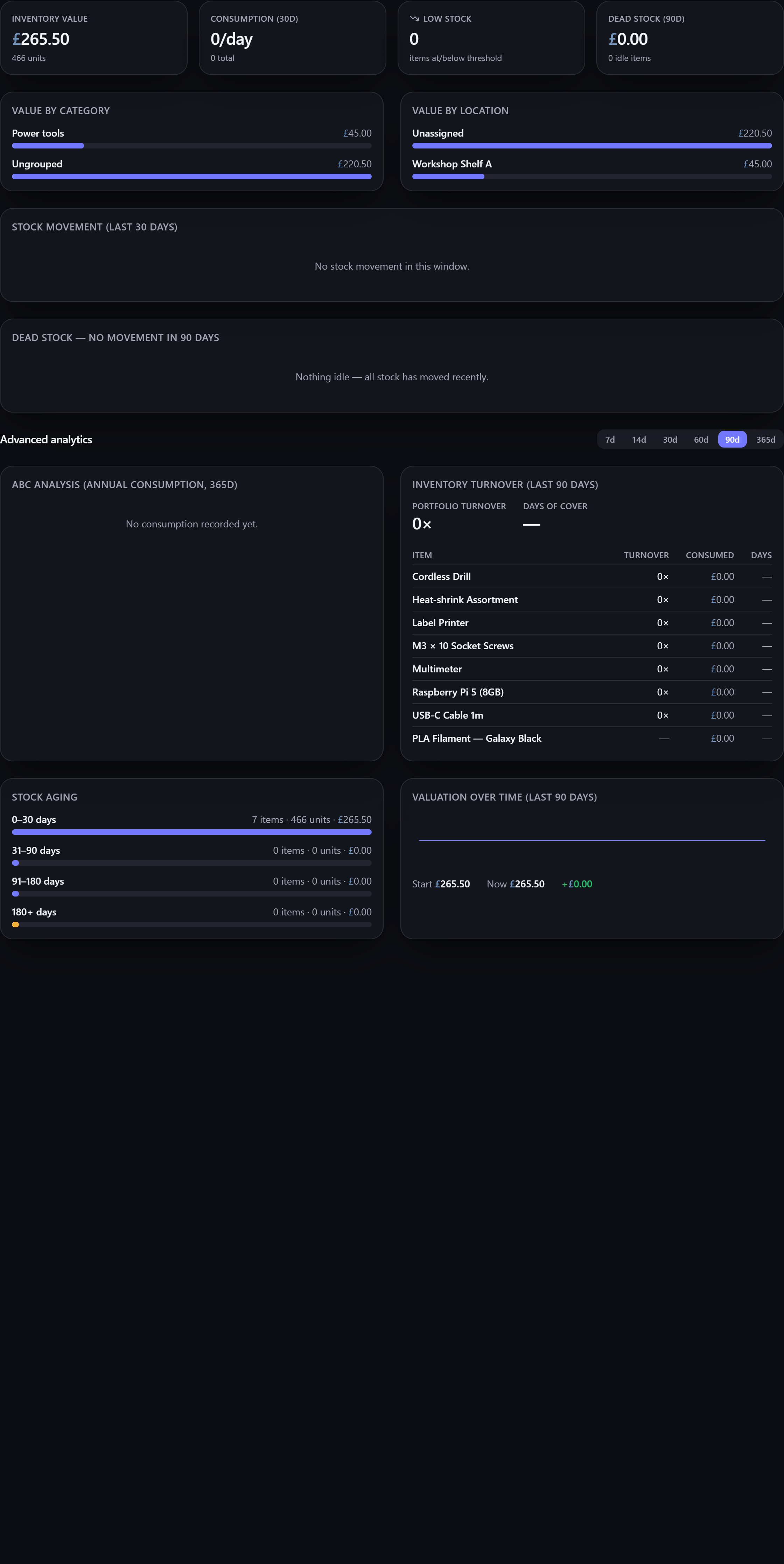
The valuation report totals what your inventory is worth, broken down by category and by location, so you can see where the value sits — which room holds the most, which category dominates.
Each item is valued through Gubbins' valuation logic: a manual current value where you've set one, otherwise purchase price less depreciation. So the total reflects today's worth, not just what you paid.
There's also valuation over time, showing how your inventory's total value has changed. It ends on exactly the headline total above it and reconstructs the earlier points by working backwards through your stock movements, valuing each one by the same rules — so the two figures always agree. Unlimited sources, which hold no finite value, are left out of both.
The spend report tracks your outgoings — what you've spent acquiring and restocking — over time, so you can see trends and spot where costs concentrate.
💡 Tip Break valuation down by location to find where your money is tied up — often a surprising amount sits in one drawer of "just in case" spares.
ℹ️ Note Accurate valuation and spend depend on items having prices and acquired dates. The data hygiene report flags records missing them, so you can fill the gaps.
Every total on the Reports screen is in your base currency (set in Settings). A
supplier part can record its price in a different currency —
a part quoted in JPY, say — and Gubbins stores and shows that price exactly as you entered it.
It never converts between currencies, because it holds no exchange rates.
That means a price in another currency can't be added to a base-currency total: 9800 yen is
not 9800 pounds, and treating it as though it were would silently inflate the figure. So Gubbins
leaves those items out of the valuation totals instead, and tells you it has done so — a notice
above the breakdown says how many items were left out.
To bring an item back into the totals, either give it its own unit cost (a manual cost always wins, and is read as base currency), or record the supplier's price in your base currency.
Spend works the same way. A purchase order carries its own currency, so an
order placed in USD is left out of the spend total — and out of the by-supplier and by-category
breakdowns — rather than added to your base-currency figures as though the numbers matched. A notice
above the spend breakdown says how many orders were left out. Record an order in your base currency
to include it.
⚠️ Heads-up The same rule applies to the insurance schedule, where the notice prints with the document — so anyone reading the schedule can see that some items aren't counted in the grand total.
- Reports overview — the full suite.
- Current value & revaluation and Warranty & depreciation — how each item is valued.
- ABC, turnover & aging — which items drive the value.