Repository navigation
Character Arc
The Arc view is a spreadsheet of your whole cast across story time. It is the fastest way to audit continuity across the entire book at once.
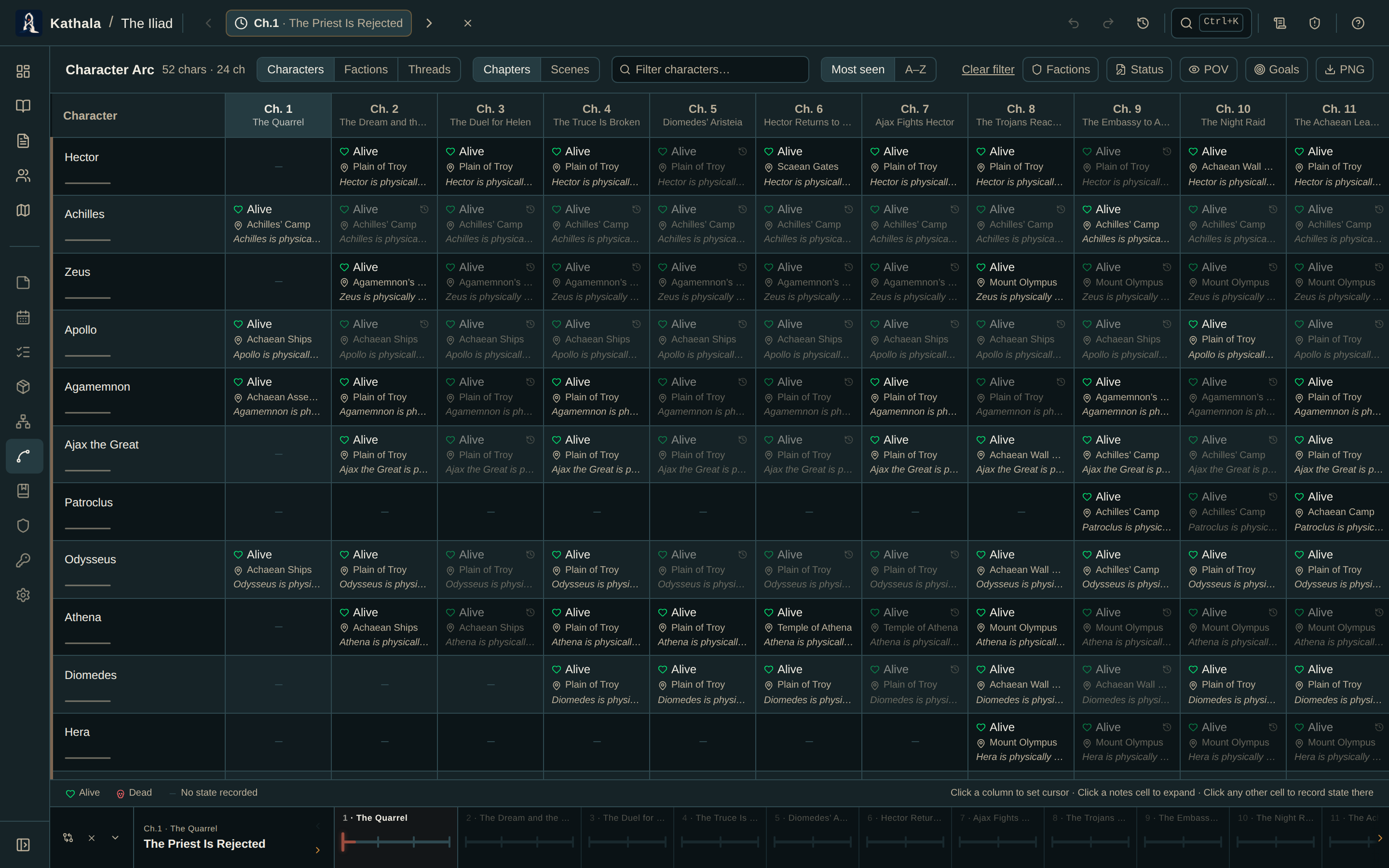
Choose what each axis means:
| Rows | Shows |
|---|---|
| Characters | Status, location, notes, inherited state, and an inventory sparkline per cell |
| Factions | Who belongs to each faction at that moment |
| Threads | One lane per plot thread; each cell names the scene (or counts the beats) that carries it |
| Columns | Shows |
|---|---|
| Chapters | One column per chapter |
| Events | One column per event — finer grain, wider grid |
A thread lane that goes blank means the subplot is off-stage. Read straight down the row and a subplot's rhythm — and its silences — jump out.
Overlays add colour cues on top of the grid:
| Overlay | Effect |
|---|---|
| Factions | Membership colour at each moment |
| Status | Scene-status colouring |
| POV | Which character is the point of view |
| Goals | Prints each character's active goals under their name |
Every row's name also carries its character's goals as a tooltip.
- In a multi-timeline world, use All or a timeline pill to focus the columns.
- The search box filters character rows.
- Click a column to move the time cursor to that moment — every other screen follows.
- Expand a notes cell for its full text.
Export as PNG downloads the complete grid as an image.
A cell disagrees with the character detail view. The Arc grid uses inheritance — it shows the most recent snapshot on or before each column. If the character page is sitting on a different event, the values differ legitimately. Click the column header to align both to the same moment.
A character is missing. Check the search box isn't filtering them out, and that they still exist in the roster.
- Characters · Plot Threads · Factions
- Chapter Diff — two moments compared in depth, rather than all moments at a glance