Repository navigation
Search
Press Ctrl/⌘+K anywhere to open the command-style search palette.
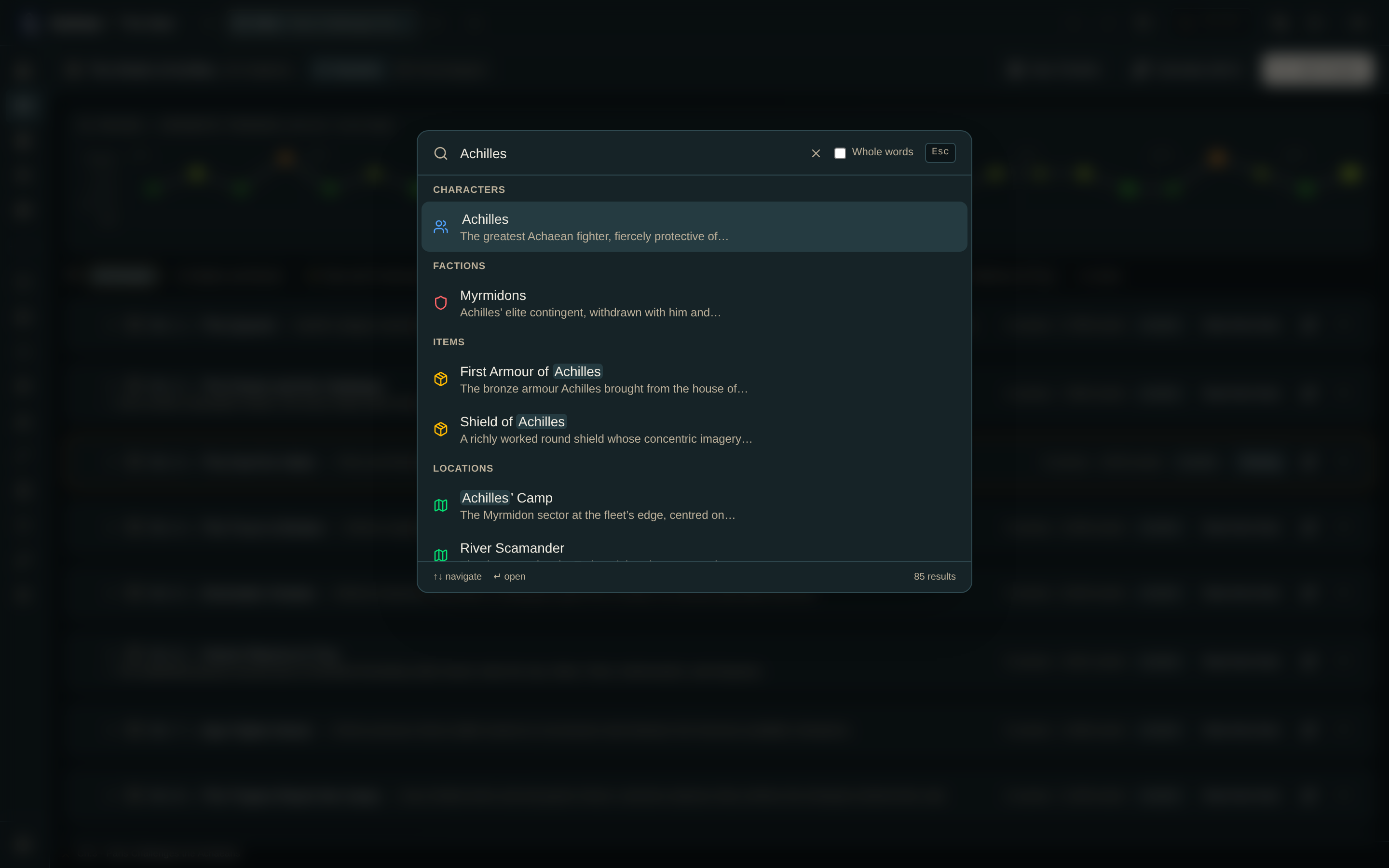
Everything in the current world, grouped by type:
| Type | Matched on |
|---|---|
| Characters | Name, aliases, description |
| Factions | Name, description |
| Items | Name, description |
| Locations | Name, description |
| Timelines | Name |
| Chapters | Title, synopsis |
| Events | Title, description |
| Relationships | Label, description |
| Map routes | Name, notes |
| Map regions | Name, notes |
| Lore pages | Title, body, tags |
- Ctrl/⌘+K.
- Type. Results appear as you type, grouped by type, with the match highlighted.
- ↑ / ↓ to move, Enter to open, Esc to close without navigating.
- An event — navigates there and sets the time cursor to that moment.
- A location — opens the map and focuses its marker, with its detail panel.
- Anything else — opens that entity's page.
In reading mode, search answers on the same terms as everything else: it will not find a character you have not met yet. This is deliberate — a search box that reveals the cast would undo the whole point.
- Search is case-insensitive, and partial matches work — "lor" finds Lore and Elora.
- Results are truncated per type in a large world. Use a more specific term.
A term I know exists returns nothing. Search only covers the currently active world. Confirm you're in the right one — and, if the world is in reading mode, that your cursor has reached the point where that thing appears.