Repository navigation
Import Manuscript
Already have a draft? Import Manuscript on the world selector turns it into a new world in one step, so you don't re-enter every chapter by hand.
It is the mirror image of the manuscript export: bring a draft in, and everything else — word counts, continuity, pacing, the reading view — works on it immediately.
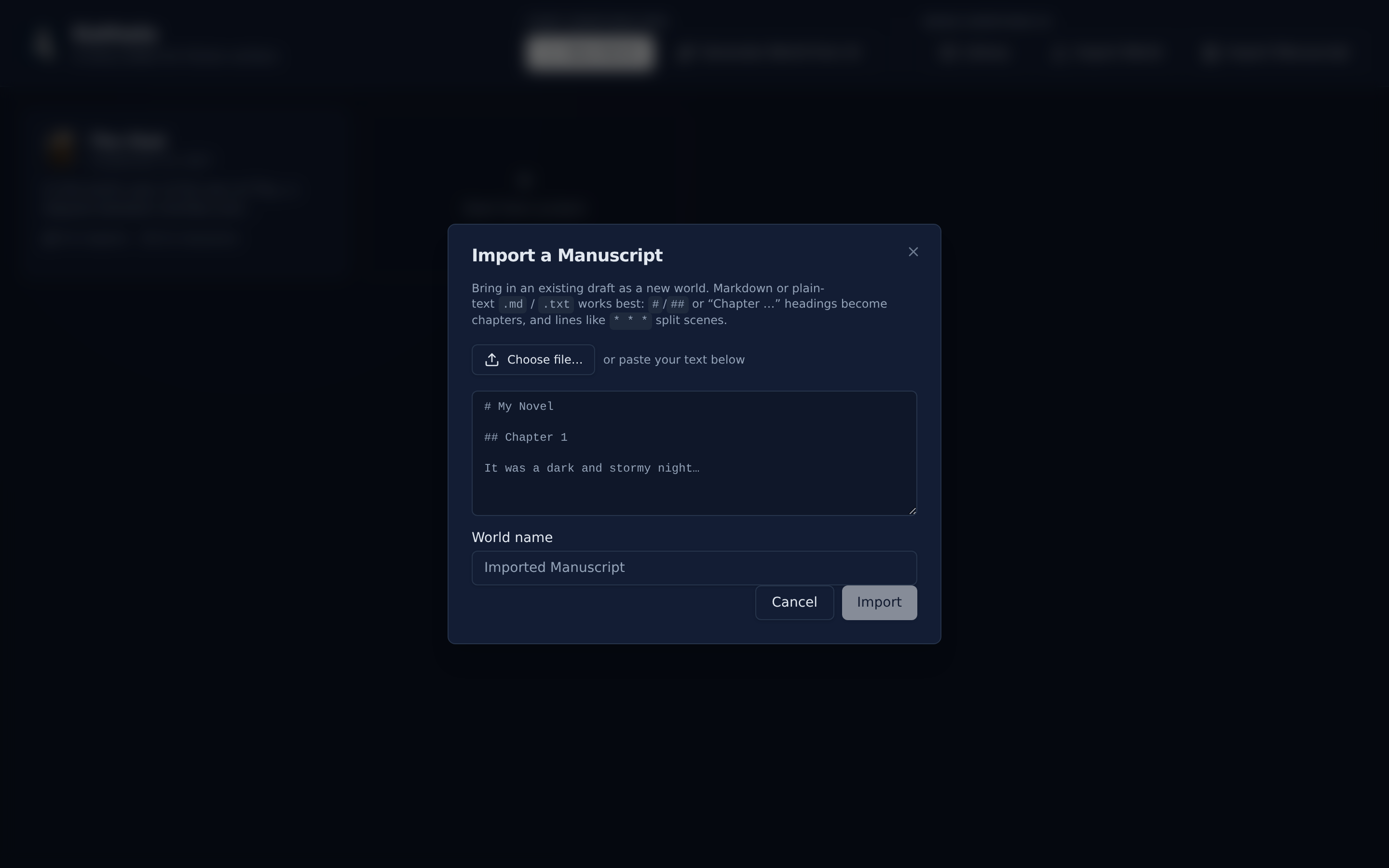
- Click Import Manuscript on the world selector.
- Choose a
.mdor.txtfile, or paste your text straight into the box. - Check the live preview: chapter, scene, and word counts, plus the chapter list.
- Adjust the world name (it is prefilled from a detected title).
- Click Import. You land in the new world.
PlotWeave uses a few predictable rules.
| Rule | What counts |
|---|---|
| Chapters | A Markdown # / ## heading, or a line starting with Chapter, Prologue, Epilogue, or Part
|
| Chapter titles |
Chapter 7: The Reckoning keeps The Reckoning as the title |
| Book title | A single # heading at the very top, followed by a chapter, becomes the world's name rather than a chapter |
| Scenes | A line of only symbols — * * *, ***, ---, a lone # — splits a chapter into scenes |
| Opening prose | Text before the first heading becomes an untitled opening chapter |
Paragraph breaks inside a scene are preserved.
Each parsed scene becomes an event with its prose attached. The imported draft therefore flows straight into the Manuscript view and reads back as one continuous document, and every scene is immediately available to the Corkboard, Structure Board, and word-count tracking.
From there, Generate / Update Chapter with AI can read your prose back and fill in the events' character states and tension ratings.
Markdown and plain text are supported today. .docx import is planned.
Importing a manuscript starts a fresh edit history, so undo is empty straight afterwards. Your work is safe; it just can't be stepped back through. Export first if you want a way back.
- Manuscript — reading and exporting the result
- Generating with AI — deriving structure from the prose you just imported
- Getting Started