Repository navigation
Motifs
Motifs & Themes works exactly like Plot Threads, but for symbolism rather than plot — recurring images, symbols, and themes such as mirrors, the colour red, or exile.
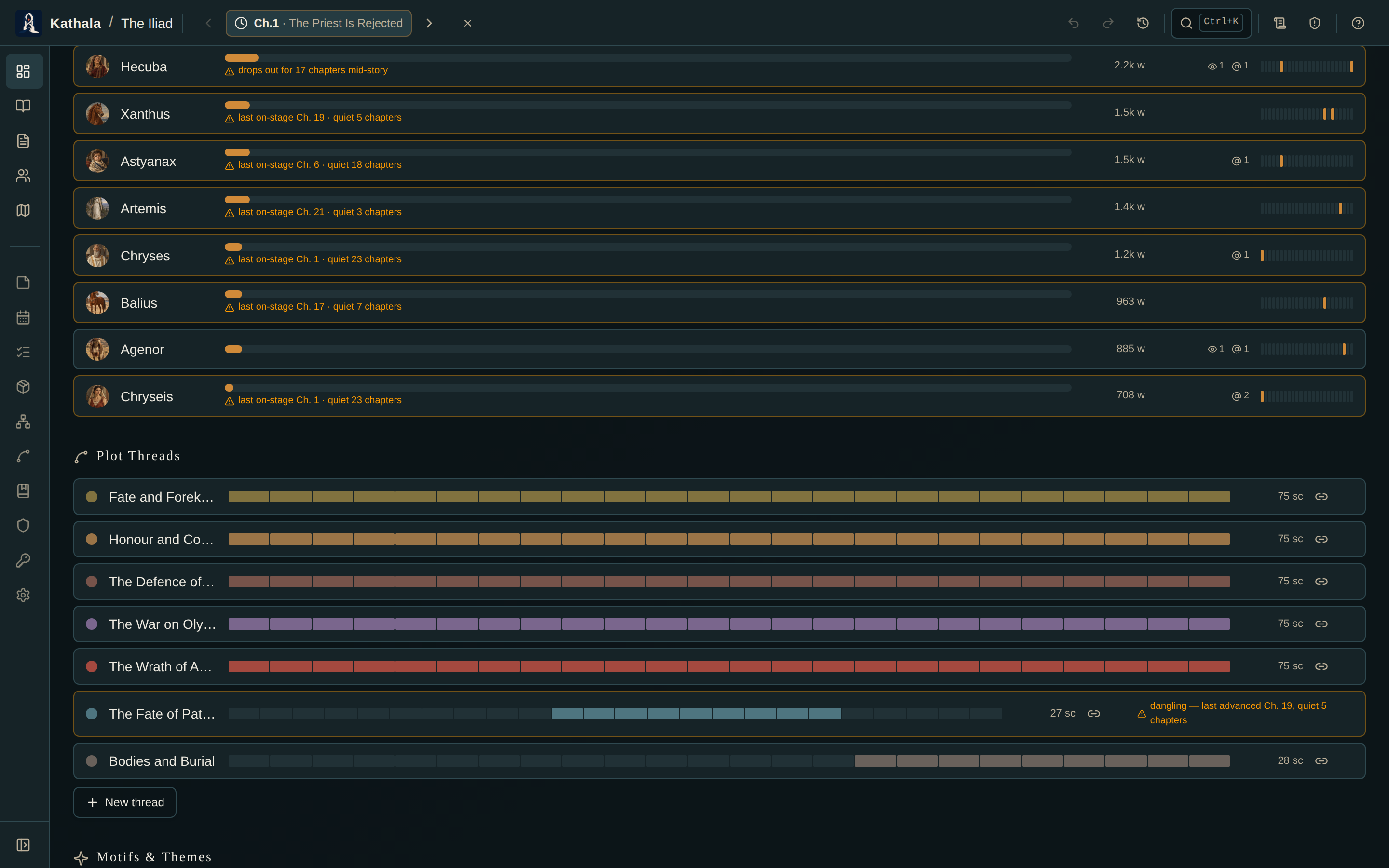
- Define named motifs on the Dashboard, each with a colour.
- Tag the scenes that carry them from the event card.
The dashboard draws a cadence strip per motif across your chapters so you can see its rhythm at a glance, and flags where a motif loses momentum:
| Flag | Meaning |
|---|---|
| vanishes for N chapters | A motif that drops out of the middle of the book |
| fades out | A motif introduced early and then never seen again |
Use it to check that a theme you care about is woven through the whole story, not just raised once and forgotten. A motif that appears in chapters 1–3 and never again is usually either a thread you dropped or a symbol that wanted to be a one-off; the strip tells you which conversation to have with yourself.
Hidden while reading
Motif names give away where a theme lands, so reading mode holds one back until the first scene that takes it up, and hides the dashboard panel.
- Plot Threads — the same tooling for subplots, plus timeline filtering and continuity findings
- Structure Board · Dashboard