Repository navigation
Writers Brief
The Writer's Brief — the scroll icon in the top bar — is a focused, at-a-glance panel for the event under the time cursor.
It is designed to sit open beside your manuscript while you draft.
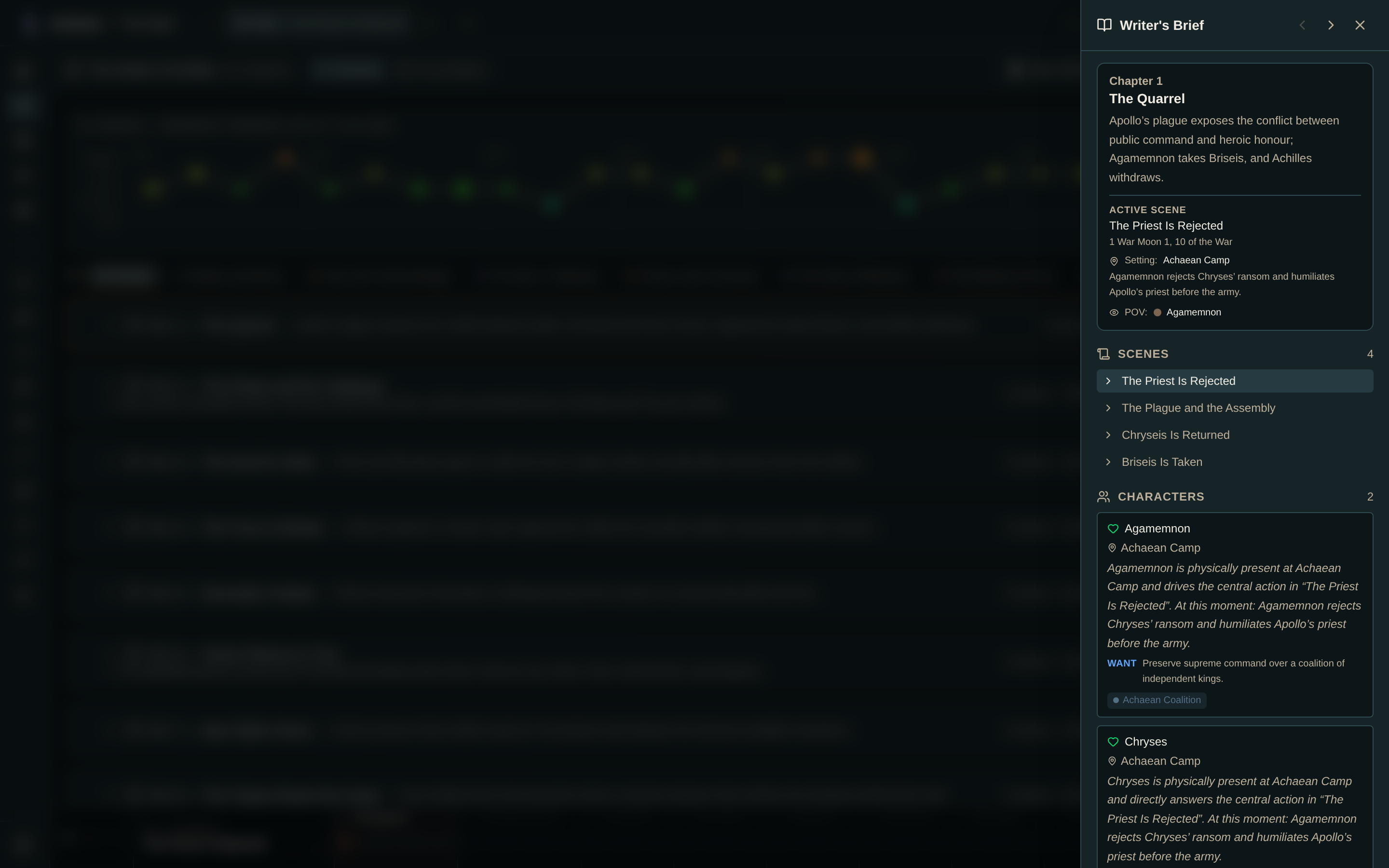
Select an event and the brief gives you:
- The chapter synopsis.
- The active event's details, including the in-world date — or the day number if you haven't set up a calendar.
- The other events in that chapter.
A per-character state readout: where they are, what they carry, whether they're alive, and their status notes.
- "Carried forward" badges mark state that was inherited rather than freshly set, so you can see at a glance what you've actually decided about this scene and what is just drifting along.
- Each present character's active goals are listed, so the moment's motivations are in front of you.
- When a world calendar and a character's birth date are both set, each present character shows their age at that point in the story.
- Active relationships at this moment.
- Item placements — what's here, and who's holding what.
- Relevant lore: pages linked to a present character appear automatically, and a page revealed at the active event is marked NEW and links directly to its editor.
- Set the cursor to the event you're about to write.
- Open the brief.
- Confirm who's present, where they are, what they carry, and what they each want.
- Check the relationships for dynamics that should inform the scene.
- Check the lore for world detail or newly revealed information.
- Close it and write.
Reading mode removes the Writer's Brief from the top bar.
The brief is blank. No cursor is set. Pick an event on the chapter bar.
A character I expect is missing. They have no snapshot at or before the active event. Record one at an earlier event.
A lore page isn't listed. It needs either a link to a character present at this event, or a reveal event at or before this one. See Lore.
- Characters — goals, state, and inheritance
- Calendar & Ages · Lore · Knowledge