Repository navigation
Continuity Checker
The Continuity Checker (the shield icon in the top bar) scans your whole world for contradictions and surfaces them grouped by category, with an error/warning count.
Each finding links straight to the offending event so you can fix it in context.
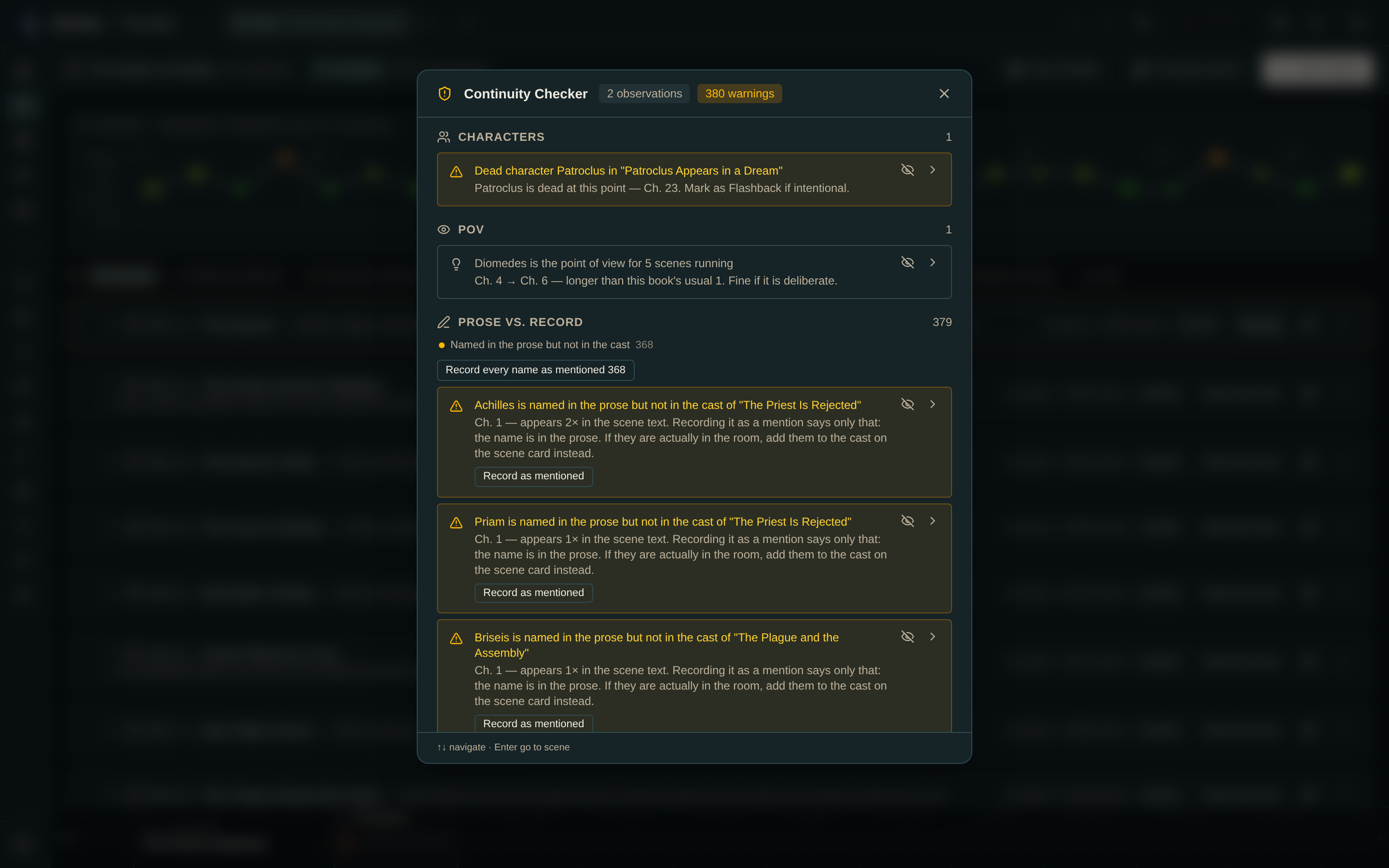
- A character who is alive after dying in an earlier chapter.
- A dead character appearing in a later scene — with a one-click "mark as flashback" if it's intentional.
- A character who appears before their first snapshot.
- A character at a destroyed location.
- A character who travels through a destroyed or abandoned region.
- A character whose state has gone stale — no snapshot for longer than the world's threshold.
- A character who can't reach a location in time: the move covers more map distance than their travel mode can cross in the in-world days available, using the map scale, the mode's speed, and any road, river, or trail along the way.
The finding offers a one-click "Allow N more days" that lengthens the event so the journey becomes possible.
- An item used before it was acquired, or an impossible handoff.
- A relationship or faction membership starting at an invalid moment.
- A POV character who should not be available at that event.
The plot thread cadence analysis is reported here too, so it's actionable rather than just visible:
| Finding | Condition |
|---|---|
| left dangling | Raised, then quiet for the last three chapters or more |
| goes quiet mid-story | A run of three or more chapters with no beat |
| has no scenes | A thread that exists but was never tagged onto an event |
The travel checks are the ones with prerequisites:
- A map scale — set one on the map.
- Travel modes with speeds — defined in World Settings.
- Travel days on the events.
Without all three, distance checks can't run meaningfully.
A character with no snapshot for more than N events is flagged as possibly forgotten. This is not necessarily an error — they may simply be off-stage.
Set N under Continuity in World Settings. Default is 5.
If a finding is intentional, suppress it and add an optional reason. The checker can show suppressed findings later so you can review or restore them.
Suppressions are stored with the world and travel through export/import.
Events marked Is flashback are excluded from travel-distance and staleness checks. Set the flag on the event card in the chapter detail.
Reading mode removes the Continuity Checker from the top bar, along with the dashboard's continuity card.
Travel violations for every character. Confirm the map scale, travel-mode speeds, and travel days are all set. Any one missing skews the arithmetic.
Nothing is reported but something is wrong. The checker only detects the categories above. For anything else, use the Chapter Diff to compare two moments, or the Character Arc grid to scan the whole book.
- Knowledge — catching a character who acts on what they shouldn't know
- Chapter Diff · Character Arc Grid · World Settings