Repository navigation
Home

SatMe is an Android app for radio amateurs working satellites: pass predictions, antenna aiming, Doppler-corrected rig control, recording, SSTV, APRS and logging — computed on the phone, with no account and no ads. Free software (GPL), made by F4IOZ.

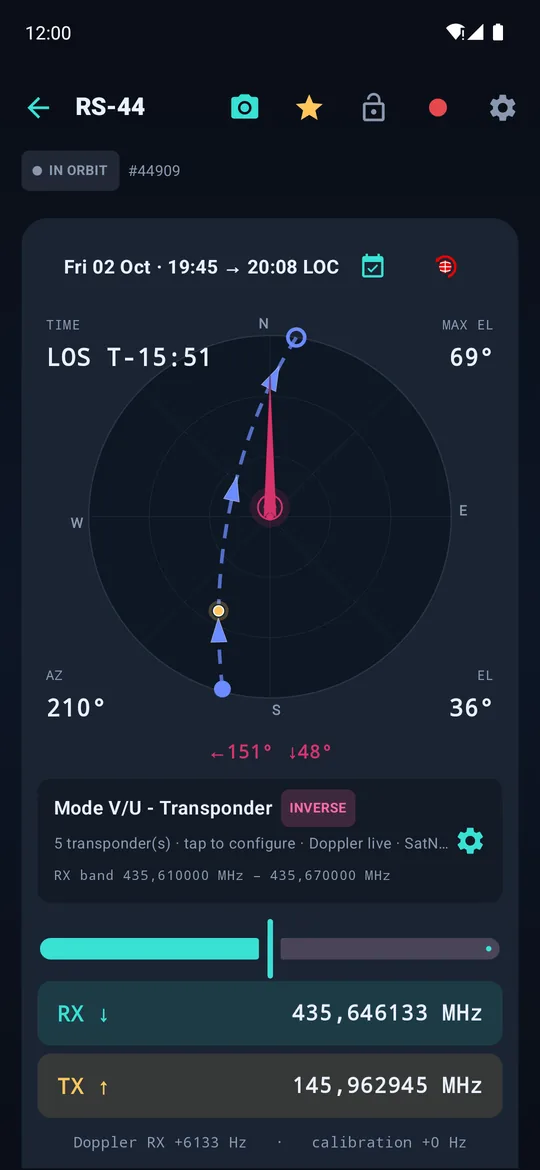


SatMe in your pocket, SatMe-PC for the whole station in a browser (Linux, Windows, Raspberry Pi), SatMe-Node on a Raspberry Pi at the mast for QO-100 DATV. The same engine everywhere; the phone hands its passes to the PC by scanning a QR code. New: the automatic mode follows and records every pass of the satellites you choose, rig and rotator included — on the PC as on the phone.
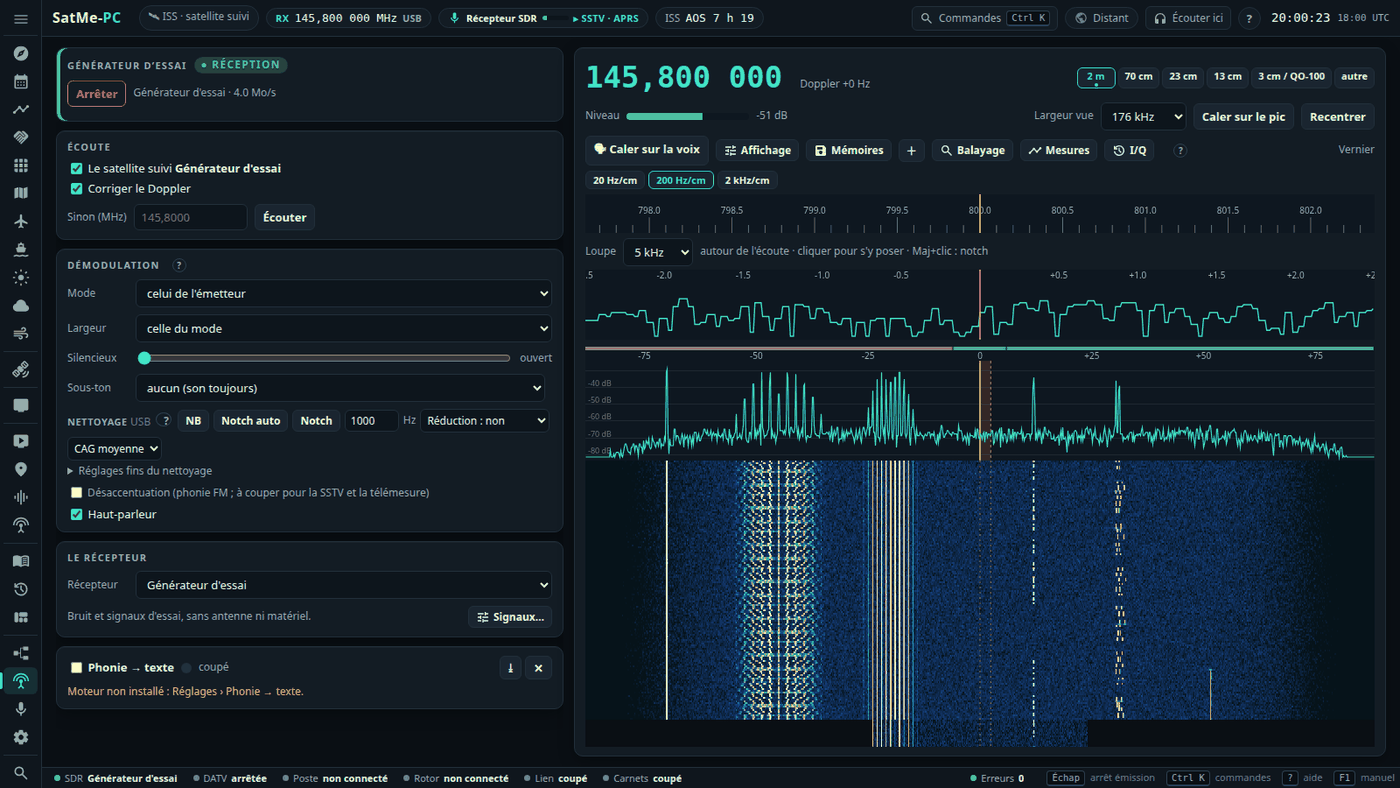
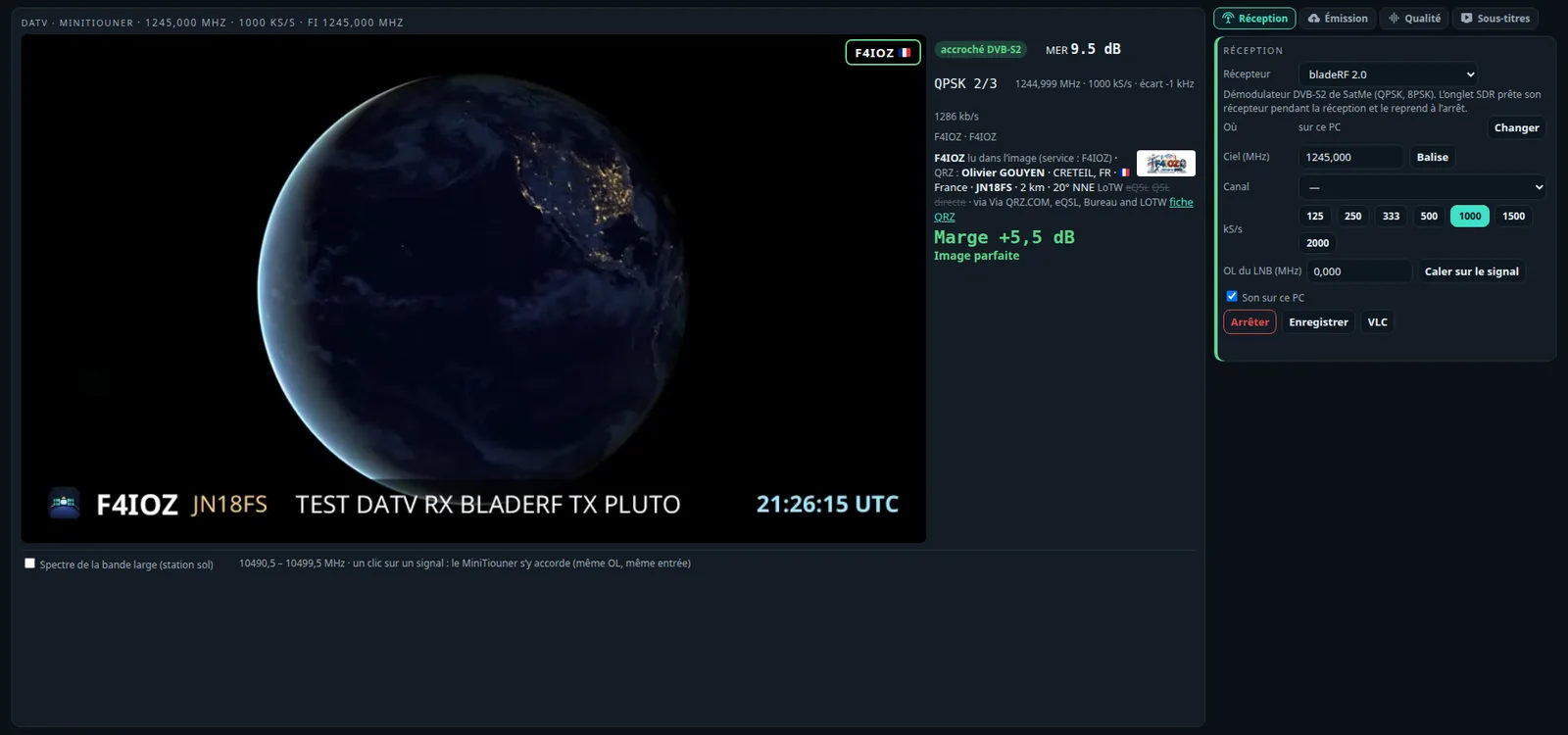
New on SatMe-PC (October 2026): a new page (workspaces rail, header strip, Ctrl+K palette, built-in manual on F1, the « Son » chip); the Montage, the station drawn as it is wired and lit live, edited by drag and drop; an SDR receiver with memories in folders, scanning, sound cleaning, CTCSS, I/Q « back in time », a test generator and measurements; the IC-9700 over the network (CAT and receive audio, AF or IF); the QO-100 cockpit with up to four decoders at once, PSK31, RTTY and the beacon's telemetry; DATV in DVB-S2 and DVB-S; telemetry (9600 bit/s packets, SSDV, FUNcube); ADS-B, AIS and space weather on an offline map; a pass report; rigctld, the USB knob, spoken announcements, remote access behind a password. Since then: SSTV campaigns on auto-pilot (an ARISS series entered in the Agenda, or read from its flyer; receive only), the rotator's whole-pass plan (180° flip, hidden zones, drawn on the sky), and QO-100 through a drifting LNB (beacon calibration that follows, beacon lock, FT8 tolerating drift — a GPSDO-referenced LNB remains the real fix). Then: the SatMe-Node page, DATV Émis | Reçu and the wide band set against one's own reception, the IC-9700 transmitting from the page, upcoming activities read online and their alerts, the SSTV gallery by slide (marks, the series' timetable, correction, fusion, QSL, ARISS award pack), the sheet and its event report (web or PDF), several plans in the Montage, the rotator calibration assistant. Next: Orbites and its full-screen board (Vitrine for a club stand), satellite cards with real photos, the Journal as a small video editor (16:9 or 9:16), the modules, antenna polarisation with an ESP32 box, QO-100 narrow-band transmitting and a demonstration to install on a VM or a Raspberry Pi. Then FT8 / FT4 transmit through the IC-9700, never unattended; the Sked on the globe and its 16:9 or 9:16 video; the view from the satellite and the ISS live in Orbites; the awards to claim; the one-click auto-pilot on an SSTV activity; a DATV pointing screen, spoken translation and free slots when transmitting; the satellite scale over the SDR waterfall and the converter table. Lately: web publishing to your own site (an optional module, off by default); SSDV from SO-127 in USB, IO-86 and the Geoscan satellites; a Journal whose video follows the preview, with sped-up sound and a closing summary; Autre fréquence…; Windows data kept safe; the manual as a PDF (Release notes). → SatMe-PC guide: every function and where to click, chapter by chapter.


New here? Why SatMe — a real ISS pass, its pictures, its sound, and what SatMe does on the air.
- Installation — Google Play, permissions, first launch
- Getting started — your station, orbital sources, the satellites you follow
| 🛰 Passes and tracking | Predictions, pass page, compass, rotator, world map, timeline, notifications |
| 📡 Orbital elements | AMSAT, CelesTrak, SatNOGS, the SatMe GP server, AMSAT names and status |
| 📻 Rig control (CAT) | IC-9700, TS-2000, TH-D72, FT-817 / IC-705, SDR dongle, Doppler, test bench |
| 🎙 Audio recording | Microphone, Bluetooth, the rig's USB sound card, wiring |
| 🖼 SSTV | Live decoding, re-decoding, automatic SSTV (ISS or a favourite), the sheet — on the PC too |
| 🌦 METEOR pictures | Weather pictures from METEOR-M2-3 / M2-4 with an RTL-SDR dongle: live, automatic, from a recording |
| 🎞 Pass journal | Every pass followed: sky or map, replay with its sound, video and GIF — on the PC too |
| 📍 APRS | ISS and terrestrial, KISS radios, FT3D, map, messages, trophies |
| 📒 Logbook | Contacts, ADIF, Wavelog / Cloudlog, the PC desk |
| 🗺 Locators and skeds | Maidenhead map, POTA, hams.at, mutual sked |
| 🌍 QO-100 | The geostationary narrowband transponder |
| 💻 SatMe-PC | The whole station in a browser: log with the station live, skeds, QO-100 cockpit, DATV reception and transmission, SSTV, FT8 / FT4 (receive and transmit), telemetry, voice to text, SDR (RTL-SDR, ADALM-PLUTO, bladeRF, IC-9700 IF), the station's Montage, ADS-B, AIS, space weather, METEOR, the phone joined by QR code — install on Linux, SatMe-Node on a Raspberry Pi |
| 🧩 Extensions | FT8 / FT4, radiosondes, RTL-SDR dongle |
- What's new, version by version — current version: 20.82
- SatMe GP server — the element relay SatMe uses, and how to host your own
- FAQ and troubleshooting
- Privacy
Features marked beta work but are still young; some radios are marked not yet tried on the real hardware. Reports are welcome in the issues.
73 de F4IOZ