Repository navigation
SatMe GP server
A relay for orbital elements (GP / OMM JSON). Instead of every phone asking AMSAT, CelesTrak and SatNOGS, the server fetches each group at most once every two hours, checks the files, and serves every phone from its copy. The original sites are spared, and an outage there no longer leaves phones without elements.
SatMe uses F4IOZ's server, https://gp.f4ioz.fr, by default.
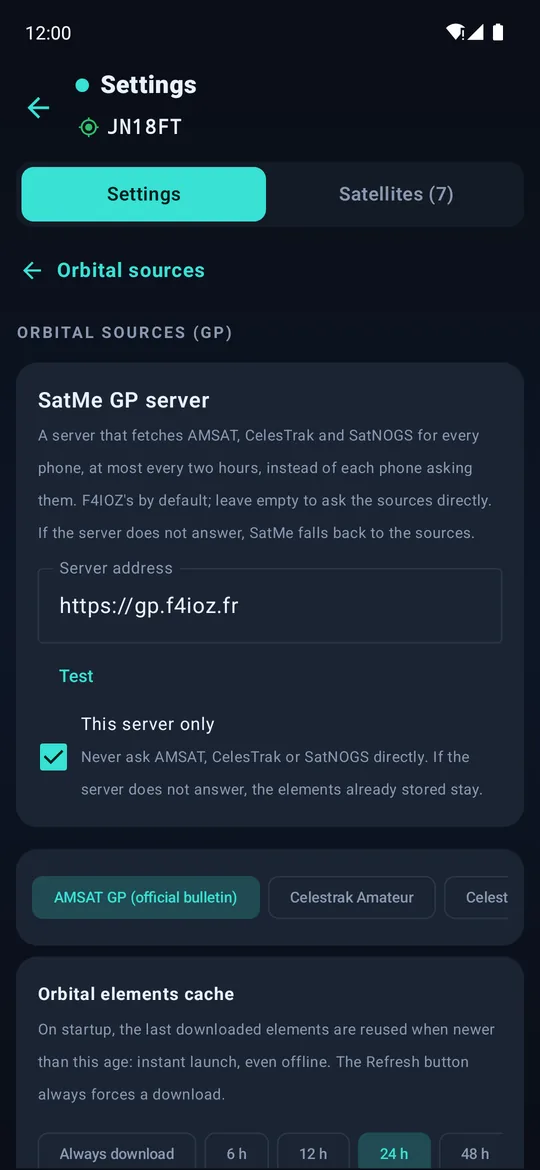
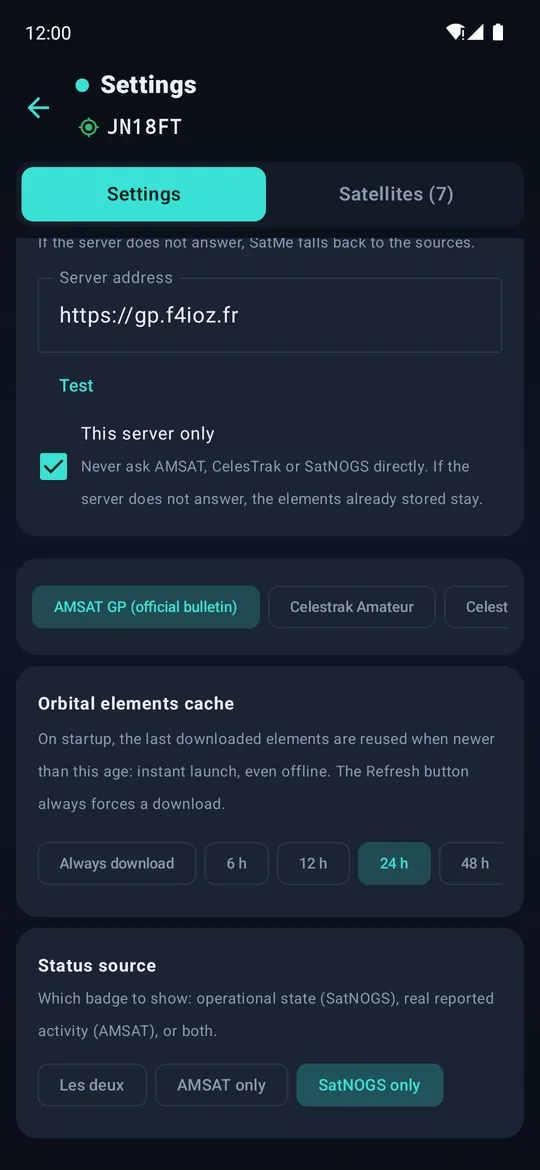
Settings › Orbital sources: the server address, Test, and "This server only".
Settings › Orbital sources › SatMe GP server:
| Setting | Effect |
|---|---|
| Server address |
https://gp.f4ioz.fr by default. Empty: SatMe asks the sources directly. |
| Test | Lists the groups the server holds and how many satellites each. |
| This server only | Never ask AMSAT, CelesTrak or SatNOGS directly. If the server does not answer, the elements already stored stay. |
Without This server only, each enabled source is asked from the server first, then from its own address if the server does not answer. One satellite refreshed by itself is asked by its NORAD number the same way.
| Group | Content |
|---|---|
amsat |
AMSAT's bulletin (JSON), with AMSAT names such as AO-07 |
amsat_tle |
AMSAT's TLE bulletin, sometimes fresher than the JSON one |
amateur, stations, visual, weather, cubesat
|
CelesTrak groups |
satnogs |
Every satellite SatNOGS DB follows (about 1,700) |
supgp_iss |
CelesTrak supplemental elements for the ISS, fitted from the operator's ephemeris |
Asked by number, the server answers with the elements for now: the most recent ones that are not dated in the future. CelesTrak's SupGP gives the ISS as six-hour segments reaching two weeks ahead; the segment for the present is the one served, not the last prediction. SatMe applies the same rule on its side. See Orbital elements.
The server is free software: github.com/f4ioz/SatMe-serveur. Python 3, on Debian 12, Ubuntu or Raspberry Pi OS, or in a Proxmox container created by an interactive script run on the host. It has an administration page (sources, guard against robots, connections by country).
Then put its address in Settings › Orbital sources › SatMe GP server › Server address, and tap Test.
- If CelesTrak refuses your home address (403), the GP server avoids the problem: phones no longer ask CelesTrak themselves.
- What the server sees and keeps is described in Privacy.