Repository navigation
SatMe PC
October 2026. The Android app stays the reference; the PC does what it does, and what is made on the PC comes to the phone too.
SatMe runs on a PC (Linux, Windows, Raspberry Pi) and is driven from a browser. Its core is the same code as on the phone: Doppler loop, rotator tracking, pass journal, SSTV, METEOR, APRS, FT8, QO-100, DATV and the log all come from the shared :moteur module. This guide says what each function does and where to click. It also exists as a single PDF manual, and inside SatMe-PC itself (key F1).

| Chapter | What you will find there | |
|---|---|---|
| 1 | Getting around | starting SatMe-PC and its options, the quick setup, « Quoi de neuf », the new version badge, the page (rail, header, status bar), the decoders' sound, Ctrl+K, the F1 manual and its PDF, the shortcuts, the page on another machine |
| 2 | Passes, tracking and agenda | Suivi, Doppler, every transmitter and « Autre fréquence… », the rotator's plan, horizon, recording, automatic mode, SSTV campaigns on auto-pilot, upcoming activities and their alerts (one-click Activer l'auto-pilote), timeline, skeds on the map or the globe and their video, locators |
| 3 | Logbook, journal, phone | the logbook and the station live, Wavelog, the phone by QR code, the pass journal, the FT4 / FT8 decodes on the replay, the globe view, sessions of several passes and their video, the paces, sped-up sound and the closing summary, video and the video's SSTV picture, pass report |
| 4 | The QO-100 cockpit | the narrow band in four gestures, multiple decoders, PSK31 / RTTY, beacon, a drifting LNB, transmitting in SSB, CW and FT8 (Pluto direct or IC-9700 + up-converter), aligning a transponder |
| 5 | DATV | MiniTiouner, Pluto, bladeRF, SatMe-Node; the ground station's wide band and my reception, my spectrum; pointing, quality and history, level, beacon calibration; subtitles, spoken translation, summary; DVB-S2 / DVB-S transmission, free slots, encoder test, ramp, Émis | Reçu (sent | received), indoor test |
| 6 | SSTV | reception, the satellite followed inset and live quality, gallery by slide, ratings, badges (series 33 and 34), the series' schedule, correction, re-decoding, merging, QSL, ARISS pack, retention, missing-slide alerts, transmission, test card |
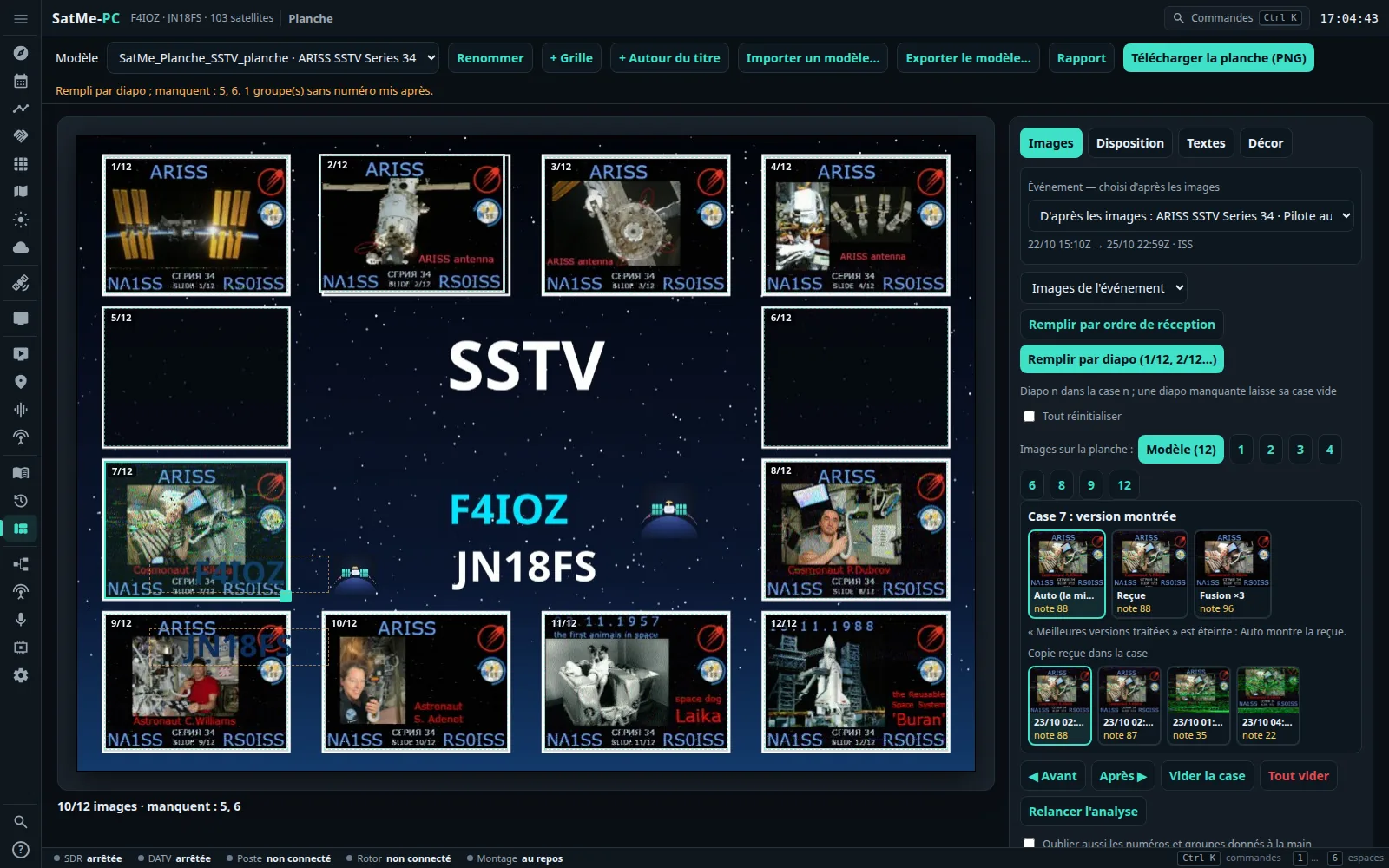
| 7 | The SSTV sheet | templates, event, fill by slide, each box's version, stylish sheet (ISS poster, titles, fonts, effects, frames), background and patches, .satme-planche template, the event report (web and PDF)
|
| 8 | Digital modes | FT8 / FT4 receiving, APRS, telemetry (packets, SSDV in USB, SSDV pictures, FUNcube), voice to text and translation, METEOR, radiosondes |
| 9 | The SDR receiver | RTL-SDR, ADALM-PLUTO, bladeRF, the IC-9700's IF; the satellite scale over the waterfall, memories, scanning, sound cleaning, I/Q, test generator, measurements |
| 10 | Map, aircraft, ships, space weather | the map without the internet, ADS-B and aircraft scatter, AIS, Kp and aurora |
| 11 | The Montage | the station drawn and lit up live, several plans, the plan of what is running, the detected chain, the profiles |
| 12 | Réglages | rig (CAT, IC-9700 over the network and transmitting), converters and transverters, calibrating the SDR dongle, rotator and its calibration assistant, orbital elements, interfaces (the knob on Windows and relayed), announcements, modules (with Publication web, off by default), online services, start-up (network, port, data folder, updates), remote access and HTTPS, backup and deployment to another PC, hardware safety |
| 13 | Orbits, the Earth in 3D | the 3D globe and its six looks, details, cities and capitals, relief, the log's contacts, landmarks, tracks; the 2D map; a pass live or played fast, the view from the satellite; 📺 the ISS live; the full-screen board (Vitrine, Pédagogique…); the Suivi tab's globe |
| 14 | Antenna polarisation | the ESP32 box and the WiMo switch, V / H / right / left from Suivi, the profile at AOS, probing H / V and what it learns, the transmit lock |
| 15 | The demonstration |
satme --demo, a made-up station (QF4DMO), installing it on a VM or a Raspberry Pi, making it new again |
| 16 | FT8 / FT4 transmit | the Émission FT8/FT4 card through the IC-9700, terrestrial or through a transponder, USB-D set by itself, the rule: never unattended, the first on-air test step by step |
| 17 | Awards | Agenda › Diplômes: ARISS SSTV, AMSAT, VUCC, DXCC, WAS…, matched with the gallery and the log, alerts, the request prepared (nothing is sent) |
| 18 | Web publishing | pushing to your own site (or a folder): a module off by default, Tester, Sur clic / Automatique / Jamais, API v1 and its PHP and Python receivers, live data (auto-pilot, QO-100 spectrum, DATV picture, station, FT8/FT4, favourites, awards) |
| 19 | SSDV | SO-127 in USB (USB-D, Capturer les bits, Relire), IO-86 through AFSK 1200, the Geoscan satellites, pictures over several passes, in the SSTV tab, SSDV campaigns for the auto-pilot |
Install: on Linux · on Windows (your data kept safe: see here) · SatMe-Node on a Raspberry Pi. What's new: Release notes.
| Workspace (key) | Tab | What it does | Chapter |
|---|---|---|---|
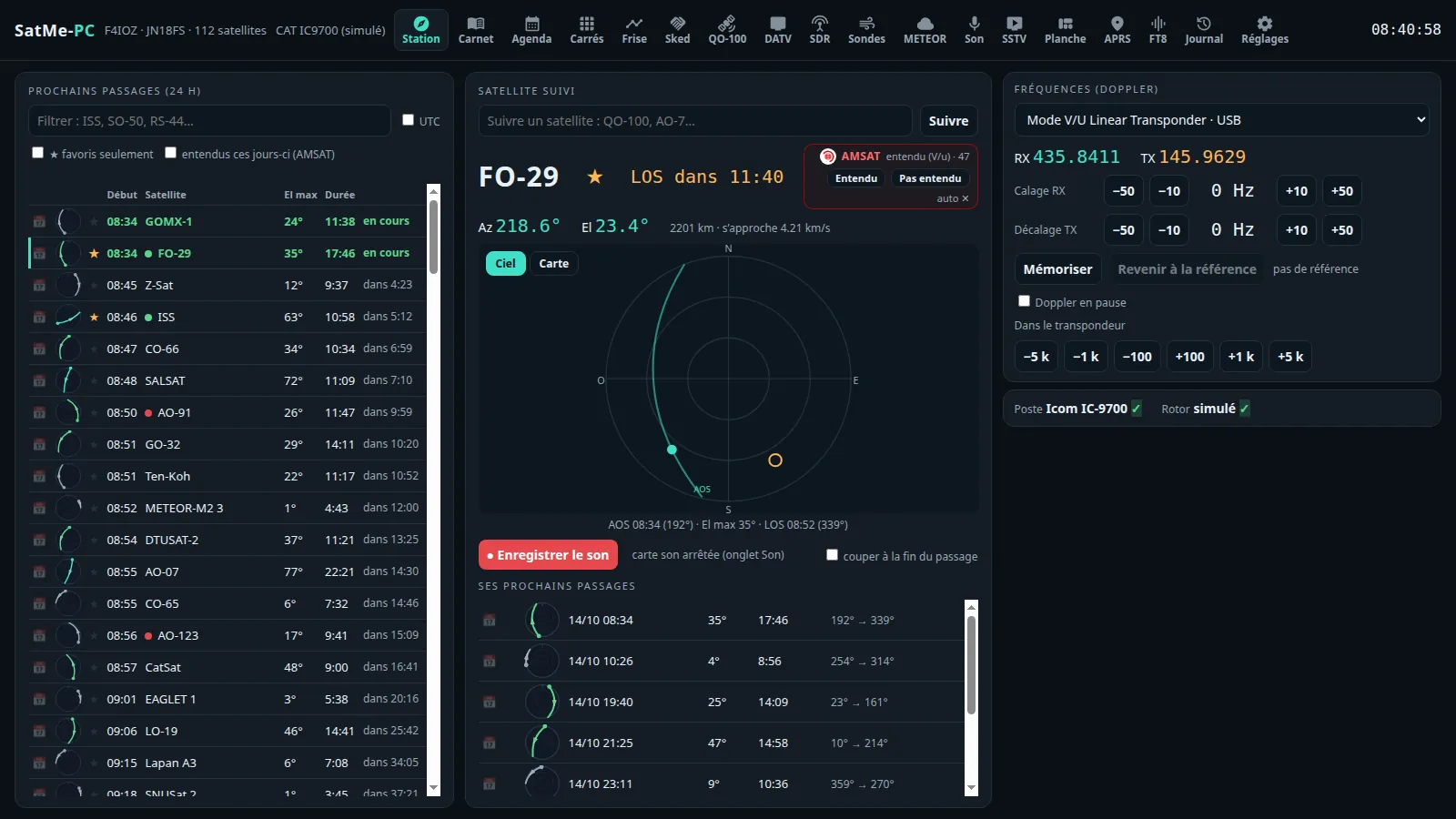
| Ciel (1) | Suivi | the passes of the next 24 h, the followed satellite on the sky or the map, the AMSAT box, the Doppler, the rig and the rotator | 2 |
| Agenda | appointments and automatic mode · SSTV · auto-pilot · Activités à venir (upcoming activities) · Diplômes (awards) | 2 | |
| Frise · Sked · Locators | the passes on a timeline; the common windows with another station; the locators worked | 2 | |
| Carte · Avions · Navires · Météo spatiale | the shared map; ADS-B; AIS; Kp, solar flux, aurora | 10 | |
| Orbites | the Earth in 3D and the satellites on their orbits, the 2D map, a pass animated, the view from the satellite, the ISS live, the full-screen board | 13 | |
| METEOR · Sondes | LRPT pictures; radiosondes | 8 | |
| QO-100 (2) | QO-100 | the narrow band cockpit | 4 |
| DATV (3) | DATV | reception, transmission, quality, subtitles | 5 |
| Modes (4) | SSTV | reception, transmission, test card, pictures, settings | 6 |
| APRS · FT8/FT4 · Télémesure | APRS and KISS radio; FT8 / FT4 receive and transmit; packets, SSDV in USB, SSDV pictures, FUNcube | 8 · 16 · 19 | |
| Carnet (5) | Carnet · Journal | the logbook; the passes replayed | 3 |
| Planche | the SSTV sheet and the event report | 7 | |
| Station (6) | Montage | the station chain | 11 |
| SDR · Son | the SDR receiver; the sound card and recording | 9 · 1 | |
| SatMe-Node | the Raspberry Pi by the antenna: health, boards, services | 5 | |
| Réglages | the whole station, by category | 12 |
- Start SatMe-PC and open http://localhost:8090/ (Getting around).
- The quick setup opens at the first start: callsign, locator, minimum elevation, time, language, network (otherwise Réglages › Ma station, Enregistrer, save); Réglages › Satellites: check that the orbital elements are up to date.
- Suivi: click a pass in the list — the satellite is followed, its Doppler computed.
- Réglages › Poste et rotor: choose the rig and its port (or IC-9700 simulé to begin with), Connecter; the rotator likewise (Rotor simulé), Suivre le satellite (follow the satellite).
- The header's Son chip: choose the rig's sound card; tick the decoders (SSTV, APRS…). ⚡ Préparer le passage (prepare the pass; key P) before AOS.
Nothing transmits without a confirmed click (DATV, SSTV, the IC-9700's PTT; FT8 / FT4 never unattended), under rules written in the code; Esc or the TX light stops everything. Nothing goes out to the internet without a ticked box (web publishing to your site is a module off by default; only the look for a new version, one question to GitHub a day, is ticked by default; nothing is installed by itself). The details: Hardware safety.
The SatMe-PC guide also comes laid out for printing (cover, contents with page numbers, the chapter at the top of each page, the screenshots), attached to every release on GitHub: SatMe-manuel-en.pdf (English) and SatMe-manuel-fr.pdf (French). In SatMe-PC, ⤓ Télécharger le manuel (PDF) at the top of the built-in manual (F1).