Repository navigation
Export Nodes SourceIONormalOpsNode
Fixes up a normal map: flip the green channel (OpenGL vs DirectX), swap red/green, rebuild the blue channel and renormalise the vectors.
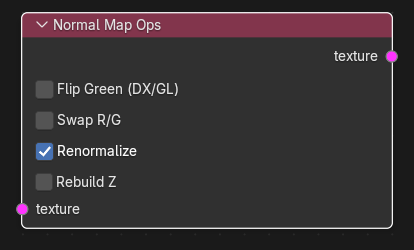
| Input | Type | Description |
|---|---|---|
| texture | Texture (single link) | RGB or RGBA normal map. Required. |
| Output | Type | Description |
|---|---|---|
| texture | Texture | Corrected normal map, clamped to 0-1. Alpha (if present) is passed through unchanged. An RGB input stays RGB. |
| Control | Meaning |
|---|---|
| Flip Green (DX/GL) | Replaces green with 1 - green. Source expects DirectX-style normal maps (green channel inverted compared with Blender/OpenGL maps), so enable this for maps authored or baked in Blender (default off). |
| Swap R/G | Exchanges the red and green channels (default off). |
| Renormalize | Rescales every vector to unit length (default on). |
| Rebuild Z | Recomputes blue from red and green as sqrt(1 - x^2 - y^2) (default off), for two-channel (XY) normal maps. Implies renormalisation. |
Steps in order: flip green, swap R/G, then (if Renormalize or Rebuild Z) convert RGB to vectors (v = rgb * 2 - 1), optionally rebuild Z, normalise, convert back ((v + 1) / 2). Alpha is never touched. The result is clamped to 0-1.
Texture operators are evaluated while the export graph is resolved (and by the Texture Preview node): upstream image sources are decoded to float arrays, the operator runs on whole images, and the result is passed on without being written anywhere. If an operator cannot produce a result (a required input is unlinked, sizes differ, wrong data type) the export stops with ": output is unavailable".
Blender bake -> Image Source -> Normal Map Ops (Flip Green) -> VTF Output (Normal map (linear) on) -> VMT Normal texture.
- Z is rebuilt as positive; a normal map with negative Z cannot be represented.
- Renormalize is on by default, so a map that is not exactly unit length will change slightly even with the other toggles off.
- Do not run a normal map through Color Space or tick Linear space off on a normal VTF Output: normal data must not be gamma converted.