Repository navigation
Export Nodes SourceIOTextureSplitChannelsNode
Splits a texture into four single-channel outputs: red, green, blue and alpha.
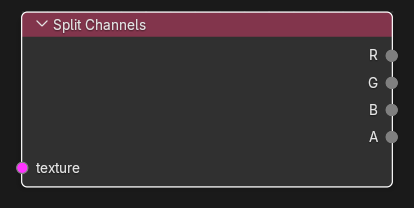
| Input | Type | Description |
|---|---|---|
| texture | Texture (single link) | RGB or RGBA texture. Required. |
| Output | Type | Description |
|---|---|---|
| R | Channel | Red channel (height x width floats). |
| G | Channel | Green channel. |
| B | Channel | Blue channel. |
| A | Channel | Alpha channel. For an RGB input it is a constant 1.0 image of the same size. |
Only the outputs you connect are used; the others cost nothing extra.
None.
Each output is an independent copy of that channel of the input. Values are not converted or clamped. The channel outputs connect to Channel sockets only: Combine Channels, Math, Remap (Channel), Height -> Normal, Brightness/Contrast, Color Space, PBR to Phong and Texture Preview.
Texture operators are evaluated while the export graph is resolved (and by the Texture Preview node): upstream image sources are decoded to float arrays, the operator runs on whole images, and the result is passed on without being written anywhere. If an operator cannot produce a result (a required input is unlinked, sizes differ, wrong data type) the export stops with ": output is unavailable".
- Unpack an ORM map: Image Source (ORM) -> Split Channels; send G (roughness) to PBR to Phong Roughness and B (metalness) to Metalness.
-
Extract the alpha of a Source texture: External Texture Source (
.vtf) -> Split Channels -> A -> Combine Channels to build a new mask texture.
- The input is mandatory; with nothing linked, any use of an output stops the export.
- All four channels have the input's size; combining channels from textures of different sizes fails.