Repository navigation
Activity
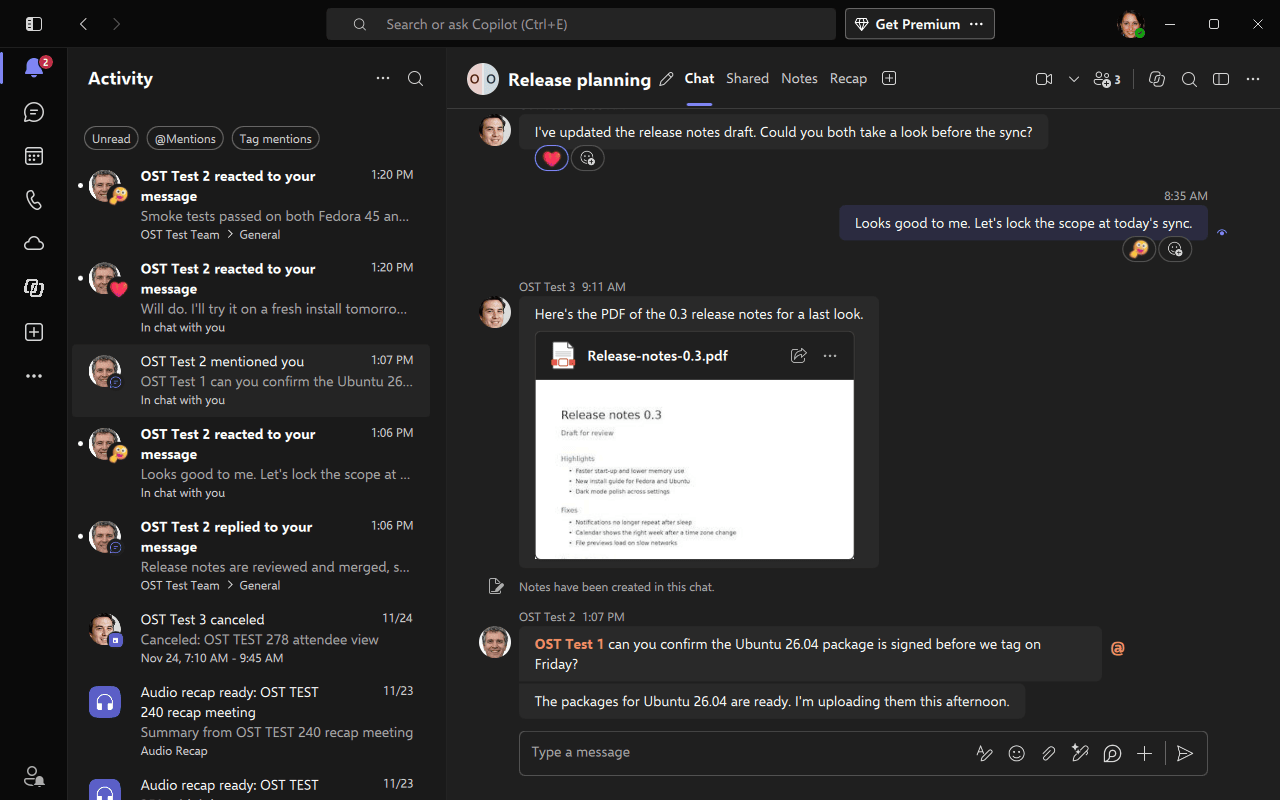
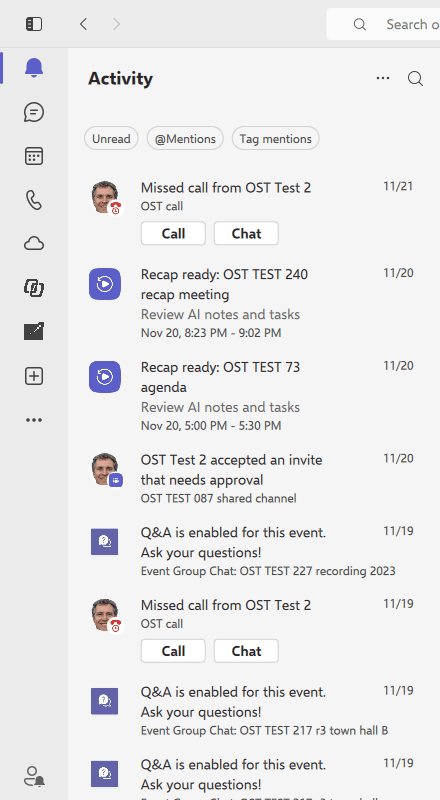
Activity (the bell) is Teams' activity feed: @mentions, replies, reactions, missed calls and voicemail, meeting invitations and updates, team and channel changes, and app notifications. It updates live, and what you read is marked read in Teams too.
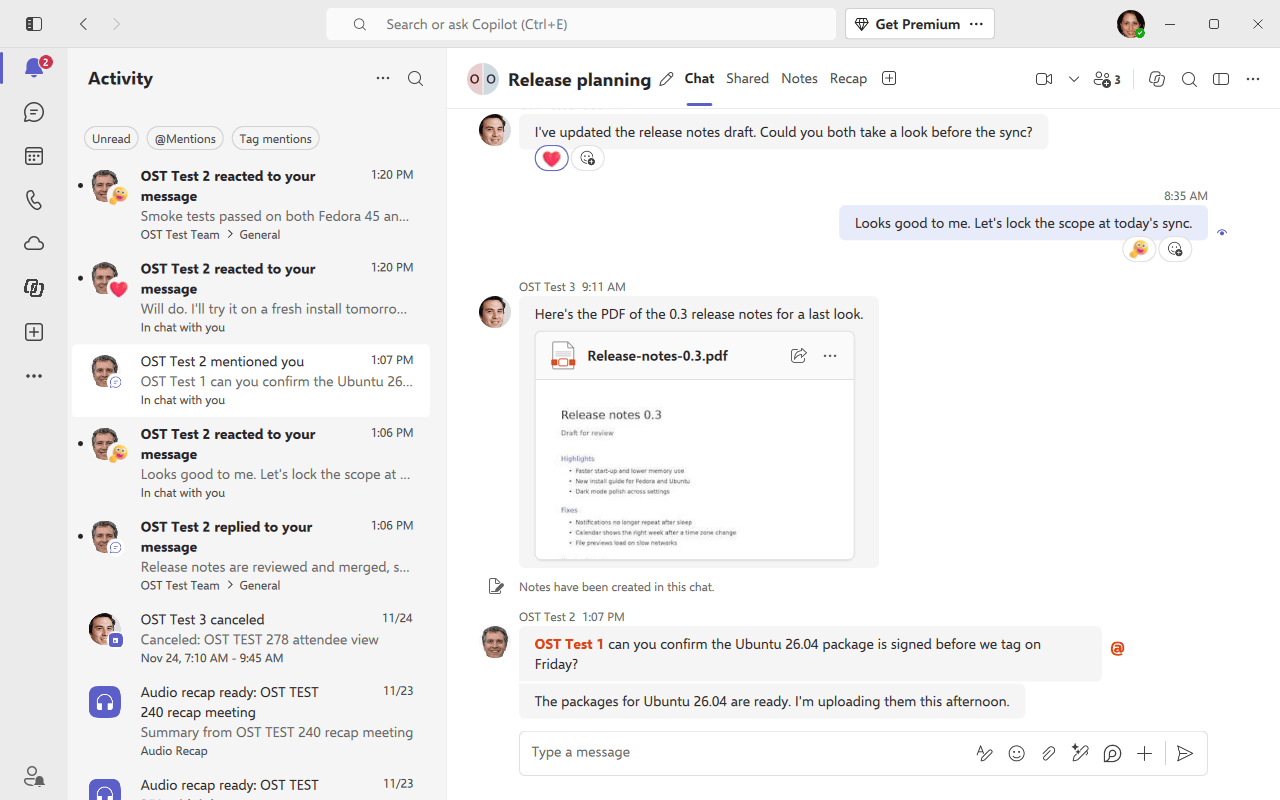
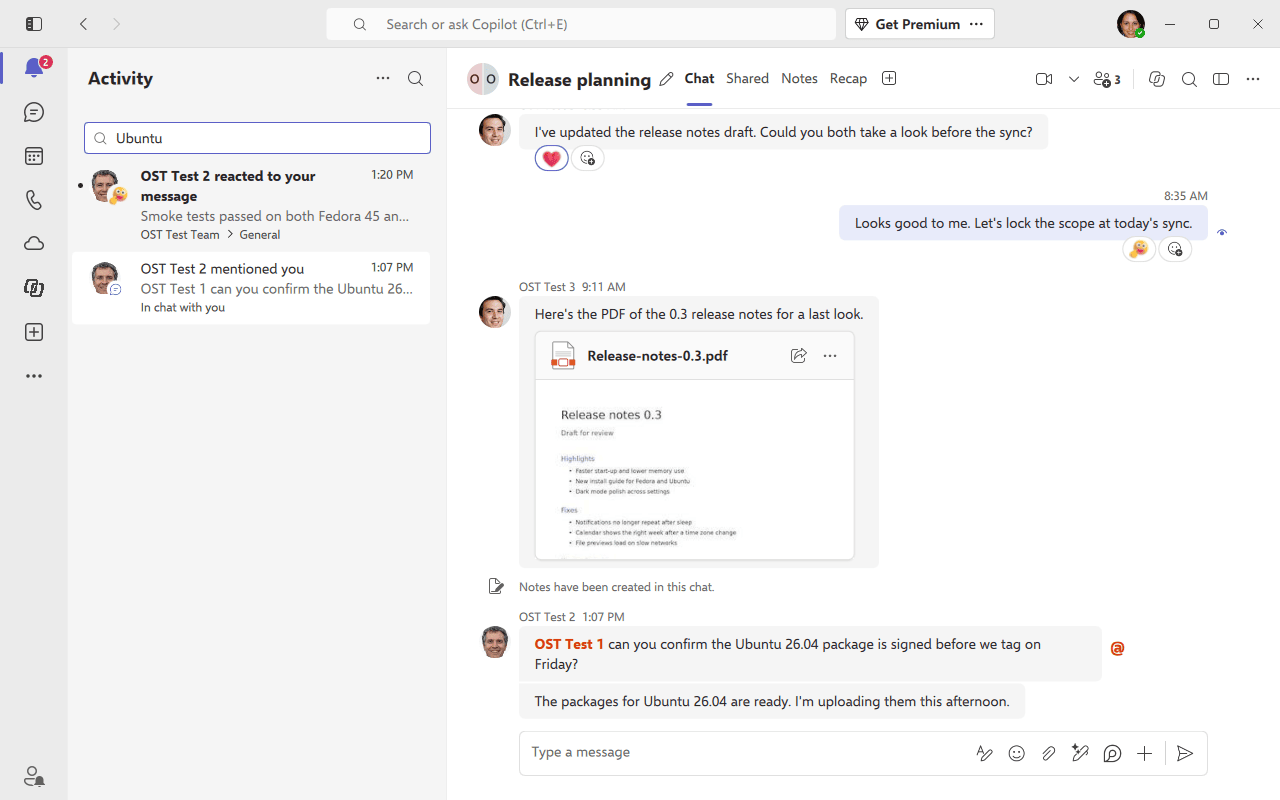
- Each item shows who did what, where (the chat name, or Team › Channel, "… in a thread" for threads channels) and when, with Teams' wording.
- Select an item to open it next to the feed, at the message it's about. A missed call offers Call and Chat.
- The bell's badge in the app bar counts unread activity, as Teams' does.
- Filter (the funnel): Unread, @Mentions and Tag mentions, and Type to filter the feed by text.
- More options (···): Mark all as read.
- Up and Down move through the feed. With Settings ▸ General ▸ Use Enter or Spacebar to show content on, Enter or Spacebar opens the item; otherwise moving opens it.
- App activity (Q&A, Approvals, Planner, bots) uses the app's own activity title and icon, as Teams fills them in from the app's manifest.
What shows in Activity, and what also pops up as a banner, is set in Settings ▸ Notifications and activity (see Notifications).
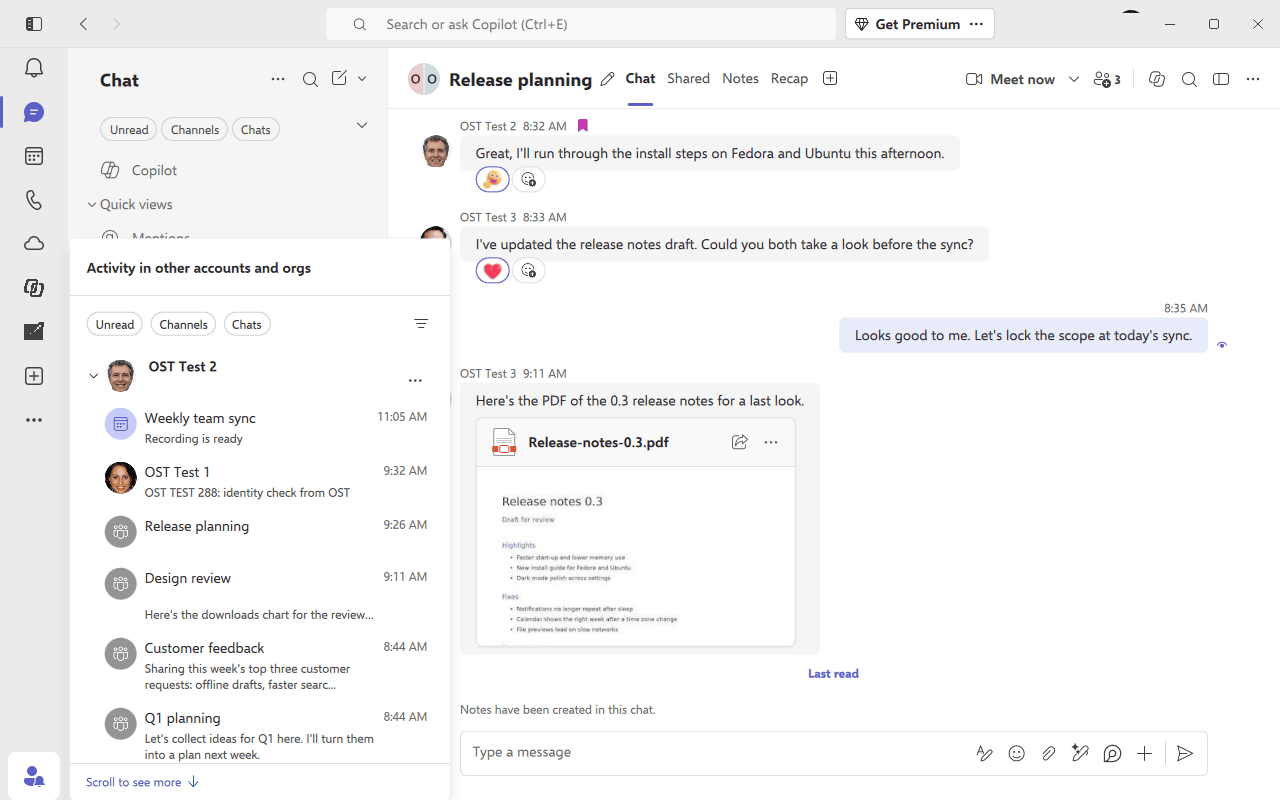
With more than one account on this computer (see Configuration), the bottom of the app bar has Activity in other accounts and orgs, with a red count of the other accounts' unread activity.
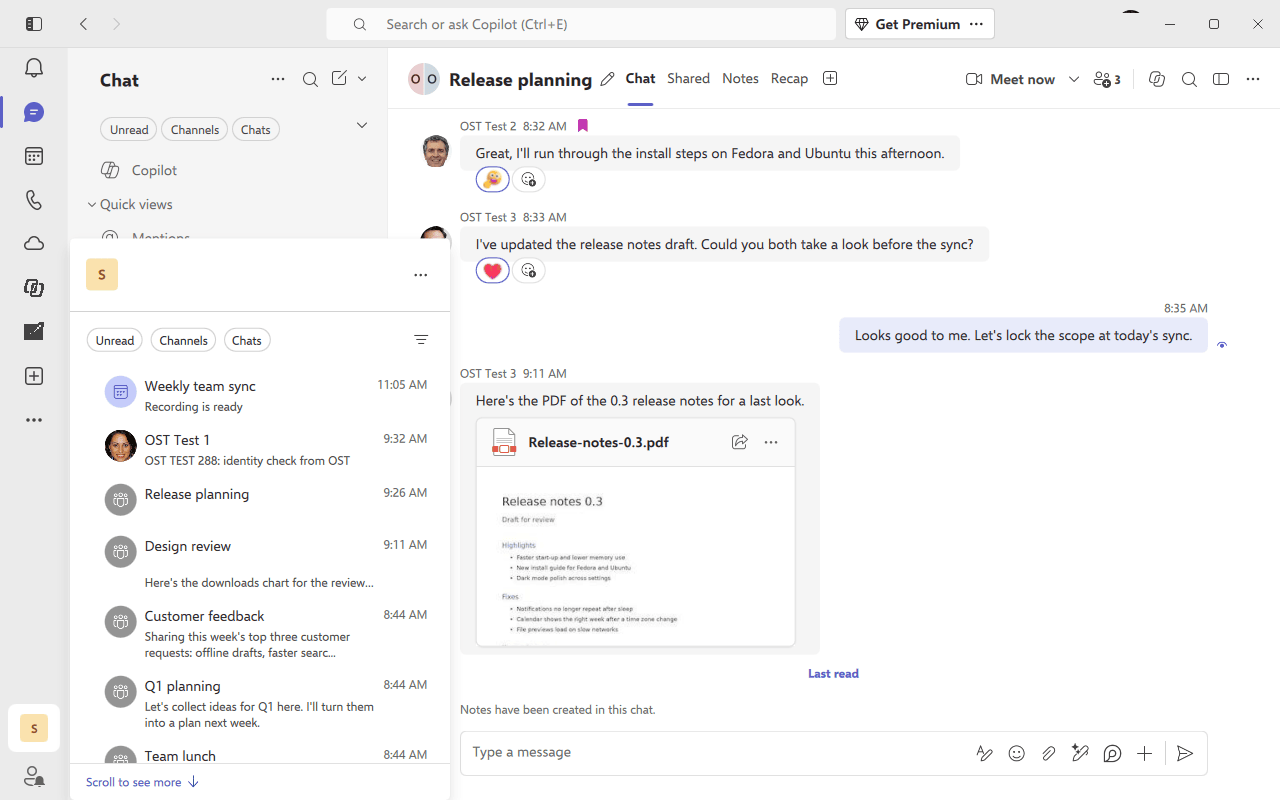
- It opens a flyout beside the app bar: Unread, Channels and Chats pills and Filter, then each other account with its picture, name and address over its recent activity and chats (unread ones bold). A missed call has Call and Chat. Selecting an item opens it in that account's window.
- An account's ··· (Account settings) has Pin this org: the org gets its own tile in the app bar (at most two) with the same flyout for that org alone, and Tenant settings ▸ Switch or Unpin this org.
OST in the dark theme: