Drawer Adjustment Approval
When a manager approves or rejects a drawer adjustment request, a browser confirmation dialog now appears before the action is executed. This prevents accidental approvals or rejections with a single misclick.
- Go to Request Manager → Request Search
- Set the date range and click Search
- Find a Drawer Adjustment request with status Pending
- Click To Approve in the Actions column
The page shows all details of the adjustment request before you act on it.
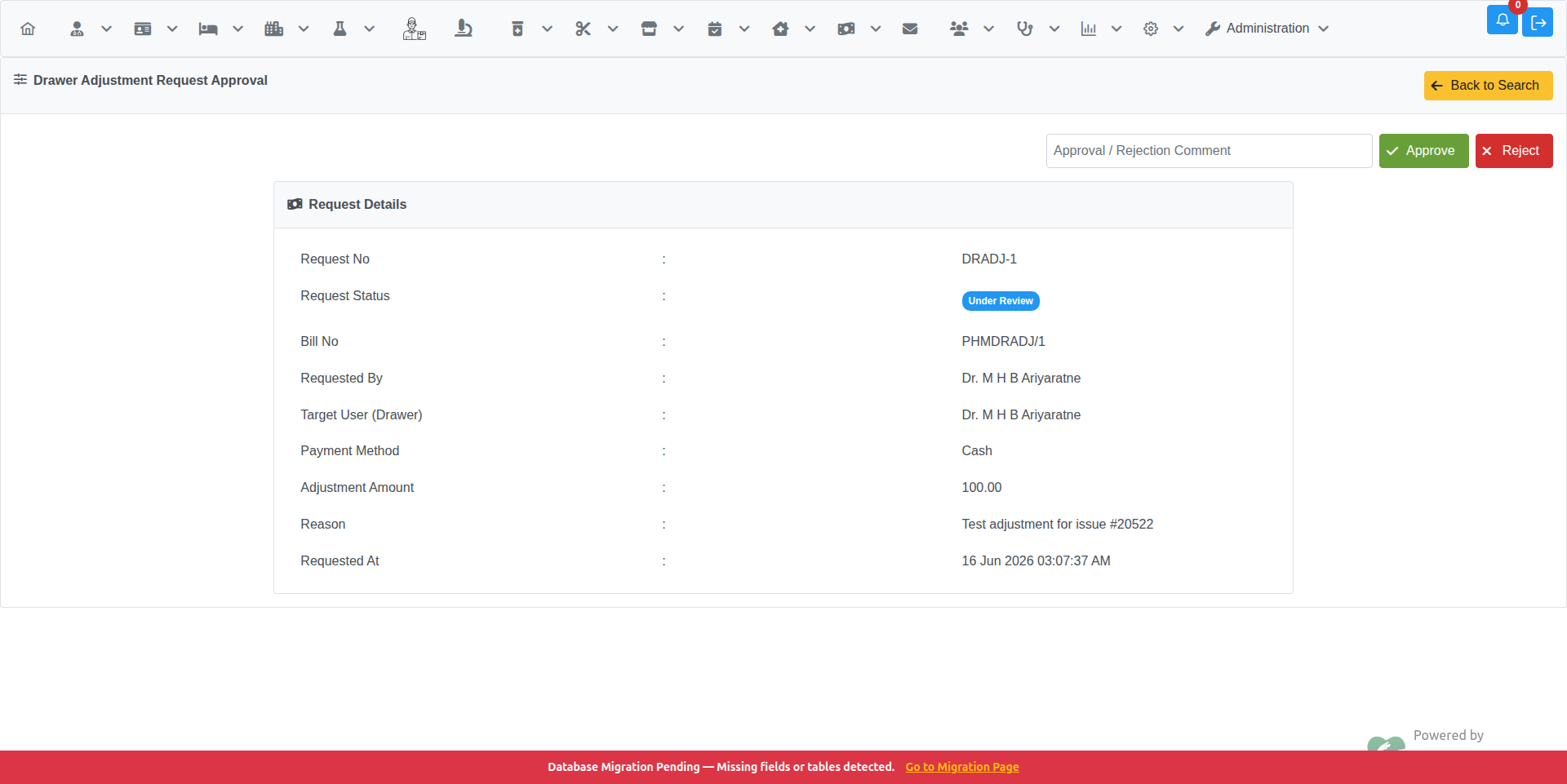
Fields displayed:
| Field | Description |
|---|---|
| Request No | Unique request identifier (e.g. DRADJ-1) |
| Request Status | Current status: Pending / Under Review / Completed / Rejected |
| Bill No | The associated cashier bill number |
| Requested By | Staff member who submitted the request |
| Target User (Drawer) | The drawer holder whose balance will be adjusted |
| Payment Method | Cash, Card, etc. |
| Adjustment Amount | Positive (add) or negative (deduct) amount |
| Reason | Explanation provided by the requester |
| Requested At | Date and time the request was submitted |
-
Optionally enter a comment in the Approval / Rejection Comment field
-
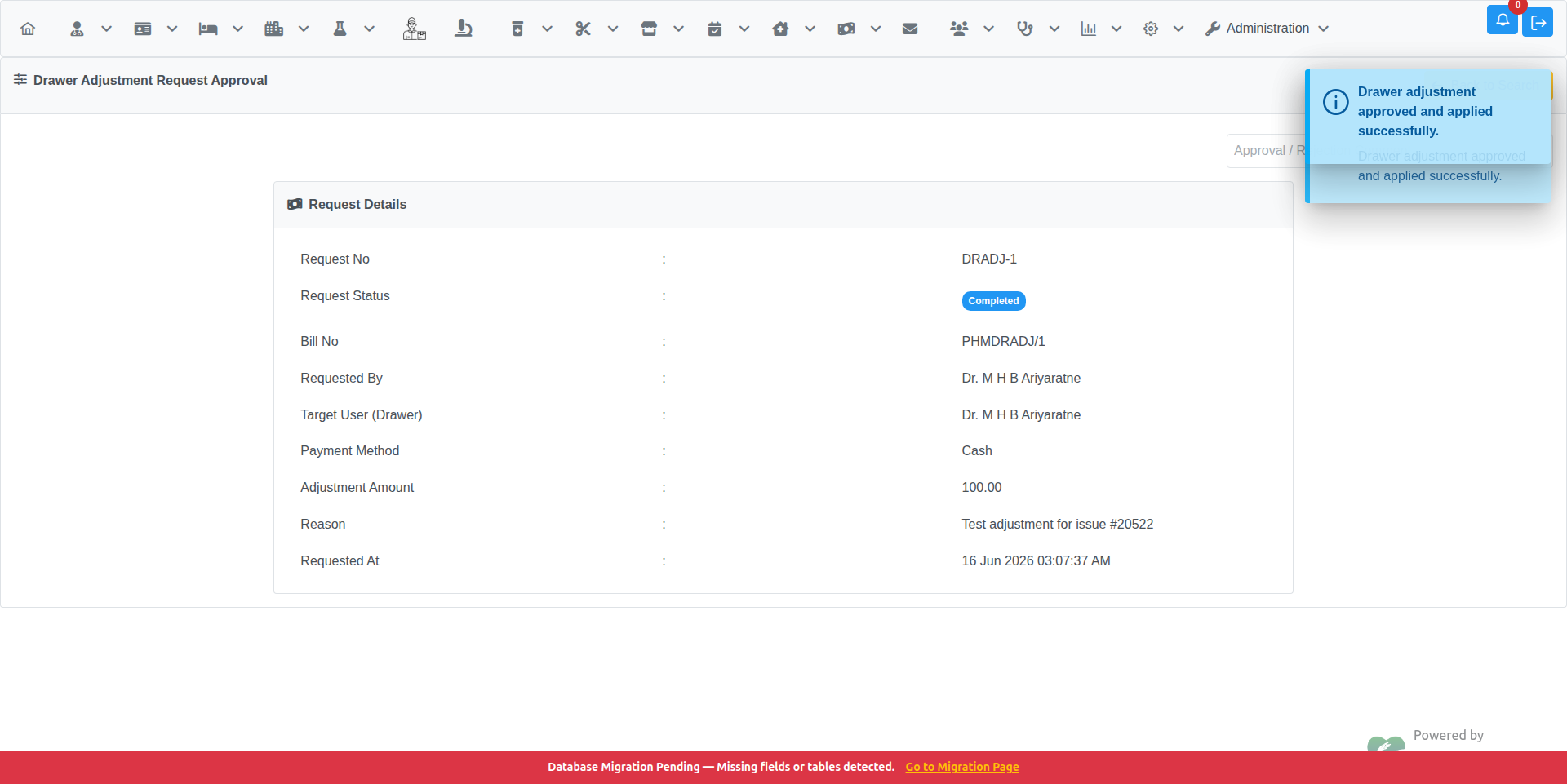
Click the Approve button (green)
-
A confirmation dialog appears:
Are you sure you want to approve this drawer adjustment?
-
Click OK to confirm — the adjustment is applied and the status changes to Completed
-
Click Cancel to return to the page without making any change
-
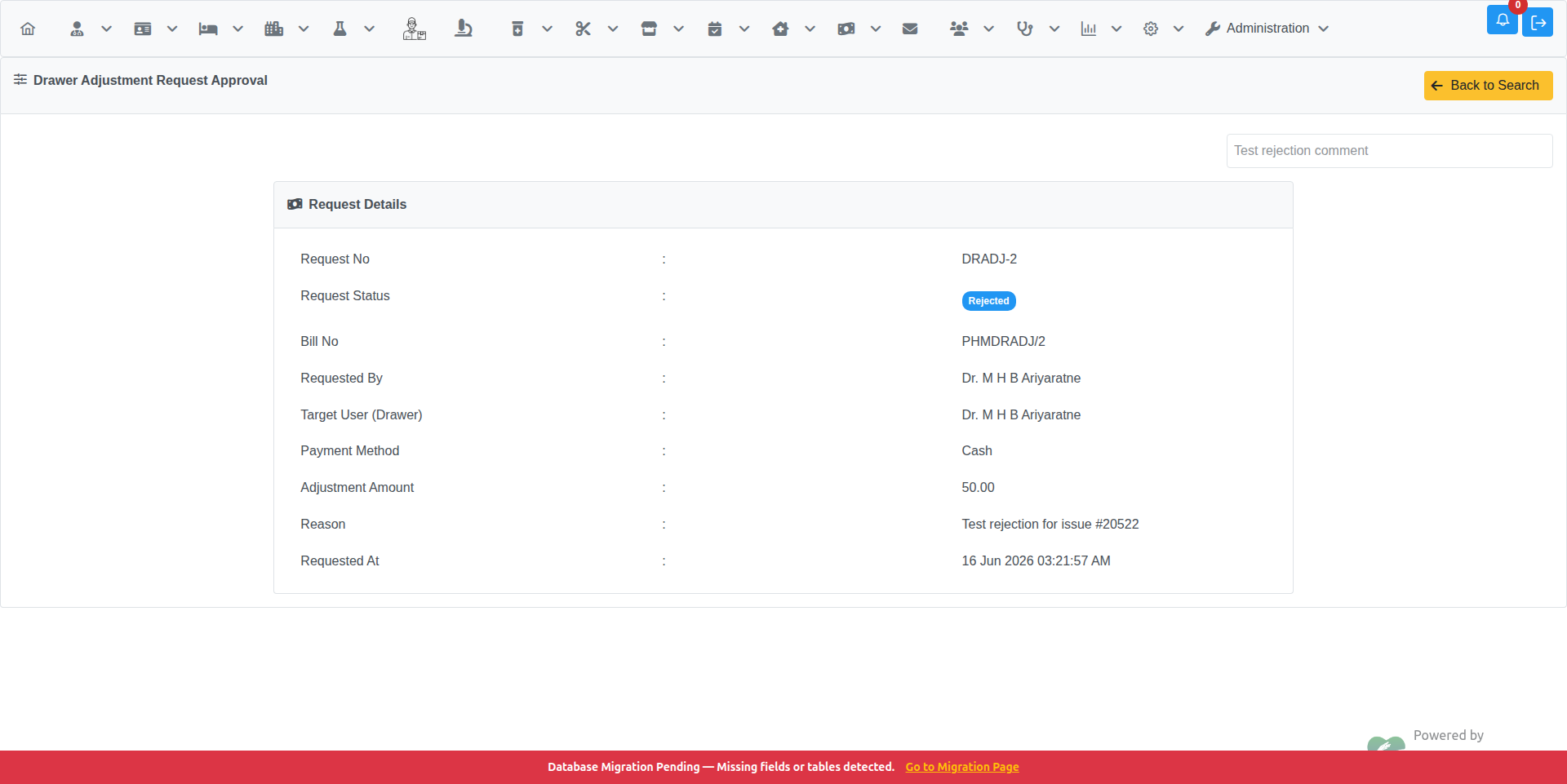
Enter a rejection reason in the Approval / Rejection Comment field (required)
-
Click the Reject button (red)
-
A confirmation dialog appears:
Are you sure you want to reject this drawer adjustment?
-
Click OK to confirm — the status changes to Rejected
-
Click Cancel to return to the page without making any change
This page requires the Drawer Adjustment Approval privilege.
To grant it:
- Go to Administration → Users → Manage User Privileges
- Select the user and department, then click List Privileges
- Expand Request Manage → Drawer Adjustment Approval
- Check the box and click Update User Privileges
- Drawer Adjustment Request — how to submit a new request
- Request Manager — overview of the request workflow