Repository navigation
Coding Agent
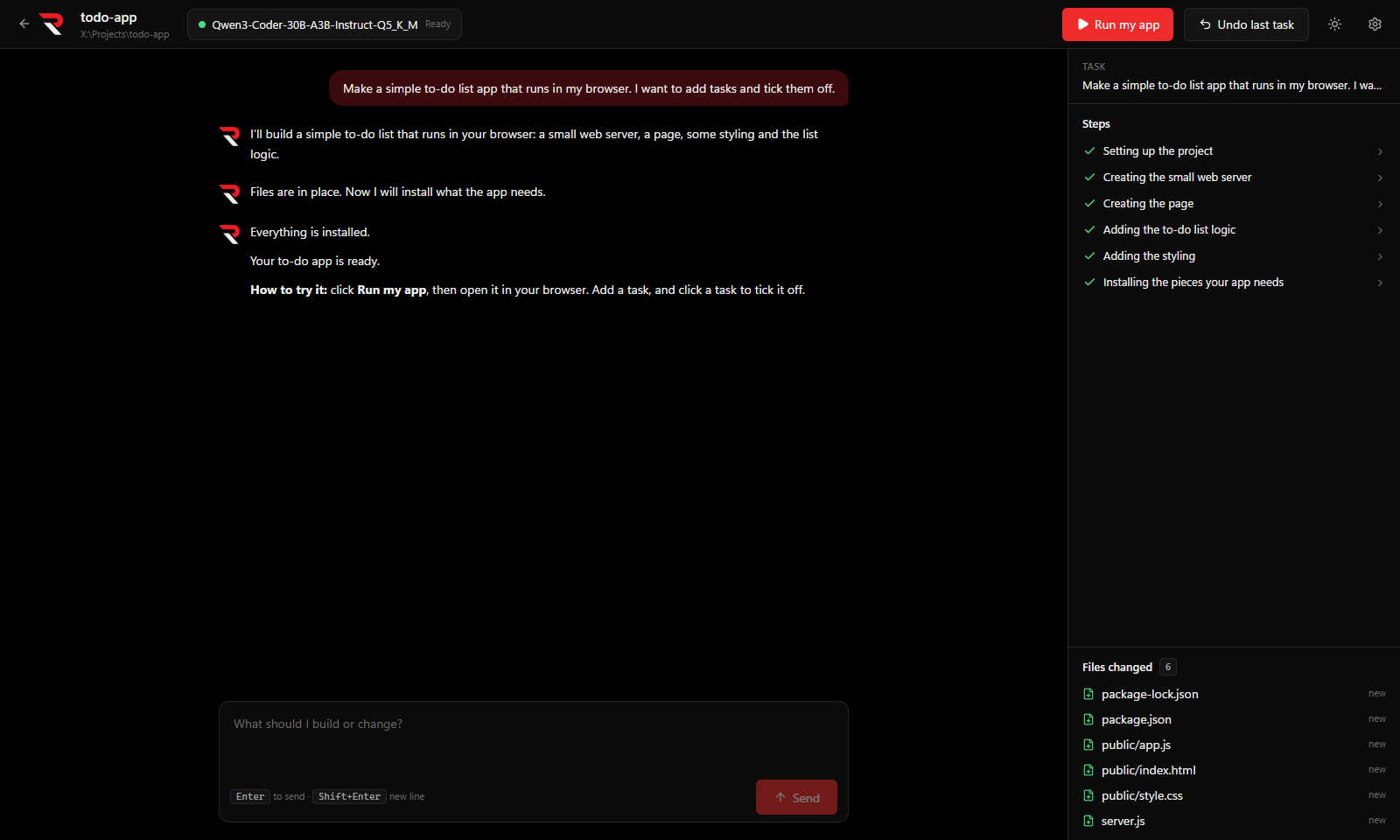
RulZ Coding Agent is a Windows desktop app that builds software from plain English. You describe an app ("make a video upscaler with a drag-and-drop window"), and a local AI model creates the files, installs what they need, runs the app, reads the errors and fixes them. It asks for your OK before risky steps.
Everything runs on your computer. RulZ LLM Suite serves the model, and this app is the "hands" that edit files and run commands. There are no cloud services and no accounts.
- Getting Started: install, connect to RulZ LLM Suite, and make your first project.
- Projects and Tasks: the conversation, steps, changed files, Undo and History.
- Approvals and Safety: what the agent asks before doing, and what it never does.
- Model Settings: switch models, and tune how the model writes, thinks and loads.
- Phone Access: control your projects from the Android app.
| Version | Highlights |
|---|---|
| Android 0.4.0 | RulZ Coding Agent for Android shows the thinking box, the Drafts readout and the thinking-budget warning, and has Keep thinking open after the answer. Needs this app's 0.10.0 (0.11.0 for keeping thinking open) on the computer. |
| 0.14.0 | Tasks no longer fail with a "context too large" error after you reload a model with a different context size. Faster steps (no full project scan after every edit), smoother streaming, background commands left over from a crash are cleaned up at the next start, and the phone app is no longer sent your API key. |
| 0.13.0 | Copy, delete and run again on the messages in the conversation: Edit or Run again your latest request (its file changes are undone first), Delete a request with its replies, or a single reply. |
| 0.12.0 | Add a note while the agent works: it is read before the agent's next step, or right away with Now, which cuts the model's current reply short (running commands are never cut). |
| 0.11.0 | New setting Keep thinking open after the answer: the thinking box stays open once the model starts answering instead of folding away. Off by default. |
| 0.10.0 | A Drafts readout next to the Memory meter shows how many drafted tokens the model accepted and about how much time drafting saved, per task. When thinking is turned off (or its budget is 0) the status now says so instead of just "Thinking…", and thoughts from more kinds of servers show up. |
| 0.9.2 | Pick the draft model: automatic, the MTP layers built into the model, or any draft file in RulZ's models folder. Needs RulZ LLM Suite 0.3.9 or later. |
| 0.9.1 | The model's thinking is shown live in a box above each reply that folds away when it answers. |
| 0.8.0 | Thinking settings (on/off, reasoning effort, budget), GPU split with a slider per GPU, draft (MTP) tuning and a live memory estimate in Model Settings. The new load controls need RulZ LLM Suite 0.3.7 or later. |
| 0.7.0 | Model quick switch in the top bar; Settings → Model settings for generation and load settings (Model Settings). Load settings need RulZ LLM Suite 0.3.5 or later. |
| 0.6.0 | Phone access over Tailscale for RulZ Coding Agent for Android. |
| 0.5.0 | Extra tools: tool servers (MCP) set up in RulZ LLM Suite, such as REA. |
| 0.4.0 | Memory meter, project Notes, instructions for every project, and Share my app. |
| 0.3.0 | History panel with Go back to before this. |
| 0.2.0 | Fix this button and page checking. |
Downloads are on the Releases page.