Repository navigation
Image Grid
Lays out a set of pictures in a neat grid and saves the whole grid as one picture. Good for comparing training samples, showing off a batch of generations, or making a contact sheet. Each picture can have its file name under it, and you can label the rows and columns ("Step 500", "Step 1000", "CFG 4"…).
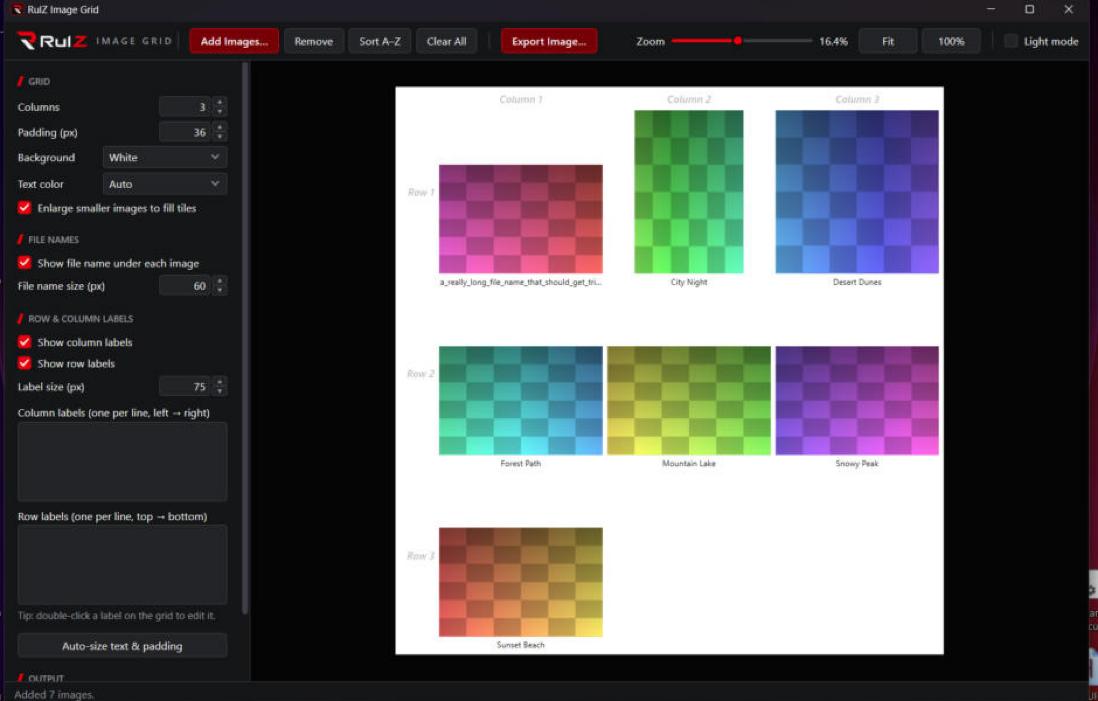
- Drag and drop: drop pictures or whole folders onto the window. Drop them onto the grid to put them at that spot.
- Rearrange: drag a picture to a new place in the grid, or sort them all by file name.
- File names and labels: show each picture's file name under it, and add your own row and column labels.
- Layout: choose the number of columns, the spacing, the text sizes, the background (including transparent) and the text color.
- Export: save the grid as a PNG or JPG at any size from 1% to 200% of full resolution, with the exact size in pixels shown before you save, and a preview.
- Dark or light: black and red, or white and red, like the other RulZ apps.
| If you want to… | Read |
|---|---|
| Install it and make your first grid | Getting Started |
| Add, arrange and label pictures, and change the layout | Building a Grid |
| Save the grid as an image | Exporting |
| Find your settings, or fix a problem | Settings and Troubleshooting |
- Windows 10 or 11. Nothing else: it uses .NET Framework 4.8, which is built into Windows.
- No graphics card needed.
- Source code: https://github.com/speedyrulz/RulZ-AI-Tools-Suite/tree/main/apps/RulZ-Image-Grid
- Full technical README: README
- Report a bug or request a feature: Issues
- License: MIT. The RulZ name and logo are excluded from it (see LOGO-NOTICE).
| Version | Highlights |
|---|---|
| 1.0.0 | First version in the RulZ AI Tools Suite: drag-and-drop grid, file names, row and column labels, layout options, PNG/JPG export from 1% to 200% with a live preview, and dark or light look. |