Repository navigation
Image Tournament
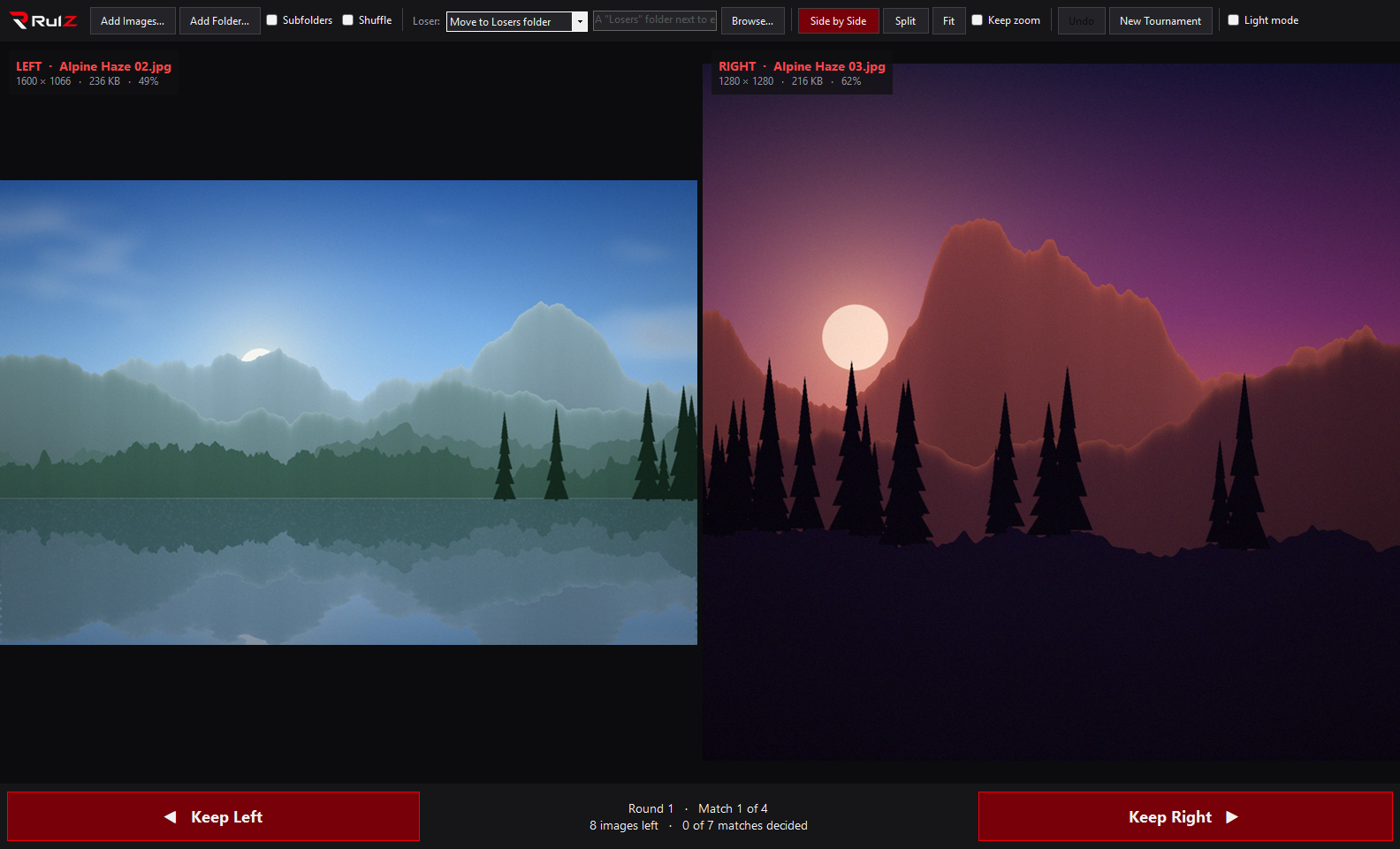
RulZ Image Tournament is a Windows app that finds your favorite image by single-elimination tournament. It shows two images at a time. You keep one, and the other is moved to a Losers folder (or recycled, deleted, or left alone). This repeats until one champion is left.
| I want to… | Go to |
|---|---|
| Run the app for the first time | Getting Started |
| Understand how pairing, byes and rounds work | How the Tournament Works |
| See every mouse action and shortcut | Controls and Shortcuts |
| Compare two images closely (split view, zoom, pan) | Comparing Images |
| Choose what happens to the images that lose | Options and Settings |
| Find out which file types work | Supported Formats |
| Fix a problem | Troubleshooting and FAQ |
| Build or change the app | Building from Source |
- Two at a time: pick the one you like more. The winner stays, the loser goes to a Losers folder you can choose.
- Any amount of images: pick files, pick a folder, or drag images and folders into the window.
- Side by side or split view: in split view, drag a divider to flip between the two images.
- Synced zoom and pan: the mouse wheel zooms both images together, and dragging moves both, so you're always looking at the same spot in each.
- Undo, and resume where you left off: progress is saved after every pick.
- Dark and light looks: black and red by default, or a white look if you prefer.
| Version | What changed |
|---|---|
| 1.1.1 | Arrow and number keys no longer pick a winner while a drop-down is open; mouse-wheel zoom keeps working after clicking a checkbox; adding big folders doesn't freeze the window; images load faster. |
- Source code and releases
- Report a problem or suggest a feature
- The source is under the MIT License. The RulZ name and logo are excluded; see LOGO-NOTICE.md.