Repository navigation
Image Grid Getting Started
- Open the RulZ AI Tools Suite launcher and click RulZ Image Grid (under Photos).
- Click Install. It's one small program, so this takes a few seconds.
- Click Launch.
RulZ Image Grid is in launcher version 1.9.0 and later. If you don't see it, update the launcher first (see Settings and Launcher Updates).
Updates show up as an Update button on the app's card.
The app is installed in %LOCALAPPDATA%\Programs\RulZ AI Tools\RulZ Image Grid unless you changed the launcher's
install folder.
- Download
RulZ-Image-Grid-v<version>-win64.zipfrom the Releases page (look for a release named RulZ Image Grid). - Unzip it anywhere and double-click
RulZ Image Grid.exe.
You can also drag pictures or a folder onto the .exe to open the app with them already in the grid.
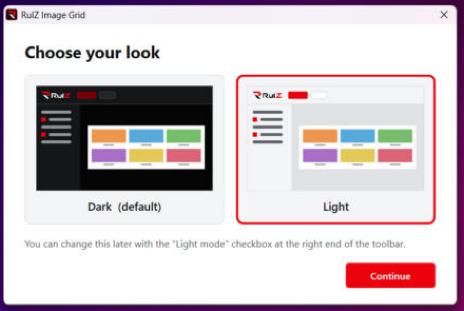
The first time the app starts, it asks you to choose your look: Dark or Light. You can change it any time with the Light mode checkbox at the right end of the toolbar.
- Drag a few pictures (or a folder) onto the window, or click Add Images… (Ctrl+O).
- Set Columns in the side panel to how many pictures you want across.
- Optional: type row and column labels in the side panel, one per line.
- Click Export Image… (Ctrl+E), check the size, and click Save….
Next: Building a Grid has every option.