Repository navigation
Image Crawler
Tell it what pictures you want, in plain words ("women with red hair", "sunsets over the sea", "vintage cars"), and point it at a website or a folder on your PC. It looks at every picture with an AI vision model that runs on your own graphics card and keeps only the ones that match. Nothing is uploaded anywhere.
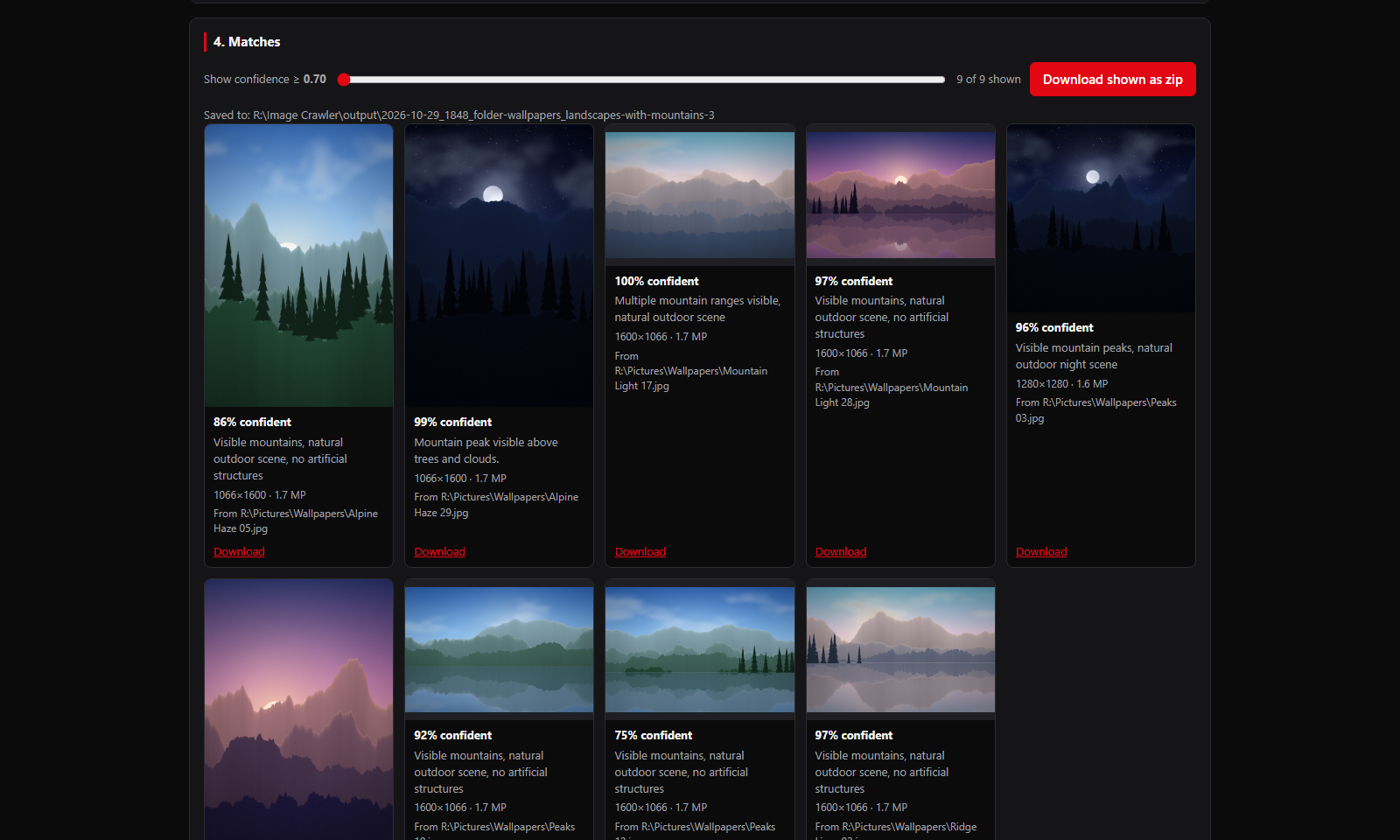
- Websites: opens the pages like a normal browser (scrolling so lazy pictures load), follows links on the same site up to the limits you set, and downloads the matching pictures, full size where it can find the original.
- Folders: checks the pictures in a folder (and its subfolders, if you like) and copies the matches into a new folder. Your own folder is never changed.
- A checklist you can read: your description is turned into a short checklist (what must be in the picture, what to reject). You can edit it before starting.
- Confidence for every match, a slider to hide the less certain ones, and Download shown as zip.
- Past searches are kept, so you can reopen any earlier run.
- Uses every NVIDIA card that has room for the model, so two cards check pictures about twice as fast.
| If you want to… | Read |
|---|---|
| Install it | Installation |
| Run your first search | Quick Start |
| Understand the checklist, confidence and every setting | Searches and Settings |
| Find, filter and download what it saved | Results and Past Searches |
| Fix a problem | Troubleshooting |
- Windows 10 or 11
- An NVIDIA graphics card with about 16 GB of memory (the model uses about 13 GB)
- About 11 GB of free disk space (the model alone is 9.7 GB)
- Python 3.11 or newer: the launcher installs it for you if it's missing
- Source code: https://github.com/speedyrulz/RulZ-AI-Tools-Suite/tree/main/apps/rulz-image-crawler
- Full technical README: README
- Report a bug or request a feature: Issues
- License: MIT. The RulZ name and logo are excluded from it (see LOGO-NOTICE).
| Version | What changed |
|---|---|
| 1.2.0 | New Stay in this folder option keeps a website search inside the folder you started in and below |
| 1.1.1 | Respect robots.txt starts off; tick it to follow a site's robots.txt |
| 1.1.0 | Uses about 1.8 GB less graphics memory per card (cards with 12 GB now qualify); pictures are shrunk while they load and ones already checked aren't decoded again; pages load faster |
| 1.0.0 | First release in the RulZ AI Tools Suite: the launcher installs, updates and starts it |