Repository navigation
Training Captioner
A Windows desktop app for captioning image datasets (LoRA / fine-tune training data) with a local vision LLM. Nothing is uploaded anywhere: the model runs on your own GPU(s).
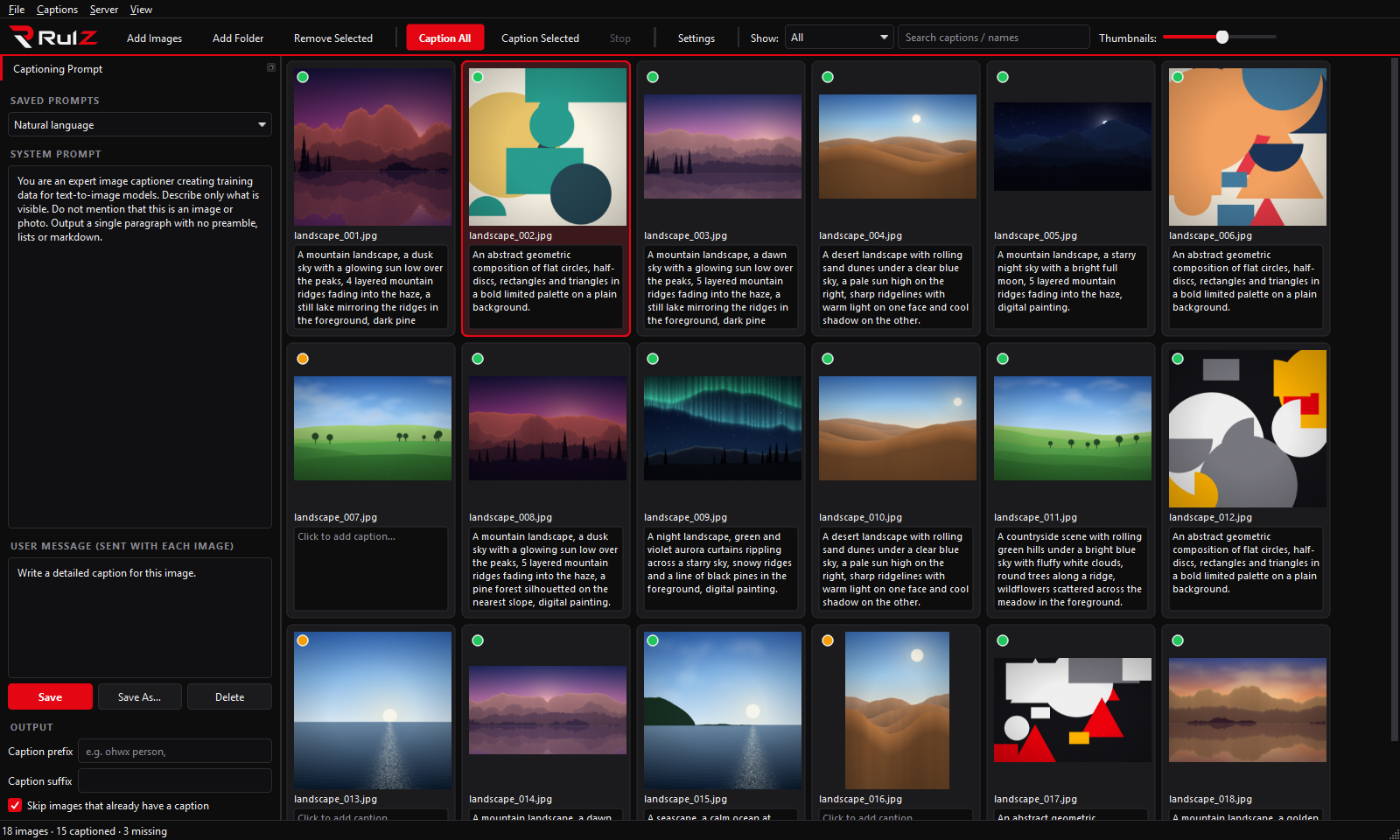
- Load images or whole folders, shown as a thumbnail grid with an editable caption box under every image.
- Captions are stored as
.txtfiles next to each image (photo.png→photo.txt), the format trainers like kohya_ss, OneTrainer, ai-toolkit and SimpleTuner expect. - Edit any caption by hand; the
.txtfile is created or updated when you click away from the box. - Caption everything (or a selection) with a vision model through llama.cpp, or any OpenAI-compatible server.
- Save your own system prompts for different caption styles.
- Multi-GPU: split one big model across cards, or run one copy per card and caption images in parallel.
- Dark theme (default) and light theme.
| If you want to… | Read |
|---|---|
| Install and run the app | Installation |
| Caption your first folder | Quick Start |
| Learn the grid, editing and shortcuts | Using the Grid |
| Write and save caption prompts | Prompts |
| Pick a model and set up llama.cpp | Models and Backends |
| Use two or more GPUs | Multi-GPU |
| Look up every setting | Settings Reference |
| Fix a problem | Troubleshooting |
- Windows 10/11 and Python 3.10+ (used by
run.bat) - An NVIDIA GPU is recommended (CUDA builds of llama.cpp are what the app is tested with)
- A vision-capable GGUF model and its mmproj file, or a running OpenAI-compatible server
| Version | What changed |
|---|---|
| 1.2.0 | Faster captioning (pictures are shrunk while they load and the next one is prepared while the model works); busy-server errors are retried; a caption you type during Caption All is no longer overwritten; Start Servers with the same settings doesn't reload the model. |
- Source code: https://github.com/speedyrulz/RulZ-AI-Tools-Suite/tree/main/apps/Rulz-Training-Captioner
- Report a bug or request a feature: Issues
- License: MIT. The RulZ name and logo are excluded from it (see LOGO-NOTICE).