Repository navigation
HF Manager
Manages your Hugging Face models, datasets, spaces and storage buckets from one page in your browser. Moving,
renaming, uploading and downloading files is much quicker than on the website or with the hf command line:
tick files in a table, click a button, done.
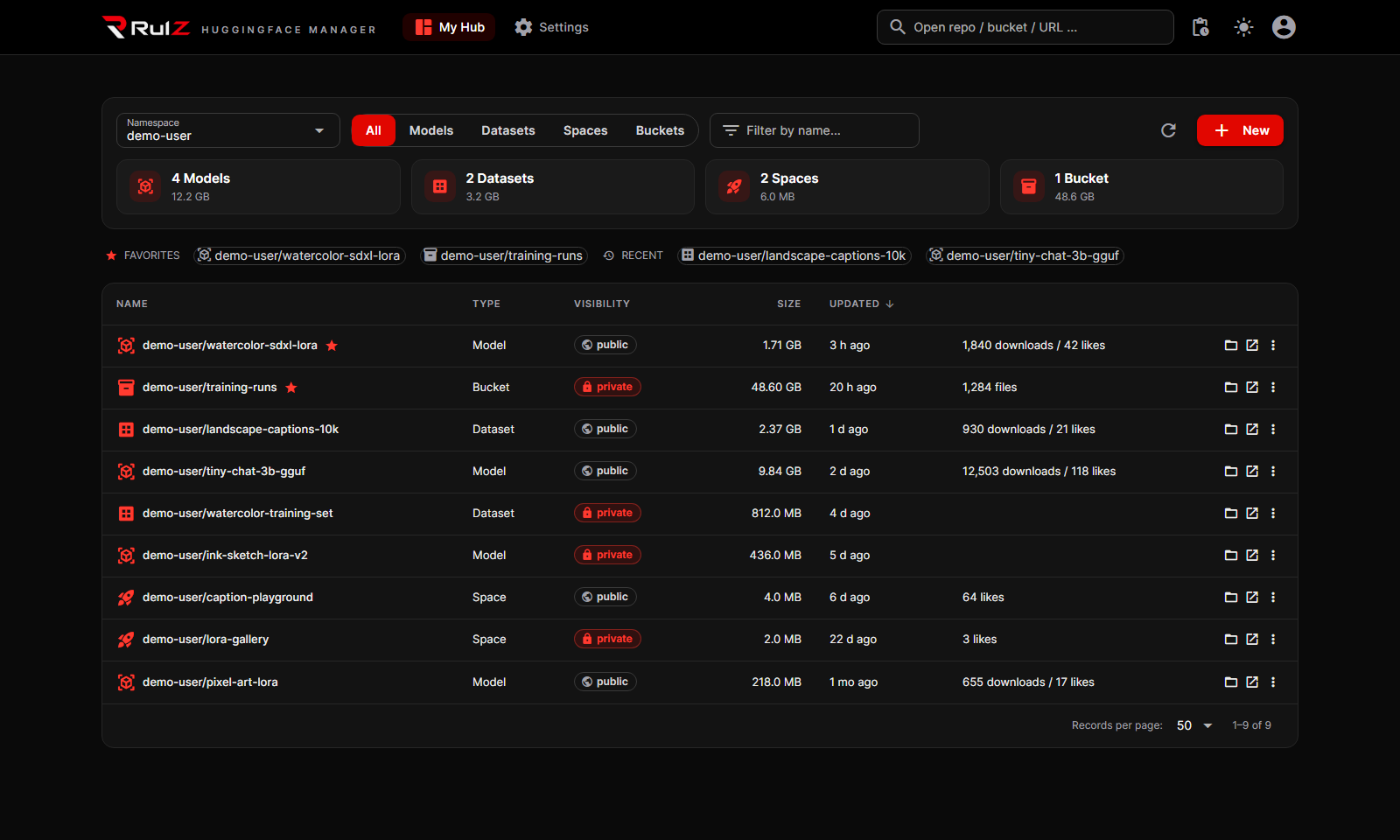
- My Hub: every model, dataset, space and bucket in your account and your organizations in one table, with size, public or private, and last update. Storage totals per type. Type any other username to browse their public repos.
- Manage repos: create, rename or move to an organization, make public or private, duplicate, delete.
- Files: browse folders, then upload, download, rename, move, copy or delete files and whole folders. In a repo all changes go into one commit (or a pull request); in a bucket, moves and copies run on the Hub.
- Big files: uploads picked "from this computer" are read straight from disk, so multi-GB model files don't go through the browser.
- Preview and edit text files (README, JSON, YAML, Python…) and preview images. Saving makes a commit.
- Bucket sync: copy only what changed between a folder on your computer and a bucket, in either direction, after a preview of exactly what will happen.
- Activity panel: uploads, downloads and moves run in the background with progress.
- Dark or light: black and red, or white and red, like the other RulZ apps.
It runs on your own computer and only listens to your own computer by default. Your Hugging Face token is kept on your computer too.
| If you want to… | Read |
|---|---|
| Install it, add your token and open your repos | Getting Started |
| See all your repos, create, rename or delete them | My Hub |
| Upload, download, move, copy, rename or edit files | Working with Files |
| Change settings, or fix a problem | Settings and Troubleshooting |
- Windows 10 or 11 (it also runs under WSL / Ubuntu, see Getting Started).
- Python 3.10 or newer. The launcher installs it for you if it's missing.
- A Hugging Face account and an access token with Write permission to change things. Without a token you can still browse public repos.
- No graphics card needed.
- Source code: https://github.com/speedyrulz/RulZ-AI-Tools-Suite/tree/main/apps/RulZ-Huggingface-Manager
- Full technical README: README
- Report a bug or request a feature: Issues
- License: MIT. The RulZ name and logo are excluded from it (see LOGO-NOTICE).
| Version | Highlights |
|---|---|
| 1.1.0 | First version in the RulZ AI Tools Suite. The RulZ look: black and red or white and red, the RulZ logo, a Choose your look question on first start and a sun / moon button to switch. Installs and updates from the launcher. |