Cost Rate Adjustment
Path:
Pharmacy > Adjustments > Cost Rate
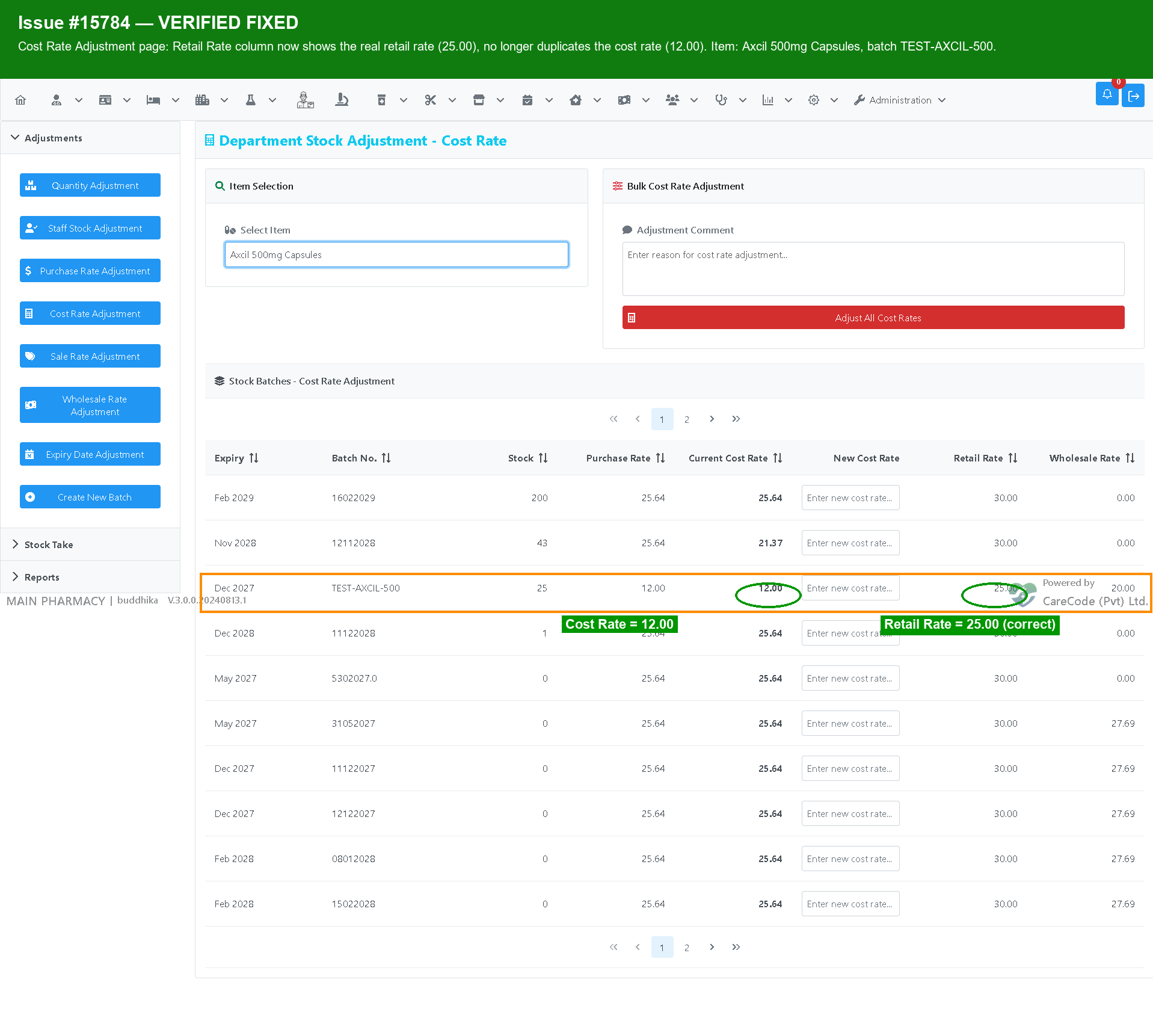
-
Search and select an item.
-
Enter the new cost rate.
-
Enter a comment.
-
Select "Make Adjustment".
-
Print Cost Rate Adjustment Note.
Note: The Retail Rate column on this page now always shows the item's actual retail rate, and the Cost Rate column on the Sale Rate Adjustment page now always shows the item's actual cost rate. Previously these two columns could incorrectly display a duplicate of the rate being adjusted instead of the other rate.