Inpatient Final Bill Versions
Page: Admission Profile → Billing panel → Manage Final Bills
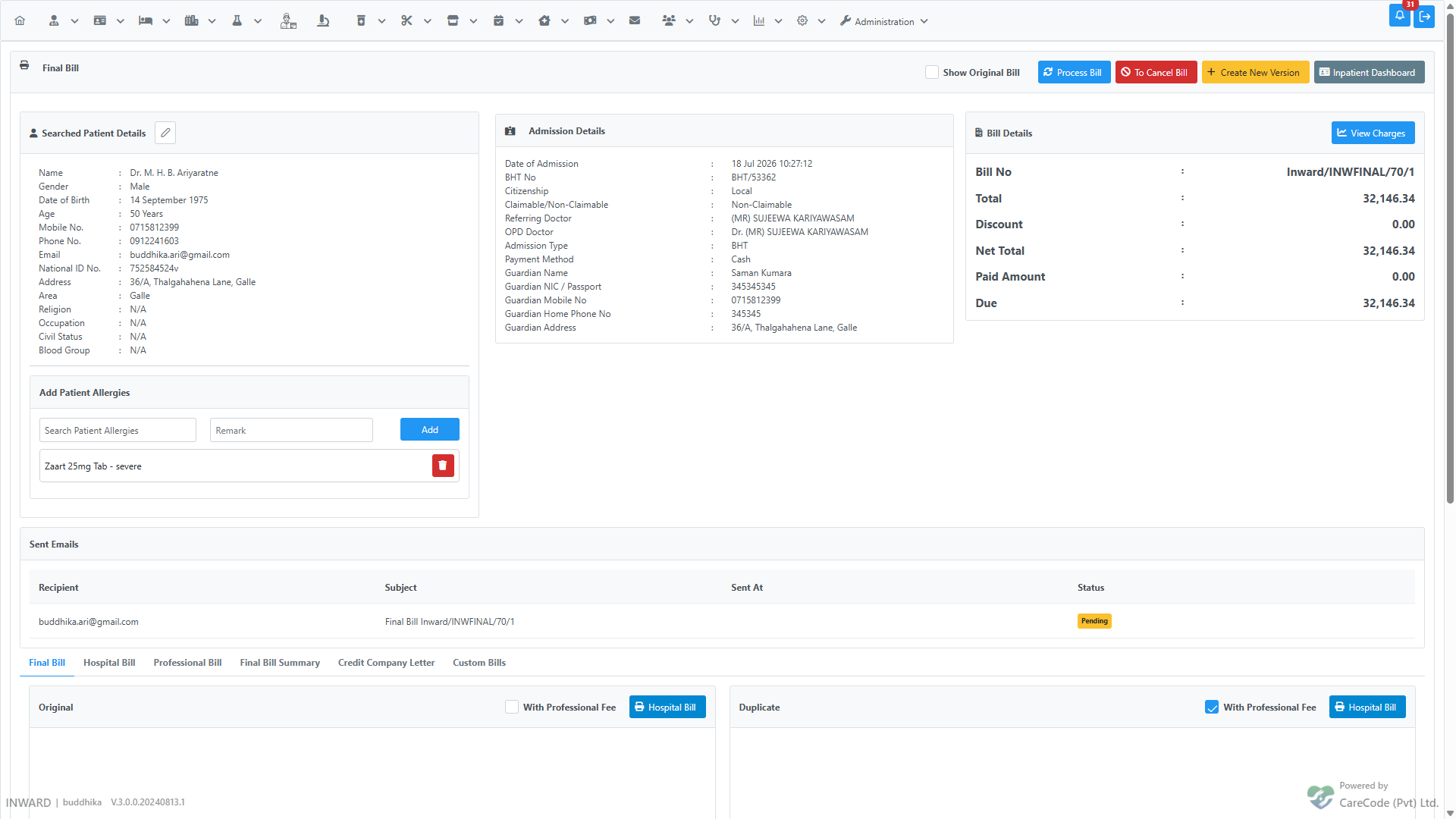
XHTML: /inward/inward_final_bill_list.xhtml (versions list), /inward/inward_reprint_bill_final.xhtml (view/print + Sent Emails history)
Controller: InwardSearch (retire, email), BhtSummeryController (create new version, numbering)
Privileges: InwardSettleFinalBill (view page), InwardFinalBillCreateVersion, InwardFinalBillSetConfirmed, InwardFinalBillRetire, InwardFinalBillEmail
A discharged admission's final bill isn't always right the first time — a missed charge, a late professional fee, or a correction after the patient has already left. Instead of editing the settled bill in place, the system creates a new version of the final bill. Every version stays in the admission's history; exactly one is marked Confirmed at any time, and the Confirmed version is the one used for reporting and collections.
Open Manage Final Bills from the Admission Profile to see every version created for the admission:
| Column | Meaning |
|---|---|
| Bill Number | The version's bill number — see Numbering below |
| Created | When the version was created, and by whom |
| Net Total / Claimable Total | The version's totals |
| Status |
Available, Confirmed, or Cancelled
|
| Actions | View / Print, Set as Confirmed, Create New Version, Retire, Email |
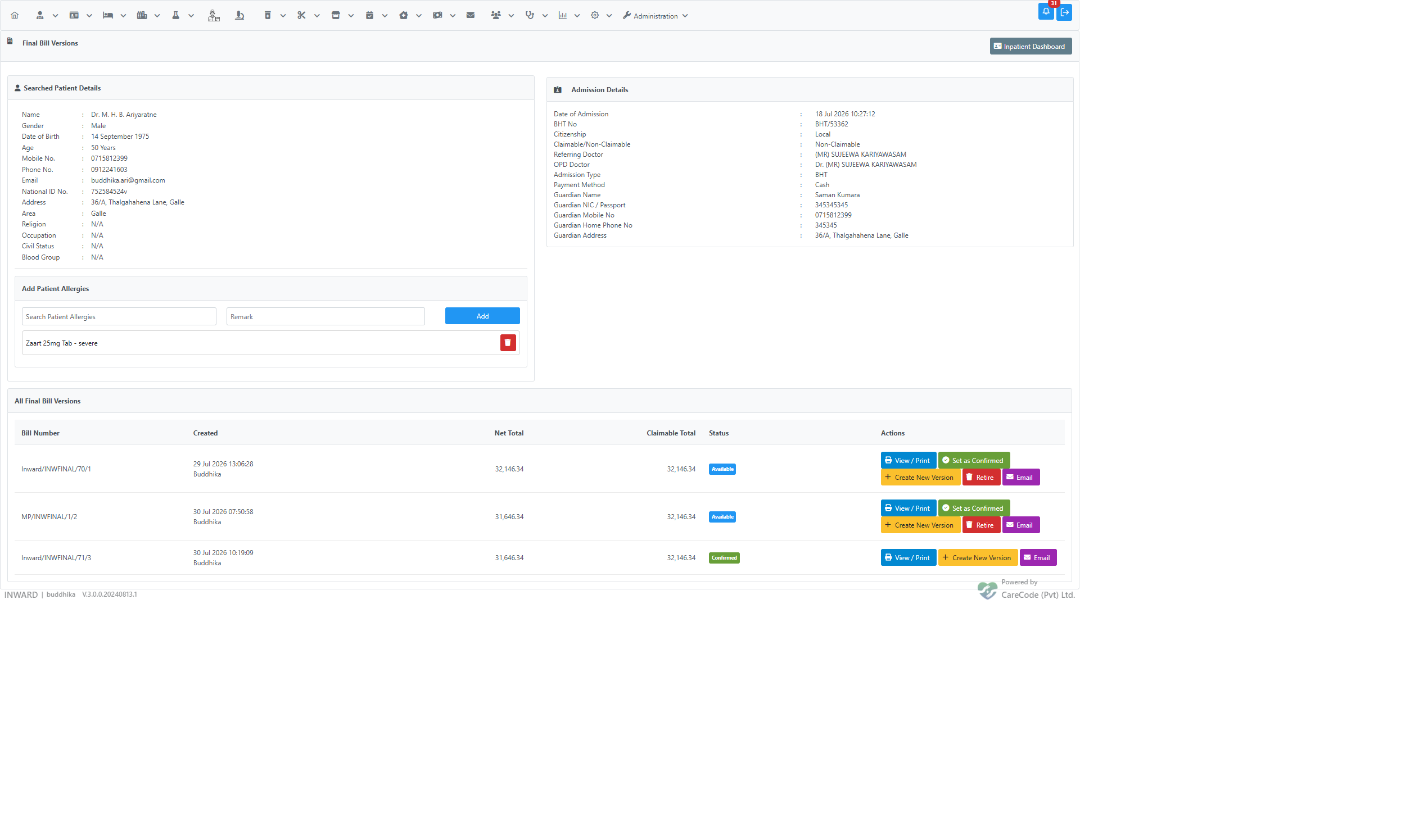
All versions of one admission's final bill share the same base bill number — the institution/department prefix and sequence number are fixed at whatever version 1 used — with a plain incrementing suffix for the version:
Inward/INWFINAL/70/1
Inward/INWFINAL/70/2
Inward/INWFINAL/70/3
This holds regardless of which department the user creating a later version is currently working in. Earlier releases had a bug where the number was generated from the acting user's session department instead of the admission's own — see issue #22541 for the before/after. If you see a version whose prefix doesn't match version 1 (e.g. MP/INWFINAL/1/2 on an admission whose other versions are all Inward/...), it predates the fix and should be retired.
Click Create New Version on any non-cancelled row. This opens the final bill editing screen pre-populated from the source version, where charges can be corrected before saving. Saving creates a new version and — if it's the first save — sets it as Confirmed.
Click Set as Confirmed on any Available, non-cancelled version to make it the one used for reporting and collections. The previously Confirmed version (if any) is demoted to Available. A cancelled bill cannot be confirmed.
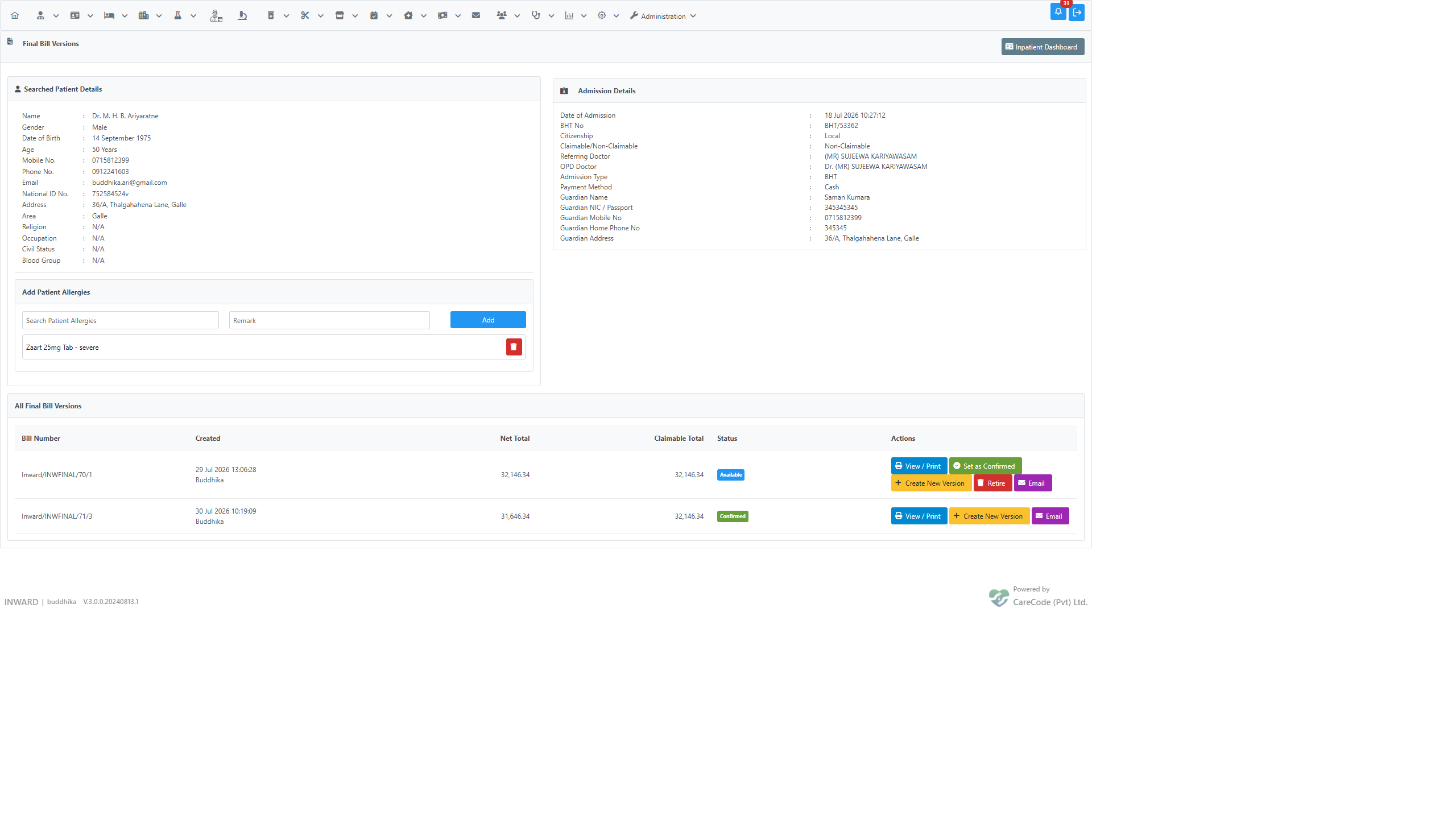
Click Retire on any non-Confirmed, non-retired version to soft-delete it from the list — for example, a version created with the numbering bug, or a duplicate created by mistake.
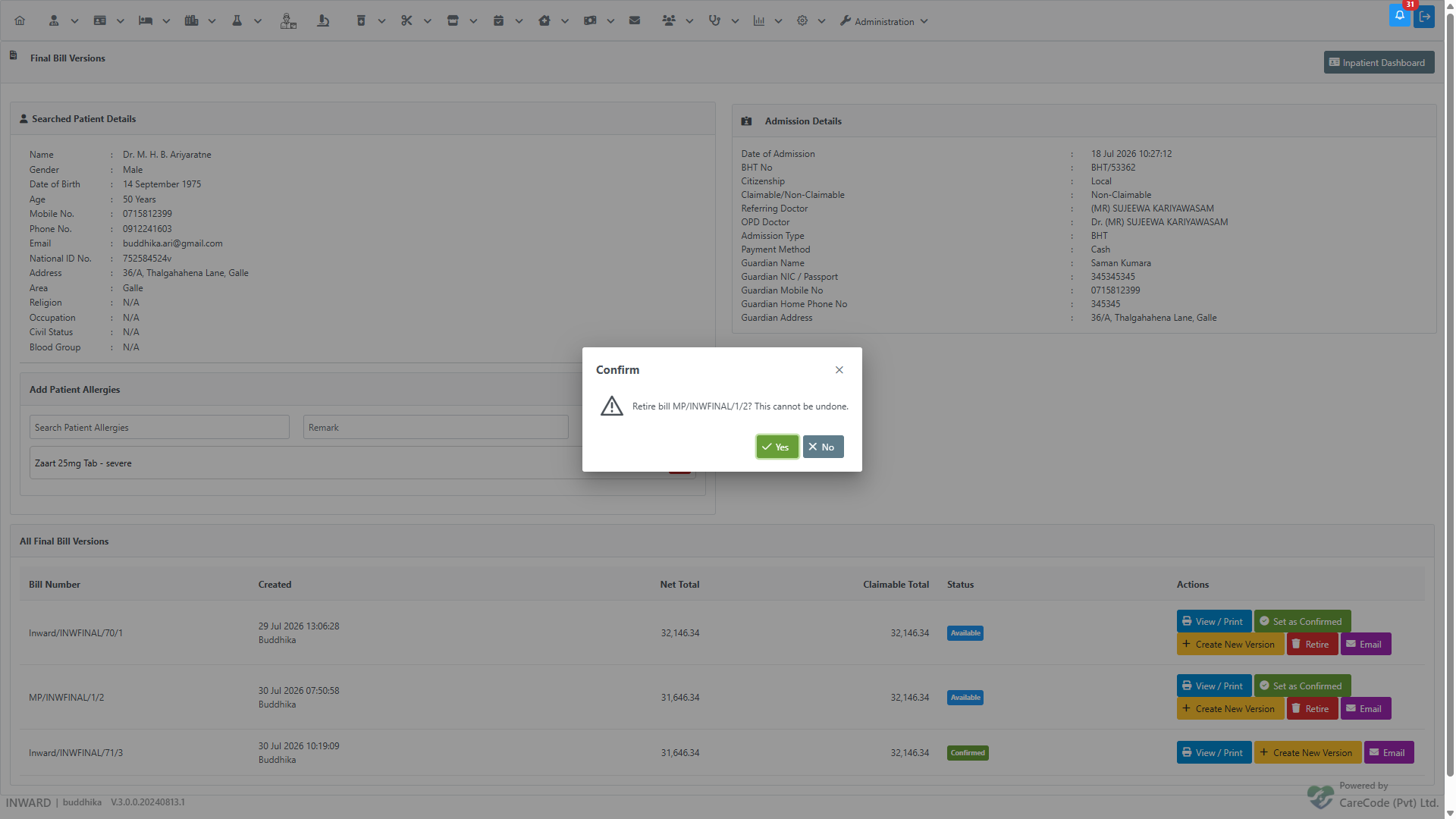
Retiring is permanent — there is no undo. The button is only available when:
- the version is not already retired,
- it is not the currently Confirmed version (confirm a different version first if you need to retire this one), and
- it is not the only remaining version for the admission.
Click Email on any version to send a one-page PDF summary (bill number, patient, admission, and totals — not a full itemized reprint) to an email address. The dialog defaults the recipient to the patient's own email if one is on file.
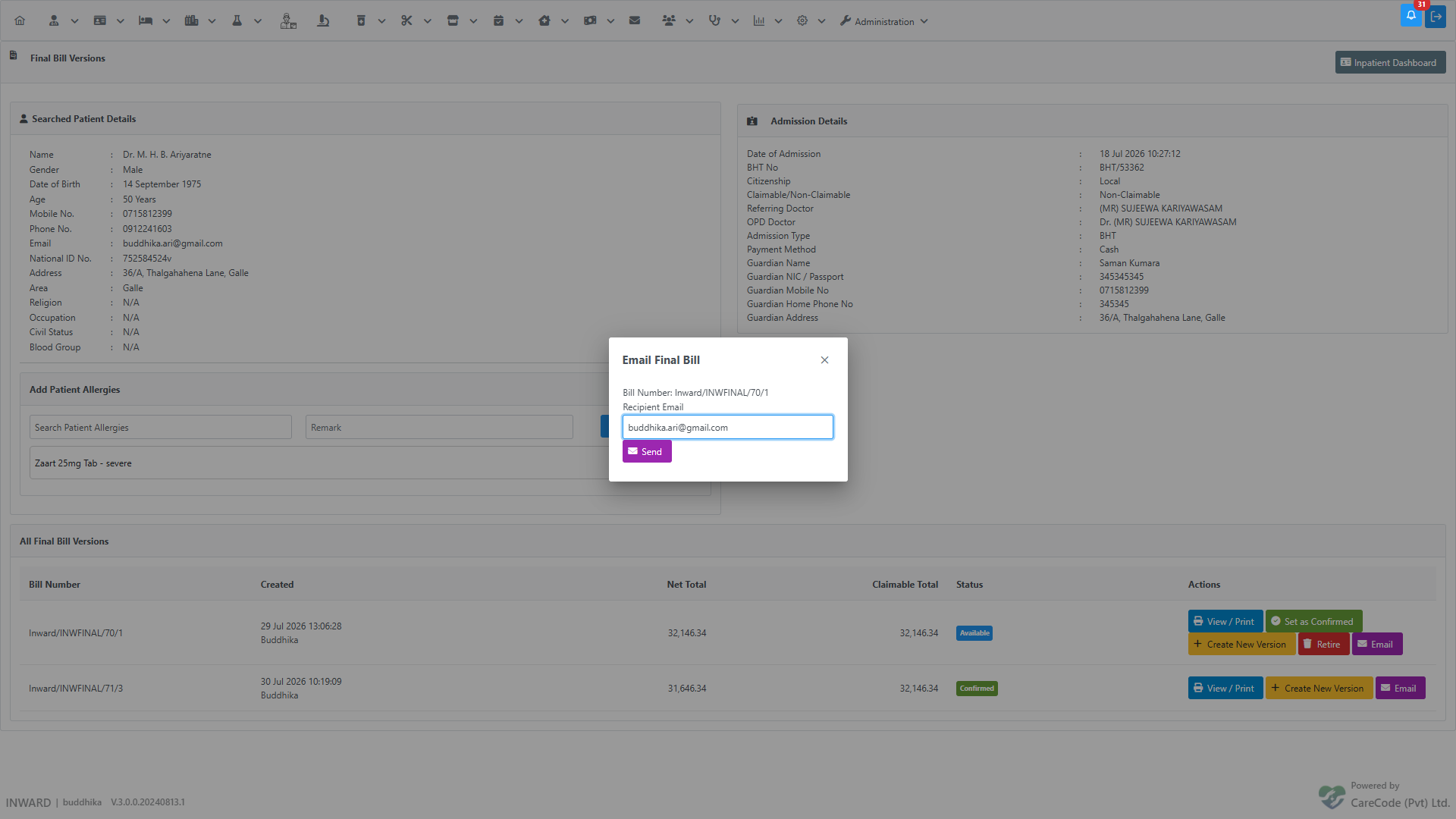
Every attempt — successful or not — is logged. Open View / Print on the version to see its send history under Sent Emails, with status Sent, Pending, or Failed:
- Inpatient — Final Bill Generation — generating the first version of the final bill
- Inpatient — Final Bill Payment — collecting payment against the Confirmed version
- Finance — Inpatient Final Bill — overview of the final billing workflow