Inpatient Hold Professional Payments
Sometimes a billing officer or administrator needs to stop a doctor/consultant's professional fees from being paid out for a specific admission — for example, while a billing dispute or an investigation is pending — without stopping the ward from continuing to add services, investigations, or professional fees to the bill. Hold Professional Payments does exactly that: it blocks payment settlement for the admission while leaving everything else on the bill unaffected.
Page: Admission Profile → Clinical Data → Hold Professional Payments
XHTML: /inward/inward_professional_payment_hold.xhtml
Controller: ProfessionalPaymentHoldController
Privilege (hold/release): InwardHoldProfessionalPayments
Privilege (pay anyway while held): InwardPayProfessionalFeesWhileOnHold
Fields on PatientEncounter: professionalPaymentsOnHold (Boolean), professionalPaymentsHoldDateTime (Date), professionalPaymentsHoldBy (WebUser), professionalPaymentsHoldNotes (String)
| Action | Affected by the hold? |
|---|---|
| Add Services & Investigations | ❌ No — works normally |
| Add Professional Fees | ❌ No — works normally |
| Add Outside Charges / Timed Services | ❌ No — works normally |
| Settling an Inward Professional Payment for this BHT | ✅ Yes — blocked |
| Settling an Inward Surgery Payment for this BHT | ✅ Yes — blocked |
In other words, the hold only stops money going out to the professional; it never stops billing staff from recording what's owed.
- Open the Admission Profile for the BHT.
- In the Clinical Actions panel, click Hold Professional Payments. (Requires the
InwardHoldProfessionalPaymentsprivilege — the button is hidden without it.) - On the Hold Professional Payments page, optionally enter a reason in Hold Notes (e.g. "Pending billing dispute — see ticket #123").
- Click Confirm Hold.
On success:
patientEncounter.professionalPaymentsOnHold = true-
patientEncounter.professionalPaymentsHoldDateTime= current timestamp -
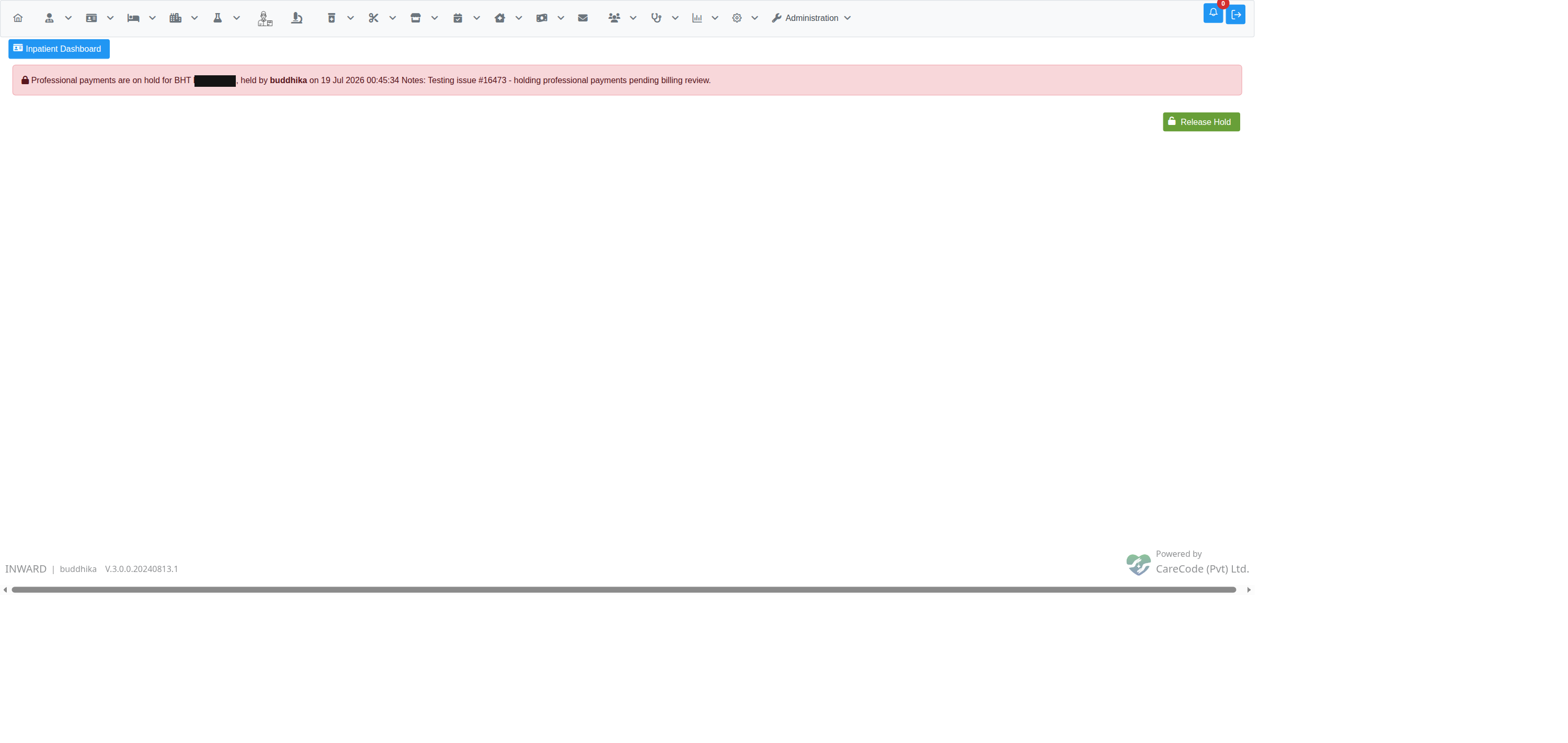
patientEncounter.professionalPaymentsHoldBy= logged-in user - The page shows a banner confirming who placed the hold, when, and the notes entered.
- The Admission Profile button turns red/danger-coloured to flag the BHT as held at a glance.
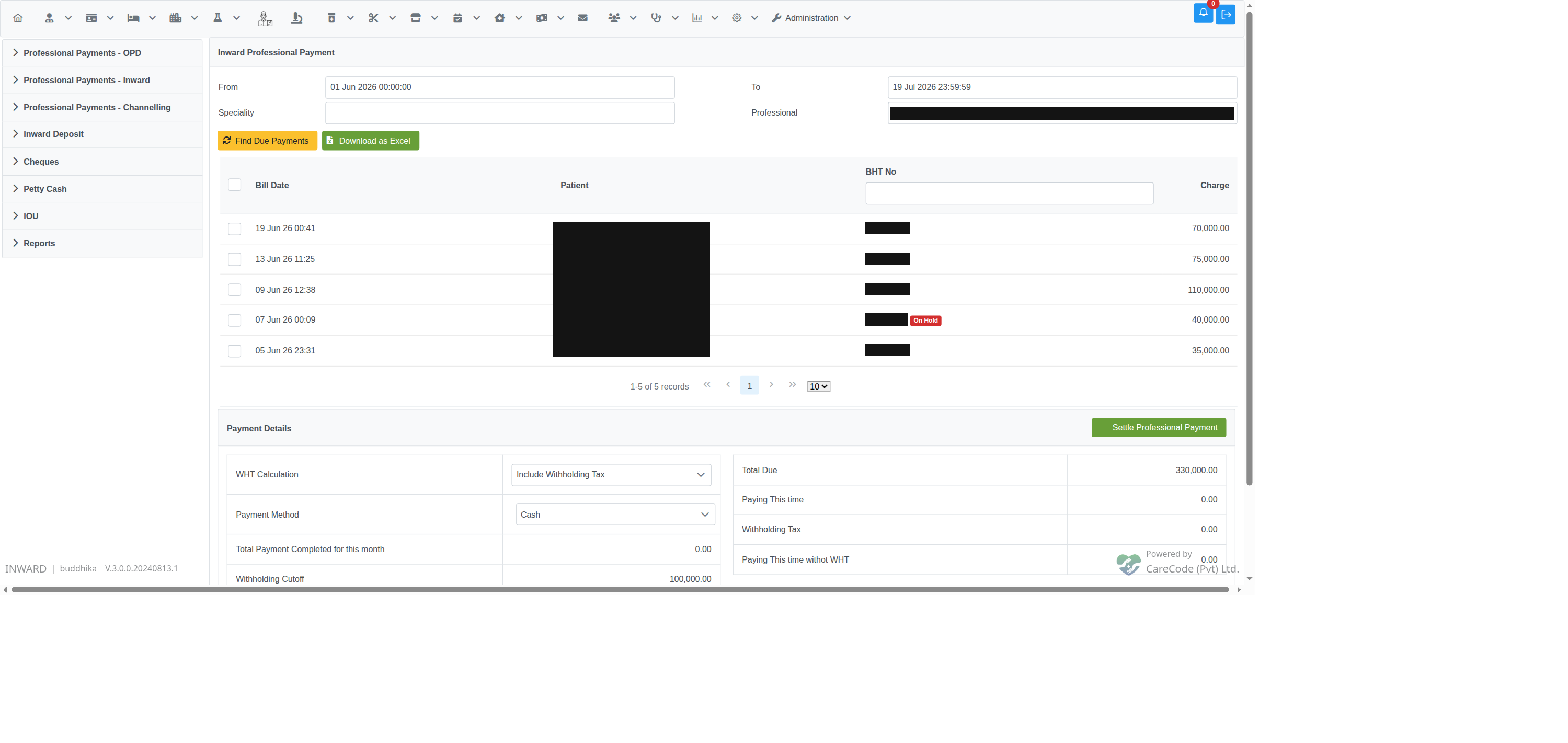
Once a BHT is held, any due fee for that admission shows an "On Hold" tag next to the BHT number on both Inward Professional Payment and Inward Surgery Payment due-fee lists — the row is still visible (so staff can see the fee is genuinely due, not missing), but the badge warns that it won't be payable yet.
If a user without the override privilege selects a held BHT's fee and clicks Settle Professional Payment (or Settle Surgery Payment), the system rejects the settlement with:
Cannot pay: professional payments are on hold for BHT
<BHT No>.
No payment bill is created and the fee's paid amount is not touched.
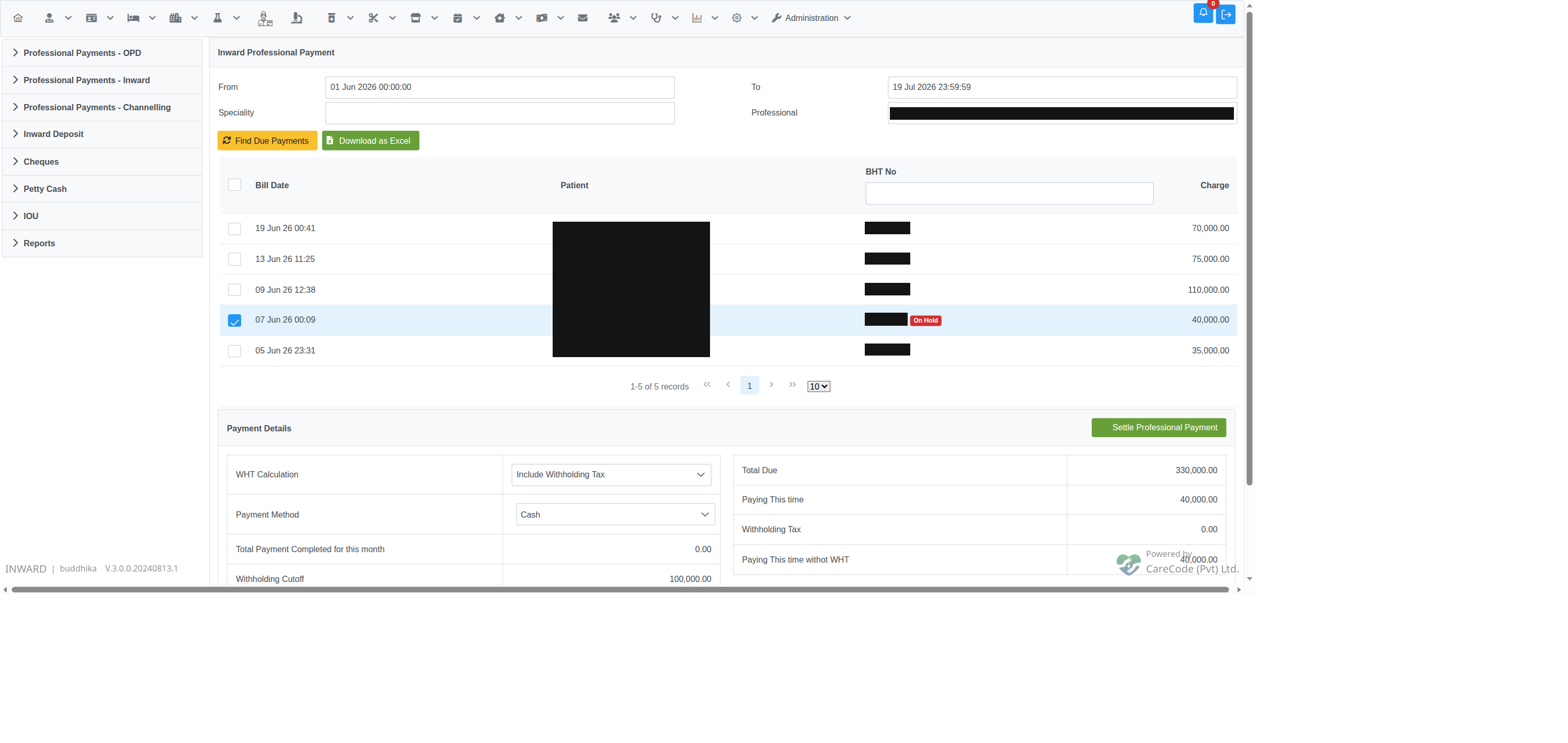
A user holding the InwardPayProfessionalFeesWhileOnHold privilege can settle payment for a held BHT without releasing the hold first — useful when a senior billing officer has reviewed the situation and decided the payment should proceed regardless. This privilege should be granted sparingly, since it bypasses the whole point of the hold.
- Return to the Hold Professional Payments page for the BHT (via the Admission Profile button, now shown in red).
- Click Release Hold. (Also requires
InwardHoldProfessionalPayments.)
On release, professionalPaymentsOnHold, professionalPaymentsHoldDateTime, professionalPaymentsHoldBy, and professionalPaymentsHoldNotes are all cleared, and the "On Hold" badge disappears from the payment screens on the next search.
- Inpatient — Professional Payments Report — hold or release one specific professional fee instead of the whole BHT
- Inpatient Admission Profile (Dashboard) — where the Hold Professional Payments button lives
- Inward Professional and Surgery Payments — the two settlement screens this hold affects
- Inpatient — Nursing Discharge — a similar BHT-level flag/audit-trail pattern, for a different purpose (blocks billing entirely rather than just professional-fee payout)