Client Portal Registration
Status: Partially available. Phone-number self-registration (option 2 below) is merged into
development— see GitHub issue #22367 and pull request #22372 — and will appear once your deployment picks up that branch. Staff-assisted registration (option 1 below) is built and verified, with pull request #22392 open againstdevelopment— it will appear once that PR is reviewed and merged. Login is not built yet (tracked in #22370), so a self-registered patient can create an account today but cannot sign into it until that ships — the staff-assisted path is unaffected by this gap since staff create the account on the patient's behalf either way. The other two registration paths (email-OTP, kiosk) are still planned. Tracked under master issue #22359, original ask #398.
The Client Portal lets a patient create their own login account for the HMIS web portal, instead of every portal account having to be set up by hospital staff one at a time. Once registered, a patient logs in with their phone number or email plus a password — the same way hospital staff log in today, but as a separate, patient-only account type that has none of the staff menus or permissions.
Registration is designed around one rule: a portal account always attaches to a person who is already known to the hospital, or becomes known to the hospital at the moment of registration. There is no "create an account for a stranger with no visit history" path — every account traces back to a specific patient record.
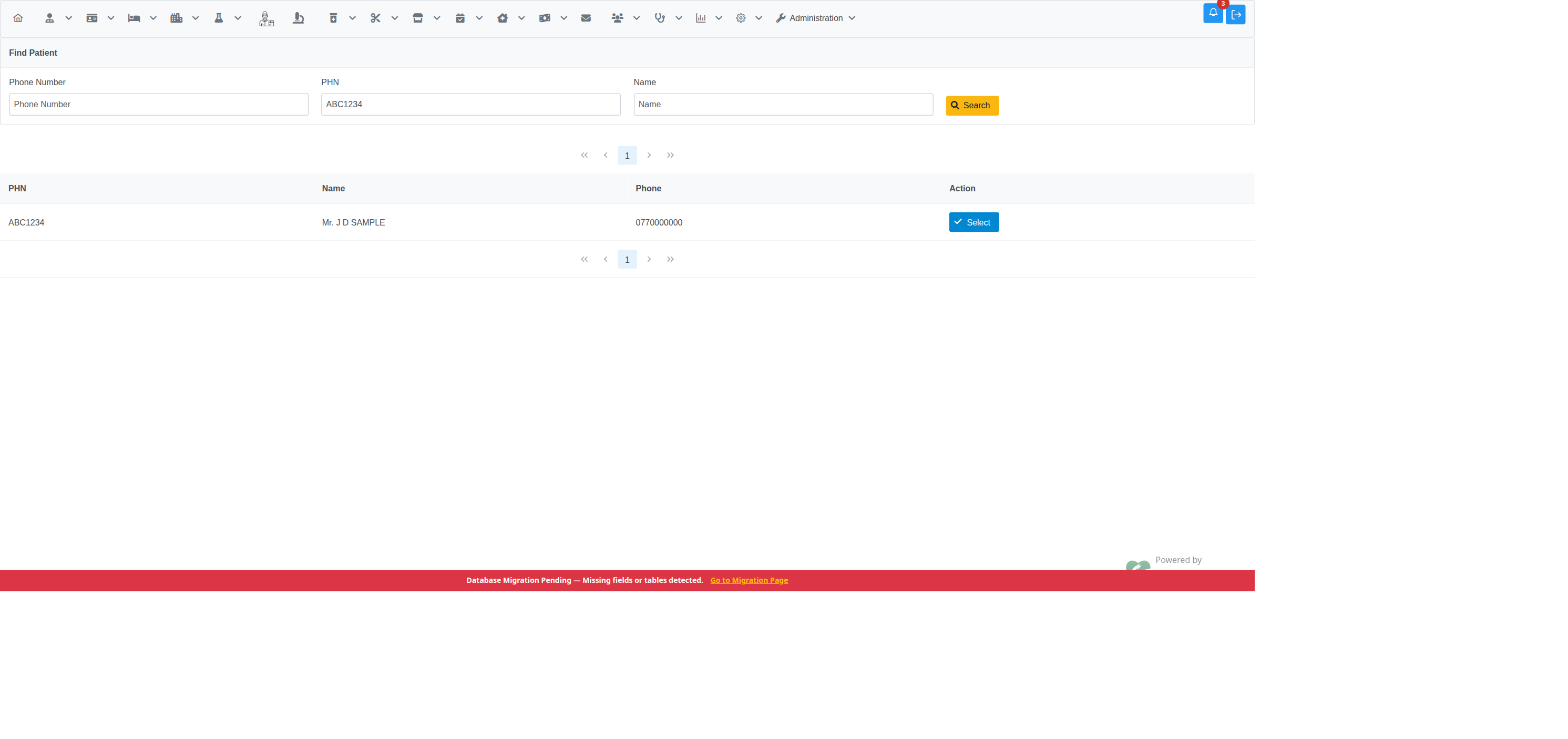
If you're at the hospital or on the phone with a staff member, they can create your portal account for you directly from their own staff login — no OTP needed, because the staff member verifies who you are in person or by phone. Tracked in #22363, pull request #22392.
For staff: this is an internal admin screen, reached via
Administration → Create Client Portal Account (requires the
ClientPortalCreateAccount privilege — see
For Administrators below). Search for the patient by
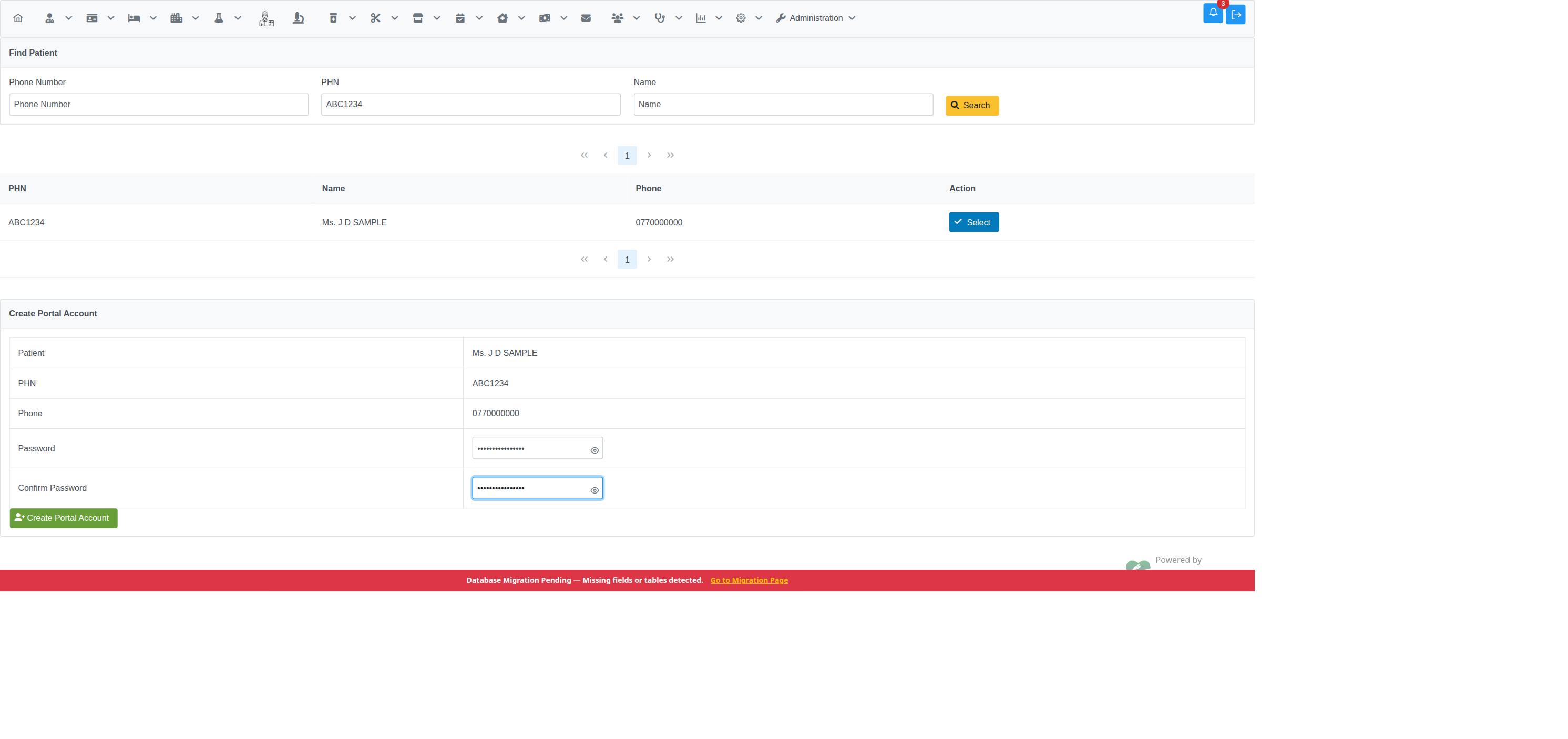
phone number, PHN, or name, select them from the results, then set a
password on their behalf:
| Step 1 — search and select | Step 2 — set password |
|---|---|
 |
 |
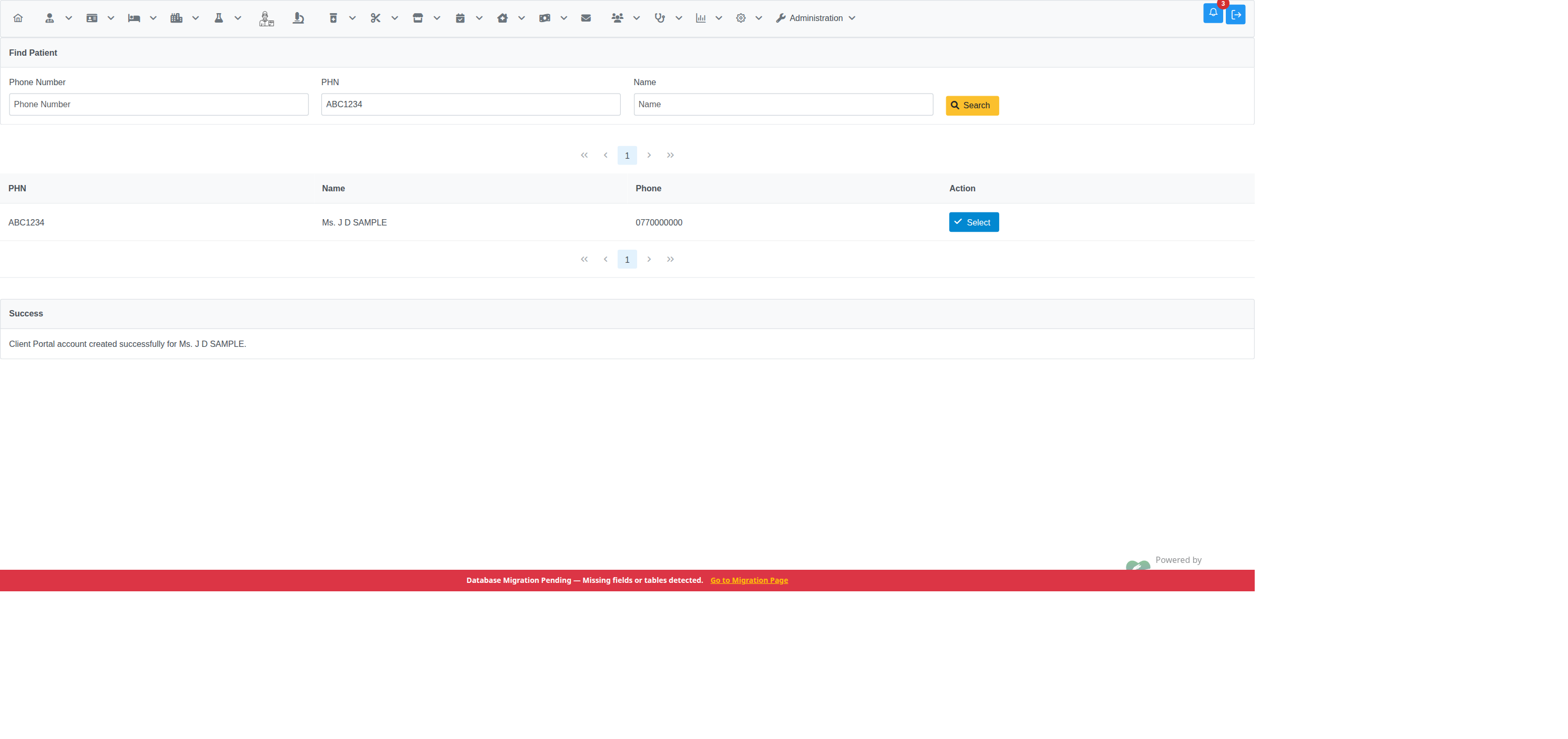
| Step 3 — confirmation |
|---|
 |
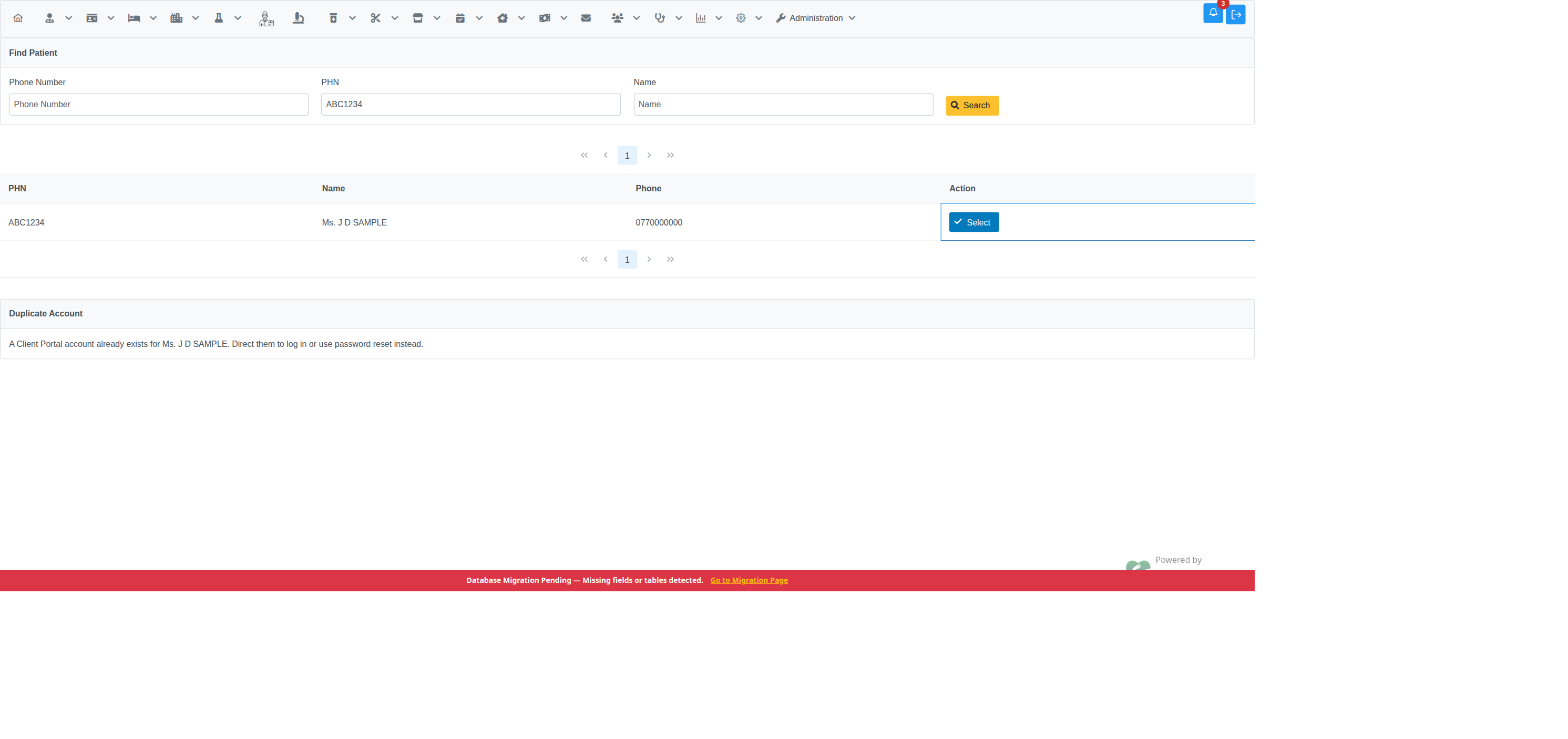
Unlike the phone-OTP path, there's no multi-match picker here — searching directly and picking a row from the results is the disambiguation step, so a shared household phone number isn't a special case for this channel. If the selected person already has an active portal account, the screen blocks creating a second one and points staff to login/password reset instead:
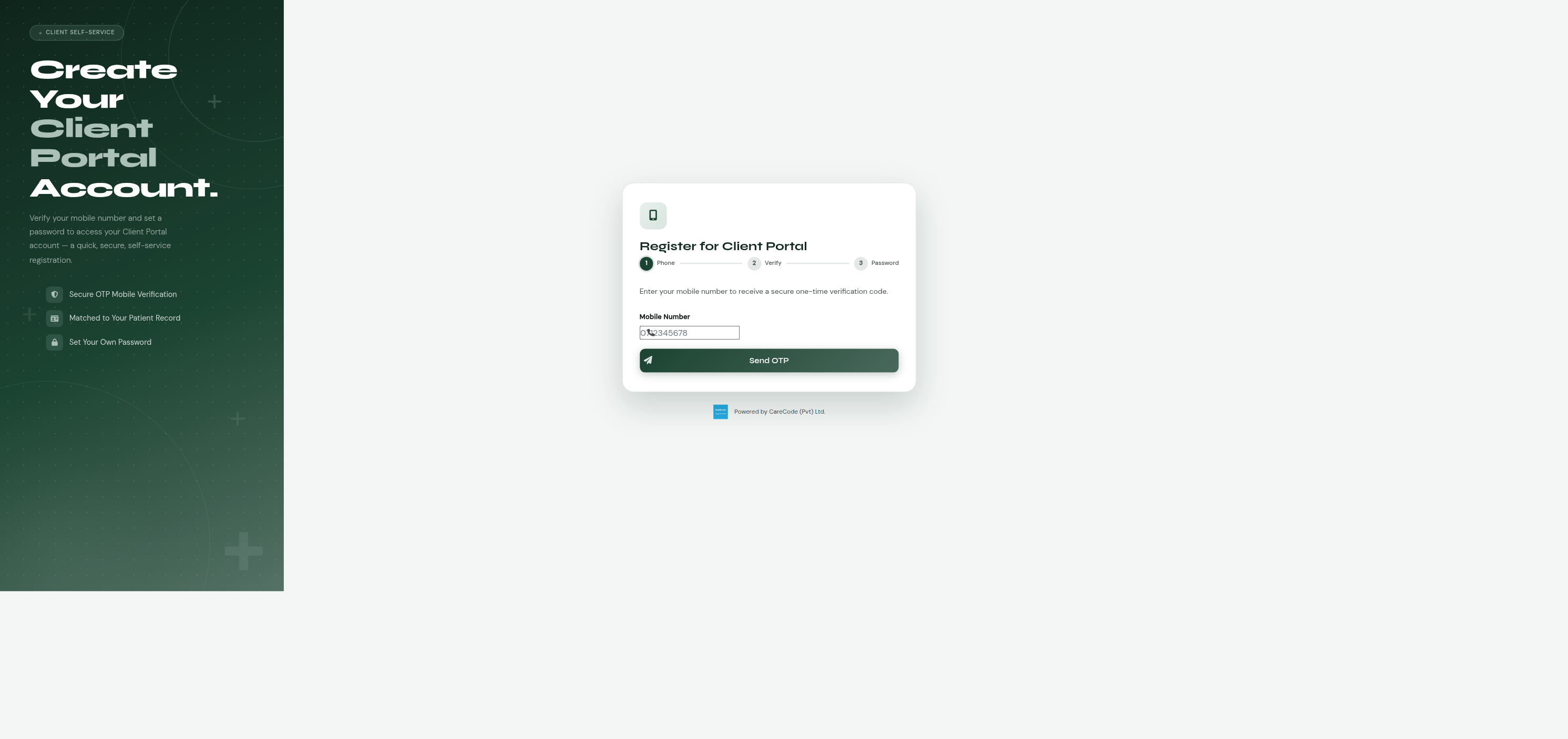
If your phone number is already on file at the hospital (from a previous
visit), you can register from home at /client_portal/register_phone.xhtml:
- Enter your phone number.
- The hospital sends you a one-time code (OTP) by SMS.
- Enter the code to verify it's really your phone.
- Set a password for your new account.
| Step 1 — enter phone number | Step 2 — enter OTP |
|---|---|
 |
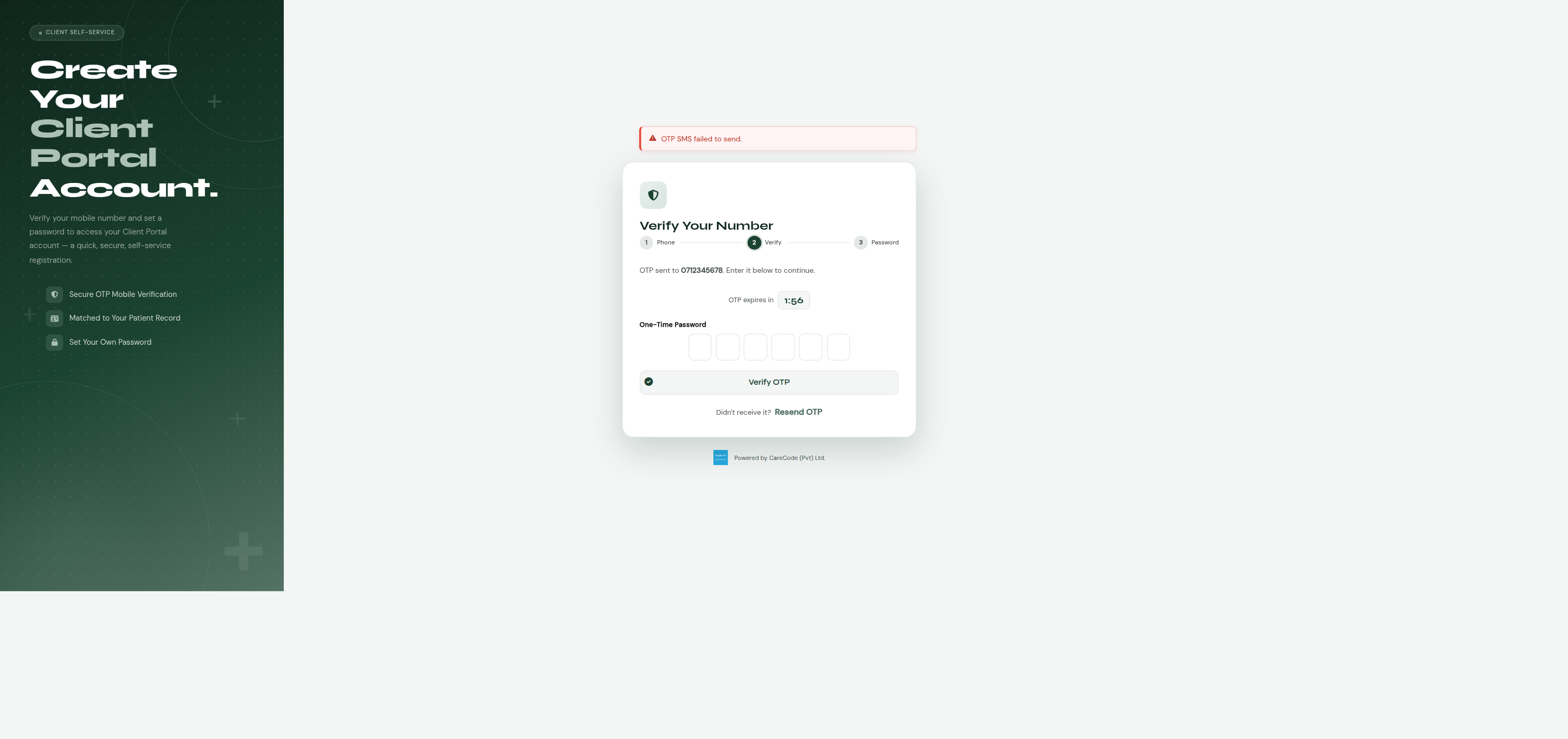 |
The "OTP SMS failed to send" banner in the screenshot above is a local/dev-only artifact — it appears when no SMS gateway is configured for the environment. On a properly configured deployment the OTP is delivered by SMS and this message doesn't appear. See Troubleshooting below.
If your phone number isn't on file yet, this path won't find you:
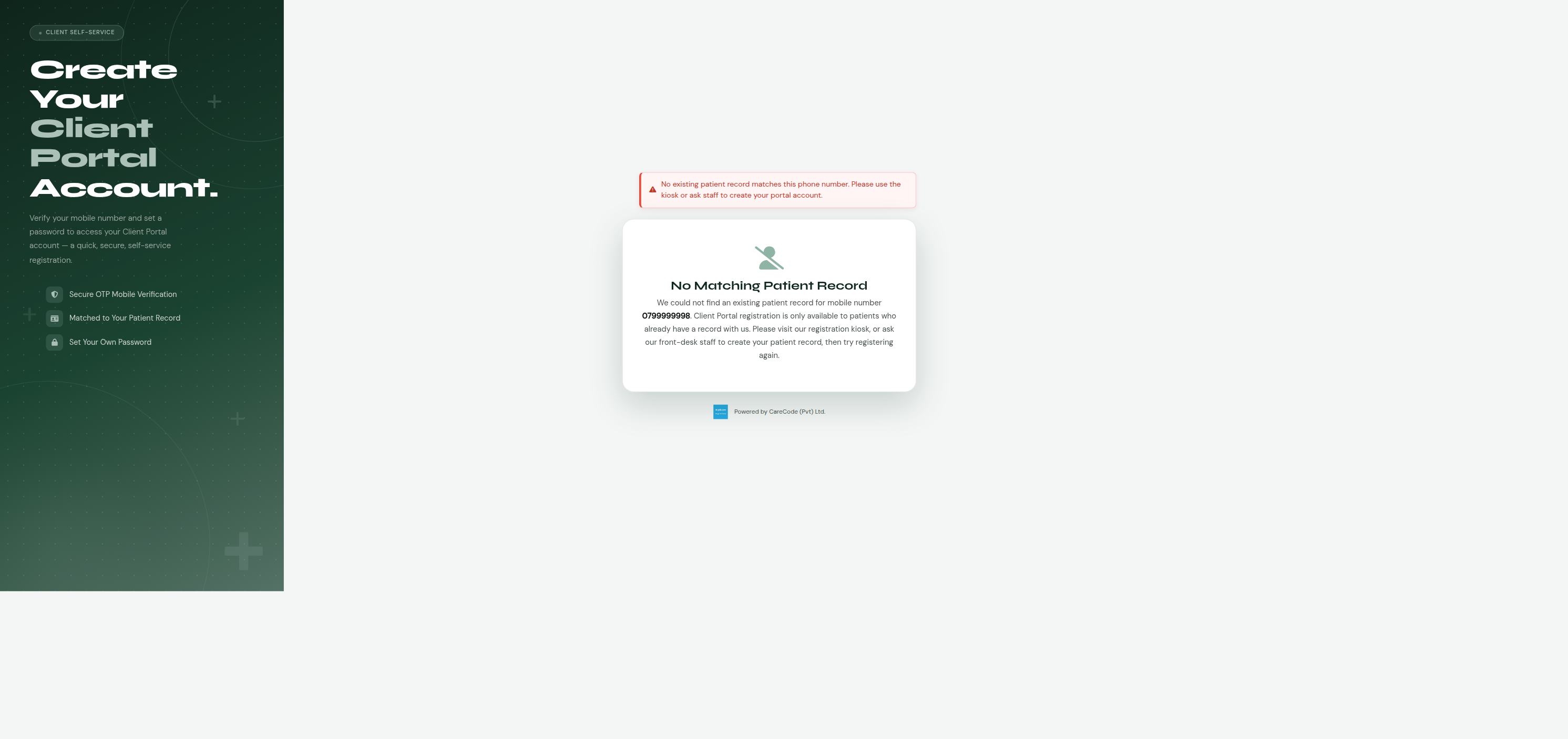
— see the Kiosk option below (once built), or ask staff (option 1, once built).
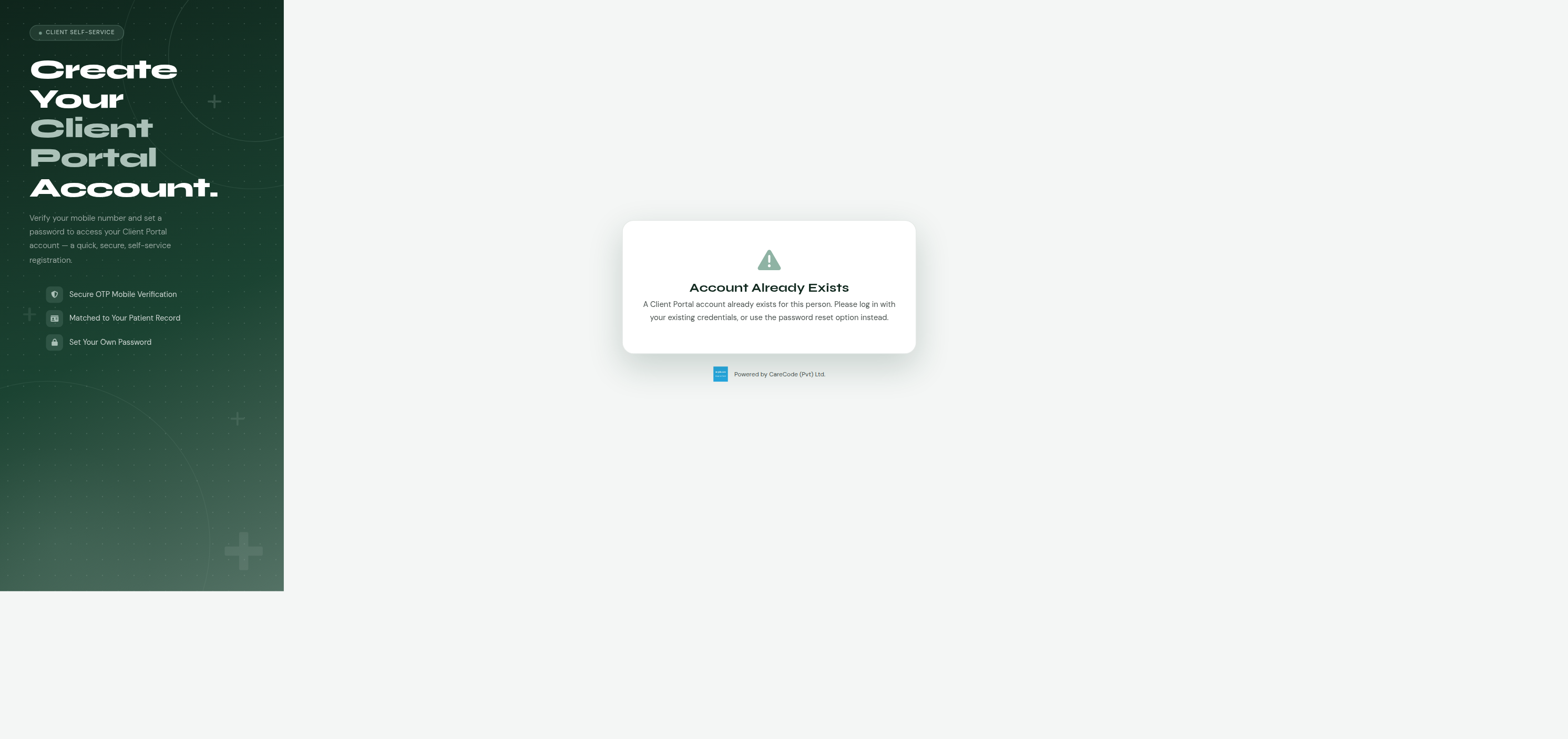
If you already have a portal account for that person, trying to register again shows a message telling you an account already exists instead of creating a duplicate:
Same idea as the phone method, but with an email instead: your email must already be on file, you'll receive a one-time code by email instead of SMS, and you verify it the same way before setting a password. Not built yet — tracked in #22368.
Hospitals will be able to set up a self-service registration terminal in the lobby or reception area (restricted to that terminal's network so it can't be used remotely). The kiosk will still verify you by OTP, but — unlike registering from home — the phone or email you enter won't have to already be on file. If it isn't, the kiosk will be able to create your patient record on the spot as part of registering your account. This will be the only registration path that can sign up someone with no prior hospital visit at all. Not built yet — tracked in #22369.
Many households — especially those with elderly parents or young children — share a single phone number. The phone-registration path (option 2, available now) accounts for this: when you verify a shared phone number by OTP, if more than one patient record is linked to that number, you'll be shown a list of the people registered under it and asked to pick who you are before continuing. The one-time code verifies the phone, not the person — picking yourself from the list is a separate step afterward.
You set a password during registration. Once login ships (#22370), future sign-ins will use your phone or email plus that password — the one-time code will only be needed at registration, and again later if you ever need to reset a forgotten password. Until login ships, a newly registered account has no way to sign in yet — this is a known, temporary gap, not a bug.
Once login and the landing page exist, the first version of the portal will show your hospital's name, address, and contact details, along with a welcome message. Features like viewing your bills, appointments, or lab reports are not part of this first version — those will be added in later updates.
Staff who should be able to create Client Portal accounts on a patient's
behalf need the ClientPortalCreateAccount ("Create Client Portal
Account") privilege, assigned the normal way: Administration → Manage
Users → (select the user) → Manage Privileges → List Privileges, check it
under the Administration section of the privilege tree, then Update
User Privileges. As with any privilege change, the affected staff member
needs to log out and back in for it to take effect (privileges are cached
per session at login).
The phone-registration channel reads these configuration keys (via the usual application configuration screen), all optional with sensible defaults:
| Key | Default | Purpose |
|---|---|---|
Client Portal - OTP Length |
6 | Digits in the generated OTP. Values below 4 or above 12 fall back to the default. |
Client Portal - OTP Timeout Minutes |
2 | How long an OTP stays valid after it's sent. |
Client Portal - Custom SMS Body Message for Send OTP |
(built-in message) | Optional custom SMS template. Use {otp} as a placeholder for the code. |
Client Portal - Theme Color |
#1b4332 (forest green) |
Accent color for the registration page. |
Client Portal - Logo URL |
(none — shows a generic icon) | Optional hospital logo shown on the registration page. |
OTP delivery uses the same SMS gateway configuration as the rest of the system (channel-booking OTPs, reminders, etc.) — there's nothing phone-registration-specific to configure for the gateway itself.
- "OTP SMS failed to send" appears for every registration attempt — the environment's SMS gateway isn't configured or is failing. Check the usual SMS gateway configuration keys. The registration flow still lets the patient proceed to the OTP-entry screen even when delivery fails (so the flow is testable without a gateway), so this message alone doesn't block testing — but it does mean no real patient can complete registration until the gateway is fixed.
-
"No Matching Patient Record" — the phone number the patient entered
doesn't match any active
Patientrecord's phone number on file. Ask the patient to confirm the exact number registered with the hospital, or direct them to update their contact details in person. This channel deliberately does not create new patient records — only the (future) kiosk channel will. - "Account Already Exists" — the selected person already has an active portal account. Until login/password-reset ships (#22370), there's no self-service recovery path yet — this is a known temporary gap.
-
A shared household phone number shows the wrong person, or too many
people — this reflects whichever
Patientrecords in the system have that phone number on file; it's not a bug in the picker itself. Data cleanup (correcting phone numbers on stale/duplicate patient records) is the usual fix.
This feature is being built in phases, each with its own GitHub issue and pull request under master issue #22359:
| Phase | Issue | Status |
|---|---|---|
| Foundation (entity, facade, enums, pure utilities) | #398 | Merged — PR #22358 |
| Self-service phone-OTP registration | #22367 | Merged — PR #22372 |
| Staff-assisted registration | #22363 | Built, verified — PR #22392 open |
| Self-service email-OTP registration | #22368 | Not started |
| Kiosk registration | #22369 | Not started |
| Login and password reset | #22370 | Not started |
| Landing page, default institution, deferred DDL regen | #22371 | Not started |
Key implementation pieces from the phone-OTP channel, reusable by the remaining channels:
-
ClientAccountentity (com.divudi.core.entity.ClientAccount) —@ManyToOnetoPerson, intentionally not@OneToOne(a retired account and a new active one can coexist). -
ClientAccountFacade.createIfNoActiveAccount(personId, newAccount)— locks thePersonrow (PESSIMISTIC_WRITE) for the duration of the check-then-create, preventing two concurrent registrations for the same person from both succeeding. First implementation of this locking pattern; later channels should reuse it rather than re-implementing. -
ClientPortalMatcher.classify(List<Patient>)— pure 0/1/many match classifier (com.divudi.core.util). -
ClientPortalOtpGenerator.generate(int length)— pure OTP code generator. -
ClientPortalPhoneRegistrationController(com.divudi.bean.clientportal,@ViewScoped) — the OTP send/verify/match/register controller for this channel; a template for the email-OTP and kiosk controllers. -
client_portal/register_phone.xhtml— standalone public page (no internal template), matching the pre-existingpatient_portal/portal_login.xhtmlstructural/CSS pattern. -
MessageType.ClientPortalRegistrationOTP— distinct from the pre-existingMessageType.PatientPortalOTPused by channel-booking payments.
Staff-assisted channel (#22363) additions, reusable by remaining channels:
-
ClientPortalStaffRegistrationController(com.divudi.bean.clientportal,@ViewScoped) — no OTP step; multi-criteriaPatientsearch (phone/PHN/name) built as a small dedicated JPQL query rather than reusing the large pre-existingPatientController(OPD-billing-flow-specific, not a good fit here). -
admin/client_portal/staff_assisted_registration.xhtml— template for any internal, staff-facing Client Portal admin screen: uses the normal app template (ui:composition template="/resources/template/template.xhtml"), unlike the standalone public pages (client_portal/register_phone.xhtml,patient_portal/portal_login.xhtml). - New privilege
Privileges.ClientPortalCreateAccount, registered as a sibling under the existingadminNodeinUserPrivilageController.createPrivilegeHolderTreeNodes()— the pattern to follow for any further admin-only Client Portal screens.
Design spec and plans:
- Design spec:
docs/superpowers/specs/2026-07-23-client-portal-registration-design.md - Foundation implementation plan:
docs/superpowers/plans/2026-07-23-client-portal-registration-foundation.md - Handover notes for the next phase:
docs/superpowers/handover/2026-07-24-client-portal-registration-handover.md
Known, deliberate gaps (not bugs): the CLIENTACCOUNT table's DDL
regeneration is deferred until all six child issues land (owned by
#22371, so the full schema diff is captured in one pass); OTP
attempt-limiting/cooldown/atomic-consumption hardening was flagged in
code review and deliberately deferred rather than scope-creeping the
phone-OTP PR — see the discussion on PR #22372 for the reasoning.