Report Favorites
The Reports page lists every report in the system, grouped into categories (Asset Reports, Financial Reports, HR Reports, Inpatient Reports, and so on). With dozens of categories and hundreds of individual reports, finding the handful you actually run every day means reopening the same category and scrolling to the same button, every single time.
Report Favorites lets you star any report so it also appears on a dedicated ⭐ Favorites tab — pinned as the very first tab on the page, ahead of every category. It is entirely self-service: no administrator setup is needed, and each user's favorites are private to that user.
Navigation: Top menu bar → 📊 Reports (chart-bar icon) → Reports
Page path: /reports/index.xhtml
This is the same Reports page that has always existed — favorites are added directly on top of it, so no new menu entry was introduced.
| The Reports page. ⭐ Favorites is now the first item in the list, ahead of every report category. | 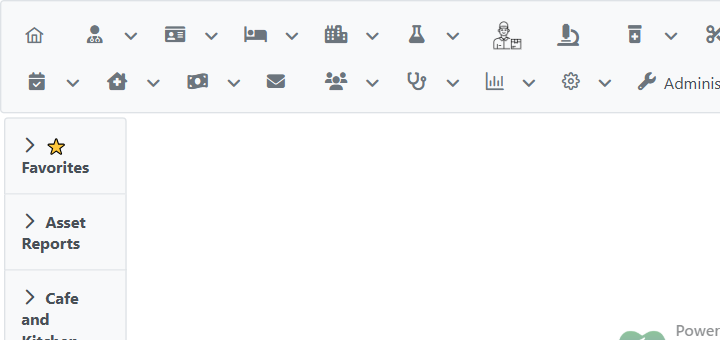 |
Open any category (e.g. Asset Reports). Every report button now has a small star button next to it.
| Each report button has its own star toggle beside it. | 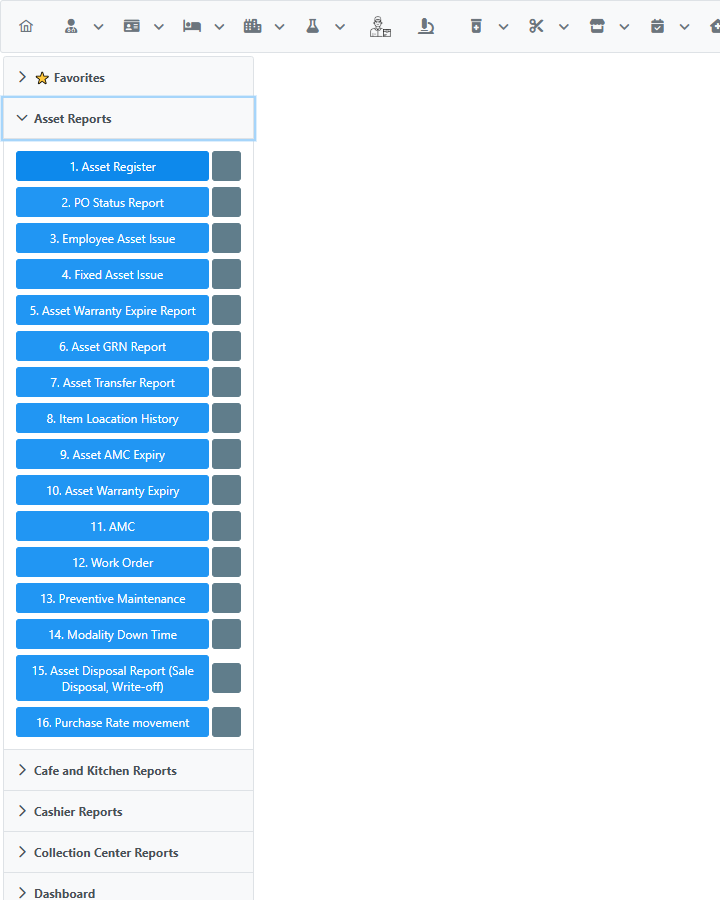 |
| Click the star to favorite a report — it fills in white/solid to confirm. | 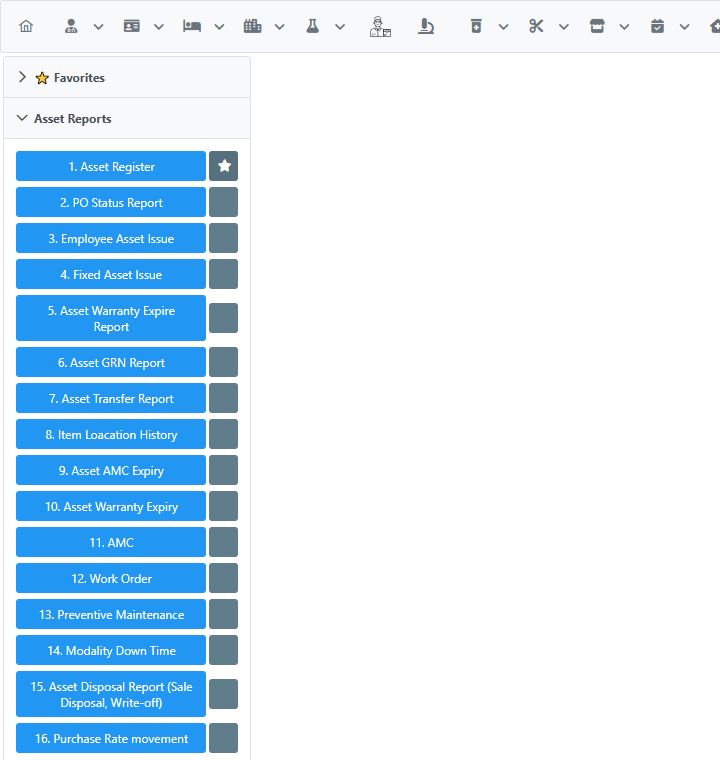 |
Favorites work the same way in every category — starring a report in Financial Reports behaves identically to starring one in Asset Reports:
| Starring "22. Profit Matrix" in Financial Reports. | 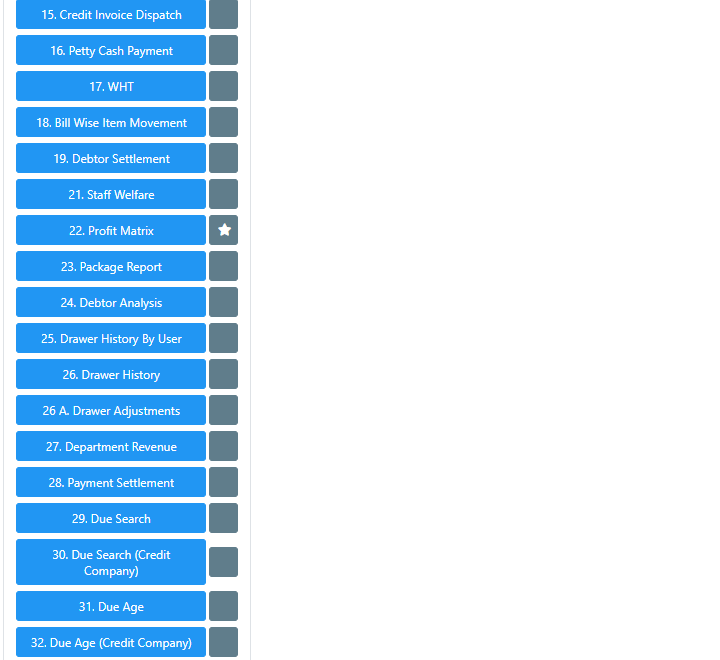 |
Open the ⭐ Favorites tab (first tab on the page) at any time to see everything you've starred, regardless of which category it originally belongs to.
| The Favorites tab showing several starred reports from different categories, stacked closely together regardless of how many reports exist across the rest of the page. | 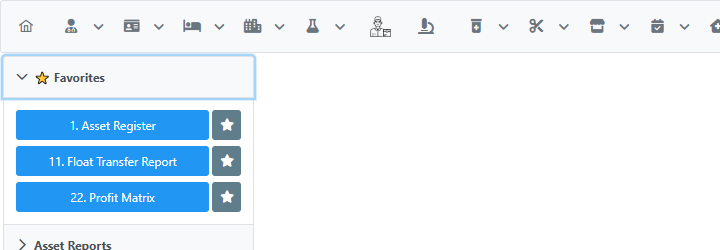 |
Clicking a report button inside the Favorites tab opens that report exactly as if you had clicked it from its original category — it is a real, working shortcut, not just a bookmark list.
| Clicking "1. Asset Register" from the Favorites tab opens the actual Asset Register report page. | 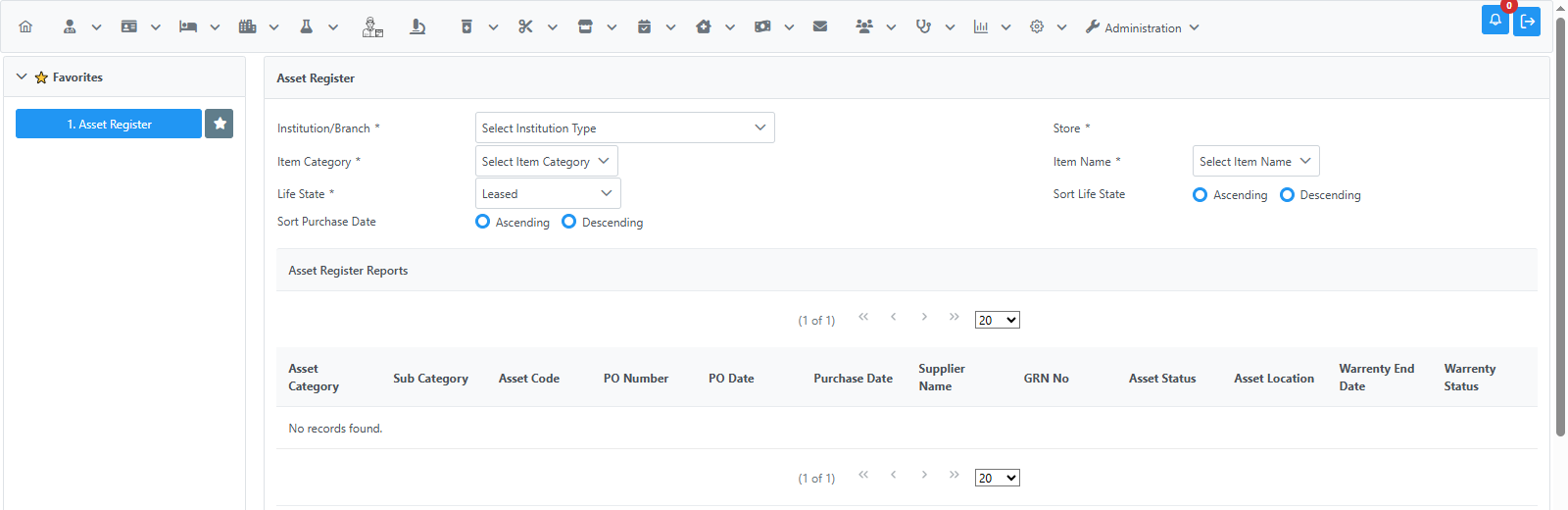 |
Click the star again — either from the Favorites tab or from the report's original category — to unfavorite it. The star state always stays in sync between the two locations.
| After removing "22. Profit Matrix", only "1. Asset Register" remains on the Favorites tab. | 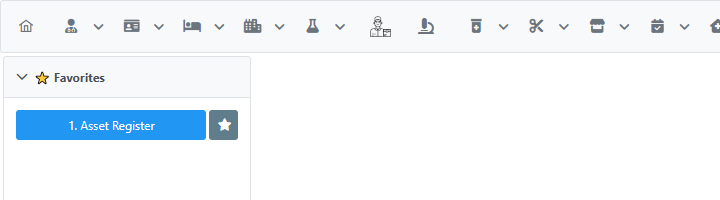 |
| With nothing starred, the Favorites tab shows a simple empty-state message. | 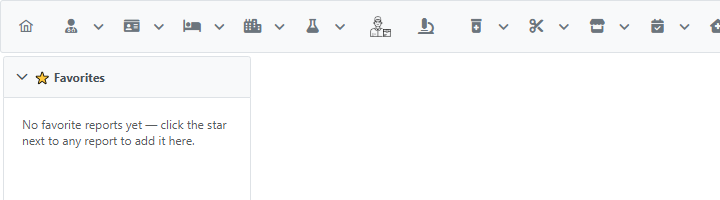 |
- Per-user. Favorites are personal — starring a report only changes what you see; it does not affect any other user's Reports page.
- Self-service. No administrator action is required to add or remove a favorite, unlike some other user-customization features in the system that need to be assigned by an admin.
- Privileges are still respected. If a report button is only visible to users with a specific privilege, its favorited copy on the Favorites tab respects that same privilege check — favoriting a report never grants access you didn't already have.
- Works across all report categories — Asset Reports, Cashier Reports, Financial Reports, HR Reports, Inpatient Reports, and every other category on the page.