Repository navigation
ComfyUI Launcher Getting Started
- Open the RulZ AI Tools Suite launcher and click RulZ ComfyUI Launcher (under ComfyUI).
- Click Install, then Launch.
RulZ ComfyUI Launcher is in launcher version 1.20.0 and later. If you don't see it, update the launcher first (see Settings and Launcher Updates).
Updates show up as an Update button on the app's card. Exit the ComfyUI Launcher before you update it: exiting also stops the servers it started.
- Download
RulZ-ComfyUI-Launcher-v<version>-win64.zipfrom the Releases page (look for a release named RulZ ComfyUI Launcher). - Unzip it anywhere and double-click
RulZ ComfyUI Launcher.exe. Keep the folder together.
Your configurations stay: both copies keep them in %APPDATA%\RulZ ComfyUI Launcher. Only one copy runs at a time.
- Set WSL distro, ComfyUI folder (the Linux path of the folder that holds
main.py) and Python. - Choose the GPUs and the Port.
- Optional: tick Open the browser when the server is ready, and Open the RulZFlow page instead of ComfyUI's.
- Click Start. The Log tab shows what ComfyUI prints.
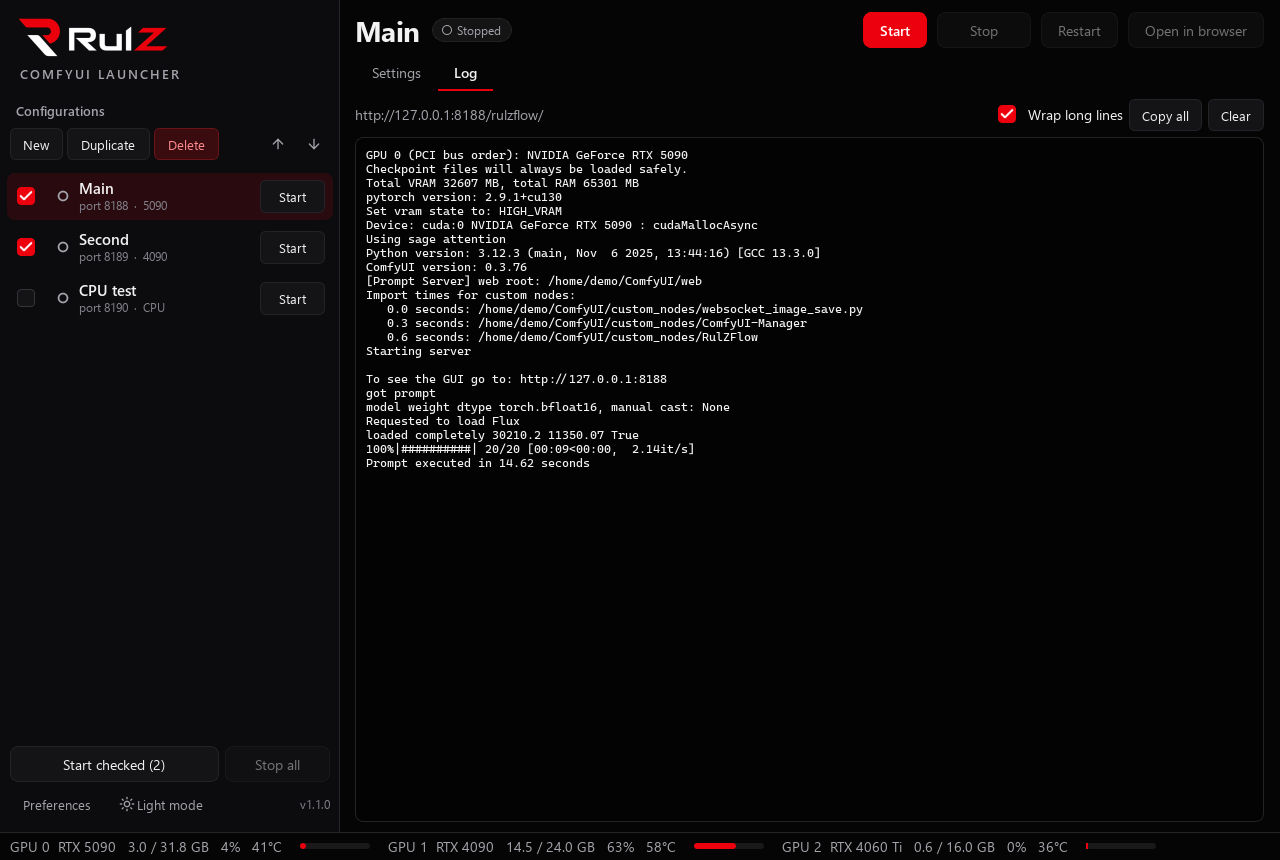
Next: Configurations explains every setting.
RulZ AI Tools Suite
The apps
RulZ AI Trainer
RulZ AI Trainer Optimizer
Using the app
Help
Rulz Training Captioner
Getting started
Using the app
Models and GPUs
Reference
RulZ LLM Suite
Using the app
- Getting Started
- Building the Engine
- Model Library
- Loading Models
- Chat
- MCP Tools
- Writing Mode
- Writer for Android
- Adventure Mode
- Reverse Engineering
- Local API Server
- vast.ai
- OpenRouter
Reference
Contributing
RulZ Coding Agent
Using the app
- Getting Started
- Projects and Tasks
- Approvals and Safety
- Model Settings
- Run and Share
- Notes and Instructions
- Extra Tools (MCP)
- Phone Access
- Android App
Reference
Contributing
RulZ Image Organizer
Using RulZ
- Getting Started
- Library and Scanning
- People and Corrections
- Search and Filters
- AI Tagging and Search
- Photo Viewer
- Appearance
More
RulZ Image Tournament
Using the app
- Getting Started
- How the Tournament Works
- Comparing Images
- Controls and Shortcuts
- Options and Settings
- Supported Formats
- Troubleshooting and FAQ
Developers
RulZ Image Crawler
Getting started
Using the app
Help
RulZ Image Preparer
Getting started
Using the app
Reference
RulZ Image Grid
Using the app
Help
RulZ Huggingface Manager
Using the app
Help
RulZ ComfyUI Launcher
Using the app
Help
RulZ Simple Video Clip Extractor
Getting started
User guide
- Playback and Marks
- Fixed-Length Clips
- Exporting
- Clip List
- Scene Cuts
- Sound Waveform
- Crop, Rotate and Flip
- Colour Matching
- Distortion Repair
- Preferences and Themes
Help