Repository navigation
Visual Reference Notes and Original Captions
Last reviewed: 2026-11-01 (image paths and topic placements verified in repository)
These legacy notes explain five illustrations now embedded in their relevant chapters. For complete image usage, including newly added FIDO2, encryption, and journalist-security diagrams, see the Diagram and Image Asset Index.
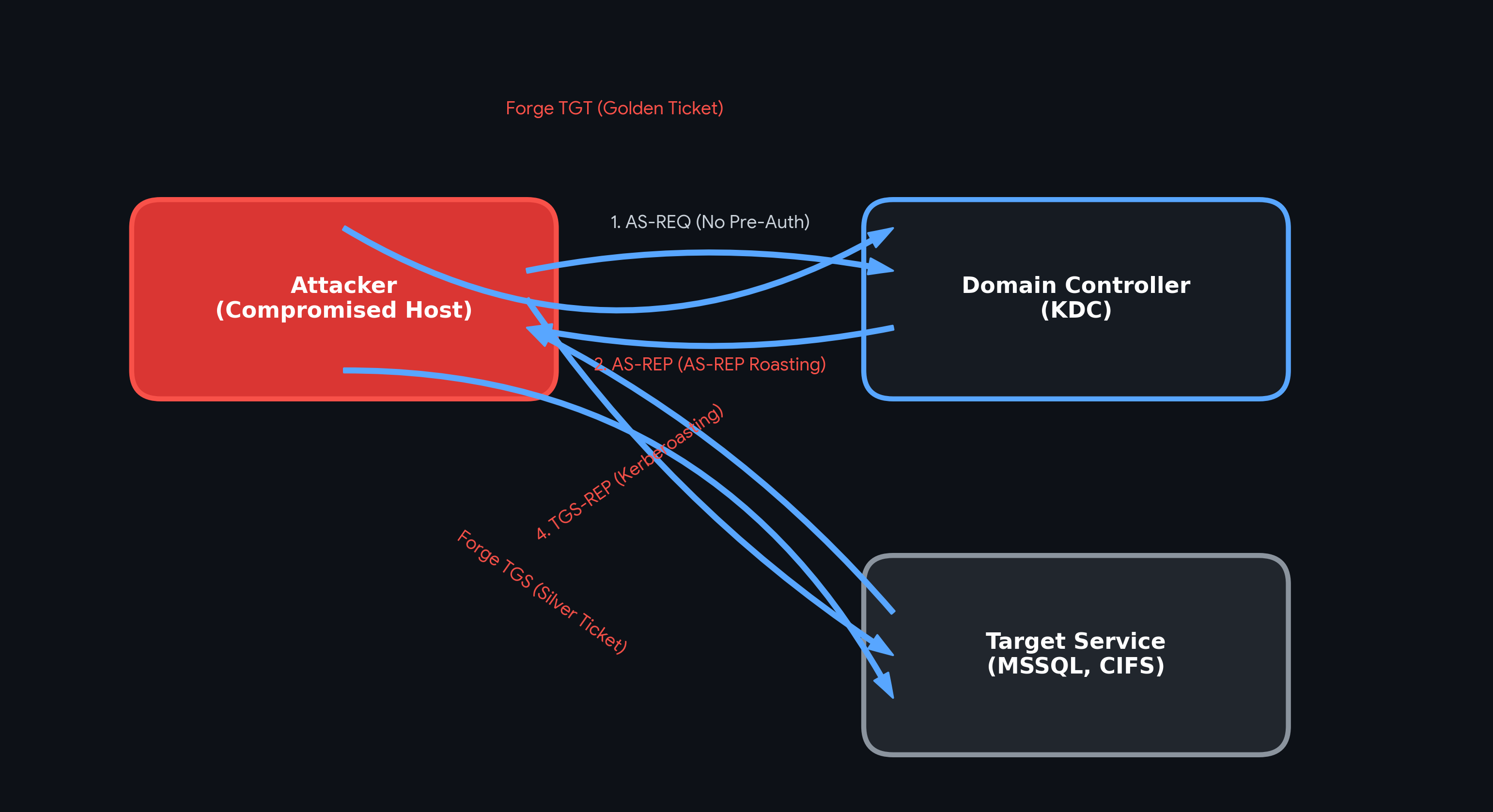
Understanding the Kerberos authentication flow is critical for both attacking and defending Active Directory environments. The diagram above maps out the primary points of exploitation within the Ticket Granting Ticket (TGT) and Ticket Granting Service (TGS) exchanges:
- AS-REP Roasting: If a user account does not require Kerberos pre-authentication, an attacker can request an authentication ticket (AS-REQ) on their behalf. The Domain Controller (KDC) responds with an AS-REP containing a piece of the user's password hash encrypted with their key, which can be extracted and cracked offline.
- Kerberoasting: Any authenticated domain user can request a service ticket (TGS-REQ) for an account running a Service Principal Name (SPN). The KDC returns a TGS-REP encrypted with the service account's password hash, allowing the attacker to crack it offline.
-
Golden & Silver Tickets: If an attacker compromises the
krbtgthash, they can forge their own TGTs (Golden Tickets) for domain dominance. If they compromise a specific service account hash, they can forge TGS tickets (Silver Tickets) to access that specific service without interacting with the KDC.
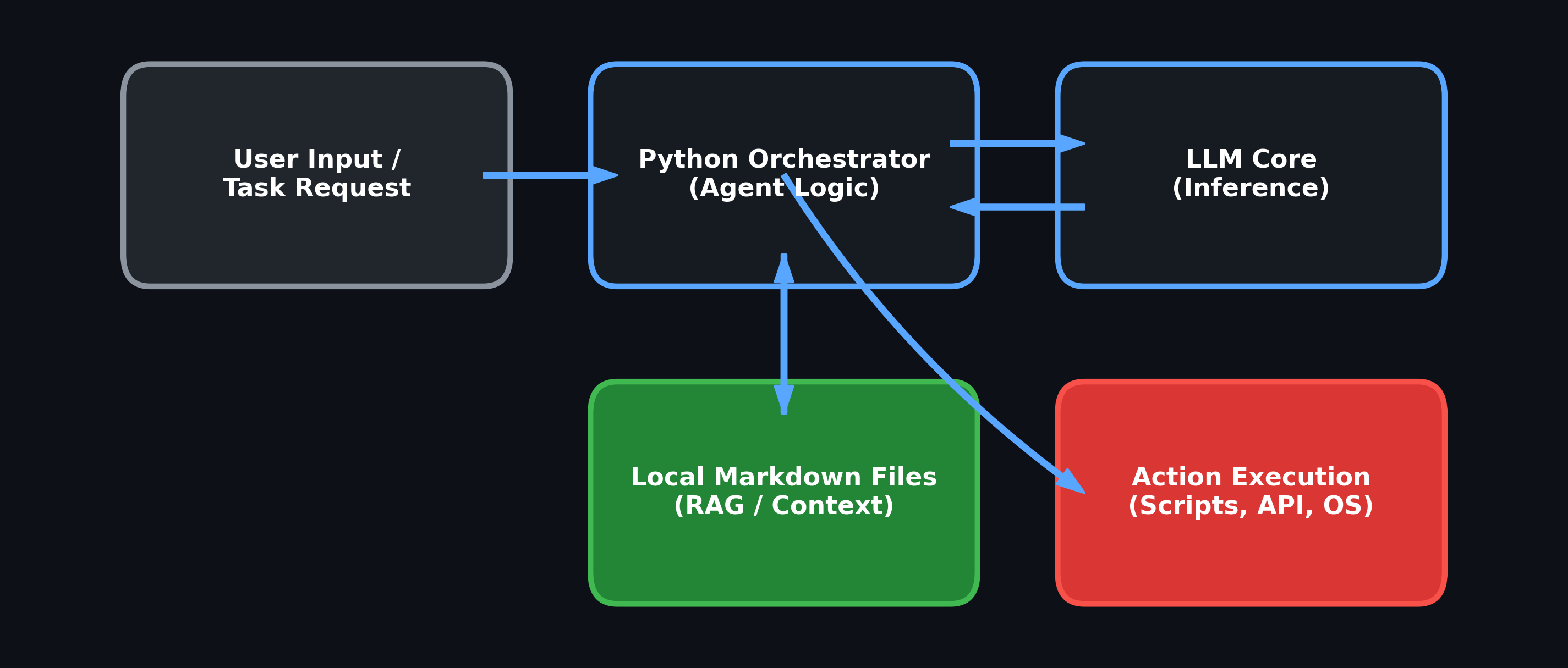
This framework relies on a local, file-system-first approach to manage agent state and context memory. Rather than relying entirely on ephemeral LLM context windows, the architecture utilizes standard Python execution and Markdown files.
- Python Orchestrator: Acts as the central logic loop, receiving user input and determining the necessary sequence of actions.
-
Local Markdown Files (RAG): Context, previous interactions, and system instructions are written to and read from local
.mdfiles. This allows the agent to maintain persistent memory and retrieve specific operational data across sessions. - LLM Inference & Execution: The orchestrator feeds the relevant Markdown context to the LLM. The LLM's output is then parsed to trigger local scripts, interact with APIs, or execute OS-level commands.
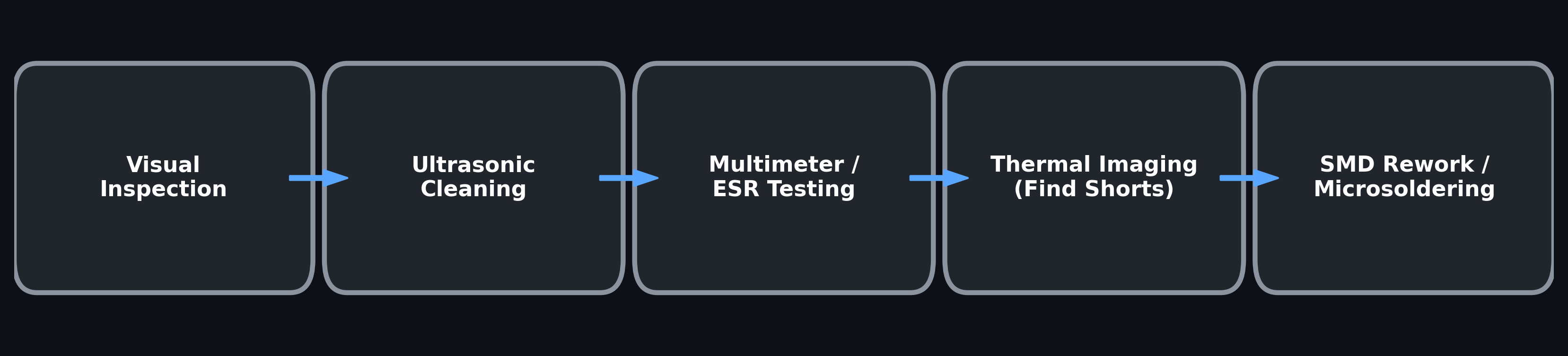
When addressing component-level motherboard failures, follow this linear diagnostic path before applying heat or attempting component replacement:
- Visual Inspection: Check for obvious physical damage, burnt components, liquid ingress, or blown capacitors.
- Ultrasonic Cleaning: Remove corrosion and flux residue to ensure accurate electrical readings and prevent bridging.
- Multimeter & ESR Testing: Verify power rails for shorts to ground and test electrolytic capacitors for Equivalent Series Resistance degradation.
- Thermal Imaging: Inject voltage into suspected shorted rails and use a thermal camera to identify overheating SMD components.
- SMD Rework: Utilize hot air stations, tacky flux, and precision micro-soldering to replace the identified faulty components.
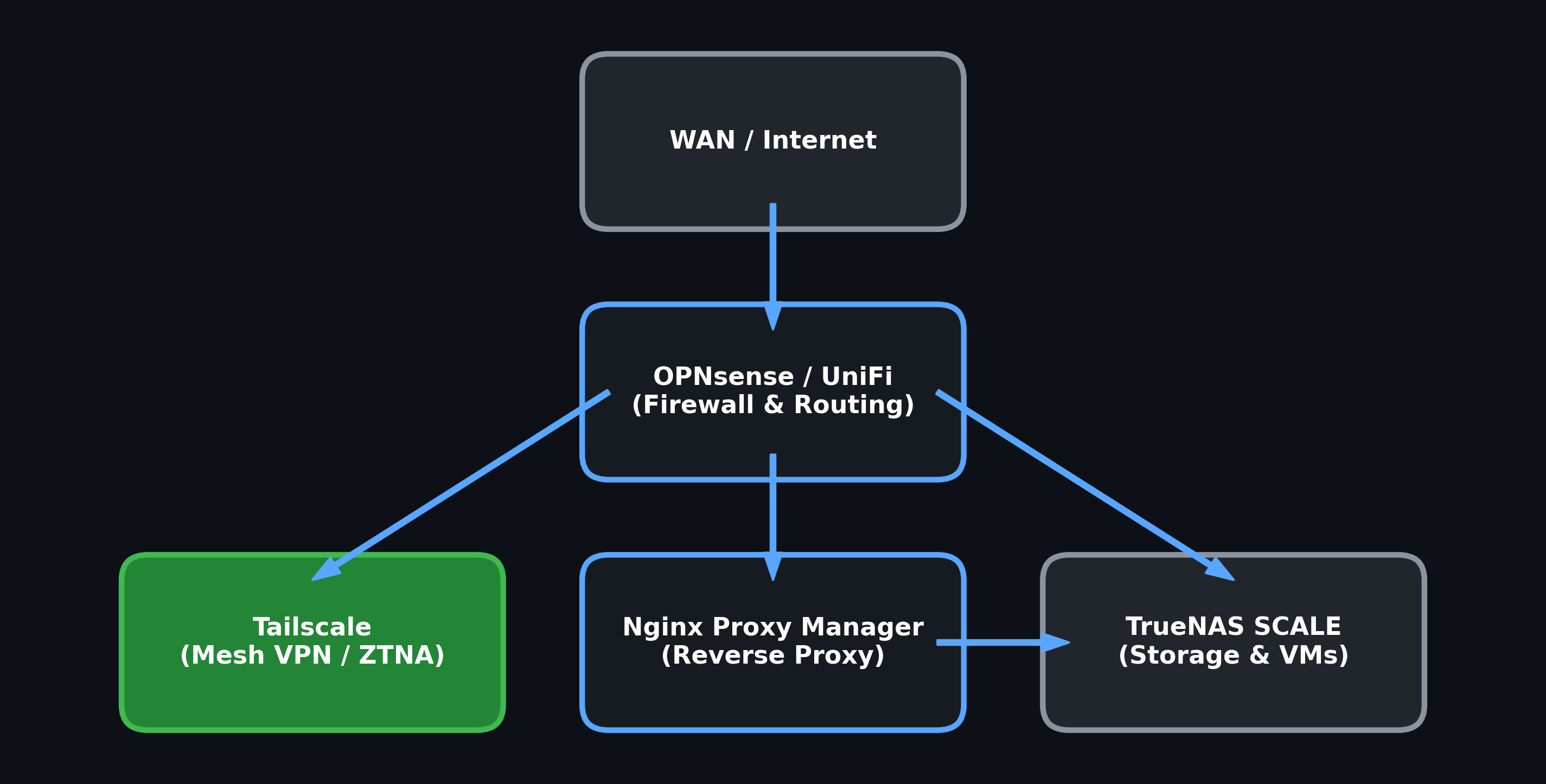
This homelab and operational network topology is designed around compartmentalization, utilizing strict firewall rules and Zero Trust Network Access (ZTNA).
- OPNsense / UniFi Edge: All incoming WAN traffic is heavily filtered through OPNsense, handling VLAN routing and strict firewall enforcement to keep vulnerable lab environments isolated.
- Tailscale (Mesh VPN): Provides secure, encrypted access to internal resources from external locations without exposing standard listening ports to the public internet.
- Nginx Proxy Manager: Handles internal reverse proxying and SSL certificate management, cleanly routing authorized traffic to the correct backend services.
- TrueNAS SCALE: Serves as the primary data repository and hypervisor for operational VMs, sitting securely behind the routing and proxy layers.
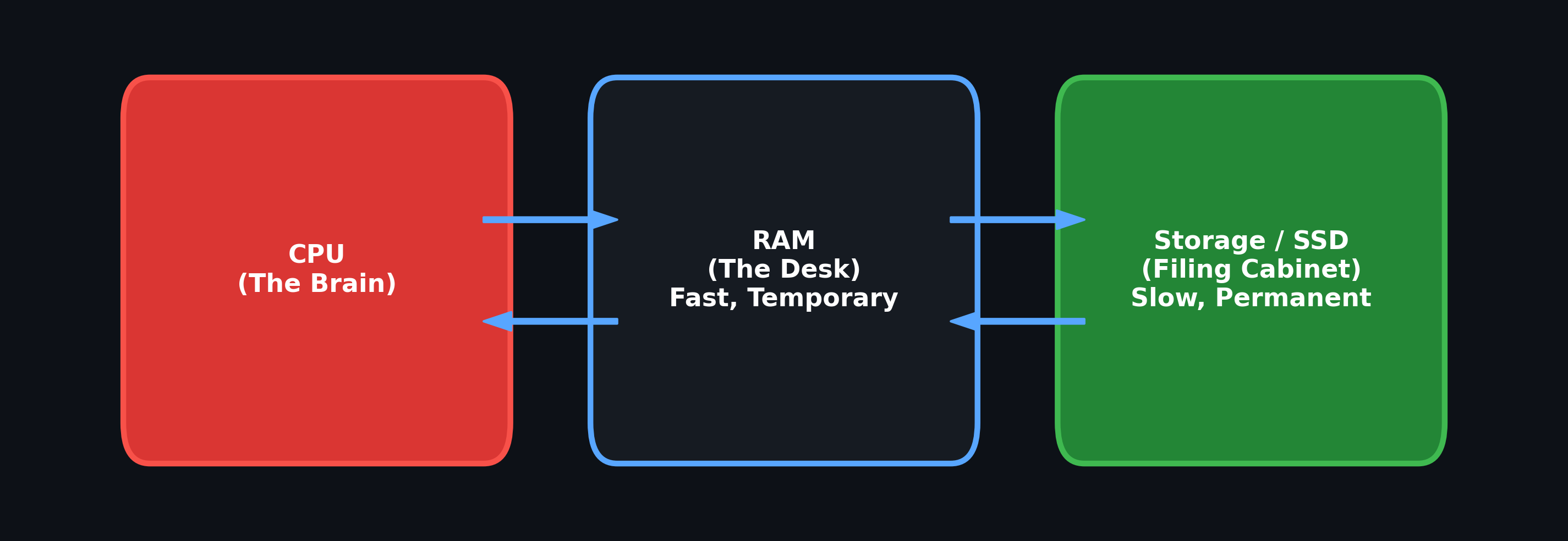
When diagnosing slow computer performance, it is helpful to visualize the hardware as a physical workspace:
- The Brain (CPU): The processor does the actual "thinking" and calculating. It is incredibly fast but cannot store information on its own.
- The Desk (RAM): Memory is your active workspace. It is fast and temporary. If you have a small desk (low RAM), you can only work on a few documents at once before things slow down and you have to swap items out. When the power goes off, the desk is cleared.
- The Filing Cabinet (Storage/SSD): This is where everything is permanently saved. It is much slower to access than the desk, but it holds all your files, photos, and the operating system even when the computer is turned off.
📄 Source: assets/imageplacement.md | ✏️ Suggest an edit | ⬅️ Back to Illustrations & Visual Resources