pts 64bit
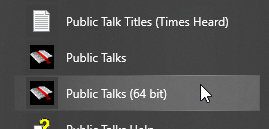 There is a 64 bit edition of Public Talks available through your computer's Start menu. There are some things you need to know if you decide to use the 64 bit edition of the application. There is a 64 bit edition of Public Talks available through your computer's Start menu. There are some things you need to know if you decide to use the 64 bit edition of the application. |
|---|
| Scenario 1 | |
|---|---|
| Scenario 1: You are using the legacy MDB data format (the default database type) with Public Talks. | Windows 64 bit comes supplied with a few 32 bit ODBC drivers, one of which is the MDB driver. So you can use the 32 bit edition of Public Talks in this context. If you decide to use the 64 bit edition then you will have to obtain the 64 bit ODBC drivers by either installing Microsoft Access 2010 (or higher) in 64 bit mode (by default it installs as 32 bit even on 64-bit machines) or the Microsoft Access 2010 runtime (or higher) (64 bit). |
| Scenario 2 | |
| Scenario 2: You have upgraded your database in Public Talks to the newer ACCDB data format. | Windows 64 bit does not come with the ACCDB driver in either bit environment. You must obtain the driver. Now: - If you have Microsoft Office 32 bit installed (not Microsoft Access) then you must download the 32 bit Microsoft Access 2010 runtime (or higher) and use the 32 bit edition of my software. - If you have Microsoft Office 64 bit installed (not Microsoft Access) then you must download the 64 bit Microsoft Access 2010 runtime (or higher) and use the 64 bit edition of my software. |