pts congregations hyperlinks
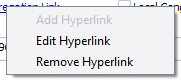 Right-click the hyperlink on the Congregations maintenance page and select Add Hyperlink or Edit Hyperlink to display this window. It allows you to change the hyperlink associated with the currently selected congregation or speaker. Right-click the hyperlink on the Congregations maintenance page and select Add Hyperlink or Edit Hyperlink to display this window. It allows you to change the hyperlink associated with the currently selected congregation or speaker. |
|---|
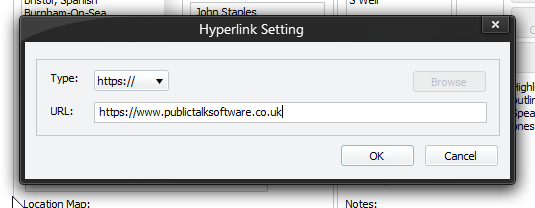
Type
The following type of hyperlink are supported:
- file://
- http://
- https://
- mailto:
URL
Specify the URL as required.
 Make sure you click OK to save your hyperlink setting to the database!
How can a hyperlink be useful? Here are some suggestions:
1. Keep a set of directions to a Kingdom Hall:
2. Keep the Coordinator or Speakers email address:
3. You might have a file on your computer with directions and details:
file://path_to_file.doc
| The only thing to remember is that the hyperlink is limited to 255 characters. This is a limitation of Microsoft Access. If you find this to be a problem then you might like to consider using https://tinyurl.com/. This is a handy way of making a very long hyperlink into a very short hyperlink! Then you could keep the shorter hyperlink within the database. Let me know if you need any other URL type added into the drop-down list. |
|---|
Browse
The Browse button is only enabled when file:// is selected. Then you can simply navigate to the file you want to link to. However the same limits apply as previously stated regarding the number of characters.