pts main menu
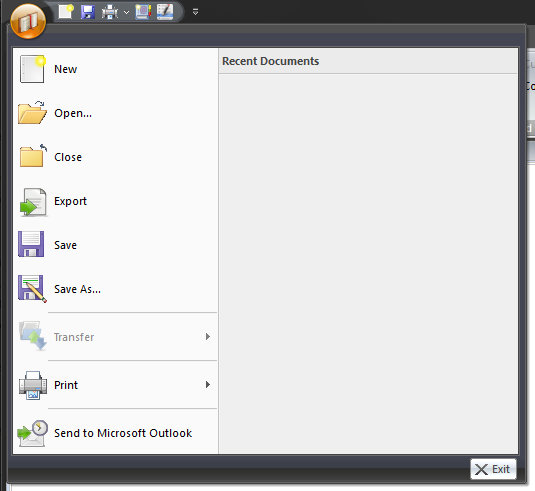
The Main Application Menu is displayed by clicking on the small Bible symbol in the upper left. The items on this menu are sometimes disabled. In depends upon what you are doing at the time when you display it. here is a brief overview of this menu.
This is where you can create your reports and then either print them out or export them to Microsoft Word. There are several types of report that you can create (including custom ones). Read the help topic for more information.
- Open
Open a previous saved report.
- Close
Close the active report.
- Export
Export the report to one of the support file format. The majority of the reports can be exported to Microsoft Word (if it is installed) but some reports support other file types.
- Save
Save the active report.
- Save As...
Save the active report with a different file name.
- Transfer
Use this facility to transfer all application settings / database to another computer. Alternatively you can transfer from another PC.
Print the active report to your print (or PDF).
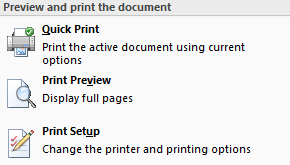 Note that Print menu item also has a sub menu. From here you can: Quick Print (disabled if there is no document is open) Print Preview (disabled if there is no document is open) Print Setup Note that Print menu item also has a sub menu. From here you can: Quick Print (disabled if there is no document is open) Print Preview (disabled if there is no document is open) Print Setup |
|---|
At the moment this feature has not available in the application.