pts talks summary setup
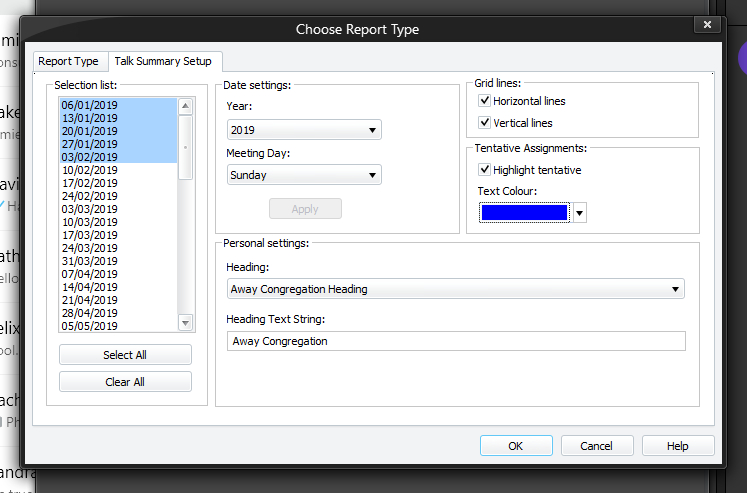
The Talks Summary Setup page allows you to specify how the report will be created. To be able to access this setup page, you must select Talks Summary from the list of report types on the Report Type tab. All settings (with exception of selected dates) are saved when you dismiss the window by pressing the OK button.
To learn more about the features of this property page, glance down the table below or highlight the control you are interested in by clicking on the screenshot above.
Selection list
This list box shows a list of dates using the currently selected Year and Meeting Day. It will automatically include any other dates which have been arranged (for example, an away talk on a different day of the week).
Select which dates you would like to have included in the report.
 AnyYou can use the CTRL key to select (or deselect) several individual entries (ie: not a continuous selection).
Select All
Press this button to select all the dates in the selection list box.
Clear All
Press this button to deselect all highlighted dates in the selection list box.
Year
Use this drop-down list to select the year that you want to create the report for. When you change this option, you must then click the Apply button for it for take effect.
Meeting Day
Use this drop-down list to select the day of the week when your Public Talk is held on. When you change this option, you must then click the Apply button for it for take effect.
Apply
This button is only enabled when you have made a change to the Year or Meeting Day. When you click it, the list of dates gets refreshed.
Any dates currently selected will be lost.
Show horizontal grid lines
Check this option if you want to have horizontal grid lines on the report.
Show vertical grid lines
Check this option if you want to have vertical grid lines on the report.
Highlight tentative
Set this option if you want to highlight any tentative home/away talk assignments in a different colour.
Text Colour
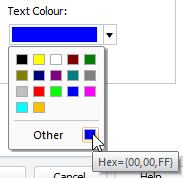 Use the drop-down list to select which colour you would like tentative home / away away talk assignments to be highlighted in. This setting is disabled if the Highlight tentative option is not set or the Generate away talk slips option is on. Use the drop-down list to select which colour you would like tentative home / away away talk assignments to be highlighted in. This setting is disabled if the Highlight tentative option is not set or the Generate away talk slips option is on. |
|---|
Personal Settings The Talks Summary report can be personalised to meet your needs. All of the headings can be changed. Use this drop-down list to select the heading you want to modify. Once selected, the current value gets shown in the edit box:  You can then edit the text. The settings get saved when you click OK to create the report or choose the Report Type property page. You can then edit the text. The settings get saved when you click OK to create the report or choose the Report Type property page. |
|---|