pts lookup field
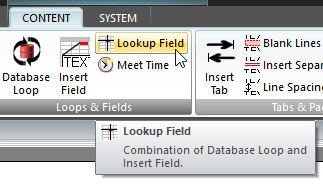 Click Lookup Field on the CONTENT ribbon panel to display the Lookup Field window. Read more: Command Syntax Click Lookup Field on the CONTENT ribbon panel to display the Lookup Field window. Read more: Command Syntax
|
|---|
This is used to extract a single piece of data from a single row of the database. You must press Insert (or Update if editing an existing command) for your changes to be applied to the current script in the editor.
It displays the regular LOOP / Raw SQL window with some extra controls:
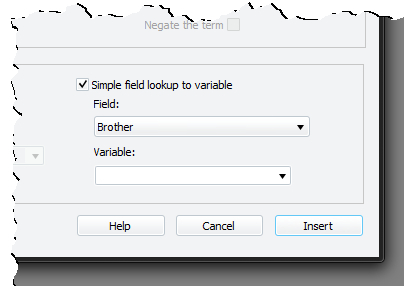 Make sure the option Simple field lookup to variable is ticked. Then select the field you want to lookup the value for from the drop-down list. Finally, type in or select a dynamic variable to save the value of the field to. Make sure the option Simple field lookup to variable is ticked. Then select the field you want to lookup the value for from the drop-down list. Finally, type in or select a dynamic variable to save the value of the field to. |
|---|
 You must be comfortable with using the LOOP command with criteria (WHERE clauses) to reduce the record set to one database row. Please read up about LOOP's if you are unsure.
A lookup field can also be generated from a raw SQL statement rather than a normal LOOP with WHERE criteria. A similar set of lookup field controls appear on the window when you ask to use raw SQL. Note, however, that the field list will be empty until you enter a valid SQL SELECT statement. The list is re-populated after a 2-second delay whenever you update the SQL.