pts maintain databases
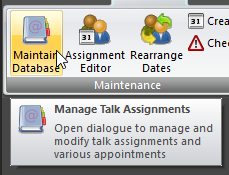 Maintain Database is available from the Maintenance panel on the DATABASE ribbon panel. You can also display this window from the HOME ribbon panel. Maintain Database is available from the Maintenance panel on the DATABASE ribbon panel. You can also display this window from the HOME ribbon panel. |
|---|
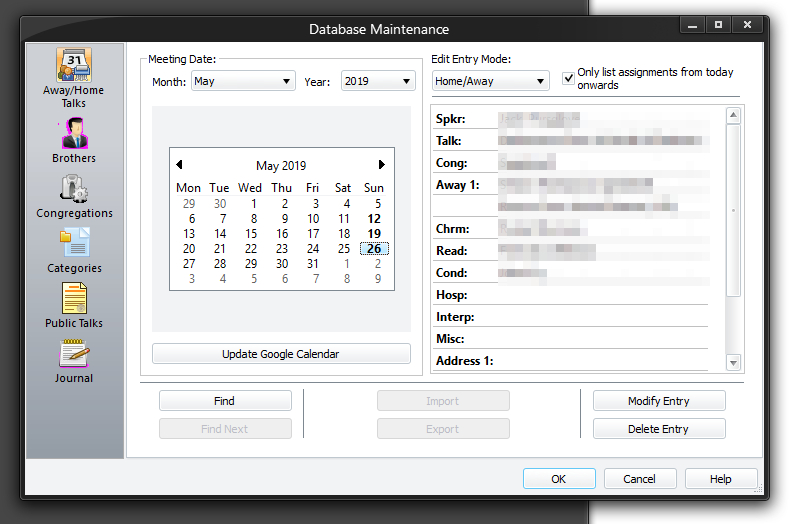
You use this window to change the database information that is used to generate the various types of reports. There are six property pages on this window. Each one allows you to maintain specific database records.
To learn more about the features of this property page, glance down the table below or highlight the control you are interested in by clicking on the screenshot above.
 Did you know that this window is resizeable?
Here is a brief summary of what each property page does. Click on the links to get more information concerning each page.
 This shows the Away/Home Talks property page. You can keep track of public talks that you have scheduled to be heard in your congregation as well as public talks that you have assigned to be given away at other congregations. Records can be added, deleted or modified. This shows the Away/Home Talks property page. You can keep track of public talks that you have scheduled to be heard in your congregation as well as public talks that you have assigned to be given away at other congregations. Records can be added, deleted or modified. |
|---|
 This shows the Brothers property page. You can keep up-to-date which brothers are assigned as Chairmen, Watchtower Conductors or Watchtower Readers. Records can be added, deleted or modified. This shows the Brothers property page. You can keep up-to-date which brothers are assigned as Chairmen, Watchtower Conductors or Watchtower Readers. Records can be added, deleted or modified. |
|---|
 This shows the Congregations property page. You can keep track of the congregations that you exchange speakers with. Each congregation has its own list of speakers to choose from. You can add, delete or modify records. You can also specify the Coordinator and which talks each Speaker gives. This shows the Congregations property page. You can keep track of the congregations that you exchange speakers with. Each congregation has its own list of speakers to choose from. You can add, delete or modify records. You can also specify the Coordinator and which talks each Speaker gives. |
|---|
 This shows the Categories property page. You can maintain a list of Public Talk Categories. You can add and delete categories as required. This shows the Categories property page. You can maintain a list of Public Talk Categories. You can add and delete categories as required. |
|---|
 This shows the Public Talks property page. You can keep track of what Public Talks you have available. Records can be added, deleted or modified. This shows the Public Talks property page. You can keep track of what Public Talks you have available. Records can be added, deleted or modified. |
|---|
 This shows the Journal property page. You can can manage all of your journal entries from here. This will save you from using lots of pieces of paper! This shows the Journal property page. You can can manage all of your journal entries from here. This will save you from using lots of pieces of paper! |
|---|
When you dismiss this window, all the reports that are currently open (but not yet saved to disk) get rebuilt so that they reflect any changes caused by modifying the database.